Affiliate Disclosure: This GetResponse review may contain affiliate links. If you sign up through them, I may earn a small commission at no extra cost to you. I only recommend tools I have personally tested, and this never influences my honest opinion.
Are You Losing Customers After Getting Traffic?
Are you spending money on ads, SEO, and social media but still not seeing enough sales?
This is one of the biggest problems most businesses face. Getting traffic is hard. But converting that traffic into leads and paying customers is even harder.
A lot of businesses focus only on bringing visitors to their website — more clicks, more impressions, more reach. But here is the truth:
Traffic without a conversion system is wasted potential.
What actually grows revenue is a system that captures leads, nurtures them, and converts them into paying customers. That is exactly where GetResponse comes in.
In 2026, GetResponse has evolved far beyond a simple email marketing tool. It now positions itself as an all-in-one marketing platform with email campaigns, automation workflows, landing pages, sales funnels, webinars, AI tools, and ecommerce features. In this hands-on GetResponse review, I share exactly what happened when I used it for 30 days — including the results, the pricing reality, and how it compares to Mailchimp, ActiveCampaign, Brevo, and ConvertKit.
If you are a:
- blogger
- startup founder
- ecommerce seller
- coach
- SaaS marketer
- agency owner
this detailed review will help you decide whether GetResponse is worth your investment in 2026.
What Is GetResponse?
GetResponse is a complete email marketing and automation platform designed to help businesses generate leads and increase revenue. It offers everything needed to create an end-to-end marketing system, which is why it is so often compared against tools like Mailchimp and ActiveCampaign.
Read Best Email Marketing and Automation Tools for 2026 – Top 10 Tested Platforms Click Here
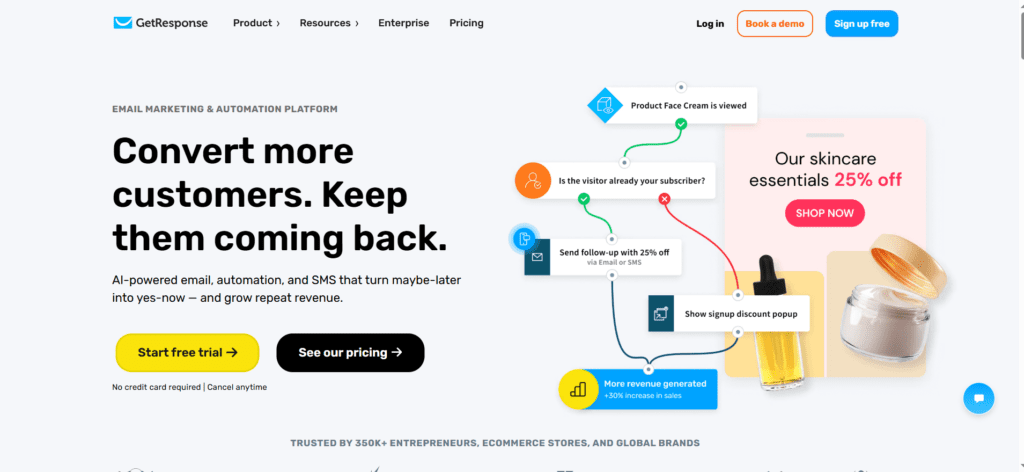
Key features include:
- email marketing
- automation workflows
- autoresponders
- landing pages
- lead capture forms
- conversion funnels
- webinar hosting
- AI email generator
- ecommerce automation
- analytics dashboard
One reason many businesses choose it is because it reduces tool fragmentation. Instead of paying separately for email software, a landing page tool, webinar software, and an automation platform, you get everything under one dashboard. This is especially valuable for small businesses trying to optimize software costs in 2026, where stacking five subscriptions can easily cost more than a single all-in-one plan.
My 30-Day Testing Experience
What I Tested During 30 Days
For this review, I tested GetResponse for 30 days across practical business use cases instead of just exploring the dashboard. My goal was simple:
Can this platform actually help convert traffic into leads and sales?
I specifically tested it across five real-world workflows:
- lead capture funnel
- welcome email automation
- abandoned cart recovery
- webinar signup funnel
- newsletter campaigns
This helped me evaluate whether GetResponse solves actual conversion problems or is just another email tool with too many features. During the testing period, I created:
- 3 landing pages
- 2 automation workflows
- 1 abandoned cart sequence
- 1 webinar registration flow
- multiple email campaigns
This gave me a practical, first-hand understanding of usability, deliverability, and automation performance — not a theoretical opinion copied from a feature list. Everything below is based on what I actually saw inside my own account.
What Worked Well
The biggest strength I noticed was how smoothly everything works inside one dashboard. Normally, businesses use separate tools for:
- landing pages
- email campaigns
- automation
- webinars
- forms
- analytics
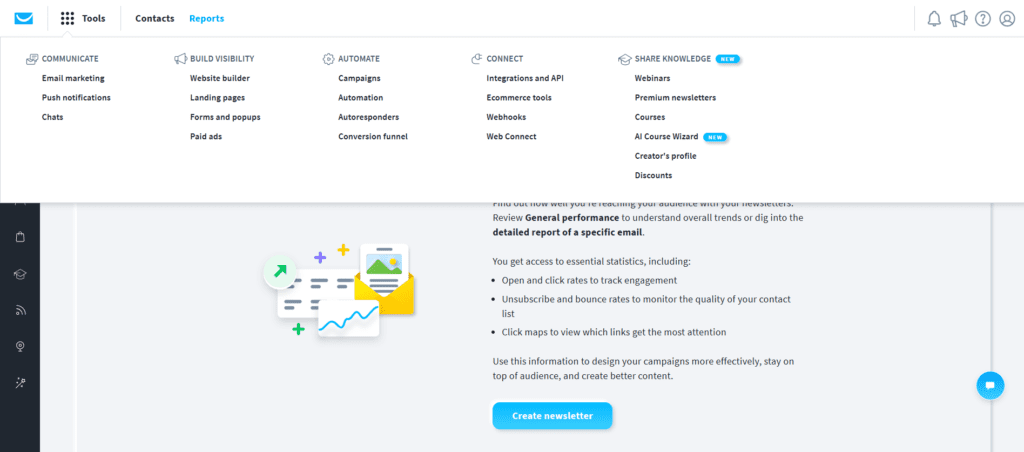
I am testing GetResponse for my own personal use case, and I am simply sharing the insights so you can decide how to use it. Below are real screenshots from inside my account during the test.
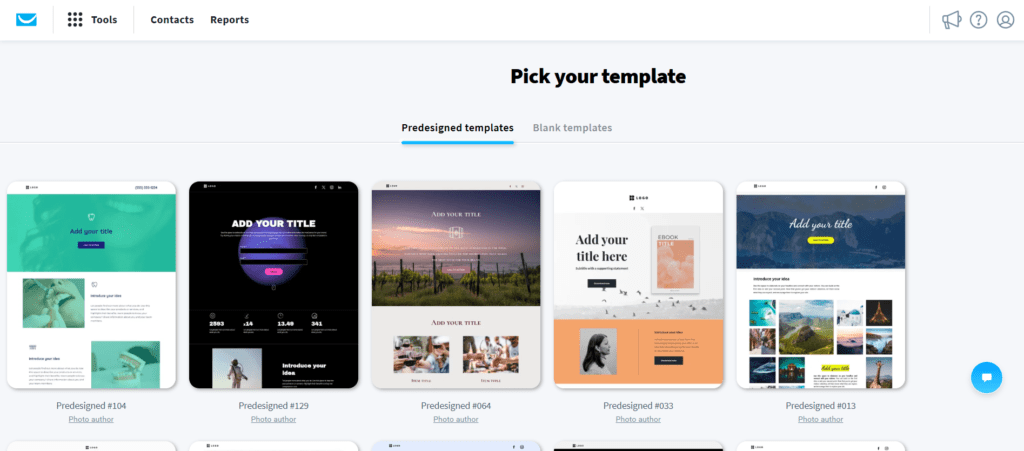
Use This Landing Page Templates.
GetResponse ships with 190+ responsive landing page templates plus an AI page builder, so you can launch a conversion-focused page in minutes without a designer.
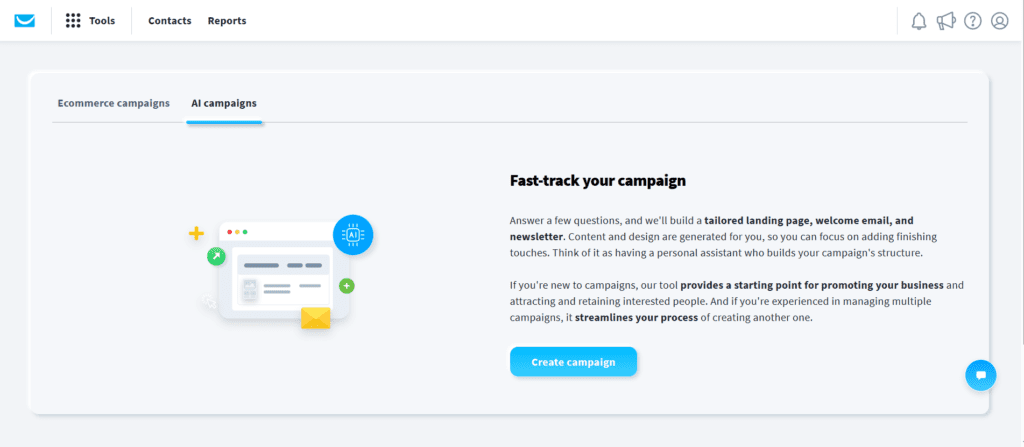
Use AI Email Campaigns
The AI email generator writes subject lines and full campaign copy from a short prompt, which speeds up newsletter creation noticeably.
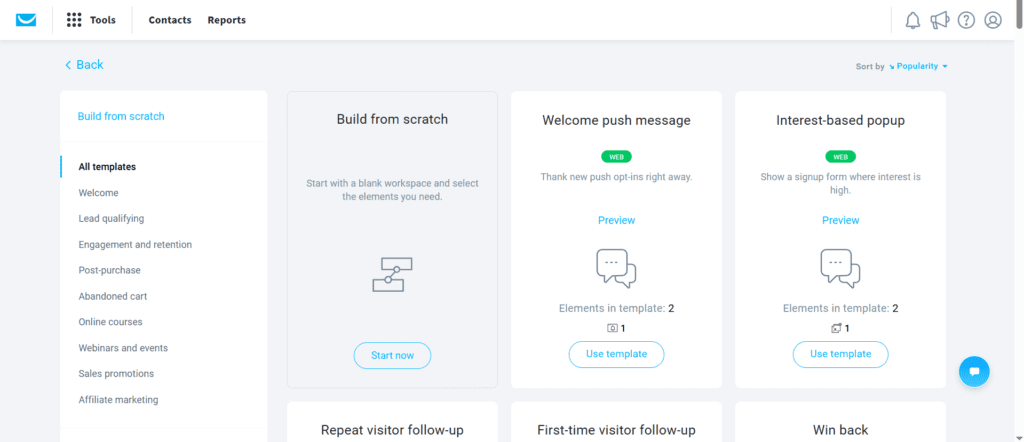
Create GetResponse Automation
The visual automation builder lets you drag triggers, conditions, and actions onto a canvas to map a complete customer journey.
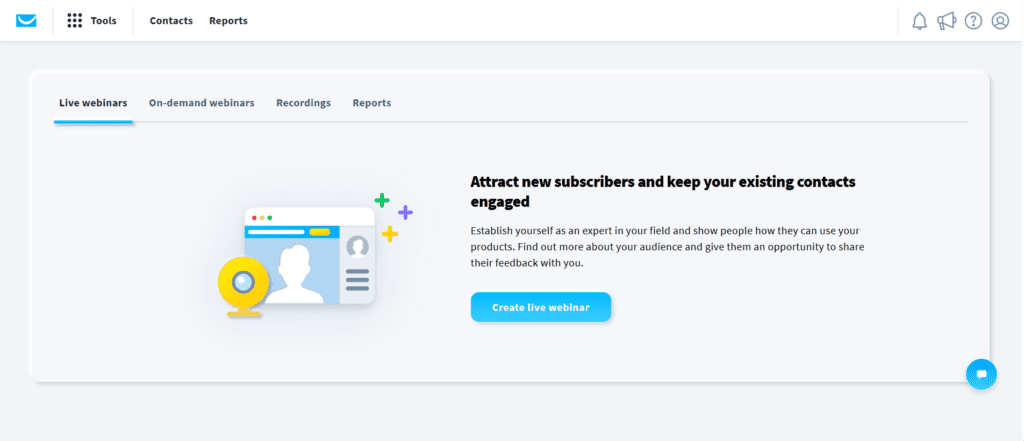
GetResponse Webinar
Built-in webinars are a standout — very few email platforms host webinars natively, so you avoid paying for a separate tool like Zoom or WebinarJam.
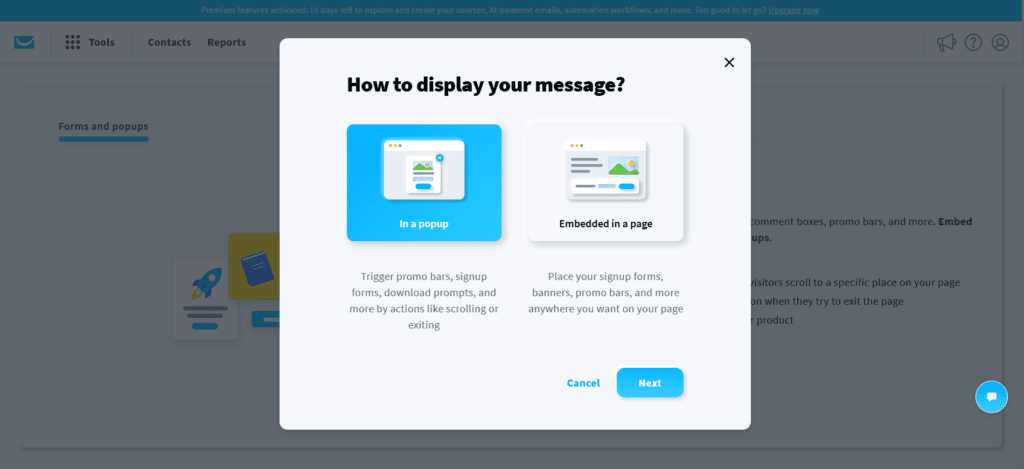
GetResponse Forms
Pop-ups, embedded forms, and exit-intent forms can be created and connected to a list and automation in the same workflow.
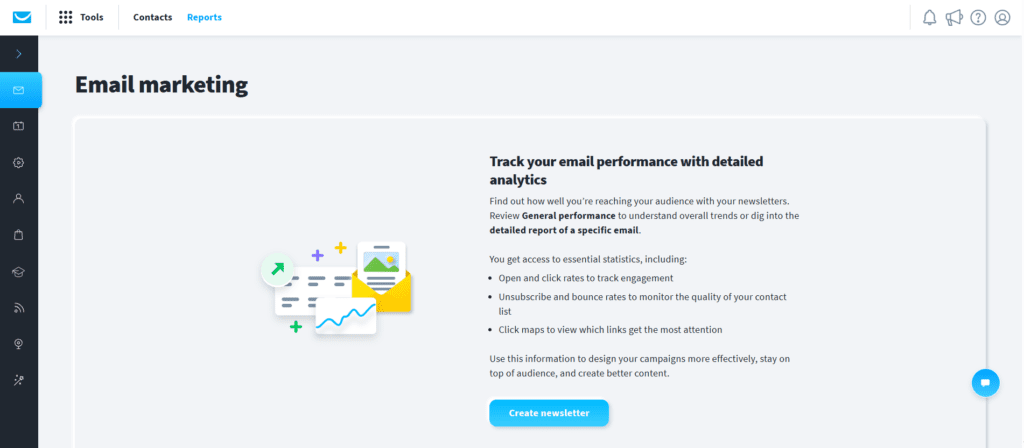
GetResponse Analytics
The analytics dashboard tracks opens, clicks, conversions, and revenue, so you can see which campaigns actually drive sales.
When tools are split across many platforms, it creates operational complexity. With GetResponse, the workflow felt much more streamlined. For example, when I created a lead magnet landing page, I could instantly connect it with an automation sequence without using external integrations. That saves time, and more importantly, it reduces lead leakage — which is exactly where many businesses lose potential revenue.
Where I Faced Challenges
To keep this review honest, here is what frustrated me. The automation builder is powerful, but beginners may initially feel overwhelmed. If someone has only used simple newsletter tools before, the workflow logic may take some learning. For example:
- conditions
- triggers
- branching rules
- tagging logic
can feel complex at first. A few other honest drawbacks I hit: the price jumps once your contact list grows past each tier, some of the best features (like advanced webinars and ecommerce) sit on higher plans, and the annual billing is non-refundable, so I would start monthly until you are sure. However, once the first workflow is built, the system becomes much easier to scale.
Results After 30 Days: What Actually Happened?
After 30 days of real use, the platform proved it could move the needle on the metrics that matter — lead capture, follow-up, and conversions. Here is what I observed.
Key Results I Observed
Lead capture rate improved significantly
When I switched from sending traffic to a generic homepage and instead used a dedicated landing page with a lead magnet, the conversion rate improved noticeably.
Example funnel: Blog traffic → free checklist → email signup → nurture sequence. This immediately created a more measurable conversion path.
Better Follow-Up Automation
Before automation, visitors would often leave after reading one page. With GetResponse, I created a simple 5-email nurture workflow that helped re-engage visitors who would otherwise disappear.
Sequence example:
- Day 1: welcome email
- Day 2: educational content
- Day 4: case study
- Day 6: social proof
- Day 8: offer
This structure is highly effective for:
- SaaS
- coaching
- consulting
- digital products
- affiliate funnels
Webinar Conversion Potential
The webinar feature was surprisingly valuable. For businesses selling premium services, webinars create trust faster than landing pages alone, which can directly improve close rates.
For example: cold traffic → webinar → live trust building → sales pitch. This is one of the highest-converting funnels for service businesses, and having it built in is a genuine GetResponse advantage.
Common Problems Businesses Face — and How GetResponse Solves Them
Problem 1: Visitors Leave Without Taking Action
This is the most common problem. People visit, they read, then they leave — no email, no purchase, no follow-up. This means lost acquisition cost on every visitor you paid to bring in.
Solution
Use pop-up forms, lead magnets, exit-intent forms, and dedicated landing pages. With GetResponse, you can capture these users before they bounce. For example, offer a free guide such as “10 Proven Ways to Increase Ecommerce Conversion Rate”. This converts informational traffic into leads you actually own.
Problem 2: Leads Go Cold
Many businesses collect emails but never nurture them properly, which leads to low conversion rates.
Solution
Use automated sequences. For example, if someone downloads a pricing guide, send a pain-point email, a case study, a testimonial, and an urgency offer. This keeps the lead warm and moves them toward a buying decision.
Problem 3: Cart Abandonment
This is huge for ecommerce. Many shoppers add products but never complete checkout.
Solution
Create abandoned cart automation. Example flow: 1 hour later → reminder, 12 hours later → urgency, 24 hours later → discount coupon. This can recover lost revenue automatically, often paying for the subscription on its own.
Best Practices I Recommend After Testing
Based on my testing, here are the best ways to get strong ROI from GetResponse.
1. Never Send Paid Traffic to Homepage
Always use landing pages. Homepage traffic converts poorly. Instead use a lead magnet page, a webinar page, a discount page, or a free consultation page.
2. Segment Your Audience
Do not send the same email to everyone. Segment by buyers, leads, inactive users, and repeat customers. Segmentation dramatically improves open rates and sales.
3. Use Behavior-Based Triggers
This is where revenue grows. Example: if a user clicks the pricing page twice → send a sales email. This is far stronger than generic newsletters because it reaches people at the exact moment of intent.
Why Businesses Need GetResponse in 2026
Let us talk about the real business problem. Most websites fail because there is no lead nurturing process. A visitor comes, reads one page about the product, leaves, and never comes back. This is lost revenue. GetResponse solves this through automation.
For example, a user downloads your ebook and automatically enters an email sequence:
Day 1 → welcome email
Day 2 → educational email
Day 4 → case study
Day 6 → offer email
Day 8 → limited-time discount
This practical workflow helps turn cold traffic into customers. That is why email marketing still delivers one of the highest ROIs in digital marketing.
1. Powerful Email Marketing Features
Email marketing is still GetResponse’s core strength. The platform provides a drag-and-drop email builder that is beginner friendly. You can create newsletters, promotional campaigns, flash sale emails, welcome emails, re-engagement emails, and product launch sequences. A standout point in 2026 is that all plans include unlimited email sends, so you are not penalised for emailing your list often. The editor is simple enough for beginners but powerful enough for advanced marketers.
Practical Use Case
Imagine you run an ecommerce store and a customer buys skincare products. With GetResponse, you can create a post-purchase workflow: thank-you email, product usage guide, review request, upsell related product, and loyalty offer. This increases repeat purchases and directly impacts customer lifetime value.
2.Marketing Automation That Solves Real Business Problems
This is where GetResponse becomes truly valuable. Its workflow builder supports behavior-based automation with triggers and segmentation, which many SMBs use for lead nurturing and ecommerce flows. Compared to Mailchimp’s simpler automations, GetResponse gives you deeper branching logic and lead scoring.
Example Workflow
If a visitor signs up on a landing page, clicks the pricing page, opens 3 emails, and visits the checkout page, then automatically: assign a “hot lead” tag, send an urgency email, offer a demo booking, and notify the sales team. This is not theory — it is practical revenue automation. For SaaS businesses, this can dramatically improve conversion rates.
3.Landing Page Builder for Better Conversions
One of the most overlooked problems in digital marketing is sending traffic to the homepage, which kills conversions. GetResponse includes a built-in landing page builder so you can create high-converting campaign pages without relying on separate tools like Unbounce or Leadpages.
Practical Example
Instead of sending ad traffic to the homepage, send it to a free ebook page, webinar signup page, free trial page, or discount page. This significantly improves conversion rates. For lead generation businesses, this is a major advantage.
4. Conversion Funnel Builder
A funnel is the complete journey from visitor to customer. GetResponse allows you to build an opt-in funnel, sales funnel, webinar funnel, lead magnet funnel, and abandoned cart funnel.
Real Use Case
Facebook ad → landing page → email nurture → offer page → checkout. Everything works inside one system, which means less dependency on multiple tools and fewer integration headaches.
5.Built-In Webinar Hosting (Major Competitive Advantage)
Very few email marketing platforms offer webinars inside the same tool. This is where GetResponse stands out. Built-in webinar functionality is one of its strongest differentiators for coaches, educators, and B2B marketers. This is perfect for coaches, consultants, educators, course creators, and SaaS demos.
Practical Use Case
Host a webinar such as “How to grow your ecommerce sales in 30 days”, then automate reminder emails, a replay email, a sales pitch email, and an onboarding sequence. This can generate high-ticket conversions that a standalone newsletter tool simply cannot.
GetResponse Pricing 2026
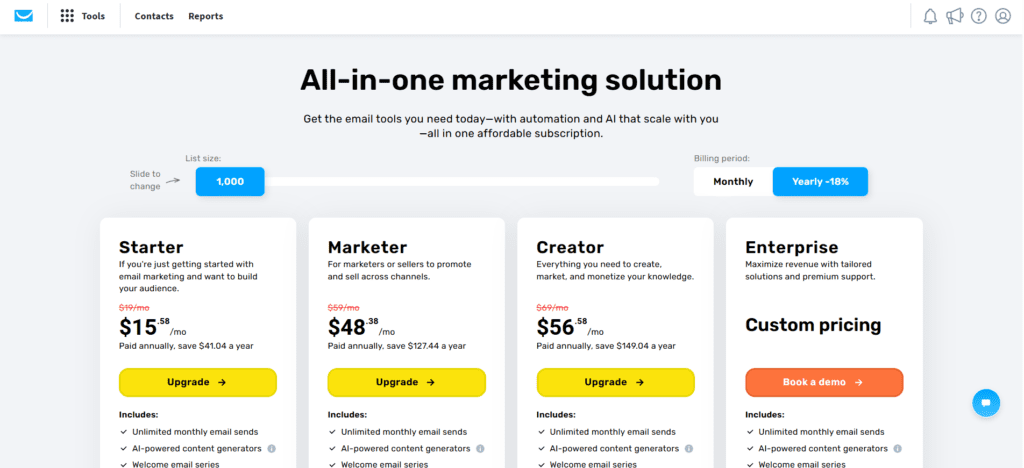
GetResponse pricing in 2026 is organised into a free plan plus three paid tiers — Starter, Marketer, and Creator — and a custom Enterprise (MAX) plan. Pricing is based on your contact list size and increases as your list grows. You can save roughly 18% with annual billing and around 30% with a two-year plan.
Approximate Starting Plans
The figures below are starting monthly prices for 1,000 contacts (verified for 2026). Annual billing lowers the effective Starter price to roughly $15.58/month.
| Plan | Starting Price (monthly) | Best For |
|---|---|---|
| Free | $0 (up to ~500 contacts) | Testing the platform |
| Starter | ~$19/mo | Solopreneurs & small lists |
| Marketer | ~$59/mo | Advanced automation & ecommerce |
| Creator | ~$69/mo | Courses, webinars & monetization |
| Enterprise (MAX) | Custom | 100k+ contacts, SMS, dedicated IP |
If you currently pay separately for Mailchimp, Unbounce, a webinar tool, and Zapier, your total cost may easily exceed a single GetResponse plan — which is what makes it cost-effective for an all-in-one stack. One thing to watch: the price auto-bumps as your contact count crosses each tier (1k, 2.5k, 5k, 10k and up), so forecast your list growth before committing to annual billing.
GetResponse vs Other Email Marketing Tools
GetResponse stands out as an all-in-one marketing platform, while most competitors specialise in one area. The detailed comparison below covers the points most reviews skip — webinars, deliverability, CRM depth, and starting price — so you can see exactly where GetResponse wins and where a rival may suit you better.
| Platform | Starting Price | Built-in Webinars | Automation Depth | Best For |
|---|---|---|---|---|
| GetResponse | ~$19/mo | Yes (native) | Advanced + funnels | SMBs, ecommerce, course creators |
| Mailchimp | ~$13/mo | No | Basic | Beginners & simple newsletters |
| ActiveCampaign | ~$15/mo | No | Best-in-class + CRM | Deliverability & deep automation |
| Brevo (Sendinblue) | Free / low-cost | No | Moderate + SMS | Budget & high-volume senders |
| Kit (ConvertKit) | ~$15/mo | No | Creator-focused | Bloggers & newsletters |
| HubSpot | High | No | Enterprise CRM | Large sales teams |
GetResponse vs Mailchimp
Mailchimp is easier for absolute beginners, but its lists are mutually exclusive, meaning the same contact on two lists is billed twice. GetResponse uses a single tagging-and-segmentation model, includes unlimited sends, and adds webinars and funnels Mailchimp does not have. For automation and conversions, GetResponse is the stronger pick.
GetResponse vs ActiveCampaign
ActiveCampaign leads on raw automation flexibility, CRM, and deliverability (independent tests rank its inbox placement around the top of the market). However, it has no native webinars and a steeper price curve at scale. GetResponse wins when you want webinars, landing pages, and email in one bill.
GetResponse vs Brevo and ConvertKit
Brevo is the budget option and bills by emails sent rather than contacts, which suits large lists that send infrequently and want SMS. ConvertKit (now Kit) is purpose-built for creators and newsletters but lacks the funnel, webinar, and ecommerce depth of GetResponse. For a growing business that wants everything in one place, GetResponse offers the widest feature set for the price.
Who Should Use GetResponse?
Best for:
- bloggers
- affiliate marketers
- ecommerce brands
- agencies
- startups
- course creators
- consultants
Not ideal for:
- businesses needing only simple newsletters
- teams wanting deep, sales-grade CRM features
Real Practical Use Cases
Ecommerce Store
Recover abandoned carts automatically and increase repeat purchases. For example, if a customer adds skincare products to cart but leaves without checkout, GetResponse can automatically send a cart reminder email after 1 hour, a discount offer after 12 hours, and an urgency email after 24 hours. You can also trigger post-purchase emails like product usage tips, review requests, and cross-sell recommendations to boost customer lifetime value.
Blogger
Capture leads using lead magnets and nurture blog traffic. Instead of letting visitors leave after reading one article, use lead magnets such as a free ebook, checklist, AI tools guide, or email templates. Once they subscribe, send an automated email sequence to build trust and drive affiliate or product conversions.
Coach
Run webinar funnels that convert leads into high-ticket clients. Example funnel: social media ad → webinar signup page → reminder emails → live webinar → offer call booking. This works extremely well for coaching, consulting, and course sales.
SaaS
Convert free trial users into paid plans through automated onboarding. Example workflow: Day 1 → welcome + setup guide, Day 3 → feature tutorial, Day 5 → case study, Day 7 → upgrade offer, Day 10 → limited-time discount. This helps reduce churn and improve trial-to-paid conversion.
Agency
Manage multiple client campaigns from one dashboard. Create separate lists, funnels, landing pages, and automation workflows for each client, making it easier to track performance and manage lead generation campaigns at scale.
GetResponse Pros and Cons
Pros
- all-in-one platform (email, pages, funnels, webinars)
- excellent, deep automation
- native webinars included
- 190+ landing page templates
- unlimited email sends on all plans
- AI content tools
- good scalability
Cons
- pricing rises as your contact list grows
- advanced features sit on higher plans
- learning curve for complex workflows
- annual billing is non-refundable
Is GetResponse Worth It in 2026?
Yes — especially if your goal is business growth through email automation and conversion funnels. It solves real business problems: poor lead nurturing, low conversion rates, a fragmented tool stack, and poor customer retention. After 30 days of hands-on testing, I found it delivers strong value for ROI-driven businesses, particularly those that would otherwise pay for a separate webinar and landing page tool.
Conclusion: Final Verdict
If your business needs more than just email newsletters, GetResponse is one of the best all-in-one platforms available in 2026. It is especially strong for automation, funnels, webinars, ecommerce workflows, and lead generation. For businesses serious about growth, it is absolutely worth testing — and the free plan lets you try the core features before you pay.
Related Reading
- Best Email Marketing and Automation Tools 2026 (full roundup)
- MailerLite vs GetResponse
- ActiveCampaign vs GetResponse
- What Is Email Marketing? Beginner Guide
Is GetResponse good for beginners?
Yes. GetResponse is beginner friendly thanks to its drag-and-drop email and landing page builders, AI tools, and ready-made templates. The automation builder has a slight learning curve, but the basics are easy to use from day one.
Is GetResponse better than Mailchimp?
For automation, funnels, and webinars, yes. GetResponse offers deeper automation, built-in webinars, and unlimited sends, while Mailchimp is simpler but bills duplicate contacts twice across lists. Mailchimp may still suit absolute beginners who only need basic newsletters.
Does GetResponse offer webinar hosting?
Yes. GetResponse includes native webinar hosting on its higher plans, which is rare among email marketing platforms and removes the need for a separate tool like Zoom or WebinarJam.
Is GetResponse good for ecommerce?
Yes. GetResponse offers abandoned cart recovery, product recommendations, ecommerce integrations, and post-purchase automation, making it a strong choice for online stores that want to recover lost revenue and increase repeat purchases.
Does GetResponse have a free plan?
Yes. GetResponse has a free plan that supports up to around 500 contacts with basic email marketing and a single landing page, so you can test the platform before upgrading to a paid tier.
Is GetResponse expensive?
It depends on your list size. Paid plans start at around $19/month for 1,000 contacts (about $15.58/month billed annually), and the price increases as your contacts grow. Because it replaces several separate tools, many users find it cost-effective overall.
Is GetResponse good for lead generation?
Very strong. Between landing pages, pop-up and exit-intent forms, funnels, and behavior-based automation, GetResponse is built specifically to capture and nurture leads, which is one of its biggest advantages.
Is GetResponse worth buying in 2026?
Yes for growth-focused businesses. If you want email, automation, landing pages, and webinars in one platform, GetResponse offers excellent value in 2026. Start with the free plan or monthly billing before committing to an annual plan.





I am Ashish Yadav a software engineer and AI tools researcher with over five years of practical experience working with real-world systems and automation. I am founder of CognifyFuture, where I analyzes, tests, and breaks down AI tools with a focus on what actually works—not what’s trending.
My content is built on hands-on usage, not theory. Instead of generic advice, I focuses on real implementation—how AI tools can be used to automate tasks, improve efficiency, and solve any specific business or individual problems.
Through CognifyFuture, My aims is to eliminate confusion around AI by delivering clear, honest, and actionable insights that help users make smarter technology decisions.