
Disclosure: This guide may contain affiliate links. If you sign up through them, we may earn a small commission at no extra cost to you. All tools were personally evaluated before writing this.
In 2026, AI image generation has matured from a novelty into a professional tool used daily by marketers, designers, game developers, bloggers, and content creators worldwide. The tools have gotten dramatically better — and dramatically more varied. Choosing the wrong one means paying for capabilities you don’t need while missing the ones that would actually improve your workflow.
This guide covers the 10 best AI image generation tools of 2026, based on output quality, practical usability, verified pricing, and specific use-case fit. Each tool solves a different creative problem — and knowing which problem you actually have is the only way to make the right choice.
1. PicLumen – Best AI Image Generator for Product Mockups & Branding
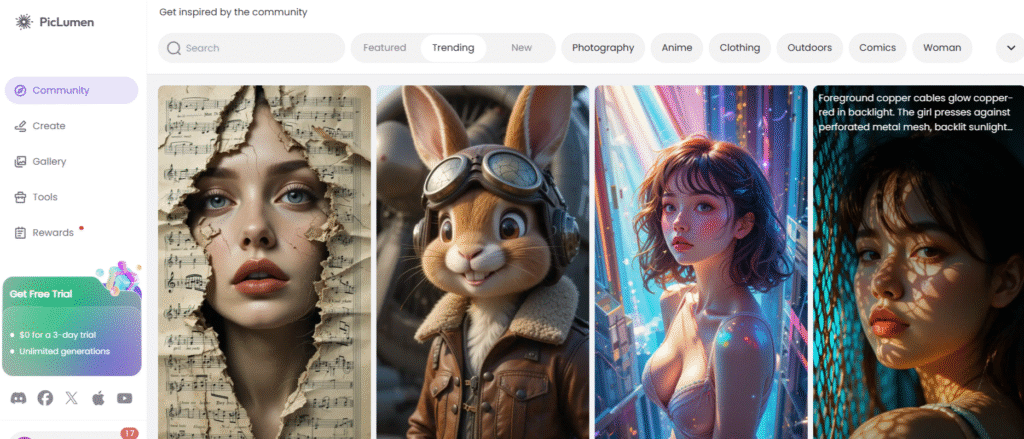
PicLumen is a cloud-based AI image generation platform designed specifically for commercial and product-focused visual creation. Its core strength is generating high-quality product mockups, ad creatives, and branded lifestyle scenes that are immediately deployable in marketing campaigns — without requiring a professional designer or expensive photography setup.
Where general-purpose AI image tools produce stylistically varied outputs, PicLumen is calibrated for commercial realism: bottles, packaging, apparel, tech devices, and product-in-scene compositions that look like they were photographed rather than generated. For eCommerce sellers, marketers, and brand agencies who generate visual assets at volume, this commercial focus is a meaningful differentiator.
PicLumen Detailed Review and Guide Click Here
Key Features of PicLumen
- Product-focused output — create mockups of bottles, packaging, apparel, tech devices, and more in realistic scene compositions
- Commercial-safe assets — licensing options for business use on all generated images
- Prompt Refinement Engine — automatically improves your prompt for better, more commercially polished results
- Brand styling — upload your brand assets and generate images that match your company’s aesthetic
- Lumen credit system — Standard plan ($10/month) gives 1,800 Lumens/month; Pro plan ($20/month) gives 4,800 Lumens/month; free tier gives 10 daily Lumens + unlimited Relax Mode
Why Choose PicLumen?
If your primary need is commercial product visuals for eCommerce listings, ad campaigns, or brand pitch decks — and you want results that look photographed rather than AI-generated — PicLumen’s commercial-first calibration is the most direct solution. The free tier with daily Lumens plus unlimited Relax Mode generation makes it genuinely evaluable without any financial commitment.
2. Leonardo AI – Most Versatile AI Art Generator for Designers and Creators
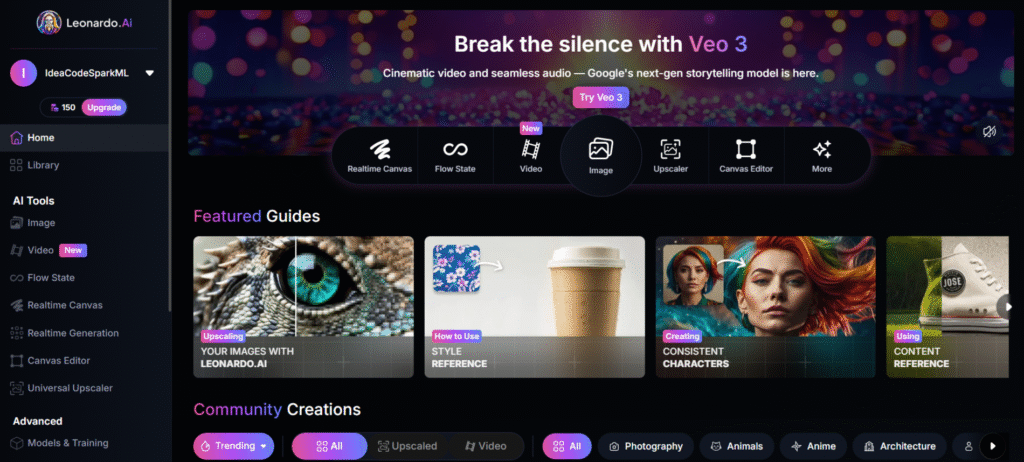
Leonardo AI is a powerful text-to-image generator built for designers, artists, game developers, and content creators who need professional-level control over visual style. What distinguishes Leonardo from most competitors is its LoRA (Low-Rank Adaptation) custom model training — you can train Leonardo on your own reference images to reproduce a specific character, style, or product appearance consistently across dozens of generations.
With 30+ foundational models including PhotoReal v2 (photorealism), Phoenix (general versatility), and Anime XL (stylised illustration), Leonardo covers the broadest range of aesthetic styles of any tool in this roundup. The combination of model variety, LoRA training, and a comprehensive editing suite (upscaling, inpainting, background removal, video generation) makes it the most complete AI image production platform available in 2026.
Leonardo AI Detailed Review Click Here — or see how it compares in Leonardo vs Midjourney, Leonardo vs DALL·E, and Leonardo vs Stable Diffusion.
Key Features of Leonardo AI
- 30+ foundational models — anime, realism (PhotoReal v2), cinematic, pixel art, concept art, and more
- LoRA custom model training — train on your reference images for reusable style/character consistency
- Negative prompt control — fine-tune results by specifying what to exclude
- Inpainting and canvas tools — edit specific regions of generated images within the platform
- Pricing: Free (150 tokens/day), Apprentice $12/$10 annual, Artisan $30/$24 annual, Maestro $60/$48 annual
Why Choose Leonardo AI?
Leonardo AI is the strongest all-round choice for professional image generation in 2026 — combining the widest model selection, the only custom LoRA training among consumer tools, and a comprehensive editing suite in one browser-based platform. For game developers, brand designers, and content creators generating images at volume, it delivers more capability per dollar than any other tool on this list. The free tier (150 tokens/day) is permanently free with no credit card required.
3. Freepik AI Image Generator – Best Free AI Tool for Quick Visual Content
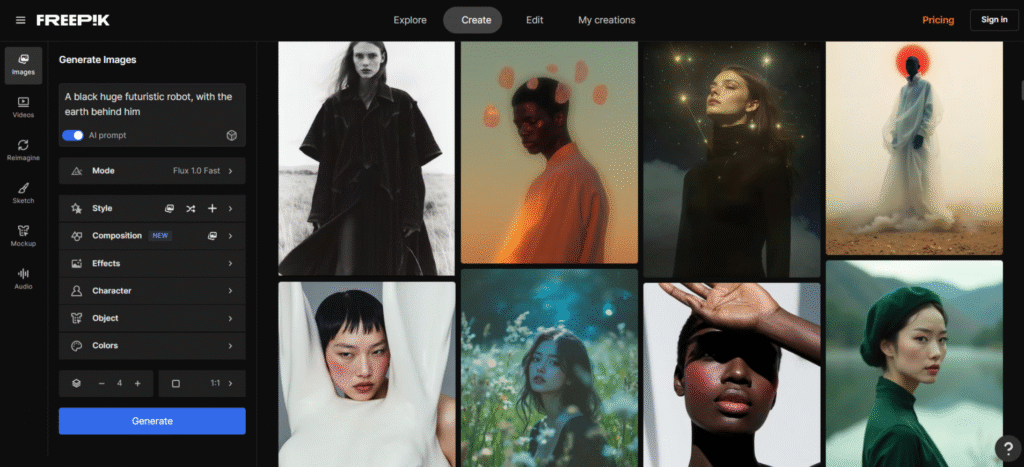
Freepik’s AI Image Generator is integrated directly into the Freepik design ecosystem — the same platform with millions of stock photos, illustrations, icons, and templates. This integration is its defining advantage: you generate an AI image and can immediately combine it with Freepik’s existing design assets, edit it in Freepik’s design tools, or export it alongside matching stock content. For bloggers, social media managers, and educators who need quick, deployable visuals without a dedicated design tool, this workflow is significantly faster than any standalone generator.
Freepik AI Detailed Review Click Here
Key Features of Freepik AI Image Generator
- Free tier available — generate AI images without a paid subscription using daily free credits
- Integrated with Freepik’s design ecosystem — combine AI output with millions of stock assets instantly
- Multiple AI models via Flux — Freepik integrated the Flux model family in 2025, significantly improving output quality
- Style variety — flat, 3D, cartoon, photorealistic, and editorial styles available
- Pricing: Free (limited daily generations), Freepik Premium from $9.99/month (includes AI credits + full stock library access)
Why Choose Freepik AI Image Generator?
If you’re a blogger, educator, social media manager, or marketer who already uses Freepik’s stock library — or who needs AI images alongside professionally designed templates — Freepik’s integrated workflow saves significant time compared to generating in one tool and importing to another. It’s the best choice for users whose primary need is quick, web-ready visuals within a broader design context.
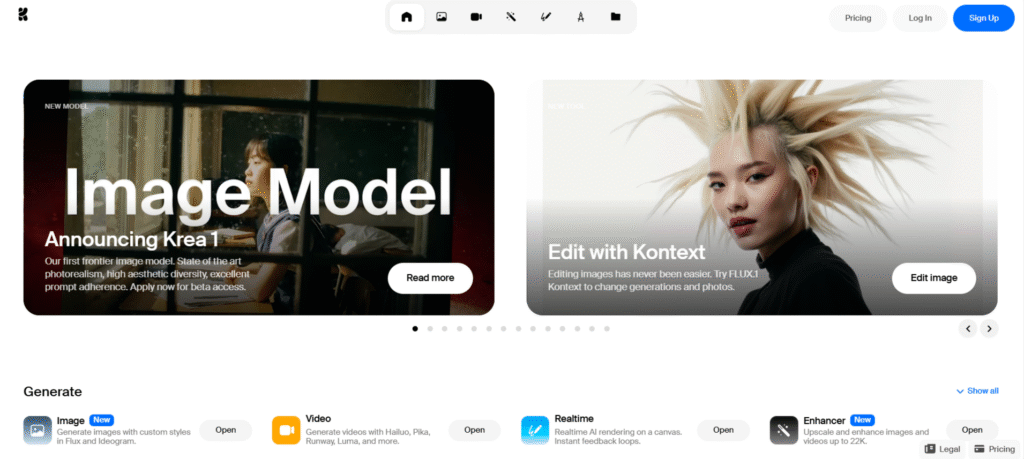
4. Krea.ai – Real-Time AI Image Generator for Designers and Creative Professionals
Krea AI stands out as one of the few AI image generators with real-time visual feedback — you see the image evolve as you type your prompt, making the creative process genuinely interactive rather than submit-and-wait. This live rendering capability, combined with strong reference image support and an image-to-image workflow, makes Krea the tool of choice for designers and visual artists who need to iterate rapidly on visual concepts and see the effect of changes immediately.
Key Features of Krea AI
- Live image generation — see the image form in real time as you write or adjust the prompt
- Image-to-image — use a reference photo to guide composition, structure, or style
- Inpainting and background editing — erase or regenerate specific image regions
- High-resolution outputs — suitable for presentations, design projects, and portfolios
- Pricing: Free tier (limited daily generations), Pro plans from approximately $10/month for higher resolution and generation limits
Why Choose Krea AI?
Krea AI is ideal for designers, visual artists, and creative directors who value real-time iteration — the ability to see how adjustments affect the image instantly rather than waiting for multiple complete renders. It’s particularly strong for mood board creation, fashion design, branding exploration, and any workflow where rapid visual ideation matters more than volume generation.
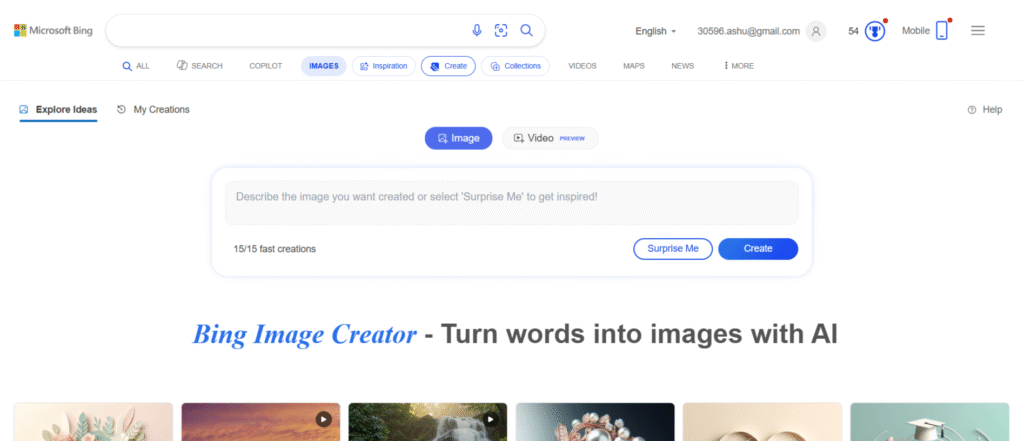
5. Bing Image Creator – Best Free AI Image Generator Using DALL·E 3
Bing Image Creator, powered by OpenAI’s GPT Image 1 model (the upgraded successor to DALL·E 3), is the most accessible free AI image generator available in 2026. It’s integrated directly into Microsoft Edge, Bing search, and Microsoft Designer — meaning it’s available to anyone with a Microsoft account without any additional signup or payment. For casual users, educators, students, and anyone who needs a quick AI image without a dedicated platform, Bing Image Creator removes every barrier to entry.
Key Features of Bing Image Creator
- Powered by GPT Image 1 (upgraded from DALL·E 3) — advanced image generation with strong prompt accuracy and text rendering
- Completely free to use with a Microsoft account — no paid subscription required for basic generation
- Microsoft Edge and Bing integration — generate images directly from the browser sidebar or search interface
- Natural language prompts — beginner-accessible, just describe what you need
- Note: a Microsoft account is now required for use (not quite no-login, as earlier versions allowed)
Why Choose Bing Image Creator?
For users who want free, high-quality AI image generation without signing up for a separate service or paying anything, Bing Image Creator is the simplest path. It’s ideal for occasional use — blog headers, presentation visuals, creative exploration, educational illustrations — without the overhead of a dedicated image generation platform. For regular professional use, its generation limits and lack of advanced controls will eventually push most users toward a dedicated tool.
6. DeepAI – Best Open-Source AI Image Generator for Developers and Researchers
DeepAI is a developer-focused AI platform offering text-to-image generation via API, making it the right choice for engineers, researchers, and developers who need to integrate AI image generation into applications, automate image creation at scale, or experiment with model capabilities programmatically. Unlike design-oriented tools, DeepAI prioritises accessibility, API integration, and functional flexibility over aesthetic output quality.
Key Features of DeepAI
- API-first architecture — integrate image generation directly into applications, websites, or pipelines
- Multiple model options — text-to-image generation plus image colorisation, style transfer, and super-resolution
- Open-source model transparency — built for experimentation and research
- Free tier available — suitable for testing and low-volume usage
- Pricing: Free tier for basic use; API pay-as-you-go pricing approximately $5 per 100 images at standard quality
Why Choose DeepAI?
DeepAI is not the right tool if visual quality is your primary criterion — for consumer creative use, every other tool on this list produces better outputs. It’s the right tool if you need to call an image generation API from your own code, embed generation capability in a website, or process large volumes of images programmatically. For developers building products that include AI-generated imagery, DeepAI’s API accessibility makes it a practical starting point before migrating to more expensive commercial APIs.
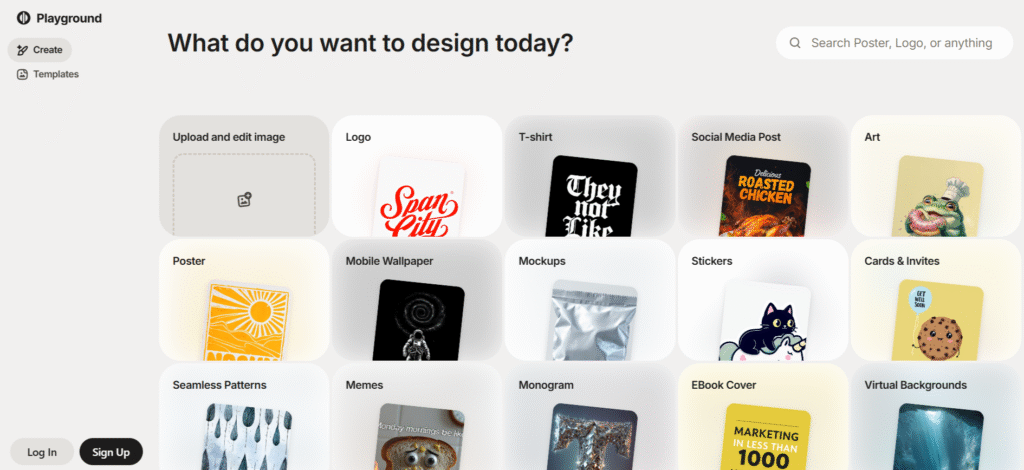
7. Playground AI – Best Free AI Image Generator for Artistic and Commercial Use
Playground AI combines AI image generation with a Canva-like design editor in a single browser-based platform. Where most AI generators output raw images that require external editing tools to finalise, Playground lets you add text, layers, and design elements directly on top of generated images within the same interface. For content creators and marketers who need both AI generation and basic design work in one workflow, this combination eliminates the round-trip between generation and editing tools.
Key Features of Playground AI
- Canva-like design editor — add text, layers, shapes, and effects directly to generated images
- Multiple model support — Stable Diffusion, Playground V2, and other generation models
- Style filters — realism, anime, cinematic, vaporwave, and more with one click
- Commercial use licensing — images suitable for business, marketing, and monetisation
- Pricing: Free plan (500 images/day — reduced from earlier 1,000+ limit), Pro plan from $15/month for faster generation and higher limits
Why Choose Playground AI?
Playground AI is the strongest choice for users who want AI image generation and light design editing in a single platform without paying for both a generator and a design tool separately. It’s particularly well-suited for social media content creation, ad creative production, and any workflow where the final output needs text, branding, or layout elements added to the AI-generated base image.
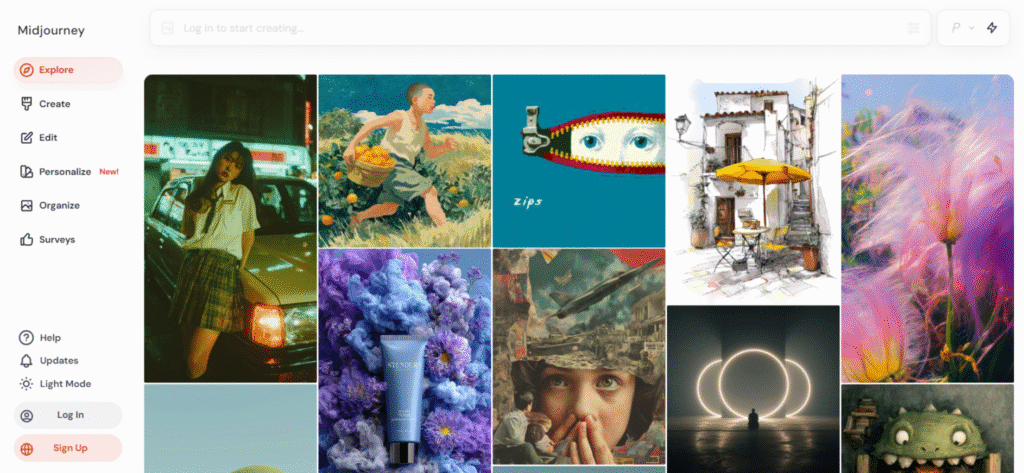
8. Midjourney V6.1 – Best AI Image Generator for Artistic, Cinematic, and Hyper-Realistic Visuals
Midjourney is the benchmark for artistic image quality in AI generation — consistently producing the most aesthetically striking, cinematic, and emotionally resonant outputs of any tool available. The current production model is V6.1 (as of mid-2026), which significantly improved hand and face rendering compared to V6, while maintaining Midjourney’s distinctive visual depth and compositional quality.
An important 2026 update: Midjourney now has a full web interface at midjourney.com — Discord is no longer required. You can generate, organise, and manage images entirely in the browser. The web interface has made Midjourney significantly more accessible than it was in its Discord-only era.
Midjourney Detailed Review Click Here
Key Features of Midjourney V6.1
- Highest-quality artistic output — cinematic, painterly, and photorealistic images with unmatched visual depth
- Web interface available — no Discord required, full generation at midjourney.com
- V6.1 model — significantly improved hand and face rendering vs V6, better text within images
- Parameter-based control — `–ar`, `–stylise`, `–chaos`, `–sref` for aesthetic precision
- Pricing: No free plan (removed late 2024). Basic $10/$8 annual, Standard $30/$24 annual, Pro $60/$48 annual (Stealth Mode for private), Mega $120/$96 annual
Why Choose Midjourney?
Midjourney is the first choice for artists, filmmakers, illustrators, and creative directors who prioritise maximum aesthetic quality over convenience or volume. Its outputs are consistently more visually striking than any other tool at equivalent prompts — making it the default for concept art, editorial illustrations, book covers, and any single-image context where visual impact is the primary criterion. The trade-offs: no free tier (minimum $10/month), no custom model training, and private generation requires the $60/month Pro plan.
9. ChatGPT with GPT Image 1 – Best All-in-One AI Assistant with Image Generation
ChatGPT’s image generation capability was significantly upgraded in April 2025 when OpenAI replaced DALL·E 3 with GPT Image 1 — a new model with dramatically better text rendering within images, stronger instruction following, and native integration with ChatGPT’s conversational interface for iterative editing. The key capability that distinguishes ChatGPT’s image generation from every other tool on this list: you can edit images through conversation. “Make the background blue”, “add a hat to the person”, “change the text to say 2026” — all natural language instructions that revise the image without re-prompting from scratch.
Key Features of ChatGPT Image Generation (GPT Image 1)
- Conversational image editing — refine generated images through natural dialogue without re-prompting
- Best text rendering within images — GPT Image 1 is the strongest model for accurate, legible text placement inside images (infographics, mockups, signage)
- Natural language prompt understanding — highly accurate interpretation of complex, nuanced descriptions
- Integrated with GPT-5.2 — image generation alongside writing, analysis, and planning in one conversation
- Pricing: Free (limited), ChatGPT Plus $20/month (~40 images included), ChatGPT Pro $200/month (higher limits)
Why Choose ChatGPT for Image Generation?
ChatGPT with GPT Image 1 is the best choice for users who want image generation as part of a broader AI workflow — creating images alongside written content, storyboarding, or marketing planning in a single conversation. It’s also the strongest tool for images that require accurate text rendering (product mockups with readable labels, social graphics with captions, infographics). For high-volume image production, the ~40 images/month on Plus limits push serious creators toward dedicated tools like Leonardo AI.
10. Microsoft Designer – Best AI-Powered Graphic Design Tool with Image Generation
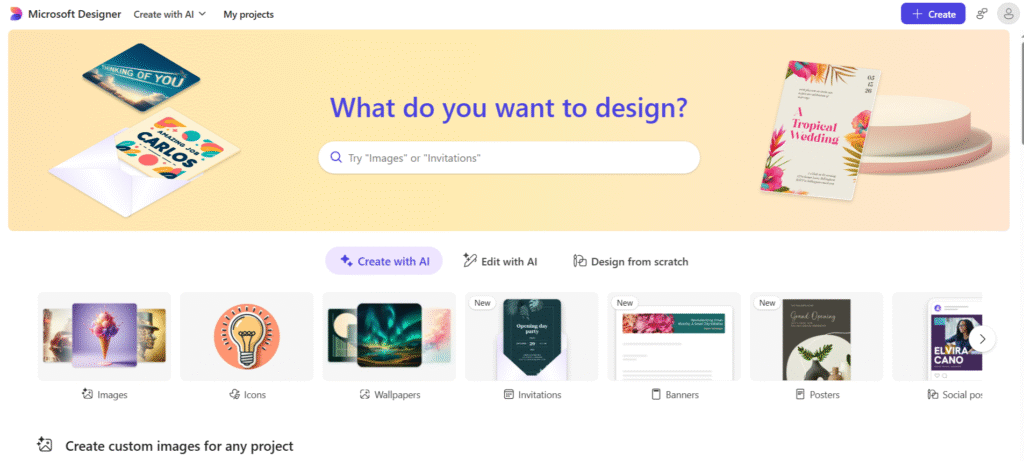
Microsoft Designer combines AI image generation with smart layout design — it’s not just a generator but a full creative assistant that takes your image and immediately applies professional design templates, font pairings, colour schemes, and layout suggestions. Built for non-designers who need finished, publish-ready designs rather than raw AI-generated images, Microsoft Designer’s value proposition is the complete design output, not just the generated image itself.
Key Features of Microsoft Designer
- AI image generation plus smart design — generates the image and applies layout, fonts, and colour schemes automatically
- Ready-to-use templates — Instagram posts, LinkedIn banners, flyers, business cards, email headers
- Brand kit integration — upload logos, fonts, and colours for consistent branded output
- AI caption and copywriting tools — generates taglines and marketing copy alongside visuals
- Pricing: Free with a Microsoft account (generous daily generation limits), Microsoft 365 subscribers get enhanced access with higher limits and additional features
Why Choose Microsoft Designer?
Microsoft Designer is ideal for small businesses, marketers, and entrepreneurs who want finished, publish-ready social media graphics, ads, and marketing materials — not raw AI-generated images. If you’re already in the Microsoft 365 ecosystem, it’s effectively free and produces professional-looking designed outputs faster than any combination of a standalone generator plus a separate design tool. For users who need raw generation capability or custom model control, Leonardo AI or Midjourney are more appropriate.
Comparison of AI Image Generation Tools (2026)
| Tool | Free Plan | Paid Starting Price | Best For | Key Limitation |
|---|---|---|---|---|
| PicLumen | Yes — 10 daily Lumens + Relax Mode | $10/month (Standard) | Product mockups, eCommerce, ad creatives | Specialised for commercial/product — less flexible for artistic styles |
| Leonardo AI | Yes — 150 tokens/day | $10/month (Apprentice annual) | Designers, artists, game developers — versatile professional use | Token consumption; Alchemy costs 2.5× more per image |
| Freepik AI | Yes — limited daily credits | $9.99/month (Premium) | Bloggers, social media, educators needing quick visuals | Best value only if you also use Freepik’s stock library |
| Krea.ai | Yes — limited daily generations | ~$10/month (Pro) | Designers needing real-time iteration and reference image guidance | Lower generation volume than Leonardo; less known model ecosystem |
| Bing Image Creator | Yes — free with Microsoft account | Free (Microsoft 365 gives more) | Casual users, students, educators, quick one-off images | Generation limits; no custom control; requires Microsoft account |
| DeepAI | Yes — limited free API calls | Pay-as-you-go (~$5/100 images) | Developers integrating image generation into applications | Lower output quality than design-oriented tools |
| Playground AI | Yes — 500 images/day | $15/month (Pro) | Creators needing generation + design editing in one platform | Free plan reduced from earlier limits; Pro needed for fastest generation |
| Midjourney V6.1 | No — removed late 2024 | $10/month (Basic annual) | Artists, filmmakers, illustrators — maximum aesthetic quality | No free trial; private generation requires $60/month Pro plan |
| ChatGPT (GPT Image 1) | Yes — limited | $20/month (Plus) | Conversational image editing, text-within-image, integrated workflows | ~40 images/month on Plus — not suitable for high-volume production |
| Microsoft Designer | Yes — free with Microsoft account | Included with Microsoft 365 | Non-designers needing finished designed outputs, not raw images | Less raw generation control than dedicated image tools |
How to Choose the Right AI Image Generator
The right tool depends on what you’re actually trying to produce and at what volume. For maximum quality on individual artistic images — Midjourney. For professional multi-image production with style consistency — Leonardo AI. For conversational image editing and text-within-image accuracy — ChatGPT with GPT Image 1. For eCommerce product visuals — PicLumen. For free quick-turn visuals within a design workflow — Freepik AI or Bing Image Creator. For developers building image generation into applications — DeepAI.
Which AI image generator produces the best quality in 2026?
Midjourney V6.1 consistently produces the highest-quality artistic and cinematic outputs of any consumer AI image generator — its images have a visual depth, compositional quality, and aesthetic coherence that other tools don’t match at equivalent prompts. For photorealism specifically, Leonardo AI’s PhotoReal v2 model and ChatGPT’s GPT Image 1 are competitive alternatives. The honest answer is that ‘best quality’ depends on use case: Midjourney for artistic/cinematic images, Leonardo for diverse professional styles, GPT Image 1 for images requiring accurate text rendering.
Which AI image generator is completely free?
Several tools offer genuinely free tiers. Bing Image Creator is free with a Microsoft account and has no paid plan requirement. Leonardo AI’s free tier gives 150 tokens per day permanently (no card required) — enough for approximately 25 standard images daily. Freepik AI offers limited free daily generations. Playground AI offers 500 images per day on its free tier. Krea AI has a limited free tier. The main exception is Midjourney — its free plan was removed in late 2024 and a minimum $10/month subscription is now required.
Is Midjourney still the best AI image generator in 2026?
For artistic quality — yes, Midjourney V6.1 is still the standard. However, the competitive landscape has narrowed significantly. Leonardo AI’s PhotoReal v2 is competitive for photorealism, and GPT Image 1 has closed the gap on prompt accuracy and usability. Midjourney’s advantages remain its distinctive cinematic aesthetic quality, its active community, and the depth of its parameter system. Its main disadvantages are no free tier, no custom model training, and private generation requiring the $60/month Pro plan. For pure aesthetic impact in a single image, Midjourney is still the benchmark.
Does Midjourney still require Discord in 2026?
No — Midjourney launched a full web interface at midjourney.com that supports generation, organisation, and management entirely in the browser without Discord. Discord remains a supported access method for users who prefer it. This is a significant change from earlier versions where Discord was required. Many comparison articles written before 2026 still list Discord as a disadvantage — that limitation no longer applies.
Which AI tool is best for generating text within images?
GPT Image 1 (accessed through ChatGPT) is the strongest tool for accurate text rendering within images — placing readable, correctly spelled, appropriately styled text inside generated visuals. This was historically one of the weakest areas of AI image generation, and GPT Image 1 represents the most significant improvement in this capability. For infographics, product mockups with labels, social posts with embedded captions, or any image requiring accurate text placement, ChatGPT with GPT Image 1 is the current best option. Midjourney V6.1 also improved text rendering versus earlier versions.
Which AI image generator is best for game developers?
Leonardo AI is the strongest choice for game development by a significant margin. Its combination of models specifically tuned for game asset aesthetics (characters, environments, weapons, UI elements), LoRA custom model training for maintaining consistent visual style across an entire project, 3D texture generation tools, and the ability to generate hundreds of assets per month within the token system makes it purpose-built for game development workflows. Midjourney is excellent for individual concept art pieces, but lacks the consistency tools and volume economics that production-scale game asset generation requires.
Can I use AI-generated images commercially?
It depends on the tool and plan. Leonardo AI allows commercial use on all paid plans (Apprentice, Artisan, Maestro) with full IP ownership of private generations — the free plan generates public images not suitable for commercial use. Midjourney allows commercial use on all plans, with the caveat that companies earning over $1 million annually must use the Pro or Mega plan. ChatGPT’s GPT Image 1 allows commercial use for subscribers under OpenAI’s terms of service. Bing Image Creator allows non-commercial use in most cases — verify Microsoft’s current terms for commercial projects. Always check the current terms of service for any tool before commercial deployment.
How has AI image generation changed in 2026 compared to 2024?
The most significant changes between 2024 and 2026 are: text rendering within images improved dramatically (GPT Image 1 and Midjourney V6.1 can now place readable, accurate text inside images, which was nearly impossible in 2024); Midjourney launched a web interface making it accessible without Discord; Sora’s consumer app was discontinued (April 2026) shifting AI video generation to Runway and Google Veo; DALL·E 3 was upgraded and rebranded to GPT Image 1 (April 2025); and the free tier landscape shifted with Midjourney removing its free plan and Mailchimp reducing free features. Overall image quality has improved substantially across all tools, with the gap between the best and average tools narrowing.





I am Ashish Yadav a software engineer and AI tools researcher with over five years of practical experience working with real-world systems and automation. I am founder of CognifyFuture, where I analyzes, tests, and breaks down AI tools with a focus on what actually works—not what’s trending.
My content is built on hands-on usage, not theory. Instead of generic advice, I focuses on real implementation—how AI tools can be used to automate tasks, improve efficiency, and solve any specific business or individual problems.
Through CognifyFuture, My aims is to eliminate confusion around AI by delivering clear, honest, and actionable insights that help users make smarter technology decisions.







