
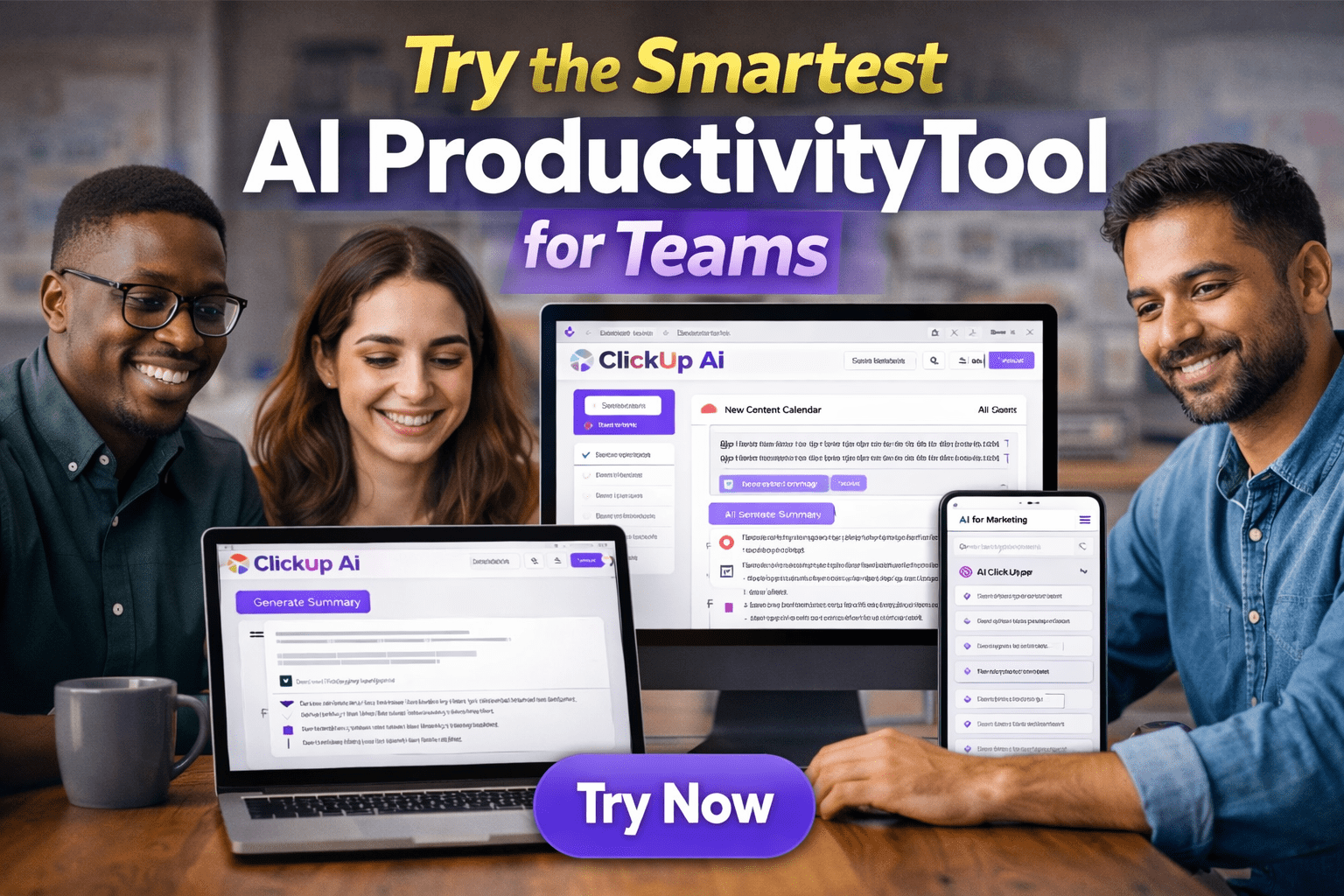
Affiliate Disclosure: This ClickUp AI review may contain affiliate links. If you sign up through them, I may earn a small commission at no extra cost to you. I personally tested ClickUp AI across real projects over 30 days, and my honest experience shapes everything written here.
Here’s a problem most teams recognise immediately: you switch between your project management tool, a separate AI writing assistant, a note-taking app, and a document editor throughout the day — constantly copying context from one tool into another, re-explaining the same project background each time. The AI doesn’t know what tasks are due, the project manager doesn’t know the AI-generated content is outdated, and the whole workflow adds friction rather than removing it.
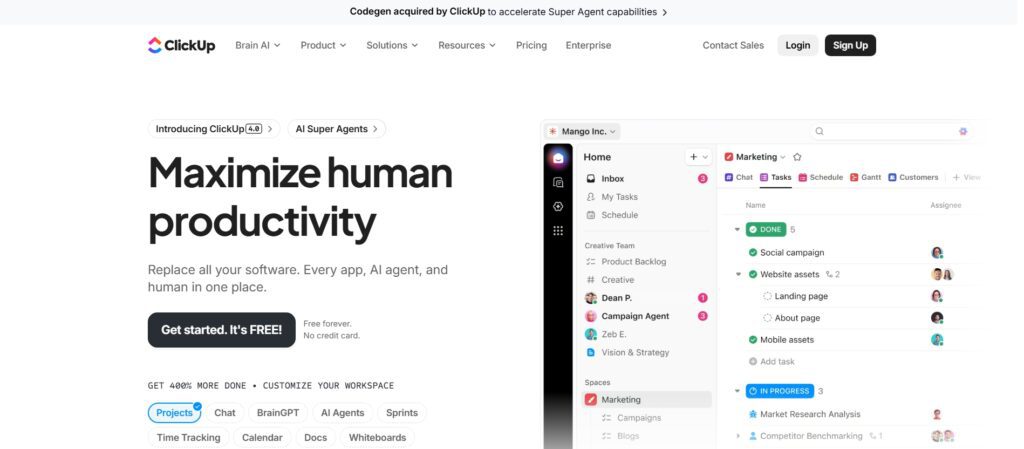
ClickUp AI — now called ClickUp Brain — is built around a different model: what if the AI lived inside your project management system and actually understood your tasks, deadlines, documents, and team context? I tested it for 30 days across content planning, sprint management, and client project workflows. This review covers what it does well, what surprised me, the accurate 2026 pricing (which is structured very differently from what most reviews show), and an honest comparison against Notion AI and Asana.
What Is ClickUp AI?
ClickUp AI — officially branded as ClickUp Brain — is an AI assistant integrated directly into ClickUp’s all-in-one work management platform. Unlike standalone AI tools that require you to paste context into a chat window, ClickUp Brain can access your actual workspace data: task names, descriptions, assignees, due dates, project statuses, documents, and comments. This context access is what makes it qualitatively different from using ChatGPT alongside a project management tool rather than within one.
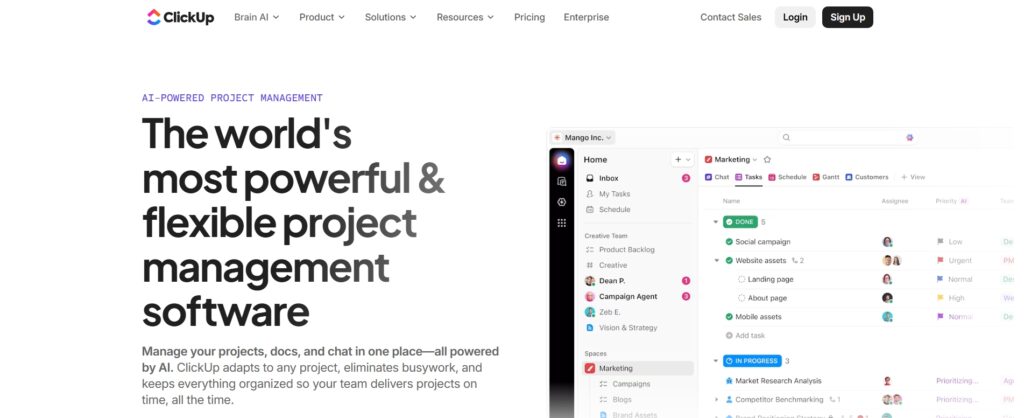
ClickUp itself is a comprehensive platform covering task management, project planning, documents, whiteboards, time tracking, goals, and team chat — often described as a replacement for multiple separate tools. ClickUp Brain adds an AI layer on top of this, enabling you to query, summarise, and act on your workspace data using natural language. It’s a paid add-on that sits on top of ClickUp’s base plans — an important distinction for budgeting that I’ll cover in the pricing section.
Key ClickUp AI Features
1.ClickUp AI Writing Assistant
ClickUp Brain’s writing assistant is available anywhere you write in ClickUp — task descriptions, document pages, comments, project briefs, and status updates. Unlike using ChatGPT separately, you don’t need to switch tabs or paste context: you can ask it to “write a project brief for this task” and it incorporates the task title, assignees, due date, and related subtasks automatically. In 30 days of testing, the most immediate time saving was in status update writing — instead of manually summarising what happened this week across multiple tasks, I could ask Brain to “write a project update based on the tasks completed this week” and get a coherent draft in seconds.
The writing tools include tone adjustment (make this more professional, simplify this, make it shorter), content expansion, grammar correction, and translation. The quality is consistently good for business communication — task descriptions, emails, project briefs, and meeting summaries all come out clean and usable with light editing. It’s less strong for creative or highly specialised technical writing, where a dedicated tool like Jasper gives you more control over the output style.
2.Smart Summaries & Task Extraction
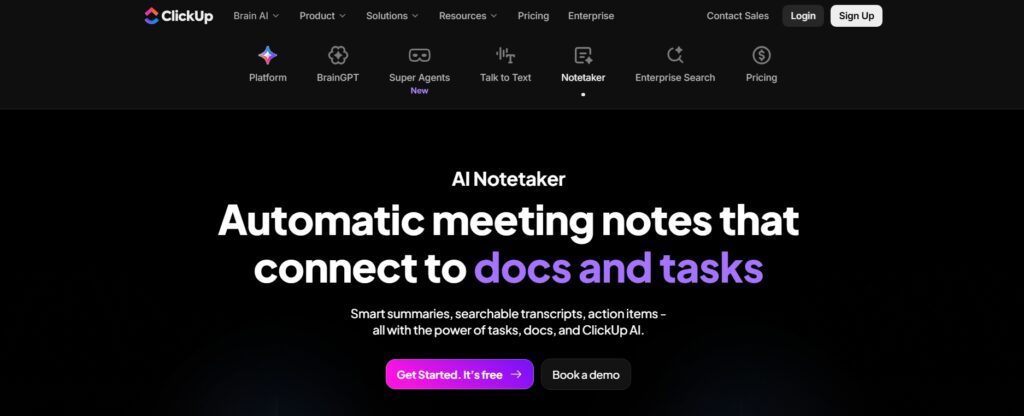
This is the feature that surprised me most during the 30-day test. When a project has accumulated weeks of comments, status updates, and document edits across multiple threads, understanding where things actually stand requires reading through a significant volume of content. ClickUp Brain can summarise any thread, document, or task — pulling out the key decisions made, open questions, and action items. For a manager overseeing multiple projects simultaneously, this compounds into meaningful time savings. A sprint retrospective document that would take 20 minutes to read thoroughly can be summarised accurately in 30 seconds, with key action items listed and assignable directly as tasks.
The “turn notes into tasks” functionality is also genuinely useful: paste in meeting notes or a brainstorm document, and Brain extracts the action items, suggests assignees based on context, and proposes due dates. The accuracy varies — it’s excellent for well-structured meeting notes and less reliable for loosely organised brainstorm dumps — but even at 70% accuracy, it compresses a 15-minute manual task creation process to a 2-minute review and confirmation.
3.Role-Based AI Prompts
One of ClickUp Brain’s practical advantages for team adoption is its library of role-specific prompt templates. Rather than requiring team members to know how to prompt an AI effectively — a skill that takes time to develop — ClickUp provides pre-built prompts organised by role: marketing teams, product managers, sales professionals, engineers, HR, and executives. A marketing manager can use a template to generate a campaign brief; a product manager can use one to write a PRD outline; an HR team can use one to draft a job description or onboarding checklist. This significantly lowers the barrier to AI adoption for non-technical team members who would otherwise not use an AI tool consistently.
4.AI Task Planning & Workflow Automation
ClickUp Brain can help break down a high-level goal into a structured task list. Give it a project objective — “launch a new feature by end of Q3” — and it suggests a breakdown of milestones, tasks, and subtasks with estimated timeframes. This isn’t a replacement for experienced project planning, but it’s a useful starting scaffold that a PM can then adjust rather than building from a blank canvas. For newer project managers or teams that don’t have established project templates, this capability meaningfully reduces the time and cognitive effort required to start a new project properly structured.
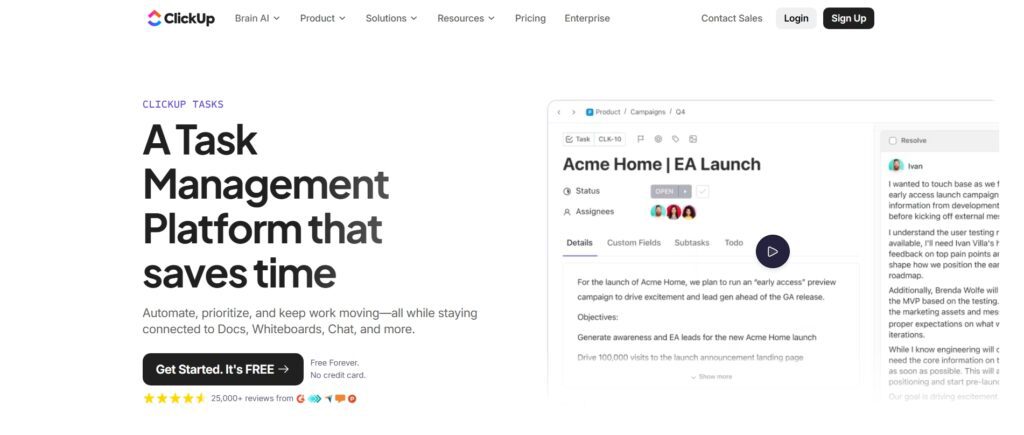
The workflow automation integration lets you add AI-generated content as an action in automated workflows — for example, automatically generating a task description when a new task is created from a template, or drafting a summary email when a project reaches a milestone. This integration with ClickUp’s existing automation system is more sophisticated than what you get from standalone AI tools, which typically require Zapier or Make as a middleman to trigger similar actions.
ClickUp AI Use Cases (Real Examples)
ClickUp AI for Content Creators
Content teams living in ClickUp for editorial planning get the most immediate value from Brain’s contextual awareness. Asking it to “generate a blog outline for the article in task #1234 based on the brief attached” pulls in the actual brief content rather than requiring you to re-paste it. For editorial calendar management, Brain can suggest content angles, generate SEO-focused headlines, draft social media captions for planned pieces, and summarise what’s been published versus planned. Content creators consistently report 30–40% time savings on the planning and documentation work that surrounds content creation — the brief writing, calendar population, and status reporting that eats into actual writing time.
ClickUp AI for Project Management Teams
For agile software teams, ClickUp Brain handles sprint documentation efficiently — writing sprint goals from backlog descriptions, generating release notes from completed task summaries, drafting feature documentation from ticket content, and summarising bug reports for stakeholder updates. The productivity gain comes from the time otherwise spent manually writing documentation that summarises information already captured in the task system. When the AI can read the task data directly and synthesise it into structured documentation, the writer’s job becomes editing rather than creating from scratch.
ClickUp AI for Freelancers
Freelancers managing multiple client projects in ClickUp find Brain particularly useful for client-facing communication — drafting project scope documents, generating proposal outlines from a client brief, writing status update emails based on task progress, and creating project timelines from a list of deliverables. The time saving on admin work — which typically doesn’t bill at full rate — is the primary ROI argument. A freelancer spending three hours per week on admin work that Brain can compress to one hour is effectively recovering two hours of billable time per week, which at most professional rates pays for the tool many times over.
ClickUp AI for Small Businesses
Small business teams using ClickUp as their central operations hub get the broadest benefit from Brain, because the AI spans across every department’s work: HR can use it to draft job descriptions and onboarding checklists; operations can use it to document processes; leadership can use it to write OKRs and quarterly planning documents; and the whole team benefits from meeting summary and action item extraction. For a team of 5–15 people who don’t have dedicated specialists for every function, having AI assistance across all of these documentation tasks meaningfully reduces the administrative overhead that falls on the wrong people.
ClickUp AI Pricing & Plans (2026 — Accurate)
ClickUp’s pricing in 2026 has an important structural detail that most reviews miss: ClickUp Brain (the AI) is a separate paid add-on that sits on top of any base plan. It is not included in the Free Forever, Unlimited, or Business plans. This means the actual cost for a team using AI is the base plan cost plus the Brain add-on cost. Here’s the full picture:
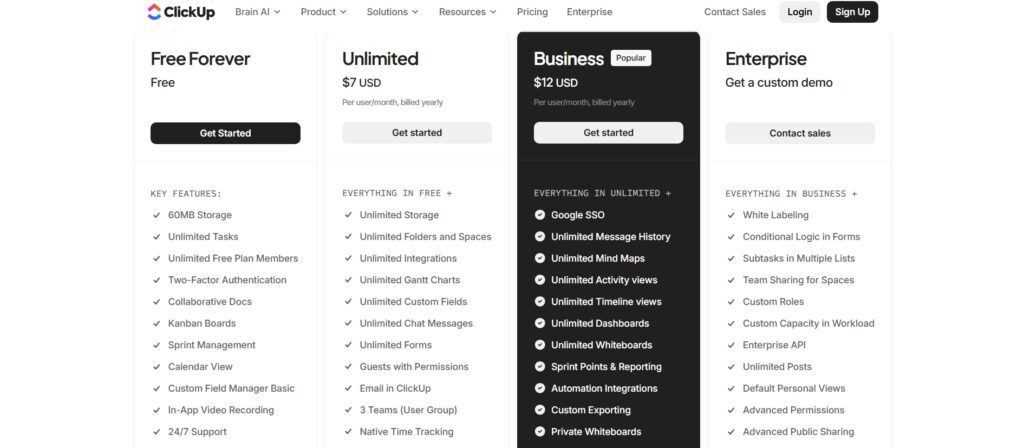
| Plan | Annual Price (per user/mo) | Automation Runs/Month | Key Features |
|---|---|---|---|
| Free Forever | $0 | 100 | Unlimited members, 100MB shared storage, basic views, limited integrations |
| Unlimited | $7/user/mo | 1,000 | Unlimited storage, integrations, Gantt, custom views, time tracking, guests |
| Business | $12/user/mo | 10,000 | Advanced dashboards, workload management, portfolios, sprint reporting, SSO |
| Enterprise | Custom | 250,000 | HIPAA, white-label, SCIM, data residency, dedicated CSM, advanced security |
ClickUp Brain AI add-on pricing (separate from base plans):
| AI Tier | Annual Price (per user/mo) | What’s Included | Real Total Cost (on Unlimited) |
|---|---|---|---|
| ClickUp Brain | $9/user/mo | AI writing, summaries, task creation, Q&A across workspace | $7 + $9 = $16/user/mo |
| Everything AI | $28/user/mo | Brain + AI Notetaker + AI Agents + advanced features | $7 + $28 = $35/user/mo |
| AI Notetaker | $12/mo (60 hrs) | Meeting recording, smart summaries, searchable transcripts | Separate add-on |
The most important thing to understand about ClickUp’s pricing: if you see “$7/month” and assume that includes AI, you’ll be surprised when you add Brain and your bill becomes $16/month per user. For a team of 10 on Unlimited + Brain, that’s $160/month — a meaningful commitment that should be evaluated against what you’re replacing or consolidating. Annual billing saves approximately 30–33% compared to monthly rates across all plans.
My 30-Day Testing Experience
Over 30 days I ran ClickUp Brain across three real workflows: a content marketing operation, a software development sprint cycle, and a client services project. The feature that delivered the most consistent, measurable time saving was the document summarisation — specifically, summarising comment threads on tasks where multiple team members had discussed decisions over several days. What previously required 10–15 minutes of reading context to catch up on before a meeting took 60 seconds with Brain’s summary. Across a full week of meetings, that’s a meaningful reduction in preparation time.
The task planning assistance was useful for project kickoffs but less reliable for ongoing work — the AI doesn’t always pick up on project-specific context nuances that experienced team members carry in their heads. The writing assistant earned consistent daily use for status updates and client communication drafts, reducing what felt like a draining “translate my thoughts into professional prose” task into a quick edit cycle. The honest surprise: Brain’s ability to answer questions about the workspace — “which tasks are overdue in the Q2 campaign project?”, “what did we decide about the API integration last week?” — saved more time than I expected. Having a searchable, conversational interface over project data is genuinely useful once you trust it enough to use it habitually.
ClickUp AI Pros and Cons
Pros
- Deep workspace context — AI can reference your actual tasks, docs, and project data, unlike standalone AI tools
- Document summarisation and comment thread summarisation save meaningful time in information-heavy environments
- Role-based prompt templates lower the adoption barrier for non-technical team members
- Native integration with automation workflows — more powerful than AI-via-Zapier approaches
- ClickUp’s base plans are highly competitive on price before considering AI
- All-in-one platform means AI spans tasks, docs, goals, and time tracking in one workspace
Cons
- ClickUp Brain is a separate paid add-on ($9/user/month) not included in any base plan — the real cost is higher than the headline price suggests
- Only useful inside ClickUp — no value unless your team is already committed to ClickUp as the primary work OS
- ClickUp’s significant feature depth creates a learning curve that some teams never fully overcome
- AI writing quality for creative or highly technical content is lower than specialist tools like Jasper or Claude
- Free Forever plan’s 100MB shared storage cap is severely limiting for teams that attach files regularly
ClickUp AI vs Other AI Tools
The most useful comparison is not ClickUp AI vs ChatGPT — they solve different problems. The more relevant comparison is ClickUp Brain vs Notion AI (integrated workspace AI) and vs using a standalone AI tool (ChatGPT/Claude) alongside a separate project management system.
| Factor | ClickUp Brain | Notion AI | ChatGPT / Claude | Asana + AI |
|---|---|---|---|---|
| Workspace context awareness | Strong — reads tasks, docs, comments | Strong — reads Notion pages | None — requires manual pasting | Limited |
| Task-level intelligence | Strong | Limited (doc-focused) | None | Moderate |
| AI cost (add-on) | $9/user/mo extra | $10/user/mo extra | $20/mo (ChatGPT Pro) | Included on higher plans |
| Project management depth | Excellent | Moderate | None | Excellent |
| Writing quality | Good for business writing | Good | Excellent | Basic |
| Best for | Teams already on ClickUp | Doc-heavy teams on Notion | General AI writing + reasoning | Enterprise project management |
The honest verdict on the comparison: if your team is already deeply committed to ClickUp, Brain adds meaningful value by bringing AI into the context where work actually happens rather than requiring a context switch to a separate tool. If your team primarily works in documents and wikis, Notion AI may suit the workflow better. If you need the strongest AI writing quality for external content, a dedicated tool like Claude or ChatGPT produces better output — but you’ll lose the workspace integration. The right choice depends on where your team spends most of its working day.
Is ClickUp AI Worth It in 2026?
ClickUp Brain is worth adding to your ClickUp subscription if your team already uses ClickUp as its primary work management platform and handles significant volumes of documentation, status reporting, and cross-project communication. The contextual awareness — the ability to reference actual workspace data rather than requiring you to paste context every time — is the feature that makes it genuinely more useful than using a standalone AI tool alongside ClickUp. If you’re spending hours per week writing status updates, summarising meeting notes, generating project documentation, or turning brainstorm sessions into structured task lists, Brain will save you measurable time.
The calculation changes if your team doesn’t currently use ClickUp, or uses it only lightly. At $16/user/month (Unlimited + Brain) for a team of 10, you’re paying $160/month — which puts ClickUp Brain in direct competition with a combination of a simpler project management tool and a standalone AI subscription. In that scenario, consider whether the workspace integration value of Brain justifies the full ClickUp + Brain commitment, or whether separate best-of-breed tools serve you better. For teams that haven’t yet adopted ClickUp, the comprehensive platform evaluation — not just the AI features — should drive the decision.
Final Verdict
After 30 days of daily use across real project workflows, ClickUp AI earns its place as the best-integrated AI productivity assistant for teams already using ClickUp. The workspace context awareness — summarising threads, extracting tasks from notes, drafting documentation from task data — solves a genuinely annoying problem that standalone AI tools can’t address cleanly. The role-based prompt library makes adoption easy for team members who wouldn’t prompt an AI effectively on their own. And the automation workflow integration is a capability that most competitors don’t match.
The honest caveat: ClickUp Brain only delivers its full value inside a team that’s deeply committed to ClickUp as its primary work OS. For casual ClickUp users, or teams evaluating ClickUp primarily for its AI capabilities, the price-to-value calculation deserves careful scrutiny. Budget for the full cost — base plan plus Brain add-on — and evaluate it against what it actually replaces in your current workflow before committing.
What is ClickUp AI?
ClickUp AI — branded as ClickUp Brain — is an AI assistant integrated directly into ClickUp’s work management platform. Unlike standalone AI tools, it has access to your actual workspace data: tasks, deadlines, documents, comments, and project statuses. This allows it to summarise project threads, extract action items from meeting notes, draft documentation from task content, answer questions about your workspace, and generate content within the context of real projects — without requiring you to manually paste that context every time.
Is ClickUp AI free?
No. ClickUp Brain is a paid add-on that costs $9/user/month (annual billing) on top of any paid ClickUp base plan. It is not included in the Free Forever, Unlimited, or Business plans. A team on the Unlimited plan ($7/user/month) using ClickUp Brain pays $7 + $9 = $16/user/month total. An Everything AI tier covering all AI features is available at $28/user/month additionally. ClickUp also offers a standalone AI Notetaker add-on at $12/month for 60 hours of meeting recording and smart summaries.
Is ClickUp AI better than ChatGPT?
For project management and task execution within ClickUp, yes — Brain’s workspace context awareness means it can reference your actual tasks, documents, and project data without you needing to paste context into each prompt. For general AI reasoning, creative writing, coding assistance, or any use case outside a ClickUp workspace, ChatGPT and Claude produce stronger outputs with greater flexibility. They solve different problems: ClickUp Brain is a workflow-integrated assistant; ChatGPT is a general-purpose reasoning and writing tool. Most power users benefit from having both.
Does ClickUp have AI for automation?
Yes. ClickUp Brain integrates with ClickUp’s automation system, allowing you to add AI-generated content as an action in automated workflows — for example, automatically generating a task description when a new task is created, or drafting a summary update when a project milestone is reached. This native integration is more powerful than external AI-via-Zapier approaches because the AI has access to ClickUp’s full task context without requiring data to be passed through an API. Automation run limits vary by plan: 100/month on Free, 1,000 on Unlimited, 10,000 on Business, 250,000 on Enterprise.
What ClickUp plan do I need for AI features?
ClickUp Brain works on all paid ClickUp plans — Unlimited, Business, and Enterprise. It does not work on the Free Forever plan. You purchase the Brain add-on separately at $9/user/month (annual) on top of your base plan cost. Most teams start with the Unlimited plan ($7/user/month) plus Brain ($9/user/month) for a total of $16/user/month. Business ($12/user/month) plus Brain gives $21/user/month and adds advanced automation, workload management, and SSO. Choose Business if you need those features; Unlimited is sufficient for most small-to-medium teams.
How does ClickUp AI compare to Notion AI?
Both are workspace-integrated AI tools that can access their platform’s content. ClickUp Brain is stronger for task management contexts — it understands project hierarchies, assignees, due dates, and workflows, which Notion’s database-style structure doesn’t capture as richly. Notion AI is stronger for document-heavy teams where the primary work product is written content in Notion pages. Pricing is comparable: Brain at $9/user/month vs Notion AI at $10/user/month as add-ons to their respective base plans. The choice comes down to which platform your team uses for its primary work management.
Is ClickUp AI good for small teams?
Yes, with a caveat about the learning curve. Small teams that adopt ClickUp as their primary work management platform and use it consistently will find Brain genuinely saves time on documentation, status reporting, and meeting note processing. The role-based prompt templates help team members use AI effectively without needing prompt engineering skills. The caveat: ClickUp’s feature density can be overwhelming for small teams, and if adoption is low, the AI value diminishes proportionally. A simpler tool with good native AI (like Notion or Linear) may deliver more practical value for teams that don’t need ClickUp’s comprehensive feature set.
What surprised me most about ClickUp AI after 30 days?
The workspace Q&A capability was the biggest practical surprise. Being able to ask “what tasks are overdue in the Q2 campaign project?” or “what did we decide about the API integration in last week’s thread?” and get an accurate answer in seconds — without searching through comments or sorting task views manually — saved more time than I expected. The second surprise was how consistently useful the document summarisation was for catching up on comment threads before meetings. Both of these use cases rely specifically on the workspace context access that standalone AI tools can’t replicate, which is the core argument for Brain’s value over a separate ChatGPT subscription.





I am Ashish Yadav a software engineer and AI tools researcher with over five years of practical experience working with real-world systems and automation. I am founder of CognifyFuture, where I analyzes, tests, and breaks down AI tools with a focus on what actually works—not what’s trending.
My content is built on hands-on usage, not theory. Instead of generic advice, I focuses on real implementation—how AI tools can be used to automate tasks, improve efficiency, and solve any specific business or individual problems.
Through CognifyFuture, My aims is to eliminate confusion around AI by delivering clear, honest, and actionable insights that help users make smarter technology decisions.







