Leonardo AI Review 2026: A detailed breakdown of features, pricing, pros & cons, and use cases to decide if it’s worth using.
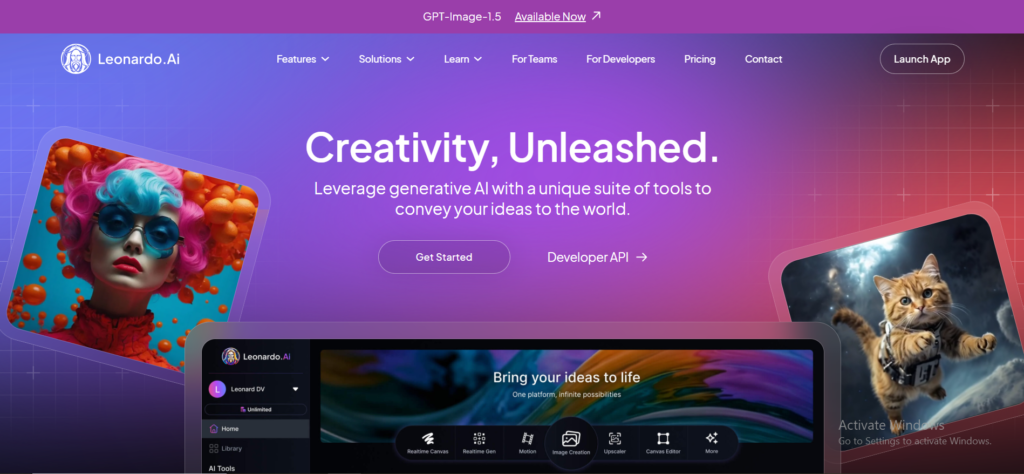
Leonardo AI is an advanced AI image generation platform that allows users to create stunning images from text prompts, refine outputs using presets and models, and even train custom models for consistent results. Unlike basic generators, Leonardo AI focuses on precision, style control, and professional use cases, making it a strong choice for serious creators.
This tool is ideal for :
- Designers who need concept art, illustrations, and visual assets
- Marketers creating ads, banners, and social media creatives
- Content creators & bloggers generating thumbnails, featured images, and visuals
- Game developers & indie studios building characters, environments, and in-game assets
Leonardo AI Review : Key Features and Benefits
Leonardo AI gives features to stands out from many AI image generators because it focuses on quality, control, and professional-grade features. Below are the key features that make Leonardo AI a powerful tool for creators in 2026.
1. AI Image Generation from Text Prompts
Leonardo AI allows users to generate high-quality images simply by entering a text prompt. You can describe characters, scenes, art styles, lighting, colors, and moods in detail. The AI then converts these prompts into visually rich and accurate images, making it ideal for concept art, marketing visuals, and creative experiments.

2. Custom Model Training
One of Leonardo AI’s strongest features is custom model training. Users can train their own AI models using specific styles, characters, or visual themes. This is especially useful for maintaining consistent branding, character design, or art style across multiple images—something many basic AI tools struggle with.
3. Image-to-Image Generation
Leonardo AI supports image-to-image generation, where you can upload an existing image and modify it using AI. This feature helps in refining designs, changing styles, improving composition, or creating variations of an existing visual without starting from scratch.
4. Prompt Guidance & Presets
For users who are not prompt experts, Leonardo AI offers prompt guidance and ready-made presets. These presets help users achieve better results faster by optimizing prompt structure, style settings, and image parameters. It significantly reduces the learning curve for beginners while still offering flexibility for advanced users.
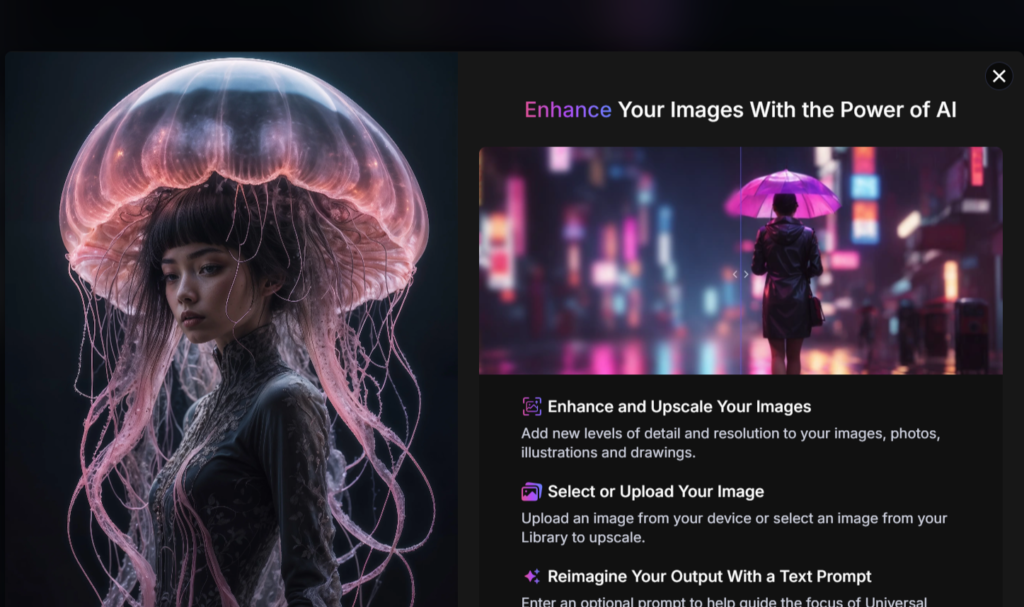
5. Upscaling & Image Enhancement
Leonardo AI includes built-in upscaling and enhancement tools that improve image resolution and clarity. This makes generated images suitable for high-quality prints, websites, ads, and professional use, without losing details or sharpness.
6. Background Removal & Editing Tools
The platform provides background removal and basic image editing tools, allowing users to isolate subjects, modify elements, and make quick adjustments. This is extremely helpful for product images, thumbnails, social media creatives, and UI assets.
Leonardo AI Review: How Leonardo AI Works (Step-by-Step)
Leonardo AI is designed to be powerful yet user-friendly. Below is a clear, step-by-step explanation of how the platform works—from signing up to downloading your final images.
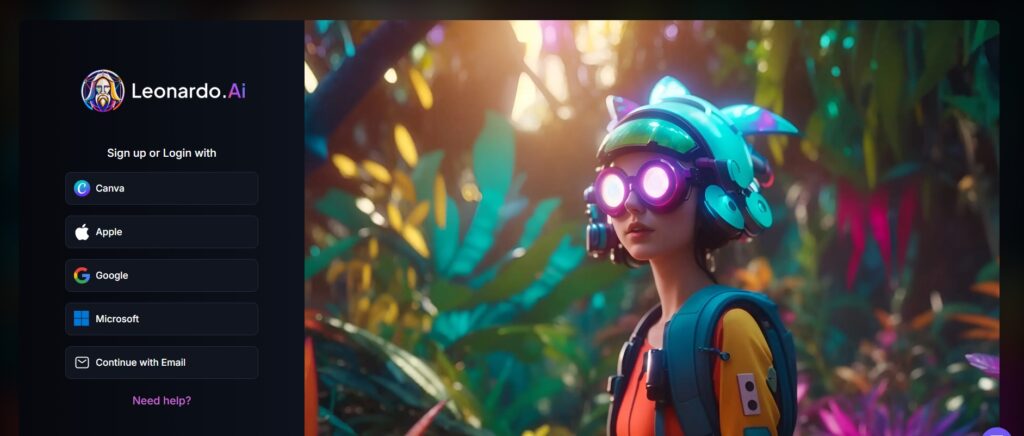
1. Sign-Up Process
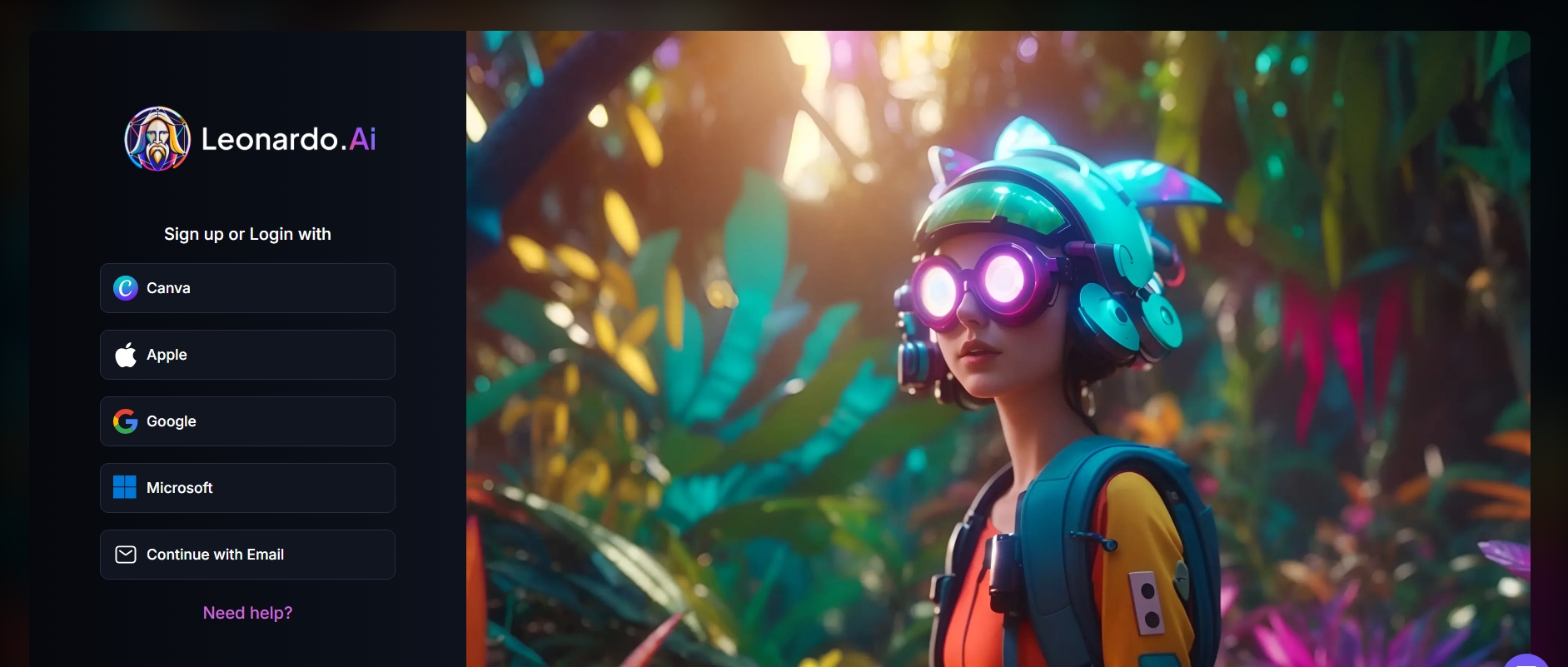
Getting started with Leonardo AI is simple. Users can sign up using an email address or a supported third-party login option. After registration, you gain access to the Leonardo AI dashboard, where free users receive a limited number of daily or monthly credits to generate images. Paid plans unlock higher limits and advanced features.
2 . Dashboard Overview
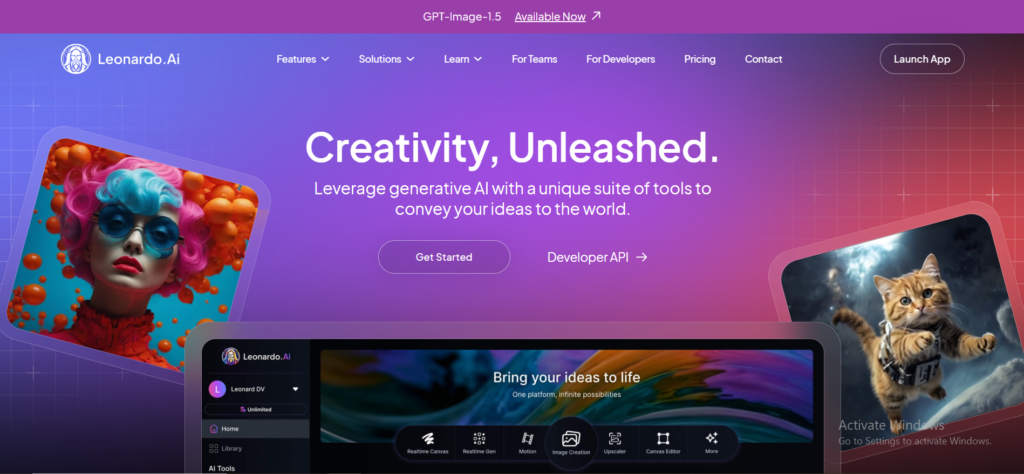
Once logged in, you’re taken to the Leonardo AI dashboard, which acts as the control center. From here, you can:
- Start a new image generation
- Access previously generated images
- Manage credits and usage
- Explore available AI models and presets
- Train or manage custom models
The layout is clean and organized, making it easy for both beginners and advanced users to navigate.
3. Writing a Prompt
To generate an image, you simply enter a text prompt describing what you want to create. This can include details such as:
- Subject (character, object, scene)
- Art style (realistic, anime, cinematic, illustration)
- Lighting, colors, and mood
- Camera angle or composition

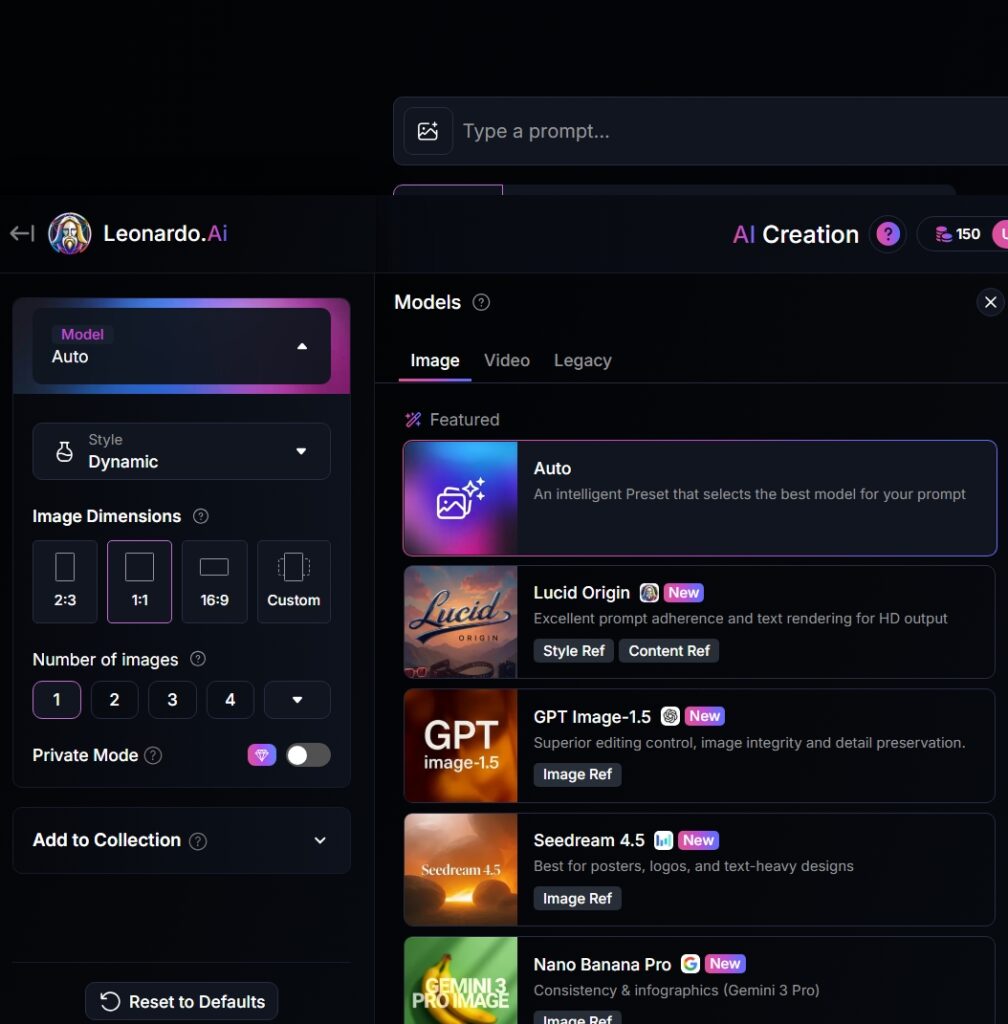
4. Selecting Styles & Models
After writing the prompt, users can choose from various AI models and style presets. These options help control the visual output, such as realism level, artistic style, or game-asset look. Advanced users can also select custom-trained models to maintain consistency across images.
5. Generating and Downloading Images
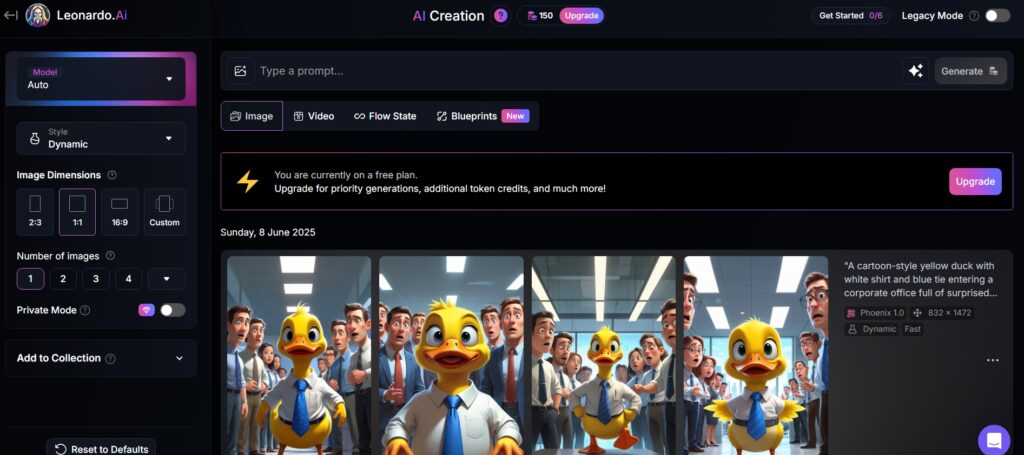
Once everything is set, you click the Generate button. Leonardo AI processes the request and produces one or multiple image variations within seconds. You can review the results, make refinements if needed, and then download the final images in high resolution for personal or commercial use.
Leonardo AI Review: Leonardo AI Image Quality & Styles
Leonardo AI is known for delivering high-quality, detailed, and style-consistent images, making it a strong choice for professional and creative use. Below is a breakdown of how Leonardo AI performs across different image styles and quality aspects.
1. Realistic Images
Leonardo AI excels at generating photo-realistic images with accurate lighting, shadows, textures, and facial details. It can create realistic human portraits, product shots, environments, and lifestyle visuals that closely resemble professional photography. This makes it ideal for marketing creatives, blog visuals, and ad campaigns.

2. Anime & Illustration Styles
For users who prefer stylized visuals, Leonardo AI performs exceptionally well with anime, cartoon, and digital illustration styles. The tool produces clean line work, vibrant colors, and expressive characters. Artists and content creators can easily generate consistent anime characters or illustration-based visuals using presets or custom-trained models.
3. Concept Art & Game Assets
Leonardo AI is widely used for concept art and game asset creation. It can generate characters, weapons, environments, props, and textures that fit specific fantasy, sci-fi, or realistic themes. Game developers and indie studios benefit from its ability to produce visually cohesive assets quickly.
4. Logo & Product Visuals
Leonardo AI can also generate logo concepts and product visuals, especially during the ideation stage. While it may not replace professional logo design tools entirely, it’s highly effective for brainstorming logo ideas, mockups, product renders, and promotional visuals.
5. Consistency and Detail Accuracy
One of Leonardo AI’s biggest strengths is consistency. With the help of custom models and image-to-image features, users can maintain the same character design, art style, and visual tone across multiple images. Detail accuracy—such as textures, facial expressions, and object proportions—is generally strong, especially when prompts are well-defined.
Leonardo AI Review: Use Cases of Leonardo AI
Leonardo AI is a versatile image generation tool that can be used across multiple industries and creative workflows. Below are some of the most practical and popular use cases of Leonardo AI in 2026.
1. Social Media Creatives
Leonardo AI helps creators design eye-catching social media visuals for platforms like Instagram, Facebook, LinkedIn, and X. Users can generate posts, reels thumbnails, story backgrounds, and carousel images that match a specific theme or brand style—without needing advanced design skills.
2. Blog & Website Images
For bloggers and website owners, Leonardo AI is an efficient way to create featured images, blog illustrations, hero sections, and background visuals. These AI-generated images improve visual appeal, user engagement, and overall content presentation while saving time and design costs.
3. Marketing Ads & Banners
Marketers use Leonardo AI to create high-converting ad creatives and banners for Google Ads, Facebook Ads, and display campaigns. The tool allows quick testing of multiple visual variations, helping marketers optimize campaigns faster and reduce dependency on traditional design workflows.
4. Game Design & Character Creation
Leonardo AI is especially popular among game developers and indie studios. It can generate characters, environments, weapons, props, and textures for games. With custom models, developers can maintain a consistent art style across all game assets, speeding up the development process.
5. Product Mockups
E-commerce sellers and brands use Leonardo AI to create product mockups and promotional visuals. You can showcase products in different environments, lighting conditions, or use cases—without expensive photoshoots—making it ideal for online stores and landing pages.
6. YouTube Thumbnails
Leonardo AI is a powerful tool for creating high-impact YouTube thumbnails. Creators can generate dramatic backgrounds, expressive characters, and attention-grabbing visuals that increase click-through rates while maintaining a consistent channel style.
Here is The Top 10 Image Generation tool Review. If you need to Explore, click here
Leonardo AI Review: Leonardo AI Pricing & Plans
Understanding the pricing and token system of Leonardo AI helps you decide whether it’s the right tool for your creative needs. Here’s a breakdown of how it works in 2026 — from free access to paid subscriptions and whether the cost is worth it.
Free Plan Limitations
Leonardo AI offers a free plan that lets you try the platform without paying anything. On this plan you get:
- 150 fast tokens per day for generating images and basic tasks.
- Ability to use presets and community models.
- Images created on the free plan are public (visible to others).
- Limited access to advanced features like high-priority generations or private models.
- This is ideal for beginners, casual users, and experimentation, but the daily token limit and feature restrictions can feel limiting for heavy users.
Paid Plan

Leonardo AI Review: Pros and Cons of Leonardo AI
Pros :
1. High-Quality Image Generation
Leonardo AI consistently produces detailed, professional-looking images across styles — from realism to stylized art and concept visuals. Its foundational models and presets help deliver quality results quickly.
2. Comprehensive Feature Set
The platform offers more than basic text-to-image: real-time canvas editing, upscaling, custom model training, 3D texture tools, and even short video generation for paid users. This makes it a full creative suite rather than a single-purpose generator.
3. Customization & Control
Users can adjust prompts, choose specific models, and train custom models to maintain visual style and brand consistency — especially useful for repeated image sets or professional projects.
4. User-Friendly Interface
Leonardo AI’s intuitive design and easy onboarding make it approachable for beginners, while still offering advanced tools for professionals.
5. Strong Community & Shared Models
An active user community enhances creativity with shared models, prompts, and inspiration, helping new users learn and experiment faster.
6. Flexible Pricing Options
With a freemium plan plus multiple paid tiers, users can scale up based on need and budget — from casual experimentation to heavier professional use.
7. Fast Generation Speeds
Most images generate within seconds, making it efficient for rapid ideation or bulk creative tasks.
Cons :
1. Token-Based Limitations
The credit/token system can feel restrictive, especially on lower plans or for heavy users. It makes cost per image less predictable and can require upgrades for frequent use.
2. Learning Curve for Advanced Features
While basic tools are easy, mastering advanced functions like custom model training or effective prompt engineering takes time and practice.
3. Free Plan Restrictions
Free users face limits such as capped tokens, lower generation speed, watermarks or public visibility, which can constrain serious experimentation or professional workflows.
4. Output Variability
Some outputs may miss prompt details — especially complex instructions like text in images or very specific content — requiring multiple iterations to get what you want.
5. Paid Features Locked Behind Subscription
Some of the most advanced tools (private generations, best quality models, upscalers, video tools) are only available on paid plans, limiting the free tier’s usability.
6. Internet Dependency & Language Limits
Leonardo AI requires a stable internet connection since everything runs in the cloud, and some users find the interface or support predominantly English-centric.
Leonardo AI Review: Leonardo AI vs Competitors
Leonardo AI vs Midjourney Click Here
Leonardo AI vs DALL·E Click Here
Leonardo AI vs Stable Diffusion Click here
Leonardo AI for Beginners: Tips & Best Practices
If you’re new to Leonardo AI, following a few best practices can significantly improve your image quality and save credits. Below are practical tips to help beginners get the best results from the platform.
1. How to Write Better Prompts
A good prompt is the foundation of a great image. Instead of using short or vague descriptions, try to be clear and structured.
Best practices for prompts:
- Start with the main subject (character, object, scene)
- Add style (realistic, anime, cinematic, illustration, 3D, etc.)
- Include details like lighting, colors, mood, and background
- Mention camera angle or composition if needed
Example:
“Ultra-realistic portrait of a young man, soft studio lighting, sharp facial details, shallow depth of field, professional photography style”
2. Using Presets Effectively
Leonardo AI provides built-in presets and models that are optimized for different styles and use cases.
- Use presets when you’re unsure about settings—they produce reliable results
- Try different presets with the same prompt to compare outputs
- Stick to one preset for a project to maintain a consistent visual style
Presets are especially useful for beginners because they reduce trial and error and save credits.
3. Improving Image Consistency
Consistency is important when creating characters, branding visuals, or multiple assets.
Ways to improve consistency:
- Reuse the same prompt structure and keywords
- Use image-to-image generation to refine or extend existing designs
- Train or use custom models for characters or specific styles
- Keep resolution, model, and preset settings the same
These steps help maintain uniform characters, colors, and styles across multiple images.
Leonardo AI Review: Final Verdict: Is Leonardo AI Worth It?
Yes — Leonardo AI is worth it for creators who want professional-level visuals, customizable workflows, and scalable generation capabilities. It’s not just another AI art generator; it’s a creative platform built to support real projects, brands, and teams.
1. Is Leonardo AI free?
Yes – you can use Leonardo AI for free, but professional features and private generations require a paid subscription.
2. Can I use Leonardo AI images commercially?
Yes – You can use images generated on Leonardo AI for commercial purposes, including selling, publishing, or using them in products — but the legal rights differ based on your plan.
3. Is Leonardo AI better than Midjourney?
Leonardo AI is generally better for ease of use, commercial access, and beginner workflows, while Midjourney may be preferred for specific artistic styles and community resources.
4. Does Leonardo AI support anime/realistic art?
Yes — Leonardo AI supports both anime and realistic art styles. It has multiple models and presets that excel at stylized illustrations like anime or manga, as well as photorealistic images, concept art, and more. Users can switch between styles or use specific presets to match the artistic look they’re after.