
Have you ever opened your Mailchimp bill and thought, “wait, half my list never even opens these emails — why am I paying for them?”
You’re not alone, and it’s not a small problem. Mailchimp charges based on how many contacts you store — including unsubscribed and unconfirmed ones on some plans — while a growing number of businesses are switching to Brevo, which charges based on how many emails you actually send. For a list that’s accumulated years of inactive subscribers, that difference alone can cut your bill by 40-80%.
I went through both platforms specifically to answer the questions that come up once you start seriously comparing Brevo vs Mailchimp in 2026:
- How does send-based pricing (Brevo) actually compare to contact-based pricing (Mailchimp) in real numbers?
- What do you give up by switching to Brevo — is it really “Mailchimp but cheaper,” or are there trade-offs?
- Is Brevo’s built-in CRM, SMS, and transactional email actually useful, or just marketing fluff?
- What’s the real cost of removing Brevo’s branding, and how does that change the comparison?
- Who should stick with Mailchimp despite the higher cost?
Short answer: Brevo is dramatically cheaper for businesses with large contact lists who send occasionally — a 25,000-contact list sending bi-weekly campaigns can cost roughly $29/month on Brevo versus $170/month on Mailchimp. Mailchimp still wins on template polish, app marketplace breadth, and predictive ecommerce analytics. The right choice depends on whether your list is large-but-inactive (Brevo) or small-but-design-heavy (Mailchimp).
Let’s get into the details.
How we verified this: We created live accounts on both Brevo and Mailchimp, ran each platform’s own pricing calculator against matching contact counts and send volumes, and cross-checked every dollar figure below against the current Brevo pricing page and Mailchimp pricing page as of July 2026. Both vendors change plans and limits often (Mailchimp cut its free tier twice in the past year alone), so treat the figures here as a snapshot and re-check the official pricing page before you commit to either platform.
Brevo vs Mailchimp: Quick Overview
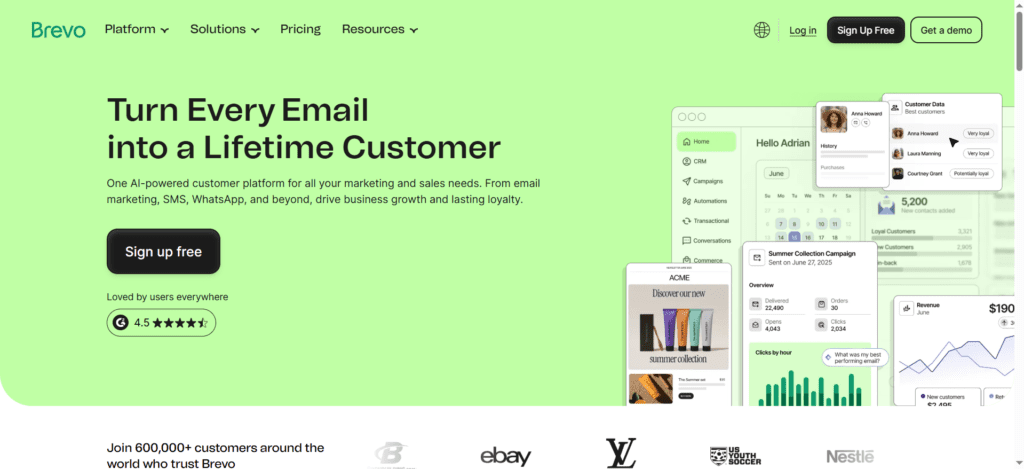
Brevo (formerly Sendinblue, renamed in 2023) is a Paris-founded platform that built its reputation on message delivery reliability before expanding into a full marketing suite: email, SMS, WhatsApp, live chat, CRM, and transactional email — all billed primarily by send volume rather than contact count.
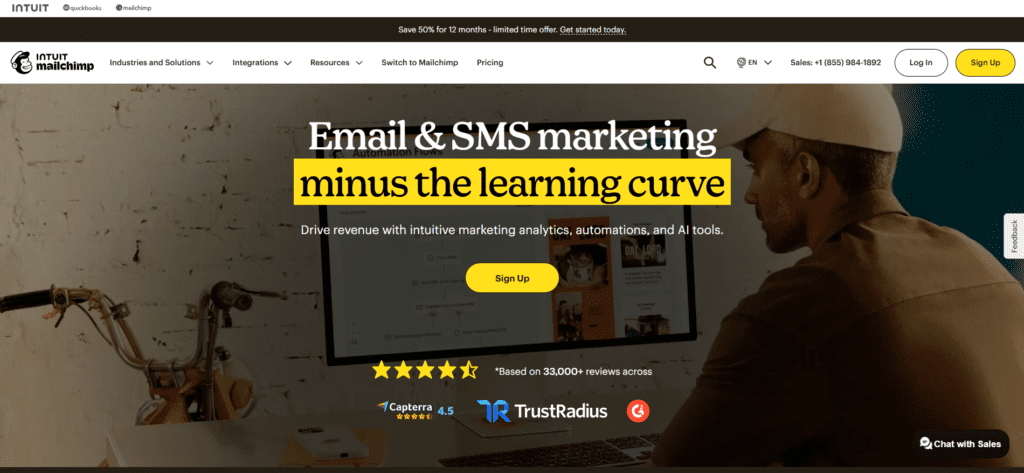
Mailchimp, founded in Atlanta in 2001 and acquired by Intuit in 2021, remains the most recognizable name in email marketing — known for its design polish, large template library, and broad app marketplace, but increasingly criticized for a shrinking free plan and contact-based pricing that can balloon as your list grows.
Read our full Mailchimp Review 2026 for a complete breakdown of Mailchimp’s current pricing, features, and what’s changed.
Here’s the high-level split:
| Factor | Brevo | Mailchimp |
|---|---|---|
| Pricing model | Based on emails sent | Based on contacts stored |
| Free plan | 300 emails/day, contacts effectively unlimited (automation capped at 2,000) | 250 contacts, 500 sends/month (2026) |
| Cheapest paid plan | ~$9/month, 5,000 emails/month | ~$13/month, 500 contacts |
| Branding removal | +~$10.80/month add-on on Starter | Included on all paid plans |
| 25,000 contacts, bi-weekly sends | ~$29/month | ~$170/month |
| Templates | Functional, smaller library | 130+ polished templates |
| SMS / WhatsApp | Native, one bill | Not native; limited add-ons |
| Transactional email | Included in every plan | Separate product (Mandrill) |
| Best for | Large, semi-active lists; multi-channel needs | Design-forward brands; smaller, highly active lists |
- Choose Brevo if: you have a large contact list (5,000+) but send infrequently, want built-in SMS/WhatsApp/CRM, or your list has significant unsubscribed/inactive contacts that Mailchimp would charge you for
- Choose Mailchimp if: you want the largest template and app ecosystem, need predictive ecommerce analytics (customer lifetime value, send-time optimization), and your list is small enough that contact-based pricing isn’t painful yet
Pricing in 2026: Send-Based vs Contact-Based
How Each Platform Actually Charges You
This is the single most important concept in this entire comparison, so let’s be precise about it.
Mailchimp charges based on your contact count — and on some plans, that includes unsubscribed and unconfirmed contacts, not just active subscribers. A list of 25,000 contacts costs roughly the same whether you email them once a month or every day.
Brevo charges primarily based on emails sent per month, with contact limits only on certain tiers. You could have 100,000 contacts stored and pay nothing extra for storing them — you only pay for what you send.
This single difference is why the math flips so dramatically for certain types of businesses. A real-world example: a list of 25,000 contacts sending bi-weekly campaigns (roughly 2 sends/month) was costing roughly $170/month on Mailchimp. The same sending pattern on Brevo came out to roughly $29/month — an 83% reduction.
Brevo Pricing (2026)
- Free: 300 emails/day, with contact storage effectively unlimited (Brevo’s help center cites storage for up to 100,000 contacts on the free plan) — though the automation workflow editor is capped at 2,000 contacts, and real automation on any free plan is still rare (Mailchimp’s free automation is far more limited)
- Starter: From roughly $9/month for 5,000 emails/month, unlimited contacts — but removing Brevo’s logo from emails costs an additional ~$10.80/month, more than doubling the effective entry price for unbranded sending
- Standard / Business (newer mid-tiers): Brevo recently introduced Standard and Professional tiers between Starter and Enterprise, slightly lowering entry prices while reorganizing which features sit at which level — unlimited marketing automation is available starting around $18/month
- Professional/Enterprise: From roughly $499/month for 150,000+ emails, multi-channel marketing, AI segmentation, and 10 user seats — aimed at high-volume senders
Annual billing provides roughly a 10% discount across Brevo’s paid plans.
Mailchimp Pricing (2026)
- Free: 250 contacts, 500 monthly email sends, capped at 250/day — cut again in January 2026, down from the already-reduced 500 contacts/1,000 sends of the year before
- Essentials: Starting around $13/month for 500 contacts, scaling with list size — 1-step automation workflows only
- Standard: Mailchimp’s most popular tier — multi-step automation, A/B testing, send-time optimization, predictive demographics
- Premium: Advanced segmentation, multivariate testing, larger team seats — priced for larger operations
At 100,000 contacts, Mailchimp’s pricing runs around $605/month regardless of how many emails you actually send — the cost is driven entirely by list size, not activity.
The Hidden Cost: Brevo’s Branding Removal Fee
Brevo’s Starter plan looks remarkably cheap on paper (~$9/month for 5,000 emails), but removing the “Sent via Brevo” branding from your emails costs an additional ~$10.80/month — more than doubling your effective entry price. If you’re a business sending branded campaigns to customers, factor this in from the start; it’s easy to compare Brevo’s headline price against Mailchimp’s and miss this add-on entirely.
Practical Use Case: Which Platform for Which List?
Scenario 1: A Blog With a Large, Semi-Active List (20,000 Subscribers)
A content blog that’s been collecting subscribers for years, sends a newsletter 2-3 times per month, and — like most lists this size — has a meaningful percentage of subscribers who haven’t opened an email in months but haven’t unsubscribed either.
On Mailchimp, this list size puts you well into the higher contact tiers regardless of engagement — you’re paying for every stored contact, active or not, every month.
On Brevo, you store all 20,000 contacts for free and pay only for the 2-3 sends per month to that list. For a list this size sending a few times monthly, the cost difference can be dramatic — often 50-80% lower than the equivalent Mailchimp tier.
Verdict for this scenario: Brevo, clearly — this is exactly the use case send-based pricing was designed for.
Scenario 2: An Ecommerce Store Sending Daily Campaigns (3,000 Subscribers)
A small store with an actively engaged, smaller list, sending daily promotional emails, abandoned cart sequences, and using predictive analytics to time sends for maximum opens.
Here, the calculus flips. At 3,000 contacts sending daily (roughly 90,000 emails/month), Brevo’s send-based pricing starts climbing toward higher tiers, while Mailchimp’s contact-based pricing at this smaller list size remains comparatively manageable. Mailchimp’s predictive send-time optimization and customer lifetime value analytics — genuinely useful for ecommerce — are also more mature than Brevo’s equivalent tools.
For ecommerce-specific automation and revenue attribution, also see our Omnisend Review 2026, which is purpose-built for this use case.
Verdict for this scenario: Mailchimp (or a dedicated ecommerce platform), since small-list-high-frequency sending favors contact-based pricing.
Scenario 3: A Business Needing SMS, WhatsApp, and Transactional Email Together
A business that wants marketing email, order confirmation/transactional emails, and SMS notifications — all from one platform, without juggling separate tools and bills.
Brevo includes transactional email (SMTP/API) within its sending limits as a core feature — a genuine differentiator, since most ESPs charge extra for transactional sending (Mailchimp requires a separate product, Mandrill, for this). Brevo also offers native SMS and WhatsApp campaigns (as paid add-ons), letting you manage multi-channel communication from one dashboard.
Mailchimp doesn’t have an equivalent unified approach — transactional email requires Mandrill (a separate Intuit product with its own billing), and SMS isn’t a native Mailchimp feature at all.
Verdict for this scenario: Brevo — the consolidation of marketing email, transactional email, and SMS/WhatsApp under one bill is a meaningful operational simplification.
Feature-by-Feature Comparison
Free Plan
Brevo’s free plan is significantly more generous on the metric that actually costs money: contact storage is effectively unlimited (Mailchimp caps out at just 250 contacts as of 2026) and — notably — includes the visual automation workflow editor for up to 2,000 contacts. Real automation on a free plan is rare in this industry, and it’s one of Brevo’s strongest selling points for businesses just starting out.
Mailchimp’s free plan, by contrast, has been progressively reduced over the years and now offers just 250 contacts and 500 monthly sends (250/day) with minimal automation — a cut made in January 2026.
Templates and Design
This is Mailchimp’s clearest win. With 130+ polished templates and a more refined drag-and-drop editor, Mailchimp remains the more design-forward platform. Brevo’s templates are functional but noticeably less extensive, and the editor, while user-friendly, doesn’t match Mailchimp’s design depth.
If polished, on-brand email design is a top priority and you don’t have in-house design resources, Mailchimp’s template library does meaningful work for you out of the box.
Automation
Brevo’s visual automation editor is available even on the free plan (up to 2,000 contacts) and unlimited automation is available starting around $18/month. Mailchimp’s automation, by contrast, starts with 1-step workflows on Essentials — multi-step, branching automation requires the Standard tier and above.
For straightforward automation needs (welcome sequences, basic triggers), Brevo gets you there at a lower price point. For highly granular, multi-step journey building with deep conditional logic, Mailchimp’s Standard-tier automation has more depth once you’re paying for it.
CRM Features
Brevo positions itself as a broader CRM suite — contact records can track interactions across email, SMS, chat, and sales activity in one unified view, aiming to be a “center of gravity” for the customer relationship, not just email campaigns.
Mailchimp’s “Marketing CRM” is more audience-centered — using contact and behavior data primarily to guide campaign targeting and segmentation, rather than functioning as a general-purpose CRM for sales or support teams.
If you need a lightweight CRM alongside email without adding a separate tool, Brevo’s approach is more genuinely CRM-like. If you just need smarter audience segmentation for campaigns, Mailchimp’s approach is purpose-built for that.
Deliverability
Both platforms have established sending infrastructure and comparable deliverability in independent testing — neither has a documented deliverability disadvantage versus the other. Brevo’s origins in transactional email delivery (as Sendinblue) give it long-standing experience with sender reputation management, which carries over to its marketing email infrastructure.
Integrations and App Marketplace
Mailchimp’s app marketplace is significantly larger, reflecting its longer history and broader brand recognition — if you’re using a less-common tool and need a native integration, Mailchimp is more likely to have it. Brevo’s integration list covers the major platforms (Shopify, WooCommerce, WordPress, Zapier) but with less long-tail coverage.
Who Should Use Brevo?
- Businesses with large, semi-active lists that send a few campaigns per month — the send-based pricing model directly rewards this pattern
- Businesses wanting SMS, WhatsApp, and transactional email consolidated under one platform and one bill
- Budget-conscious teams frustrated by Mailchimp’s rising costs as their list grows, especially if a meaningful share of that list is inactive
Who Should Use Mailchimp?
- Design-focused brands that benefit from Mailchimp’s larger template library and more polished editor
- Ecommerce stores with smaller, highly active lists sending frequently, where contact-based pricing doesn’t penalize sending volume
- Businesses relying on Mailchimp’s app ecosystem for niche integrations not well-covered by Brevo
Who Should Avoid Both?
If your primary need is creator-focused tools — built-in digital product selling, a generous free plan tailored to newsletter writers — MailerLite may fit better than either Brevo or Mailchimp, with simpler pricing and strong deliverability.
And if your business runs on a sales pipeline with email as a secondary function, ActiveCampaign offers deeper CRM-integrated automation than either platform’s CRM-adjacent features.
Migration: Switching From Mailchimp to Brevo
If Mailchimp’s rising bills are the reason you’re reading this, switching is more manageable than it might seem. Both platforms support standard CSV import/export for contacts, tags, and segments — the data itself transfers cleanly.
What takes more work is rebuilding automations and email templates. Mailchimp’s multi-step Standard-tier automations may need to be simplified to fit Brevo’s workflow editor, depending on complexity. Email templates generally need to be rebuilt rather than imported, since the two editors don’t share a common format.
A practical approach: before switching, export your Mailchimp audience and remove genuinely inactive contacts (no opens in 12+ months) — this both improves your deliverability reputation on the new platform and gives you a cleaner picture of what your actual Brevo send-based cost will look like.
Side-by-Side Summary
- Pricing model: Brevo — based on emails sent | Mailchimp — based on contacts stored
- Free plan: Brevo — unlimited contact storage, automation capped at 2,000 | Mailchimp — 250 contacts, 500 sends/month, minimal automation
- 25,000 contacts, bi-weekly sends: Brevo ~$29/month | Mailchimp ~$170/month
- Branding removal: Brevo — extra ~$10.80/month on Starter | Mailchimp — included on paid plans
- Templates: Brevo — functional, smaller library | Mailchimp — 130+ polished templates
- SMS/WhatsApp/Transactional: Brevo — native, consolidated billing | Mailchimp — requires separate products (Mandrill for transactional)
- CRM approach: Brevo — broader CRM suite | Mailchimp — audience-centered Marketing CRM
- Best for: Brevo — large/semi-active lists, multi-channel needs | Mailchimp — design-focused, ecommerce with active small lists
Reporting and Analytics: What You Actually See
Mailchimp’s Predictive Analytics
On Standard and Premium tiers, Mailchimp’s reporting goes beyond opens and clicks into predictive territory: customer lifetime value estimates, predicted demographics for your audience, and send-time optimization that learns when individual subscribers are most likely to engage and times sends accordingly.
For ecommerce brands connected to Shopify or WooCommerce, these predictions feed into segment suggestions — for example, automatically surfacing a “likely to churn” segment based on purchase recency and frequency patterns.
Brevo’s Campaign Analytics
Brevo’s reporting dashboards cover the standard metrics — opens, clicks, bounces, unsubscribes — with heatmap-style click tracking and A/B test reporting on eligible plans. What Brevo doesn’t currently match is Mailchimp’s predictive layer; you get clear historical data and campaign comparisons, but not the same forward-looking customer behavior modeling.
For most small-to-medium senders, the difference is academic — historical open/click data and basic segmentation cover 90% of practical decisions. The predictive layer becomes more valuable at scale, when manually reviewing segment performance for tens of thousands of contacts becomes impractical.
Which Matters More: Predictions or Send-Based Savings?
This is where the comparison gets genuinely interesting rather than one-sided. If predictive analytics are actively changing how you segment and time campaigns — and you’re seeing measurable lift from send-time optimization — that value needs to be weighed against Brevo’s potential cost savings.
In practice, most businesses below the enterprise level use predictive features passively (they’re “nice to have” but don’t drive active decisions every week). For those businesses, the send-based pricing savings on Brevo usually outweigh the value of analytics features that aren’t being actively used to change strategy.
Final Verdict
After comparing both platforms on pricing structure, features, and real sending patterns, the decision genuinely comes down to one number: how many emails do you send per month relative to how many contacts you store?
If you have a large list and send occasionally — a newsletter a few times a month to tens of thousands of contacts — Brevo’s send-based pricing will almost certainly save you money, often dramatically, while also giving you SMS, WhatsApp, and transactional email under one roof. This is the scenario where switching from Mailchimp pays for itself within the first billing cycle.
If you have a smaller, highly engaged list and send frequently — daily ecommerce promotions, for example — Mailchimp’s contact-based pricing doesn’t penalize your sending volume, and its template library and predictive analytics remain more mature.
My honest recommendation: if you’re currently on Mailchimp and your bill has been climbing as your list grows (regardless of whether your open rates have grown with it), export your contact list, calculate roughly how many emails you send per month, and run that number through Brevo’s pricing calculator before renewing. For most lists with any meaningful percentage of inactive subscribers, the savings are worth the migration effort.
Related Reading
- Best Email Marketing and Automation Tools 2026 (full roundup)
- Mailchimp Review 2026
- Best Mailchimp Alternatives
1. Is Brevo cheaper than Mailchimp?
For most businesses, yes — especially those with large contact lists who send occasionally. Brevo charges based on emails sent, not contacts stored, so a 25,000-contact list sending bi-weekly campaigns might cost around $29/month on Brevo versus roughly $170/month on Mailchimp. Mailchimp can be more cost-effective for smaller, highly active lists that send frequently.
2. What’s the main difference between Brevo and Mailchimp pricing?
Mailchimp charges based on contact count — and on some plans, includes unsubscribed and unconfirmed contacts toward your limit. Brevo charges primarily based on monthly email send volume, with contact storage largely free regardless of list size. This means Brevo rewards large-list-low-frequency senders, while Mailchimp’s cost is driven by list size regardless of activity.
3. Does Brevo have a better free plan than Mailchimp?
Yes, in most respects. Brevo’s free plan stores contacts at effectively no limit and includes the visual automation workflow editor for up to 2,000 contacts — genuinely rare for a free tier. Mailchimp’s free plan has been cut repeatedly and now sits at just 250 contacts and 500 monthly sends (250/day) with minimal automation, as of a January 2026 reduction.
4. How much does it cost to remove branding on Brevo vs Mailchimp?
On Brevo’s Starter plan (~$9/month), removing the ‘Sent via Brevo’ branding costs an additional ~$10.80/month, more than doubling the effective entry price. Mailchimp’s paid plans include branding removal without a separate add-on fee.
5. Does Brevo include SMS and WhatsApp marketing?
Yes, as paid add-ons alongside email, consolidated into one platform and one bill. Brevo also includes transactional email (SMTP/API) within its sending limits as a core feature. Mailchimp doesn’t have native SMS, and transactional email requires a separate product (Mandrill) with its own billing.
6. Which has better email templates, Brevo or Mailchimp?
Mailchimp, by a clear margin. With 130+ polished templates and a more design-forward editor, Mailchimp remains the stronger choice for brands that want professional-looking emails without in-house design work. Brevo’s templates are functional but less extensive.
7. Can I migrate my contacts from Mailchimp to Brevo?
Yes, contact data, tags, and segments export and import cleanly via standard CSV between both platforms. Automation workflows and email templates generally need to be rebuilt rather than directly imported, since the platforms use different formats and automation logic structures.
8. Is Brevo good for ecommerce email marketing?
Brevo supports ecommerce integrations (Shopify, WooCommerce) and includes CRM and multi-channel features useful for online stores. However, for businesses prioritizing predictive analytics like customer lifetime value and send-time optimization, Mailchimp’s ecommerce tools are more mature, and dedicated ecommerce platforms like Omnisend may offer deeper revenue attribution than either.

About the Author
Ashish Yadav — Founder & Engineer, CognifyFuture
I’m a software engineer and AI tools researcher with 5 years of hands-on experience testing automation and AI platforms. Every review on this site is based on real, hands-on use — not repackaged spec sheets.
Reviewed and fact-checked for accuracy as of July 2026.




I am Ashish Yadav a software engineer and AI tools researcher with over five years of practical experience working with real-world systems and automation. I am founder of CognifyFuture, where I analyzes, tests, and breaks down AI tools with a focus on what actually works—not what’s trending.
My content is built on hands-on usage, not theory. Instead of generic advice, I focuses on real implementation—how AI tools can be used to automate tasks, improve efficiency, and solve any specific business or individual problems.
Through CognifyFuture, My aims is to eliminate confusion around AI by delivering clear, honest, and actionable insights that help users make smarter technology decisions.







