
Both Notion AI and ClickUp AI promise to be the AI layer your team actually needs. Both are built into platforms where your work already lives. Both save real time for teams who use them seriously.
But they’re optimised for completely different types of work — and choosing the wrong one means paying for an AI layer that doesn’t match how your team actually spends its time.
Notion AI vs ClickUp AI: The Core Difference
Notion AI is optimized for knowledge management and writing-heavy teams. Its AI shines when your team’s primary output is documents, wikis, meeting notes, research, and structured written knowledge. Ask Notion AI to summaries a long page, answer a question from your team wiki, or draft a document from notes — it’s excellent.
ClickUp Brain is optimized for project and task management teams. Its AI shines when your team’s primary work lives in tasks, projects, and workflows. Ask ClickUp Brain to generate a project plan from a brief, summaries what the team worked on yesterday, or create an automation rule — it’s excellent.
The question isn’t which AI is “smarter.” It’s which platform matches where your team’s work actually lives.
Read Our Review 27 Best AI Tools for Productivity in 2026: Tested, Ranked & Brutally Honest
How Notion AI Actually Works
Notion AI operates on top of Notion’s block-based document structure, which means it has access to everything on a page down to individual paragraphs, database properties, and nested sub-pages. When you ask Notion AI a question about your workspace, it runs a retrieval pass across pages you have access to, pulls the relevant blocks, and generates an answer with links back to the source pages so you can verify it. This is why Notion AI’s Q&A feature feels reliable for knowledge questions — it’s not guessing from a general model’s training data, it’s synthesising from your actual documented content.
The tradeoff is that Notion AI’s usefulness is bounded by how well-organised your workspace already is. If your team’s knowledge is scattered across untitled pages with no structure, Notion AI’s answers degrade because the retrieval pass has less signal to work with. Teams get the most out of Notion AI when they’ve already invested in reasonably clean information architecture, not as a substitute for that work.
How ClickUp Brain Actually Works
ClickUp Brain is built around ClickUp’s task and project data model rather than free-form documents. It has direct access to task statuses, assignees, due dates, custom fields, time tracking entries, and comment threads, which is why it can answer operational questions (“what’s blocking the website launch?”) with genuine accuracy — that data is structured and queryable rather than buried in prose.
When you ask ClickUp Brain to generate a project plan, it doesn’t just write descriptive text — it creates actual tasks, subtasks, and dependencies inside your workspace that you can immediately assign and schedule. This is a meaningfully different output than Notion AI drafting a project outline as a document, because ClickUp Brain’s output is instantly actionable inside the platform’s task engine. The tradeoff is that ClickUp Brain is less useful for open-ended writing or synthesising unstructured knowledge, since its strength comes from structured task data, not prose.
Notion AI vs ClickUp AI: Feature Comparison
Document and Writing AI
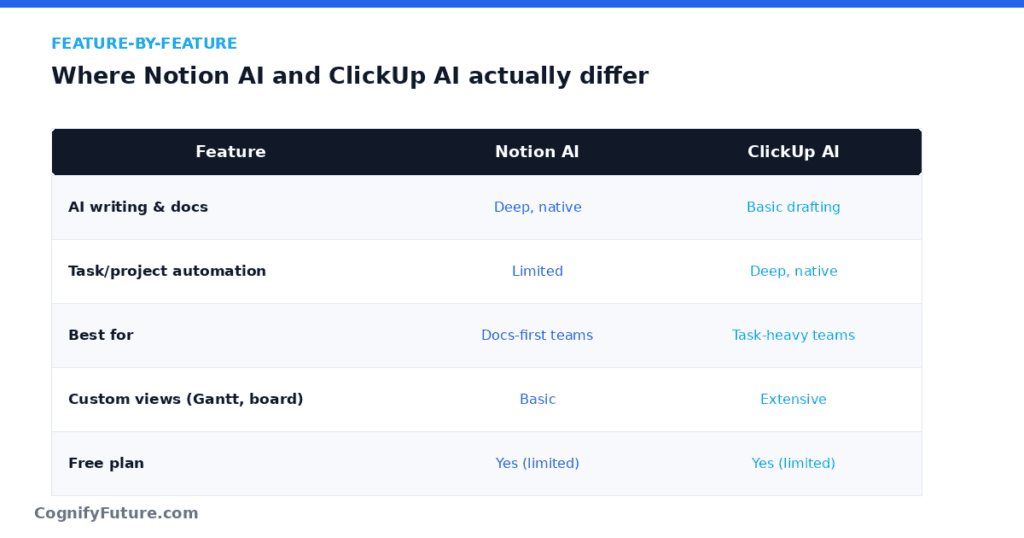
Notion AI: Best-in-class for document work. Generate drafts, summarise long pages, translate content, fix grammar and tone, extract action items from meeting notes, and ask questions across your entire knowledge base — all directly inside the document you’re working on. For teams who live in docs, this reduces context-switching to nearly zero.
ClickUp Brain: AI writing inside ClickUp Docs is solid — generate content, summarise, edit tone — but Notion’s document AI is more polished and deeply integrated. Notion AI feels native to document work; ClickUp Brain feels like a capable addition to a primarily task-management platform.
Winner: Notion AI — for writing and document-heavy work.
Task and Project AI
ClickUp Brain: Generates subtasks and full project plans from brief descriptions, creates standup summaries from real task data, answers questions about project status, suggests task priorities, builds automation rules in plain language. The AI’s connection to live task data is its killer advantage — it knows what your team is actually working on.
Notion AI: Can help manage task databases and generate task lists, but Notion’s core architecture is document-first, not task-first. Task management in Notion is functional but less structured than ClickUp — and the AI reflects that. Asking Notion AI about project status is less reliable than ClickUp Brain because Notion’s task data is less structured to begin with.
Winner: ClickUp Brain — significantly, for project and task intelligence.
Knowledge Base Search and Q&A
Notion AI: Ask any question about your Notion workspace — across pages, databases, meeting notes, and documentation — and get an AI-synthesised answer with citations to the source pages. For teams with extensive knowledge bases, this is transformational. “What did we decide about the pricing model?” now gets an accurate answer in 10 seconds instead of 10 minutes of searching.
ClickUp Brain: Similar connected search across ClickUp’s workspace — answers questions about tasks, docs, and project data. Effective for task-related queries (“What’s blocking the website launch?”) but less rich for document knowledge queries where Notion’s deeper document structure gives better context.
Winner: Tie — Notion wins on document knowledge; ClickUp wins on task/project knowledge.
Automation
ClickUp Brain: Build automation rules in plain language — “When a task moves to Review, assign it to Sarah and notify her in Slack.” Connects to 50+ trigger and action types across the ClickUp ecosystem and integrations.
Notion AI: Notion has automation features but they’re less mature and powerful than ClickUp’s. Notion AI does not yet offer natural language automation building at the depth ClickUp Brain does.
Winner: ClickUp Brain — clearly.
Integrations and Ecosystem
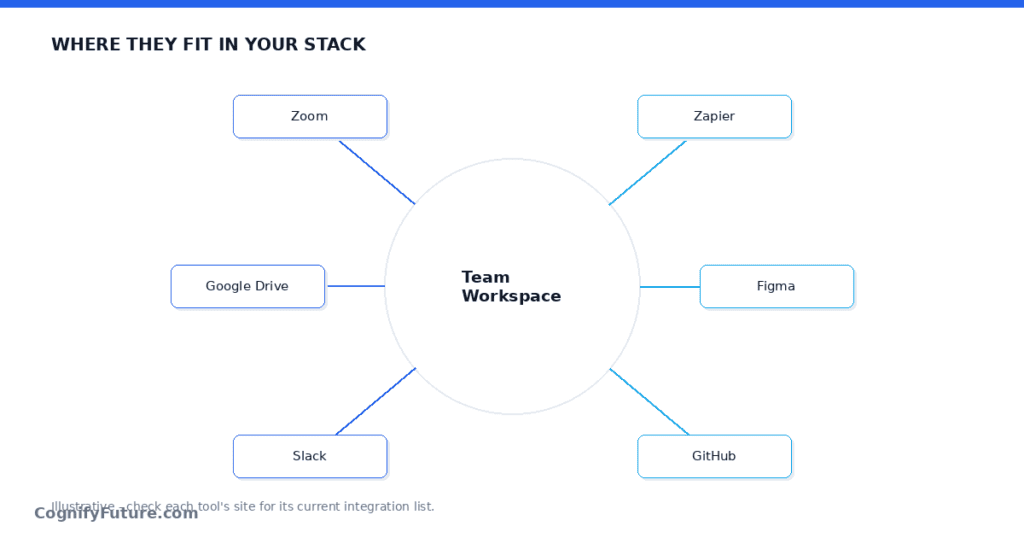
Notion’s integration list has grown substantially and now covers Slack, Google Drive, GitHub, Figma, and Zoom, letting you embed live previews of external content directly into pages. Notion AI can reference embedded content in its answers, so a Figma file link or a GitHub PR summary embedded on a page becomes part of what the AI can reason about. What Notion doesn’t have is deep two-way sync with dedicated project management tools; if your team already runs sprints in Jira or Linear, Notion sits alongside those tools as a documentation layer rather than replacing them.
ClickUp’s integration list is built around being a task management hub: Slack, GitHub, GitLab, Figma, Zoom, Google Calendar, and dozens of others sync bidirectionally, meaning a GitHub PR can automatically move a linked ClickUp task to “In Review.” ClickUp Brain can draw on this integration data when answering questions, so asking about a task’s status can factor in whether its linked PR has been merged. This depth of two-way sync is where ClickUp pulls ahead for teams whose work spans multiple tools but needs one place to track status.
Onboarding and Learning Curve
Notion’s learning curve is famously about structure, not software. The interface itself is simple, but getting real value requires deciding how you’ll organise databases, templates, and page hierarchies — decisions that can take a team weeks to settle on. Notion AI doesn’t reduce this setup burden; if anything it rewards teams who’ve already done the organisational work, since its retrieval quality depends on your workspace being well-structured.
ClickUp’s learning curve runs the other direction — the interface has more surface area (custom fields, multiple view types, automations, goals), which can feel overwhelming initially, but the underlying task-and-project model is intuitive for anyone who’s used a PM tool before. ClickUp Brain adds relatively little onboarding overhead on top of that, since it works with whatever task structure you set up as part of normal ClickUp usage rather than requiring a separate configuration pass.
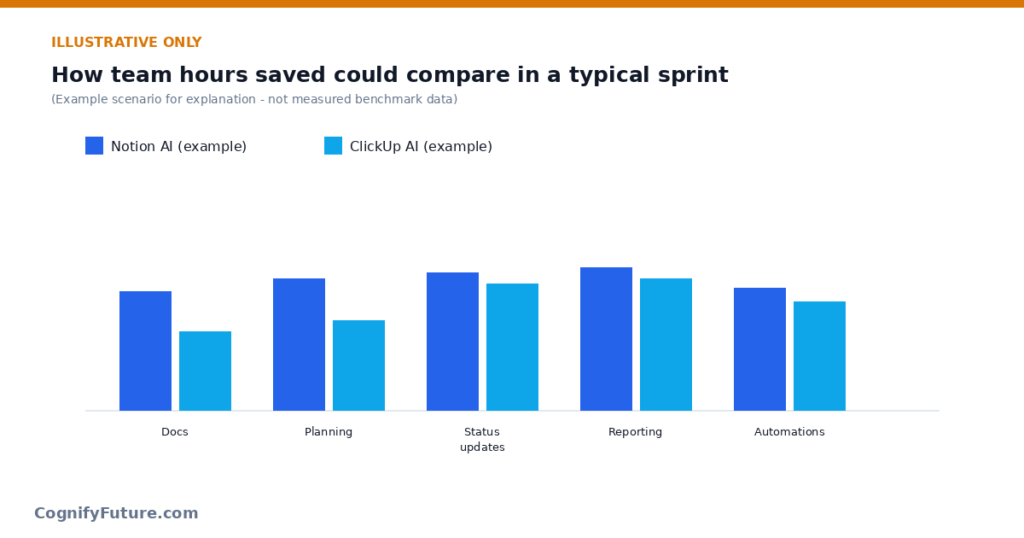
Real-World Scenario: A Content and Research Team
Consider a five-person content team producing long-form research reports, needing to track sources, draft outlines, and maintain a searchable archive of past work. Their daily friction isn’t task tracking — it’s finding what they wrote six months ago and turning raw research into structured drafts.
Notion AI fits this team well: research notes live as pages, Notion AI can summarise long source documents, draft outlines from bullet notes, and instantly answer “did we already cover this angle in a past report?” by searching the whole archive. ClickUp could technically track their editorial calendar as tasks, but it wouldn’t solve their actual bottleneck, which is document synthesis and knowledge retrieval, not task coordination. For this team, Notion AI is solving the real problem; ClickUp Brain would be solving a problem they don’t really have.
Real-World Scenario: A Marketing Operations Team
Now consider an eight-person marketing ops team running twelve campaigns simultaneously across paid, email, and social, with tight deadlines, multiple approval stages, and a constant need to know what’s blocked and why. Their friction is coordination, not documentation — they know what needs to be written, they need to know who owns it and whether it’s on track.
ClickUp Brain fits this team well: it can generate a campaign task breakdown from a brief in seconds, summarise what shipped this week for a leadership update, and flag which campaigns are behind schedule based on real due-date data. Notion could hold their campaign briefs as documents, but it wouldn’t give them the same operational visibility into task status, dependencies, and workload across twelve simultaneous campaigns. For this team, ClickUp Brain is solving the real problem.
Common Mistakes When Choosing Between Them
The most common mistake is choosing based on which tool has “better AI” in the abstract, rather than which tool matches your team’s actual daily work. Both companies market their AI heavily, and it’s easy to end up comparing marketing pages instead of comparing your team’s real bottleneck. If you’re not sure which category your team falls into, track a single week of your team’s actual work: count how much time goes into writing and researching versus coordinating tasks and tracking status. That ratio is a better guide than any feature comparison.
The second common mistake is trying to migrate a mature workspace from one platform to the other purely to get access to the “better” AI feature, without accounting for the platform switching cost. Rebuilding a well-organised Notion knowledge base inside ClickUp Docs, or rebuilding a mature ClickUp project structure inside Notion databases, typically costs far more in lost productivity than the AI feature gap you were trying to close.
Pricing Comparison
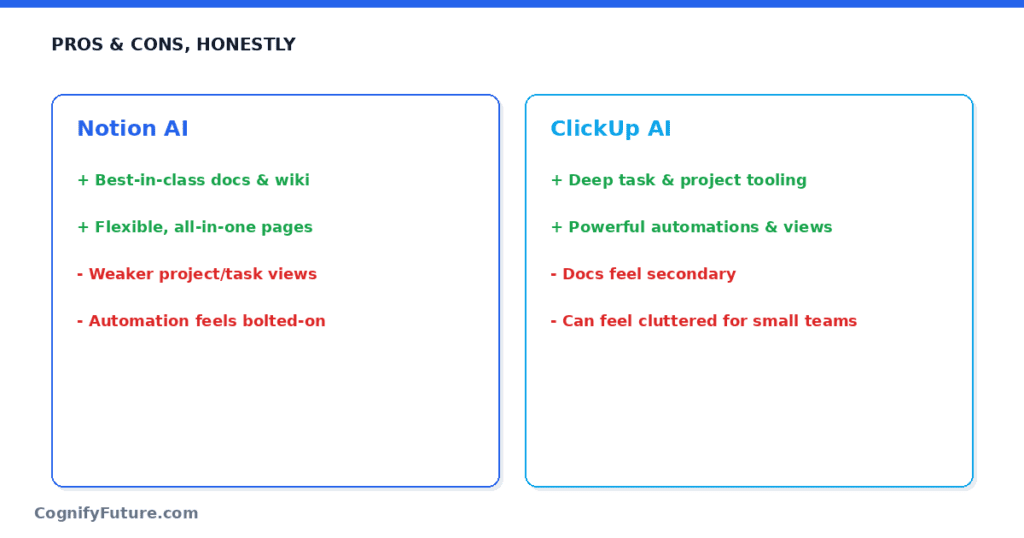
Notion AI 2026 pricing:
- Free: 20 AI responses per workspace (trial)
- Plus plan: $10/user/month (annual) — includes limited AI
- Business plan: $20/user/month (annual) — full AI access included
- AI add-on on Plus: $8/user/month for full AI access
ClickUp Brain 2026 pricing:
- $7/user/month add-on on any paid ClickUp plan
- With Unlimited plan ($7): Total $14/user/month
- With Business plan ($12): Total $19/user/month
Pricing is comparable at the team level. Notion Business at $20/user includes AI. ClickUp Business + Brain at $19/user includes AI. The base platform cost difference is minimal — the decision should be based on which platform’s core features match your team, not on pricing. Where the pricing comparison gets more interesting is at smaller team sizes: Notion’s Plus plan with the AI add-on ($18/user total) undercuts ClickUp’s Unlimited plus Brain combination only slightly, so neither platform has a decisive cost advantage for small teams either.
Can You Use Notion and ClickUp Together?
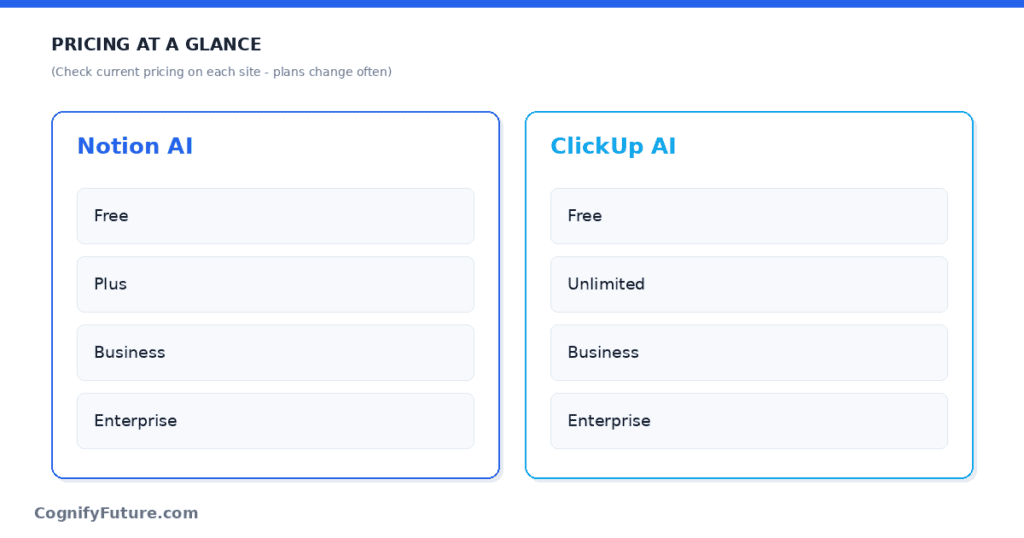
Yes — and it’s more common than either company’s marketing suggests. A reasonably typical setup has Notion holding the team wiki, onboarding docs, and research archive, while ClickUp runs the actual project and sprint execution. In this split, Notion AI gets used for drafting and knowledge retrieval, and ClickUp Brain gets used for task generation and status summaries — each tool doing the job it’s actually good at.
The friction with this approach is duplicated structure: campaign briefs might exist as a Notion page and a ClickUp task list, and keeping both in sync becomes manual work unless you’re disciplined about which tool is the source of truth for which type of information. Teams that make this work well usually pick a firm rule — for example “Notion is where a project starts as a document, ClickUp is where it becomes tracked work” — and stick to it rather than letting both tools sprawl into overlapping use cases.
Migrating From One Platform to the Other
If you’re moving from Notion to ClickUp because task coordination has become the bigger pain point than documentation, don’t try to recreate your Notion database structure exactly inside ClickUp — the two tools model relational data differently enough that a literal port usually produces a clunky result. Instead, rebuild your task and project structure from scratch using ClickUp’s native views (List, Board, Gantt), and keep Notion running in parallel as a documentation archive rather than deleting it — most teams still want somewhere for long-form knowledge to live even after moving execution to ClickUp.
If you’re moving from ClickUp to Notion because your team has outgrown simple task tracking and needs a real knowledge base, expect the opposite migration cost: ClickUp’s structured task data doesn’t translate cleanly into Notion’s flexible database model, and you’ll likely need to manually decide how much historical task data is worth porting over versus starting your Notion workspace clean. In both directions, migrating during a natural low-activity period (not mid-sprint, not mid-campaign) meaningfully reduces the disruption.
Security and Data Ownership Considerations
For regulated industries or companies with strict data governance requirements, both platforms offer enterprise-tier controls (SSO, SCIM provisioning, audit logs), but the AI features themselves introduce a separate question worth asking during procurement: where does AI-processed content get sent, and how long is it retained. Notion’s AI features process page content to generate answers and summaries, which means legal or healthcare teams handling sensitive documents should review Notion’s enterprise data processing terms before enabling AI workspace-wide. ClickUp’s AI features similarly process task and project content, which matters less for most teams since task data is typically less sensitive than full document content, but still worth a compliance review if your tasks contain client-identifiable information.
Notion AI vs ClickUp AI: Who Should Choose Each
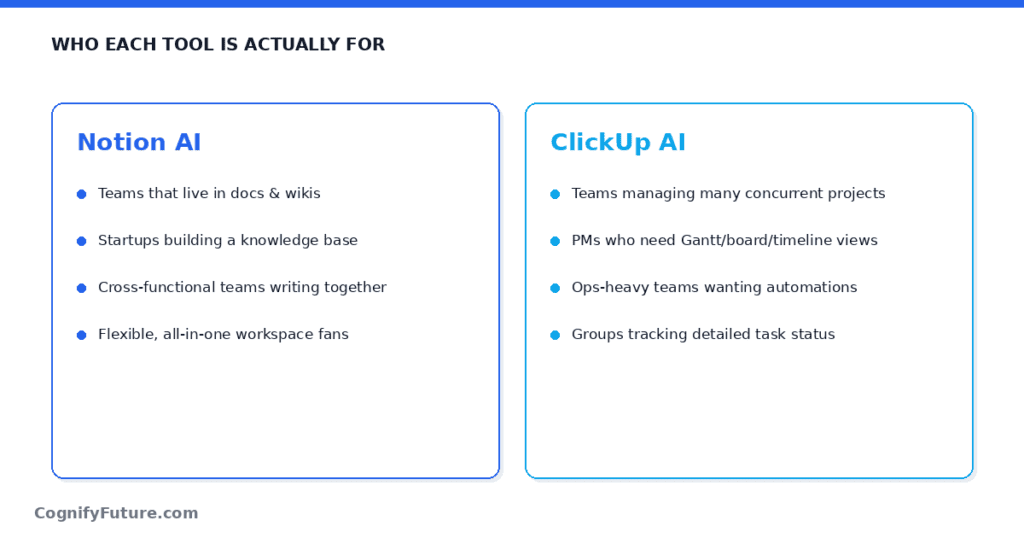
Choose Notion AI if:
- Your team primarily produces documents, wikis, research, SOPs, and written knowledge
- You’re a content team, research team, consulting firm, or any team where writing is the primary output
- You want AI that can search and synthesise across a large knowledge base instantly
- Your current Notion workspace already has substantial documentation that AI can work with
Choose ClickUp Brain if:
- Your team primarily manages tasks, projects, sprints, and workflows
- You want AI-generated project plans, standup summaries, and task intelligence
- You need automation building from natural language
- You need advanced project management features (Gantt, workload, sprints) alongside AI
Verdict: Notion AI vs ClickUp AI
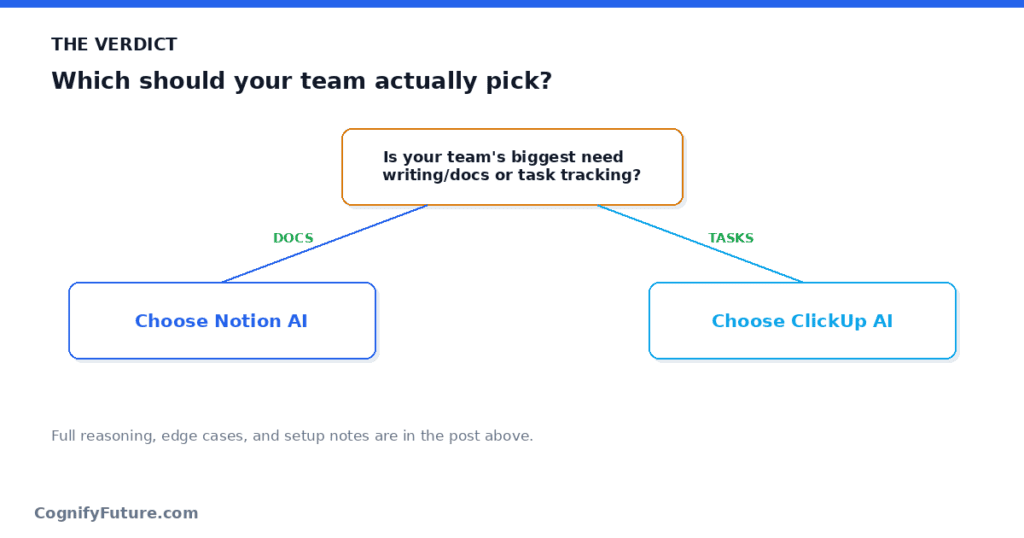
These tools are built for different teams. For writing-heavy, knowledge-management-focused teams — content agencies, research firms, consulting practices, documentation-heavy engineering teams — Notion AI is the better choice.
For project-driven teams managing task execution, sprint cycles, and complex workflows — product teams, marketing operations, agencies with project-based delivery — ClickUp Brain is the better choice.
The honest advice: if your team already lives in one of these platforms, add the AI layer to it. The switching cost of moving platforms rarely outweighs the marginal AI quality difference. If you’re starting fresh, answer one question: does your team produce more documents or more tasks? That answer determines your platform.
1.Is Notion AI or ClickUp AI better?
Notion AI is better for writing, knowledge management, and document-heavy teams. ClickUp Brain is better for task management, project execution, and teams needing AI project intelligence. The right choice depends on whether your team’s primary output is documents (Notion) or tasks and projects (ClickUp).
2.Can Notion replace ClickUp?
Notion can handle task management — it has databases, task tracking, and Kanban views. However, Notion lacks ClickUp’s project management depth: no native Gantt charts, no sprint management, no workload views, and weaker automation. Teams with simple task needs can use Notion; teams with complex project management needs generally need ClickUp.
3.How much does Notion AI cost?
Notion AI is included in the Business plan at $20/user/month (annual). On the Plus plan ($10/user/month), full AI access requires an $8/user/month add-on. New workspaces get 20 free AI responses to trial the feature before committing to a paid plan.
4.Does ClickUp have a knowledge base like Notion?
Yes — ClickUp Docs provides document creation and knowledge management features. However, Notion’s knowledge base is more mature, with better hierarchy, backlinks, and the kind of wiki-style organisation that knowledge-management-heavy teams prefer. ClickUp Docs is good for project documentation; Notion is better for large-scale team wikis and interconnected knowledge.
5.Which tool is easier to roll out to a non-technical team?
Notion’s simple page-and-block interface tends to be easier for non-technical teams to pick up initially, since writing in Notion feels close to writing in a normal document editor. ClickUp has more configuration surface area (custom fields, automations, multiple view types), which gives more power but a steeper initial learning curve for teams unfamiliar with project management software.
6.Does ClickUp Brain work offline or need constant internet access?
Both Notion AI and ClickUp Brain require an active internet connection, since the AI processing happens on each company’s servers rather than locally. Neither tool offers meaningful offline AI functionality, though the base platforms (viewing existing docs or tasks) have limited offline caching on desktop and mobile apps.
7.Is my company data used to train Notion AI or ClickUp Brain’s models?
Both companies state that customer workspace data is not used to train their underlying AI models by default on paid business plans, though policies have changed over time and vary by plan tier. If this matters for your compliance requirements, check each vendor’s current data processing agreement and AI training policy directly before rolling out either tool company-wide, rather than relying on general assumptions.
8.Can I try both before committing to one for my team?
Yes, both Notion and ClickUp offer free tiers generous enough to run a genuine two-to-three week pilot with a small group before deciding. The more useful test isn’t a feature checklist — it’s giving five or six team members real work to do in each platform for a week and comparing which one reduced friction rather than added it.





I am Ashish Yadav a software engineer and AI tools researcher with over five years of practical experience working with real-world systems and automation. I am founder of CognifyFuture, where I analyzes, tests, and breaks down AI tools with a focus on what actually works—not what’s trending.
My content is built on hands-on usage, not theory. Instead of generic advice, I focuses on real implementation—how AI tools can be used to automate tasks, improve efficiency, and solve any specific business or individual problems.
Through CognifyFuture, My aims is to eliminate confusion around AI by delivering clear, honest, and actionable insights that help users make smarter technology decisions.







