
Clockwise and Reclaim AI both promise to give you more focused work time. But they take completely different approaches — and confusing them leads to picking the wrong tool for your actual problem.
Clockwise reorganizes your meetings to create longer uninterrupted blocks. Reclaim auto-schedules your tasks and habits around your existing meetings. One solves the meeting placement problem. The other solves the task scheduling problem. Understanding this distinction is the whole comparison — and it’s also the part most reviews skip, because it requires actually using both tools for a few weeks rather than reading their marketing pages.
Clockwise vs Reclaim AI: The Core Difference
Clockwise’s job: Optimize when your meetings happen. Clockwise moves flexible meetings (ones where the exact time doesn’t matter) to create the largest possible uninterrupted blocks of focus time across your calendar — and ideally across your entire team’s calendars simultaneously.
Reclaim AI’s job: Schedule your tasks, habits, and focus blocks around your meetings. Reclaim takes what’s already on your calendar and fills the gaps intelligently — auto-placing work items based on priority, protecting personal routines, and syncing tasks from tools like Asana, Jira, and Todoist.
Put simply: Clockwise fixes how your meetings are arranged. Reclaim fixes what you do between them.
Read Our Review of 27 Best AI Tools for Productivity in 2026: Tested, Ranked & Brutally Honest
Clockwise vs Reclaim AI : How Clockwise Actually Works Under the Hood
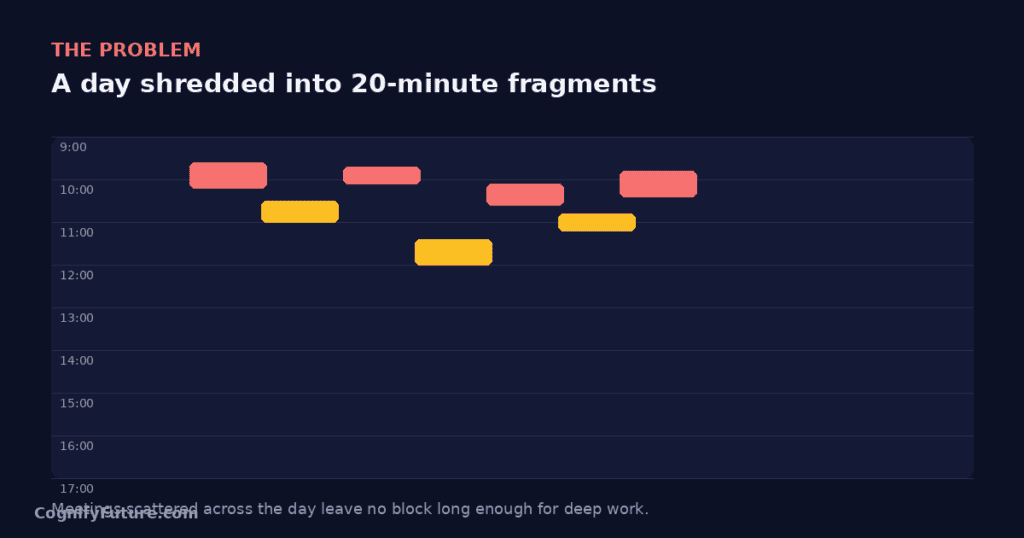
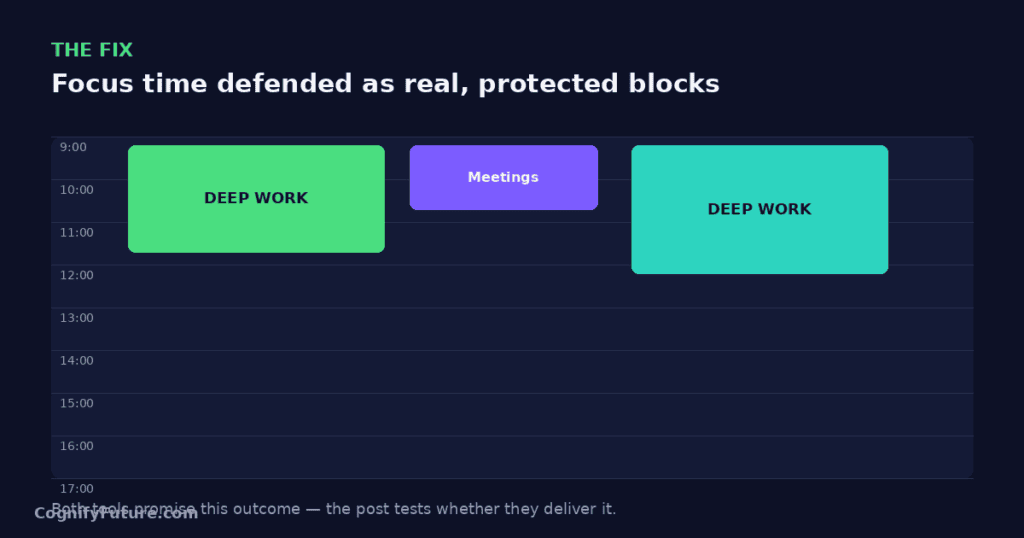
Clockwise runs on what it calls a “flexible meetings” model. When you connect your Google Calendar, Clockwise scans every recurring and one-off meeting and flags which ones have any scheduling flexibility, meaning attendees haven’t explicitly locked the time. For each flexible meeting, Clockwise calculates dozens of possible time slots across the week and picks the one that creates the least fragmentation for every attendee, not just you.
This matters because a meeting isn’t just your problem. If you move a 1:1 from Tuesday 2pm to Tuesday 4pm, that shift affects your teammate’s calendar too. Clockwise’s optimisation engine looks at the whole team graph, not individual calendars in isolation, which is why it asks for calendar access to your teammates when you install it for a team rather than just yourself. The tradeoff is that Clockwise needs a critical mass of teammates on the platform to work well. If you’re the only person at your company using it, Clockwise can only move meetings that you personally control, which limits how much fragmentation it can actually remove.
Clockwise re-runs its optimisation automatically overnight, and again during the day when new meetings get added, so your calendar is a living document that keeps rearranging itself rather than a one-time cleanup.
Clockwise vs Reclaim AI : How Reclaim AI Actually Works Under the Hood
Reclaim works on a priority-and-defend model instead. You create “smart events” (Habits, Tasks synced from a PM tool, 1:1s, or manually defined Focus Time) and assign each one a priority level and flexibility window. Reclaim then treats your calendar like a bin-packing problem: it looks at open slots between fixed commitments and places the highest-priority flexible items first, then works down the priority list.
When a new meeting gets booked into a slot Reclaim had already used for a task, Reclaim doesn’t just delete the task. It automatically looks for the next best slot within that task’s defined time window (for example, “sometime this week” or “before Friday 5 pm”) and reschedules it there. This is the behavior that makes Reclaim feel less like a calendar optimizer and more like a personal assistant constantly re-negotiating your day. The trade off is that Reclaim’s intelligence is scoped to your calendar and the tools you connect — it has no visibility into whether moving your task block to 4pm creates a bad outcome for a teammate, because it isn’t solving a team-wide optimization problem the way Clockwise is.
Clockwise vs Reclaim AI: Feature Comparison
Focus Time Protection
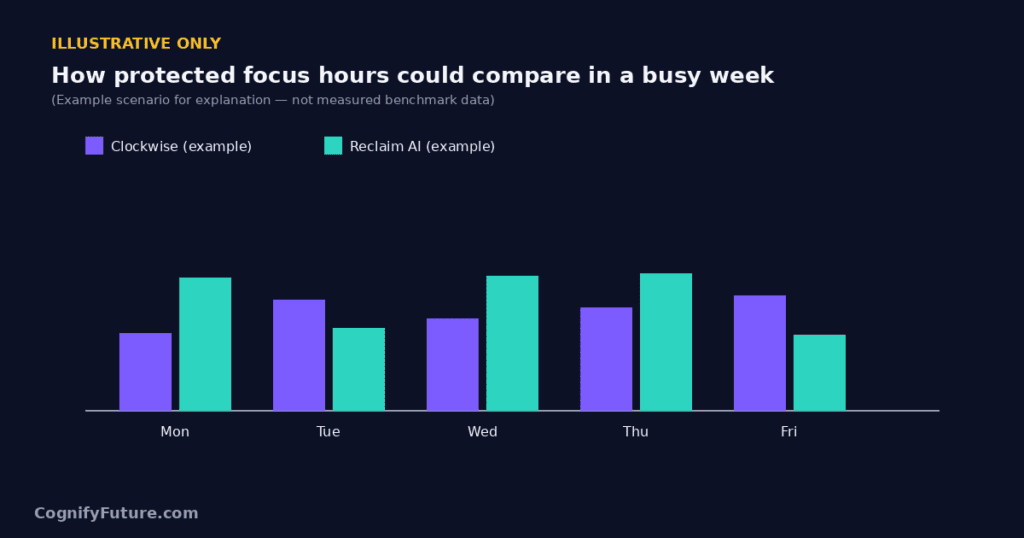
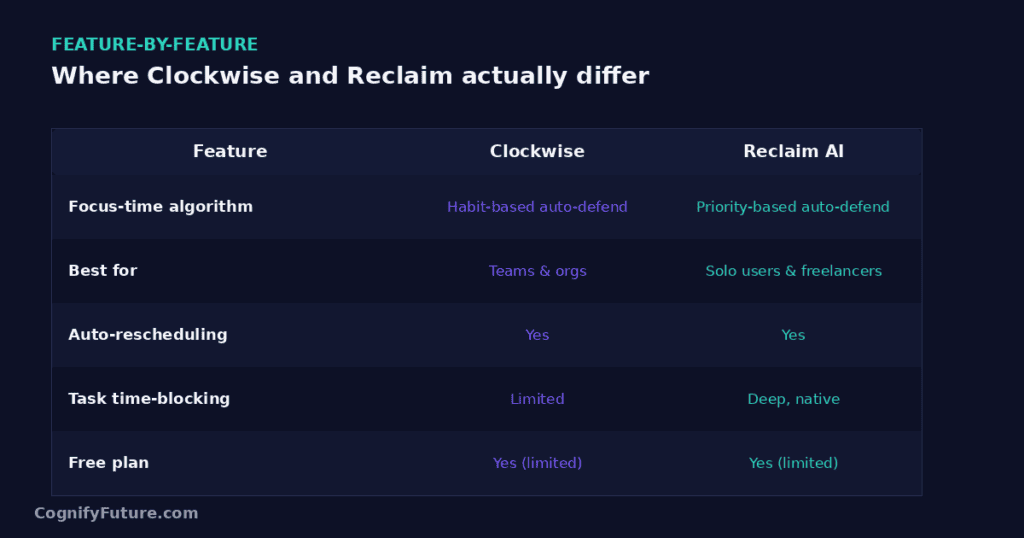
Clockwise: Clockwise creates Focus Time blocks by moving flexible meetings away from certain hours. You can set a “Focus Time” goal (e.g., 3 hours per day) and Clockwise will protect that time by rearranging your meeting schedule to cluster meetings together and leave contiguous open blocks. For teams, it does this across everyone’s calendar simultaneously — dramatically reducing fragmentation.
Reclaim: Reclaim creates Focus Time blocks by scheduling them as events that can move when necessary but are defended as high-priority calendar time. When you set a Focus Time goal, Reclaim books those hours in your calendar and attempts to protect them from meetings. It’s more about booking time than rearranging meetings.
Winner: Clockwise for team-wide focus time creation. Reclaim for individual focus block management.
Task Scheduling
Clockwise: Does not schedule tasks. Clockwise only manages calendar events and focus blocks — it has no task layer at all. You still need a separate task manager (Todoist, ClickUp, Asana) and either manage those tasks manually or pair Clockwise with a separate scheduling tool.
Reclaim: Auto-schedules tasks from Asana, Jira, Todoist, ClickUp, Linear, HubSpot, and Google Tasks into your calendar. This is one of Reclaim’s core features. If you want your to-do list automatically converted into calendar blocks, Reclaim does this — Clockwise does not.
Winner: Reclaim — Clockwise doesn’t do this at all.
Habits and Personal Routines
Clockwise: No habit scheduling. Clockwise focuses entirely on meeting optimisation.
Reclaim: Habits are a flagship feature. Add lunch, exercise, reading, or any recurring personal routine — Reclaim finds time for it daily, moving habits when meetings conflict rather than losing them.
Winner: Reclaim — Clockwise doesn’t do this.
Team Calendar Optimisation
Clockwise: This is where Clockwise wins convincingly. It optimises meeting times across an entire team simultaneously — coordinating everyone’s focus blocks, respecting individual preferences, and creating shared No Meeting Days. For teams, this kind of coordinated calendar optimisation is something Reclaim doesn’t offer.
Reclaim: Has team analytics and some team scheduling features (Smart 1:1 meetings), but its focus is primarily on individual scheduling intelligence, not team-wide calendar reorganisation.
Winner: Clockwise — significantly, for teams.
Integrations and Ecosystem
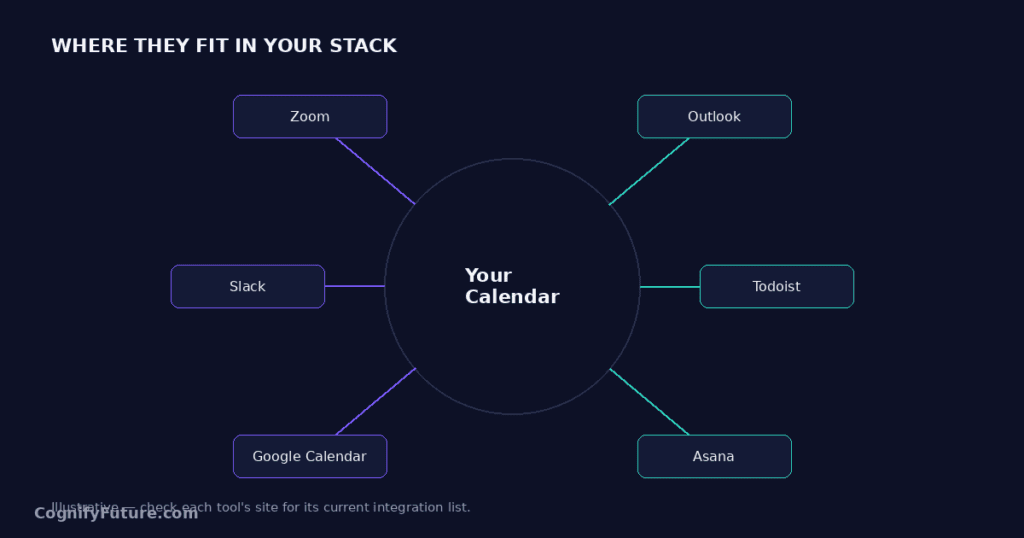
Clockwise plugs directly into Google Calendar and Slack, and that’s essentially the core of its ecosystem. The Slack integration is unusually deep for a scheduling tool: Clockwise can update your Slack status automatically when you’re in Focus Time or in back-to-back meetings, and it can post a daily calendar summary to a channel or DM. Clockwise also ships a Chrome extension that overlays scheduling links and lets you propose meeting times without leaving your inbox. What Clockwise doesn’t have is any native connection to project management software, consistent with its focus on meetings rather than tasks.
Reclaim’s integration list is built around the task layer: Asana, Jira, ClickUp, Todoist, Linear, HubSpot, and Google Tasks all sync in both directions, so completing a task in Reclaim marks it done in the source tool and vice versa. Reclaim also connects to Slack for status sync and has a scheduling link feature comparable to Calendly, useful if you’re using Reclaim as your primary booking tool for external meetings. Where Reclaim is weaker is Outlook support — the Outlook integration exists but historically lags behind the Google Calendar version in feature parity, which is worth testing directly if your company runs on Microsoft 365.
Analytics and Reporting
Both tools expose calendar analytics, but they answer different questions. Clockwise’s analytics dashboard focuses on team health metrics: total focus time hours protected, meeting load per person, and how many “No Meeting Day” hours were preserved across the org. It’s designed for an engineering manager or ops lead who wants to demonstrate that a calendar-optimisation rollout is actually reducing meeting fragmentation company-wide.
Reclaim’s analytics lean individual: time spent in meetings versus focus work versus personal habits over the past weeks, task completion rates, and how often your priorities got bumped by higher-priority events. It’s closer to a personal productivity dashboard than a team health report. If you’re trying to justify a tool purchase to a manager with hard numbers on meeting reduction, Clockwise’s reporting is the more persuasive artifact. If you’re trying to understand your own time allocation, Reclaim’s is more useful day to day.
Clockwise vs Reclaim AI :Pricing Comparison
Clockwise 2026 pricing:
- Free: Individual calendar optimisation, basic focus time
- Teams: $6.75/user/month (annual)
- Business: $11.50/user/month (annual)
- Enterprise: Custom
Reclaim AI 2026 pricing:
- Lite: Free forever
- Starter: $8/user/month (annual)
- Business: $12/user/month (annual)
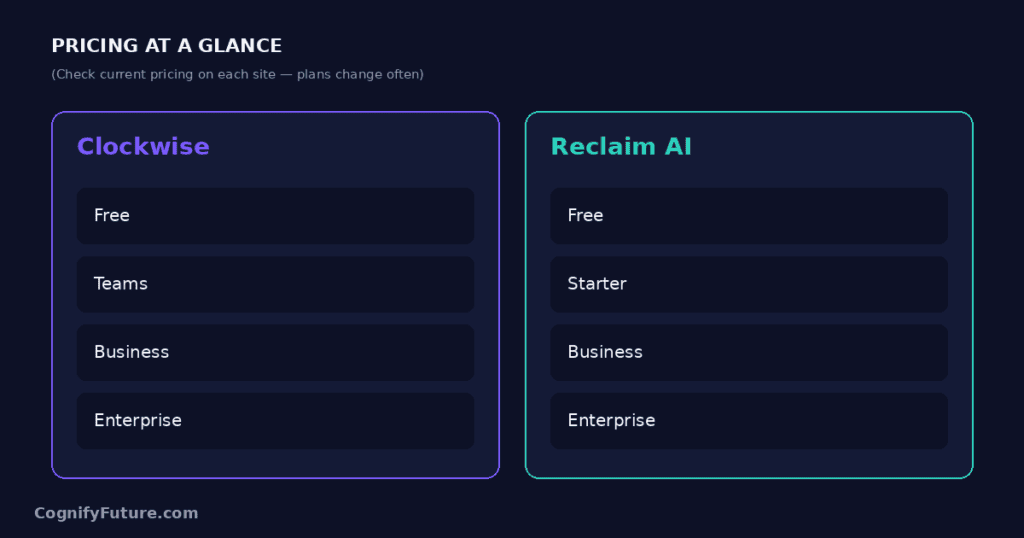
Pricing is comparable — both offer free plans and paid tiers in the $7–$12 range. Neither is a budget-breaker. The more useful pricing question isn’t which is cheaper per seat, it’s which free plan actually covers your use case. Clockwise’s free tier is genuinely usable for a solo user who just wants meeting optimization, and doesn’t feel like a crippled trial. Reclaim’s free tier is also generous for individuals, supporting unlimited Habits and a reasonable number of synced task integrations, but the Smart 1:1 and advanced scheduling link features are gated behind Starter. If you’re evaluating on a team budget, run the numbers for your actual headcount before committing to annual billing on either, since both tools discount annual plans by roughly 25–30 percent versus paying monthly.
Real-World Scenario: A Solo Product Manager’s Week
Consider a product manager running four cross-functional projects with no direct reports. Their calendar is a mess of stakeholder syncs, design reviews, and standups scattered across the week, alongside a backlog of PRD writing and roadmap tasks in Asana they never seem to get to.
With Clockwise alone, this person would see meetings cluster and some focus blocks appear, but their Asana backlog stays completely untouched — they’d still have to manually block time for PRD writing and hope nothing gets scheduled over it. With Reclaim alone, their Asana tasks would start appearing as calendar blocks automatically, prioritised by due date, and habits like a daily “inbox zero” block would get protected. But without team-wide meeting optimisation, they might still find those task blocks constantly getting fragmented by other people’s meeting requests, especially if colleagues aren’t using Reclaim’s flexible-meeting conventions.
For this specific persona, task scheduling is the higher-value problem to solve first, meaning Reclaim is the better single tool. Clockwise becomes valuable later, once this PM is coordinating a team where meeting sprawl, not task overload, is the dominant complaint.
Real-World Scenario: A 15-Person Engineering Team
Now consider an engineering org with a rotating on-call schedule, daily standups, sprint planning, and a company norm of “no meetings on Wednesdays.” Individual engineers mostly manage their own task lists in Jira or Linear and don’t need calendar-level task automation — their IDE and ticket queue already tell them what to work on.
Here, the dominant pain point is meeting fragmentation across 15 calendars — exactly what Clockwise is built to solve. Rolling out Clockwise team-wide lets the engineering manager enforce No Meeting Wednesdays automatically, see aggregate focus-time metrics, and reduce the “30 minutes free, not enough to start anything real” problem that kills deep work. Reclaim could still add value for individual engineers who want habits protected (gym, lunch, learning time), but as a team-wide rollout, Clockwise addresses the org-level problem more directly, and its team analytics give the manager something concrete to report on.
Setup and Onboarding Time
Clockwise setup for an individual takes about five minutes: connect Google Calendar, set a Focus Time goal, and let it run its first optimisation pass overnight. Team rollout is more involved, since Clockwise’s value compounds with adoption — getting real benefit typically means onboarding at least 60–70 percent of a team, not just a few enthusiastic early adopters. Expect a week or two of ramp time as colleagues get used to their flexible meetings shifting around.
Reclaim’s individual setup is slightly longer, roughly 15–20 minutes, because you’re also connecting task integrations and defining your first Habits, which requires more decisions upfront (priority levels, flexibility windows, ideal times). The payoff is that Reclaim delivers visible value to a single user immediately, without needing any teammates on the platform at all.
Clockwise vs Reclaim AI : Common Mistakes When Adopting an AI Calendar Tool
The most common mistake with Clockwise is installing it individually and expecting team-level results. Clockwise’s optimization power comes from having visibility into multiple calendars; used solo, it can only rearrange meetings you fully control, which is a fraction of what makes your week fragmented. If you’re evaluating Clockwise, pilot it with your whole immediate team, not just yourself, or the tool will under deliver relative to its actual capability.
The most common mistake with Reclaim is setting every task and habit to the same high priority. Reclaim’s scheduling intelligence depends on you actually differentiating what matters; if everything is marked urgent, Reclaim has no signal to decide what gets bumped when a meeting conflict appears, and you’ll end up with a calendar that reshuffles unpredictably. Spend the first week deliberately setting priority levels — it’s the single highest-leverage configuration step in the whole tool.
Can You Use Clockwise and Reclaim AI Together?
Yes — and for some teams, this combination is worth considering. Clockwise handles meeting optimisation at the team level (ensuring everyone’s meetings cluster to create focus blocks). Reclaim handles individual task scheduling and habit protection within those focus blocks. Since they solve different problems, they can coexist without major conflicts.
That said, using two scheduling tools adds configuration complexity. Both tools will occasionally try to claim the same open slot for different purposes — Clockwise wanting it as a protected focus block, Reclaim wanting it for a task — and you’ll need to decide which tool takes priority in your settings. Most users will find one tool sufficient if they choose based on their actual primary problem; treat running both as an advanced setup for power users who’ve already outgrown a single tool, not a default starting point.
Clockwise vs Reclaim AI : Migrating From One to the Other
If you’re moving from Clockwise to Reclaim because you’ve realised your real problem is task overload rather than meeting fragmentation, start by disconnecting Clockwise’s calendar sync before connecting Reclaim — running both simultaneously during a transition period tends to create duplicate or conflicting focus-time events until you’ve cleaned up Clockwise’s existing blocks. Rebuild your Habits and task integrations in Reclaim from scratch rather than trying to import Clockwise’s focus-time settings, since the two tools model recurring commitments differently.
If you’re moving the other way — from Reclaim to Clockwise because your team’s real problem turned out to be meeting sprawl — keep Reclaim active for your personal task scheduling if you found it valuable; there’s no requirement to fully replace it just because you’re piloting Clockwise for the team. Roll Clockwise out to your whole immediate team at once rather than staggering adoption, since its value depends on having enough connected calendars to actually optimise around.
Clockwise vs Reclaim AI: Who Should Choose Each
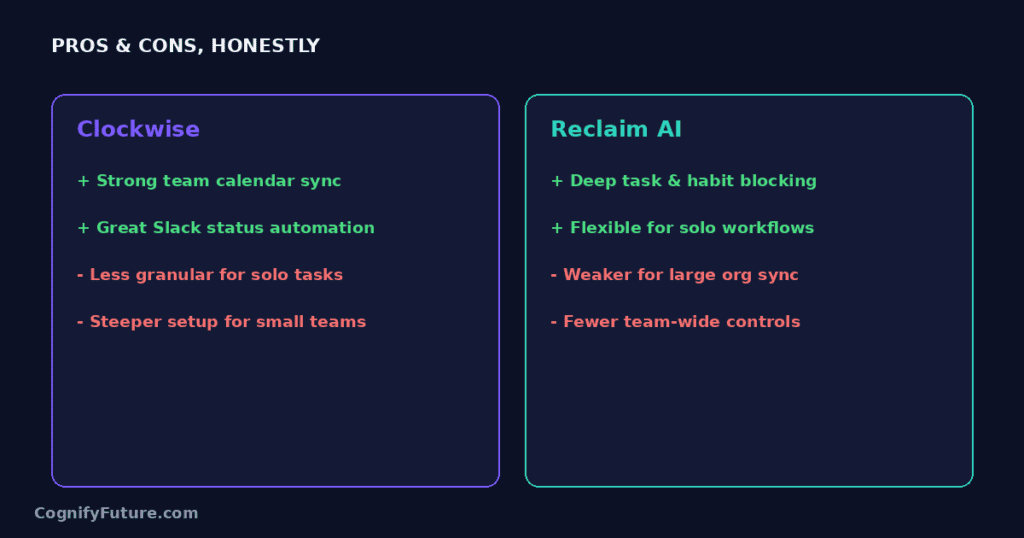
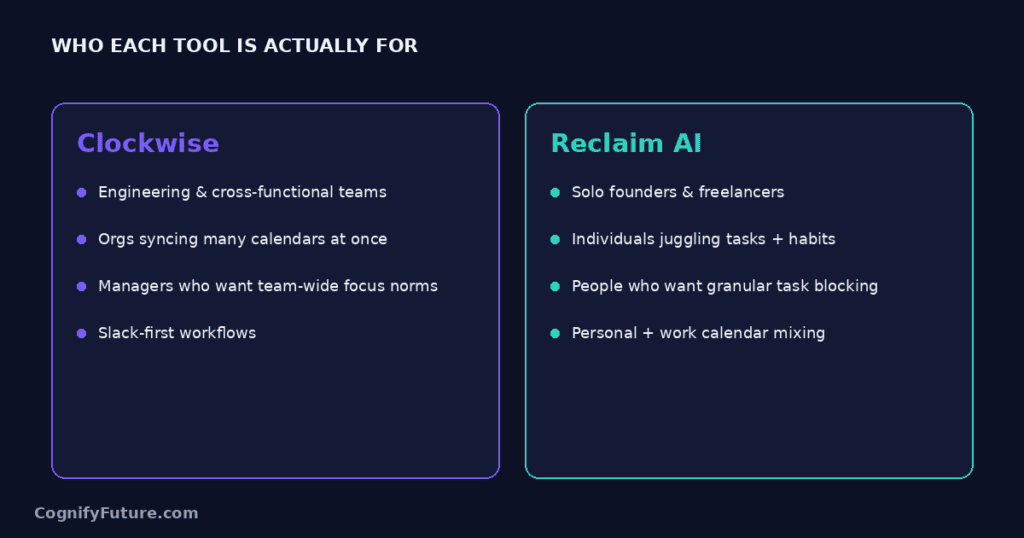
Choose Clockwise if:
- Your primary problem is meeting fragmentation — scattered 30-minute meetings leaving no useful work blocks
- You manage a team and want to optimise everyone’s calendar simultaneously
- You want to establish No Meeting Days or Morning Focus Hours across your whole team
- Task scheduling isn’t your primary need — you already have a task manager you’re happy with
Choose Reclaim AI if:
- You need tasks from existing PM tools (Asana, Jira, Todoist, ClickUp) automatically scheduled into your calendar
- Protecting personal habits (lunch, exercise, focus time) is important to you
- You want Slack status sync and AI-powered scheduling links
- You’re an individual looking for comprehensive AI scheduling rather than team-level meeting optimisation
Clockwise vs Reclaim AI : Final Verdict
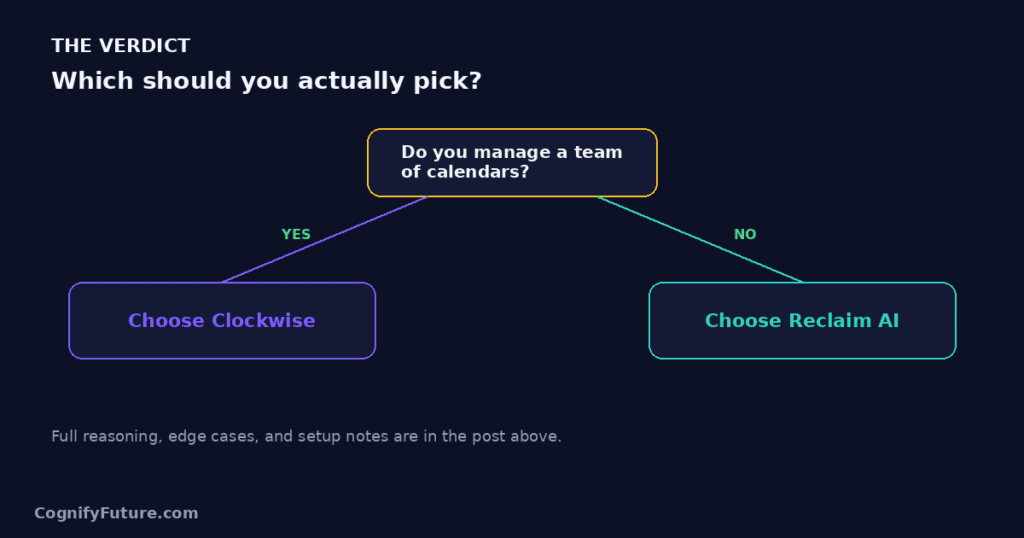
There isn’t a universal winner here, because the two tools aren’t really competing for the same job. The fastest way to know which you need is to answer one question honestly: when your day goes sideways, is it because your calendar is full of scattered meetings, or because you never got to your actual task list? Meeting sprawl points to Clockwise. Task and habit overload points to Reclaim. Teams with both problems — common in fast-growing companies — are the ones who eventually end up running both tools side by side.
1.Is Clockwise or Reclaim AI better?
They solve different problems. Clockwise is better for team-wide meeting optimisation and focus block creation. Reclaim is better for individual task scheduling, habit protection, and calendar scheduling from PM tools. Many teams benefit from using both.
2.Does Clockwise schedule tasks?
No. Clockwise only manages calendar events and meeting times — it does not schedule tasks or integrate with task management tools. If you need tasks automatically scheduled to your calendar, Reclaim AI or Motion are the right choices.
3.Is Clockwise free?
Yes, Clockwise has a free plan for individuals that includes basic calendar optimization and focus time protection. Paid team plans start at $6.75/user/month (annual).
4.Does Reclaim AI do what Clockwise does?
Partially. Reclaim can create focus time blocks and protect them from meetings, similar to Clockwise. However, Clockwise is specifically designed for team-wide meeting reorganisation, which Reclaim doesn’t match in depth. Reclaim’s strengths are task scheduling, habits, and Slack integration — areas Clockwise doesn’t cover at all.
5.Can I use Clockwise or Reclaim with Outlook instead of Google Calendar?
Both support Outlook and Microsoft 365, but Google Calendar remains the primary platform for each and generally gets new features first. Reclaim’s Outlook integration has historically lagged the Google Calendar version in feature parity, so if your organisation runs on Microsoft 365, test the specific features you need (task sync, habit scheduling) before rolling out company-wide.
6.Which tool is better for a solo freelancer with no team?
Reclaim tends to deliver more immediate value to a solo user, since it schedules your tasks and protects personal habits without needing anyone else on the platform. Clockwise’s optimisation engine is strongest when it can coordinate across multiple calendars, so a freelancer working alone will see a smaller benefit from it than someone managing a team.
7.Do Clockwise and Reclaim AI work with Zoom and video conferencing tools?
Yes, both integrate with Google Calendar and Outlook calendar events, which carry Zoom, Google Meet, or Teams links automatically. Neither tool changes how video links are generated — they simply manage when the meetings containing those links happen.
8.How long does it take to see results after switching to either tool?
Most users notice a difference within the first week, but the full benefit typically takes two to three weeks as the tool learns your patterns and, for Clockwise, as more of your team adopts it. Judging either tool after a single day of use tends to undersell what it can actually do once it has a few weeks of calendar data to optimise around.





I am Ashish Yadav a software engineer and AI tools researcher with over five years of practical experience working with real-world systems and automation. I am founder of CognifyFuture, where I analyzes, tests, and breaks down AI tools with a focus on what actually works—not what’s trending.
My content is built on hands-on usage, not theory. Instead of generic advice, I focuses on real implementation—how AI tools can be used to automate tasks, improve efficiency, and solve any specific business or individual problems.
Through CognifyFuture, My aims is to eliminate confusion around AI by delivering clear, honest, and actionable insights that help users make smarter technology decisions.







