
Can an AI Code Editor Really Replace Hours of Manual Coding?
In 2026, software development is no longer just about writing code—it’s about working smarter. Developers today are expected to ship faster, maintain cleaner codebases, and adapt to new frameworks constantly. This is where Cursor AI is gaining massive attention.
But what is Cursor AI, how does it actually help developers, and is it worth using in real-world projects? In this in-depth guide, we’ll break down Cursor AI features, pricing, use cases, and limitations—with a clear, unbiased review to help you decide.
What Is Cursor AI?
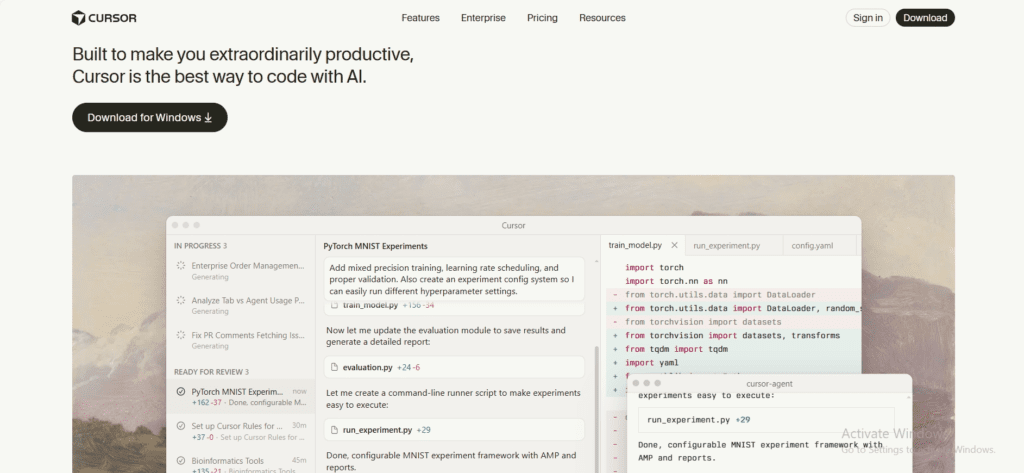
Cursor AI is an AI-powered code editor and IDE built on top of VS Code, designed to assist developers with writing, editing, debugging, and understanding code using natural language.
Unlike traditional editors, Cursor AI understands your entire codebase, not just the current file—making it a true AI coding assistant rather than a simple autocomplete tool.
Cursor AI Is Best Described As:
- An AI-first IDE
- A context-aware coding tool
- A productivity enhancer for modern developers
Top 5 Powerful AI Tools for No Code / Low Code to Read Click Here
Cursor AI Code Editor – How It Works Behind the Scenes
Cursor AI integrates large language models directly into the editor and uses project-wide context to generate accurate suggestions.
Typical Workflow
- Open your project in Cursor AI
- Select code or describe a task in plain English
- Cursor AI analyzes files, dependencies, and logic
- Suggestions appear inline for review and approval
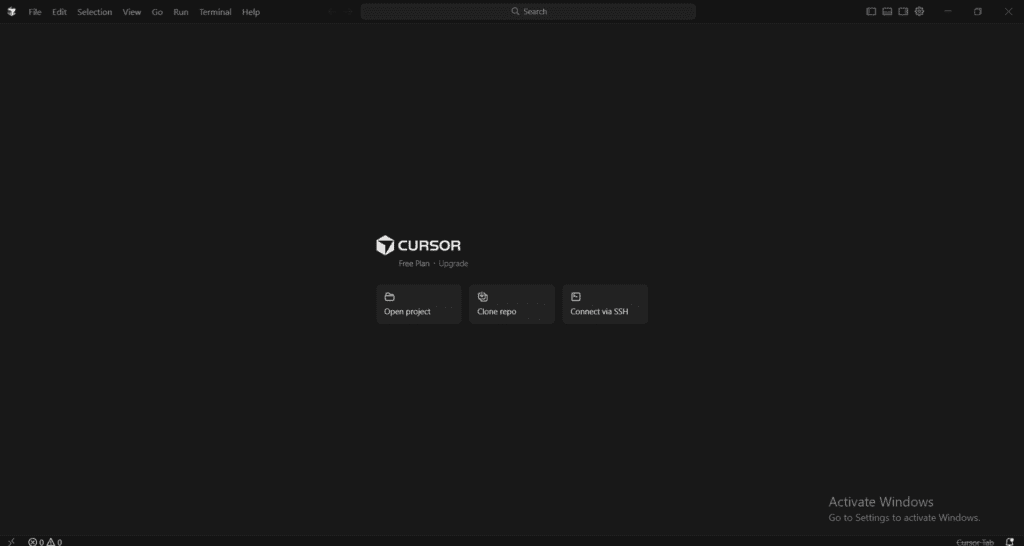
Developers always stay in control—nothing is auto-applied without consent, which is important for professional and enterprise use.
Cursor AI Features
1.Cursor AI Features
Cursor AI can generate:
- Functions
- APIs
- Database queries
- UI components
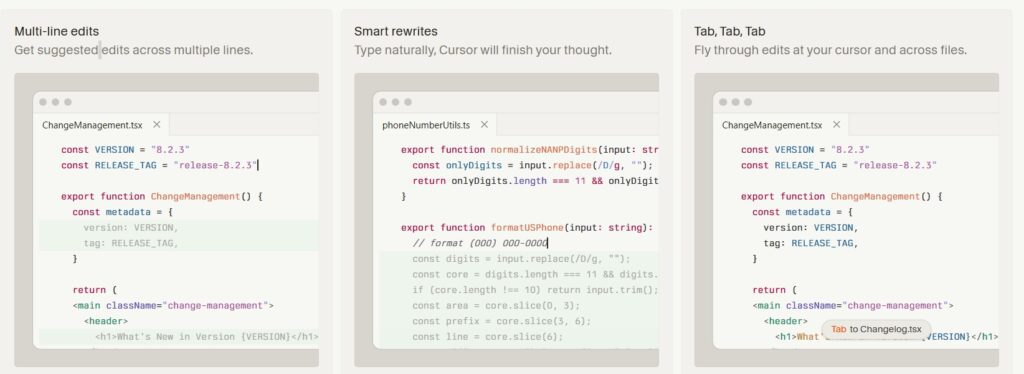
This is especially useful for repetitive boilerplate code.
2.Multi-File Editing & Refactoring
One of Cursor AI’s strongest features.
You can ask:
“Refactor this service layer to improve readability”
Cursor AI updates multiple related files safely, saving hours of manual work.
3.Built-In AI Chat for Code Understanding
Cursor AI allows developers to ask questions like:
- “Explain this class”
- “Where is this method used?”
- “How can this be optimized?”
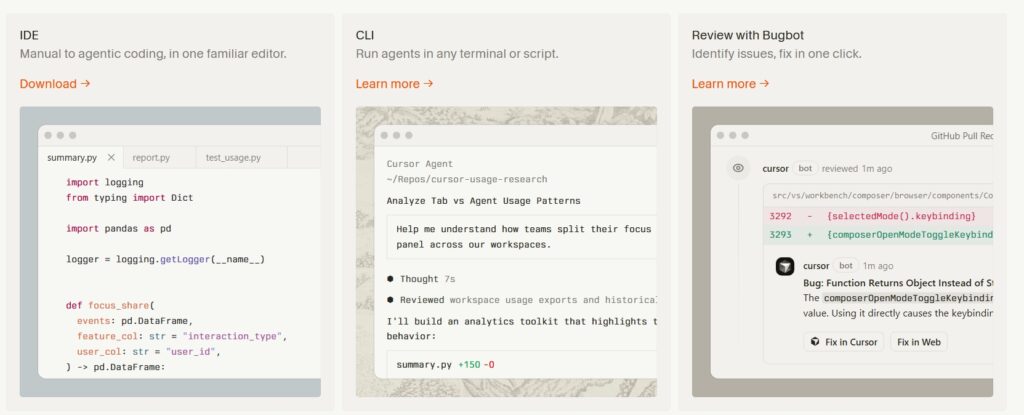
This makes Cursor AI extremely helpful for large or legacy codebases.
4.Debugging & Error Resolution
Cursor AI can:
- Identify common bugs
- Suggest fixes
- Explain errors in simple language
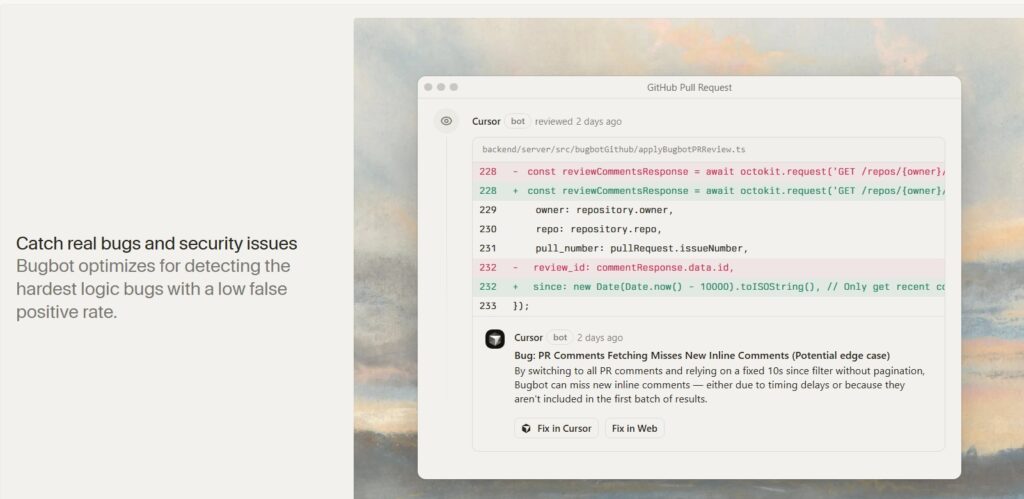
This feature is valuable for both beginners and experienced developers.
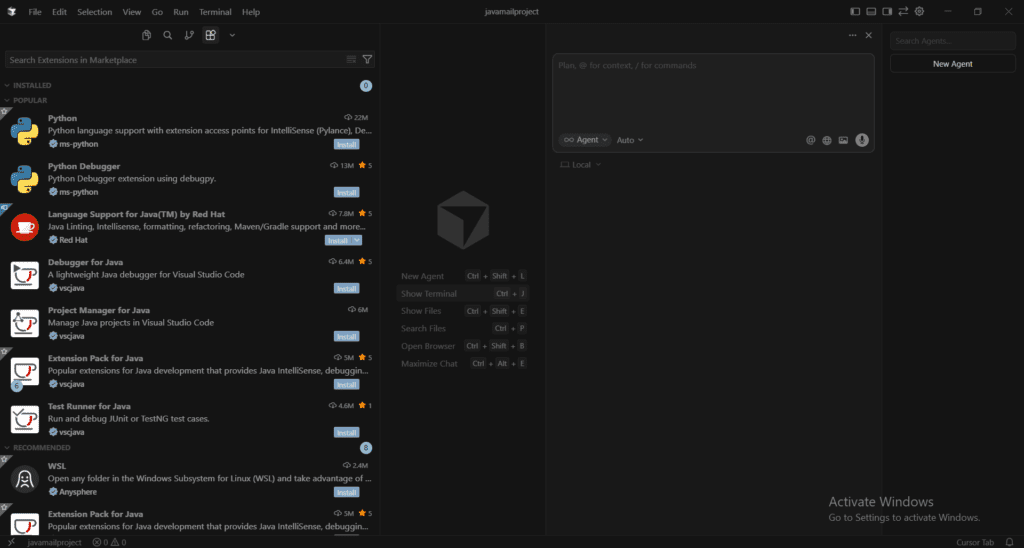
5.Language & Framework Support
Cursor AI supports most modern stacks:
- Java, Python, JavaScript, TypeScript
- Spring Boot, Node.js, React
- REST APIs, Microservices, SQL
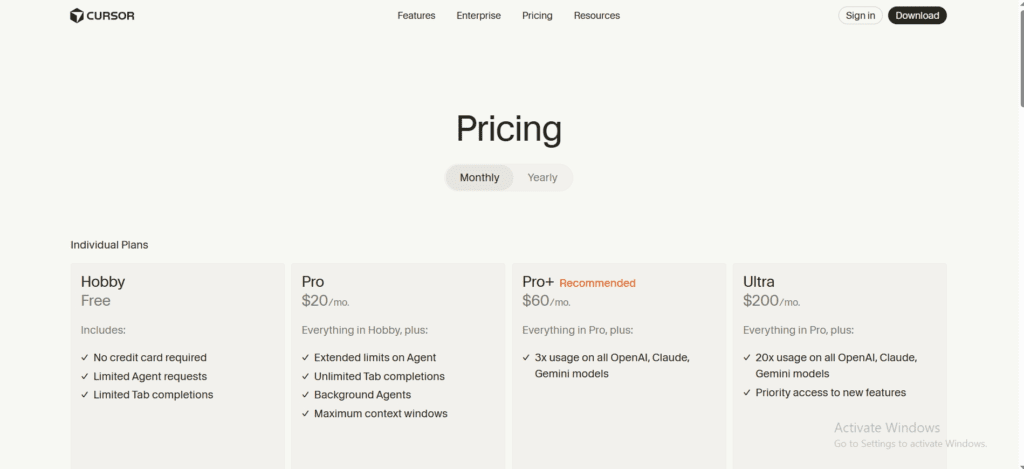
Cursor AI Pricing
| Plan | Pricing | Suitable For |
|---|---|---|
| Free | Limited usage | Beginners & students |
| Pro | Approx. $20/month | Individual developers |
| Team | Custom pricing | Startups & enterprises |
Cursor AI Code Editor Review – Practical Experience
Real-World Use Case
A backend developer using Java & Spring Boot reported:
- Faster API development
- Cleaner service-layer code
- Reduced debugging time
Cursor AI worked best as a coding assistant, not a full replacement for human decision-making.
How to Use Cursor AI
Step 1: Cursor AI Download
- Available for Windows, macOS, and Linux
Step 2: Open Your Project
- Import an existing repository or create a new one.
Step 3: Use AI Features
- Inline prompts
- Code selection + AI commands
- Built-in AI chat
Cursor AI vs Traditional Code Editors
| Feature | Cursor AI | Traditional IDE |
|---|---|---|
| AI Assistance | Yes | No |
| Codebase Awareness | High | Low |
| Productivity | High | Moderate |
| Learning Curve | Medium | Low |
Pros and Cons of Cursor AI
Pros
- Saves development time
- Improves code understanding
- Works with real projects
- Familiar VS Code experience
Cons
- Requires internet connectivity
- Paid plan needed for heavy usage
- AI suggestions still need review
Is Cursor AI Safe & Reliable in 2026?
Cursor AI is designed for developer-controlled workflows. Code changes are not applied automatically, and developers remain responsible for reviewing AI output.
Is Cursor AI Worth Using in 2026?
Cursor AI is one of the most practical AI code editors available today. It doesn’t promise unrealistic results—it simply helps developers work faster and smarter.
If you’re a developer looking to:
- Reduce repetitive coding
- Understand large codebases
- Improve productivity
1.What is Cursor AI used for?
Cursor AI helps developers write, edit, refactor, and understand code using AI.
2.Is Cursor AI free to use?
Yes, Cursor AI offers a free plan with limited features.
3.Does Cursor AI replace developers?
No. Cursor AI assists developers but does not replace human judgment.
4.Is Cursor AI good for beginners?
Yes, it helps beginners understand and write code more easily.
5.What is Cursor AI pricing in 2026?
Pricing starts free, with paid plans around $20/month.
6.Does Cursor AI support Java and Spring Boot?
Yes, Cursor AI works well with Java, Spring Boot, and microservices.
7.Is Cursor AI safe for professional projects?
Yes, when used responsibly with code reviews.
8.Is Cursor AI better than traditional IDEs?
For productivity and learning, Cursor AI offers clear advantages.