
Disclosure: This comparison may contain affiliate links. If you sign up through them, I may earn a small commission at no extra cost to you. Both tools were personally evaluated before writing this.
Here is the problem that brings most people to this comparison: you have a calendar full of meetings, a task list that keeps growing, and a vague awareness that the two systems are completely disconnected. The meetings happen where they happen; the tasks get done whenever there’s time left over — which is rarely. Deadlines slip quietly. Habits disappear. Focus time gets colonised by whatever meeting someone else booked.
Both Motion and Reclaim AI promise to fix this — but they approach the problem from fundamentally different angles. Motion is an all-in-one AI planner that replaces your task manager and automatically builds your entire workday. Reclaim is a calendar intelligence layer that works alongside your existing tools to protect your focus time, habits, and personal commitments. Choosing between them is a question of what kind of problem you actually have.
This comparison covers both tools in depth — features, real-world workflow differences, accurate 2026 pricing (which is very different from what most reviews show), integrations, and an honest verdict on which one is right for which type of user.
What Is Motion AI?
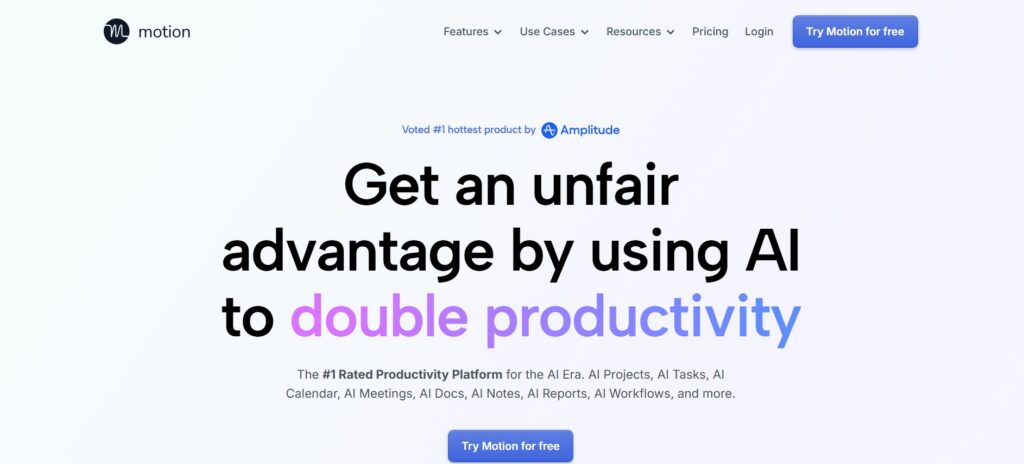
Motion is an all-in-one AI productivity platform that combines task management, project management, calendar scheduling, and AI-powered prioritisation into a single unified system. Its defining feature is that it doesn’t just show you your schedule — it builds your schedule for you. Every task you add gets automatically scheduled into your calendar based on its priority, deadline, and how much time you have available. When something changes — a meeting moves, a task takes longer, a new urgent item arrives — Motion rebuilds the plan automatically.
The practical implication of this model is significant: Motion eliminates the daily planning ritual. You don’t open your calendar each morning and manually figure out when to work on what. Motion has already decided. For professionals who spend 20–30 minutes each day just triaging their schedule and task list, that time saving alone pays for the subscription many times over. The trade-off is that Motion makes the decisions — you have to trust the system, and adapt to a more structured workflow than most people are used to.
Core Features of Motion AI
AI-Powered Task Scheduling
Motion’s task scheduler is the feature that most directly addresses the “meetings fill all the gaps and tasks don’t get done” problem. You add tasks with estimated durations, priorities, and deadlines — and Motion automatically places them in your calendar in the optimal available slots, factoring in your existing meetings, your work hours preferences, and which tasks are most time-sensitive. The AI doesn’t just slot tasks into the first available gap; it distributes them intelligently across your week to protect deadline delivery while maintaining some flexibility in the schedule. If a task takes longer than estimated and runs over, Motion reschedules subsequent tasks automatically rather than silently letting deadlines slip.
Smart Calendar Automation
Motion syncs bidirectionally with Google Calendar and Outlook, reading your existing events and building task blocks around them. It prevents overbooking by treating your full schedule — tasks and meetings together — as a single system rather than two separate lists. It automatically blocks deep work time in the slots that remain after meetings are accounted for, and protects those blocks from new meeting requests within the limits you set. For professionals whose calendars fill up with meetings booked by other people, this protection is the most directly valuable feature — it ensures that productive work time survives the meeting load rather than disappearing entirely.
Deadline Protection and Automatic Rescheduling
Motion continuously monitors your task deadlines and rebuilds your schedule proactively when it detects that you’re at risk of missing one. If you have a deliverable due Friday and your Thursday fills up with unexpected meetings, Motion will reschedule other lower-priority tasks to protect the Friday deadline — and alert you if the situation is genuinely unresolvable given your available time. This proactive deadline management is one of Motion’s strongest differentiators from both Reclaim and traditional calendar tools, which simply show you what’s on your schedule without any intelligence about whether you’ll actually get everything done.
Team and Project Management
Motion includes a full project management layer — task dependencies, project timelines, team workload views, and collaborative scheduling across multiple people. Teams can see each other’s capacity, assign tasks with full context about who has time available, and plan projects without the typical disconnect between project planning tools and individual calendars. This is the feature set that makes Motion attractive for managers and team leads who need both personal scheduling automation and visibility into their team’s workload. The Business AI tier adds Gantt chart visualisation, capacity planning dashboards, time tracking, and granular permissions for managing larger teams.
Best For (Motion)
Founders and solo operators managing complex multi-project workloads, managers and team leads who need both personal scheduling and team visibility, professionals with strict deadline requirements where slippage has real consequences, and high-performance individuals who want AI to take over the planning function entirely rather than just assisting with it.
What Is Reclaim AI?
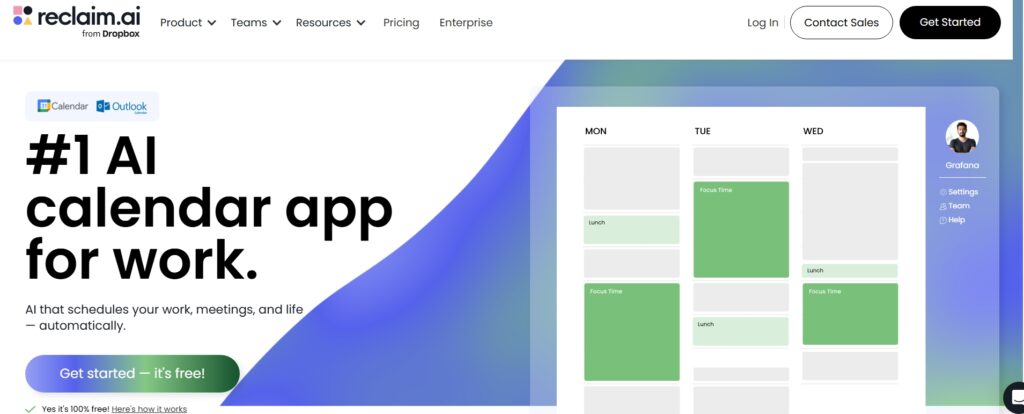
Reclaim AI is a smart calendar assistant that works alongside your existing tools — task managers, project management platforms, and your calendar — to intelligently protect your focus time, schedule your habits, manage your task commitments, and optimise meeting timing. Where Motion replaces your task manager, Reclaim enhances your calendar without requiring you to change your existing workflow. It reads your Google Calendar (or Outlook since the August 2025 integration launch), understands your commitments and preferences, and manages the time around your meetings autonomously.
Reclaim was acquired by Dropbox in May 2025, which provides long-term infrastructure backing and a development roadmap that includes deeper integration with Dropbox Dash. The platform now supports Google Calendar and Microsoft Outlook with full feature parity on both, covering the majority of professional calendar ecosystems.
Read Detailed Reclaim AI Review Click Here
Core Features of Reclaim AI
Smart Time Blocking for Focus Work
Reclaim’s time blocking protects focus time automatically — it finds the best available slots in your calendar for deep work and books them, defending them against meeting requests within your configured limits. If a meeting takes a focus block, Reclaim reschedules the block to the next best available time rather than simply losing that focus time for the day. For knowledge workers whose most valuable work requires sustained concentration, this protection is often the single most impactful thing a calendar tool can do. Setting a daily target of two hours of uninterrupted focus time and having Reclaim enforce it — rather than relying on willpower to decline meeting requests — produces measurable improvements in output quality for most people who try it consistently.
Habit Scheduling and Streak Tracking
Reclaim’s habit scheduling is its most distinctive feature — the capability that Motion doesn’t have at all. You define recurring personal commitments — exercise, meditation, language learning, lunch breaks, end-of-day reviews — with your preferred time window and minimum duration. Reclaim schedules them at your preferred time when possible, moves them to the next available slot when meetings conflict, and tracks your completion rate and streak over time. The Habits analytics dashboard shows where habits are consistently being displaced (typically Tuesday afternoons or back-to-back meeting days), giving you actionable data for adjusting either your habit configuration or your meeting acceptance behaviour. The free Lite plan supports 3 habits; Starter gives unlimited.
Smart Meeting Management
Reclaim’s Smart Meetings feature finds the optimal meeting times for groups based on everyone’s actual availability, focus time protections, and scheduling preferences — not just the first empty slot. It adds smart buffers between meetings to prevent back-to-back scheduling that eliminates transition time and creates cognitive overload. Scheduling links allow external contacts to book time within Reclaim’s constraints, so the meetings that get booked respect your focus time protection rather than appearing in whatever gaps happen to be empty. For remote workers and distributed teams where meeting scheduling friction is a significant daily cost, these controls reduce the coordination overhead substantially.
Calendar Analytics and Time Intelligence
Reclaim provides detailed analytics on how your time is actually spent — meeting hours vs focus time vs habit completion vs task work, tracked over weeks and months. The analytics surface patterns that are hard to see in real time: the weeks where focus time drops below a threshold, the meeting load that correlates with habit completion failures, the days where the task-to-meeting ratio is unsustainable. For Business plan users, team analytics extends this to the whole organisation — managers can see aggregate calendar health across their team and identify structural meeting overload before it becomes a burnout signal. This data-driven approach to calendar management is a genuine differentiator that neither Motion nor traditional calendar tools provide.
Best For (Reclaim)
Knowledge workers who need protected focus time in meeting-heavy environments, remote professionals managing their own schedule without a manager enforcing discipline, individuals building consistent personal habits alongside demanding work schedules, teams where managers want visibility into whether people have adequate focus time, and anyone who wants AI calendar intelligence without switching away from their existing task management system.
Motion vs Reclaim: Head-to-Head Comparison
1. Scheduling Intelligence
| Feature | Motion | Reclaim |
|---|---|---|
| AI task prioritisation | Advanced — full daily plan | Basic — syncs from external tools |
| Automatic rescheduling | Yes — real-time, continuous | Yes — real-time, continuous |
| Full day planning | Yes — builds entire workday | No — protects time around existing commitments |
| Deadline protection | Active — alerts when at risk | Passive — via task deadline inputs |
Winner: Motion for scheduling intelligence depth. Motion’s AI plans your entire day; Reclaim optimises around your existing commitments. If you want the AI to make the scheduling decisions, Motion. If you want to retain control while having AI protect your priorities, Reclaim.
2. Task Management
This is the most significant structural difference between the two tools. Motion includes a complete task and project management system — you can manage your entire work backlog inside Motion, assign tasks, track project progress, and view team workloads, all without any external tool. Reclaim does not have a built-in task manager; it connects to the task managers you already use (Asana, Todoist, ClickUp, Jira, Linear) and schedules those tasks’ time commitments onto your calendar automatically. When a task deadline changes in ClickUp, Reclaim updates the calendar block. When you complete a task, Reclaim frees that calendar time for something else.
Winner: Motion for task management completeness. But this is only an advantage if you want a single all-in-one system. If your team already uses Asana or Jira and has established workflows there, Reclaim’s integration model is actually more practical than requiring everyone to migrate to Motion’s task system.
3. Calendar Optimisation and Focus Time Protection
This is where Reclaim clearly outperforms Motion. Reclaim was built specifically around the calendar optimisation use case — it protects focus blocks, automatically buffers meetings, schedules habits with flexible persistence, tracks completion rates, and provides analytics on time distribution. Motion fills available time with tasks aggressively, which is powerful for deadline management but can feel like it replaces one type of calendar chaos with another — every gap becomes a task block, leaving little breathing room. Reclaim’s approach is more deliberately balanced, treating personal commitments and focus time as important as task work rather than scheduling tasks into every available minute.
Winner: Reclaim for calendar optimisation, focus time protection, and work-life balance. If the primary problem is protecting meaningful time for deep work and personal habits, Reclaim handles this better than Motion.
4. Habit and Personal Time Support
| Capability | Motion | Reclaim |
|---|---|---|
| Habit scheduling | No | Yes — unlimited on Starter+ |
| Streak tracking | No | Yes — with completion analytics |
| Work-life balance focus | Limited | Core design principle |
| Personal time protection | Basic | Strong — flexible habit persistence |
Winner: Reclaim — clearly. Motion simply doesn’t have a habit scheduling system. If building consistent personal routines alongside professional commitments is a priority, this alone may be the deciding factor.
User Experience and Interface
Motion UX
Motion’s interface is opinionated and highly structured — it reflects the tool’s philosophy that the AI should make the scheduling decisions and the user should execute against them. The dashboard shows your AI-built daily plan clearly, with tasks ordered by priority and time allocated for each. The learning curve is real: new users often feel uncomfortable with how much control Motion takes over their calendar, particularly in the first week when the AI is still calibrating to your patterns and preferences. The interface has received criticism in 2025–2026 for feature bloat as Motion added project management capabilities — some users note it now feels more complex than it used to. The iOS and Android apps are solid, covering the core task and calendar management functions for mobile use.
Reclaim UX
Reclaim’s interface is deliberately lightweight and non-intrusive — it operates in the background, making changes to your calendar without requiring you to interact with a separate planning dashboard daily. The setup takes 10–15 minutes (connect calendar, define habits and focus time preferences, connect task tools), and then Reclaim runs autonomously. The web interface is clean and accessible, with analytics dashboards that surface useful insights without requiring daily engagement. The onboarding experience is significantly easier than Motion’s — most users are productive within an hour of setup. Reclaim is web-based with no dedicated native mobile app, though all calendar changes appear in your native Google Calendar or Outlook app on mobile since Reclaim writes events directly to your calendar.
Integrations and Compatibility
Motion Integrations
Motion integrates with Google Calendar and Outlook (bidirectional), Zapier for custom automation workflows, and Slack for limited notifications and status updates. The integration surface is narrower than Reclaim’s because Motion is designed to be the primary system — it expects you to manage tasks inside Motion rather than syncing from external tools. The iOS and Android apps are native with full functionality. Motion also includes an email assistant (1-click email drafting from task context) and meeting notes capabilities as part of its all-in-one positioning.
Reclaim Integrations
Reclaim’s integration strategy is the opposite of Motion’s: it connects deeply to the tools you already use rather than replacing them. Native task management integrations on the Starter plan include Todoist, Asana, ClickUp, Jira (Linear), and Google Tasks. Calendar integrations cover Google Calendar (primary) and Microsoft Outlook (full support since August 2025). Slack integration syncs your status automatically — when you’re in a focus block, Slack shows you as unavailable; when the block ends, your status reverts. Zoom and Google Meet integrations add meeting links automatically. The breadth of task tool integrations is Reclaim’s strongest competitive advantage for teams with established toolchains that they don’t want to abandon.
Winner: Reclaim for integration breadth. Its deep connections to existing task management workflows make it the more practical choice for teams already using Asana, Jira, or ClickUp at scale.
Pricing Comparison — 2026 Accurate Numbers
Motion Pricing (2026)
Motion restructured its pricing in 2025–2026 with a shift toward an AI-credit model. The plans below are the current individual and team tiers. Annual billing saves approximately 33% vs monthly. A 7-day free trial is available.
| Plan | Annual Price | Monthly Price | AI Credits/Month | Key Features |
|---|---|---|---|---|
| Pro AI (Individual) | $19/seat/mo | $34/mo | 7,500 | Full AI scheduling, task + project management, calendar sync, meeting notes, docs, mobile apps |
| Business AI (Individual) | $29/seat/mo | $39/mo | 15,000 | Everything in Pro AI + Gantt, capacity planning, time tracking, advanced permissions, priority support |
| Pro AI (Team) | $19/seat/mo (annual) | $29/seat/mo | 7,500/seat | Team collaboration, shared projects, workload balancing, central billing |
| Business AI (Team) | $29/seat/mo (annual) | $39/seat/mo | 15,000/seat | Everything in Pro AI team + advanced reporting, higher credit limits |
Important Motion pricing notes. First, AI credits are consumed when Motion’s AI features are used — scheduling rebuilds, AI chat, meeting notes generation, and AI-powered prioritisation all consume credits. Pro AI’s 7,500 credits/month is sufficient for most individual users; Business AI’s 15,000 credits/month is designed for power users and teams with heavier AI usage. Second, Motion also offers “AI Employees” plans ($49/month for 1 user, $99/month for 3 users, $299/month for 10 users) for agentic workflow automation use cases — these are a distinct product tier and not the same as the standard individual/team plans. Third, some users have reported billing confusion around the trial period — confirm trial cancellation terms before entering card details.
Reclaim Pricing (2026)
Reclaim uses a per-user, per-month model with four tiers. Annual billing saves approximately 29% vs monthly. The Lite free plan is permanent with no time limit — not a trial.
| Plan | Annual Price | Monthly Price | Key Features |
|---|---|---|---|
| Lite | Free | Free | 2 calendars, 3 habits, 1 scheduling link, 3-week scheduling horizon, basic analytics |
| Starter | $8/user/mo | $10/user/mo | Unlimited habits, all task integrations (Asana, Todoist, ClickUp, Jira, Linear), unlimited calendar syncs, 8-week horizon, team stats |
| Business | $12/user/mo | $15/user/mo | Everything in Starter + team analytics dashboard, admin controls, scheduling policies, priority support (up to 100 users) |
| Enterprise | $22/user/mo (annual only) | N/A | SSO, SCIM provisioning, compliance controls, dedicated success manager, 100+ users |
Pricing Head-to-Head
| Factor | Motion Pro AI | Reclaim Starter |
|---|---|---|
| Annual price | $19/user/mo | $8/user/mo |
| Free tier | No (7-day trial) | Yes — Lite plan, permanent |
| Annual cost (1 user) | $228/year | $96/year |
| Annual cost (10 users) | $2,280/year | $960/year |
The price gap is substantial: Motion Pro AI costs 2.4x more than Reclaim Starter on an annual per-user basis. For individuals, that’s $132/year more for Motion. For a team of 10, that’s $1,320/year more. The question is whether Motion’s all-in-one task management and deeper scheduling intelligence justify that premium for your specific workflow. If you’re already paying for Asana or ClickUp separately, Reclaim Starter at $8/month becomes even more attractive — you keep your existing task manager and add calendar intelligence for less than a third of Motion’s cost.
Real-World Use Cases: Who Should Choose Which
Use Motion If You:
You consistently miss deadlines and the root cause is poor task-to-time matching rather than capacity issues. You want to consolidate your task management, project planning, and calendar into a single system and stop context-switching between multiple tools. You manage a team and need both personal scheduling automation and team workload visibility in one dashboard. You’re a founder or executive with 5+ active projects running simultaneously, where the cognitive load of daily planning is itself a productivity problem. You prefer autonomous AI decision-making over collaborative AI assistance — you want the system to tell you what to do today, not just suggest options.
Use Reclaim If You:
You have meeting-heavy days and struggle to protect meaningful blocks for deep work and personal commitments. You want to build consistent daily habits — exercise, learning, breaks — and keep them from being displaced by meetings without manually defending each occurrence. You already use Asana, Todoist, ClickUp, Jira, or Linear and your team has established workflows there that you don’t want to disrupt. You want a lightweight AI scheduling assistant that runs in the background rather than a full productivity system you have to adopt entirely. You’re budget-conscious — Reclaim’s Starter at $8/month (or free Lite plan) delivers significant calendar intelligence at a fraction of Motion’s cost. Your organisation uses Microsoft Outlook and you need a tool that integrates properly with it.
Security, Privacy and Trust
Both Motion and Reclaim handle sensitive calendar data — your schedule, your task priorities, your personal habits — and both treat this with appropriate seriousness. Both use secure OAuth authentication for calendar access, industry-standard TLS encryption for data in transit, and AES-256 encryption at rest. Neither sells user data to third parties. Reclaim, following the Dropbox acquisition in May 2025, operates under Dropbox’s enterprise security infrastructure — SOC 2 Type II compliant and ISO 27001 certified. The Enterprise plan adds SSO (SAML) and SCIM provisioning for regulated industries. Motion emphasises enterprise-grade controls and role-based access on its Business AI and team plans, with granular permissions for who can see and modify each other’s schedules. Both are appropriate for professional use; regulated industries with specific compliance requirements should evaluate Reclaim’s Enterprise tier for the Dropbox-backed security certifications.
Pros and Cons Summary
Motion Pros
- Best-in-class autonomous AI scheduling — builds your entire workday without manual intervention
- Complete task and project management built in — no need for a separate tool
- Active deadline protection — alerts when at risk, rebuilds schedule proactively
- Strong team workload visibility and collaborative scheduling
- All-in-one platform reduces tool switching for professionals managing complex workloads
Motion Cons
- Significantly more expensive than Reclaim — $19/user/month vs $8 for Reclaim Starter
- No habit scheduling — personal routine tracking is absent
- Steep learning curve — requires trusting the AI’s planning decisions, which takes adjustment
- UI complexity has grown as features expanded — some users find it clunky compared to earlier versions
- Less suitable for teams with established Asana/Jira workflows — requires migration to Motion’s task system
Reclaim Pros
- Excellent focus time protection — automatically defends deep work blocks against meeting requests
- Habit scheduling with streak tracking — the strongest personal routine protection in the category
- Full Outlook support since August 2025 — covers Microsoft 365 organisations
- Deep task manager integrations — works with existing Asana, Todoist, ClickUp, Jira workflows
- Lightweight onboarding — productive in 15 minutes, runs autonomously in background
- Free Lite plan with real utility — 3 habits, 2 calendars, permanent (not a trial)
- Dropbox acquisition provides long-term infrastructure and roadmap confidence
Reclaim Cons
- No built-in task manager — requires an external tool; Reclaim schedules time for tasks, it doesn’t manage them
- No native mobile app — web-based only, though calendar changes appear in native mobile calendar apps
- Scheduling model is less aggressive than Motion — some users want more autonomous full-day planning
- Free Lite plan limits (3 habits, 3-week horizon) push most serious users to the paid Starter tier
Final Verdict: Motion vs Reclaim
The honest answer is that these tools solve different problems, and the right choice depends entirely on which problem is your actual priority.
Choose Motion if your primary pain is task management and deadline control — if you regularly miss commitments because you can’t reliably translate your task backlog into allocated time, and you want an AI system that handles that planning work entirely without requiring you to think about it. Motion is the better choice for founders, managers, and high-deadline professionals who want to consolidate tools and hand the daily planning function to an AI. At $19/month, the ROI calculation is clear if the tool reliably saves 30+ minutes per day that was previously spent on manual planning and rescheduling.
Choose Reclaim if your primary pain is focus time erosion and work-life balance — if meetings have taken over your calendar and you can’t find uninterrupted time for deep work, exercise, or personal development. Reclaim is the better choice for knowledge workers, remote professionals, and anyone with existing task management tools they don’t want to abandon. At $8/month for Starter (or free on Lite), the cost barrier to trying it is negligible — and the habit scheduling feature alone delivers value that Motion simply doesn’t have.
The most nuanced answer: some professionals use both. Motion for task management and deadline-critical project work; Reclaim for habit protection and focus time management. The tools are complementary rather than strictly competitive, and for professionals with both problem types, the combined cost ($27/month) may still deliver better ROI than either tool alone.
Conclusion
The Motion vs Reclaim decision ultimately comes down to control versus balance — or more precisely, to which aspect of your time management is most broken. Motion excels at taking control of your workday completely, ensuring that tasks get done and deadlines are met through autonomous AI planning. Reclaim excels at restoring balance to an already demanding schedule, protecting the time for focus, habits, and recovery that meetings and tasks would otherwise consume entirely. Both are genuine improvements over manual calendar and task management for the users they’re designed for. Start with Reclaim’s free Lite plan if you’re unsure — it’s a real product, not a trial, and it will quickly show you whether AI calendar intelligence changes your daily experience before you spend anything.
Is Motion better than Reclaim?
Neither is universally better — they solve different problems. Motion is better for professionals who want autonomous AI task scheduling and full-day planning without manual intervention, particularly those managing complex multi-project workloads or teams with deadline pressure. Reclaim is better for calendar optimisation, focus time protection, and habit scheduling — particularly for knowledge workers with meeting-heavy schedules who want AI intelligence layered on top of their existing tools without switching systems. The pricing difference is also significant: Motion Pro AI at $19/user/month vs Reclaim Starter at $8/user/month.
Does Reclaim replace a task manager?
No — Reclaim is a calendar intelligence layer, not a task manager. It connects to the task managers you already use (Asana, Todoist, ClickUp, Jira, Linear on Starter plan) and schedules time for those tasks on your calendar automatically. When a task’s deadline changes in ClickUp, Reclaim updates the calendar block. Reclaim manages when you do your work; your task manager manages what your work is. If you need a built-in task manager, Motion includes one as part of its all-in-one platform.
Can Motion manage team projects?
Yes — Motion includes a complete project management layer for teams: task dependencies, project timelines, team workload views, capacity planning, shared scheduling, and collaborative task management. The Business AI plan adds Gantt chart visualisation, time tracking, advanced permissions, and centralised billing for larger teams. For teams that want to consolidate task management, project planning, and AI calendar scheduling into a single system, Motion’s all-in-one approach eliminates the need for a separate project management tool like Asana or ClickUp.
Is Reclaim AI free?
Yes — Reclaim has a permanent free Lite plan (not a trial) that includes 2 calendar syncs, 3 habits, 1 scheduling link, 1 smart meeting, and a 3-week scheduling horizon. It’s genuinely useful for evaluating AI scheduling on your real calendar before committing to a paid plan. The Starter plan at $8/user/month (annual billing) is the practical upgrade for unlimited habits, all task management integrations (Asana, Todoist, ClickUp, Jira, Linear), and an 8-week scheduling horizon. A permanent free plan is one of Reclaim’s key advantages over Motion, which only offers a 7-day trial.
Which tool is better for ADHD?
Reclaim’s flexibility tends to work better for many users with ADHD for two reasons. First, its lightweight autonomous model — setting up once and having it run in the background — requires less daily engagement than Motion’s more structured interface. Second, habit scheduling with flexible persistence (moving habits rather than cancelling them when meetings conflict) helps maintain the routines that support executive function without the rigidity of fixed scheduled blocks. Motion’s fully structured daily plan can also work well for ADHD if the removal of planning decisions is itself helpful — but the learning curve and interface complexity can be friction points. Both tools offer free trials or free plans worth testing personally.
Does Motion work with Google Calendar?
Yes — Motion integrates bidirectionally with both Google Calendar and Microsoft Outlook, reading your existing events and writing task blocks and meeting times directly to your calendar. Changes in your calendar sync to Motion in real time; changes Motion makes appear in your calendar immediately. The native iOS and Android apps give full calendar and task access on mobile. Motion is the primary system in this integration — it reads your calendar data to understand your schedule and then manages task placement within it, rather than simply overlaying suggestions.
Can Reclaim schedule habits?
Yes — habit scheduling is Reclaim’s most distinctive feature and the capability that most directly differentiates it from Motion and other calendar tools. You define recurring habits (exercise, meditation, learning, lunch, end-of-day review) with your preferred time window, minimum duration, and weekly frequency. Reclaim schedules them at your preferred time when available, moves them to the next best slot when meetings conflict (rather than cancelling them), and tracks completion rates and streaks over time. The analytics show which days and circumstances most frequently displace each habit, helping you adjust configuration intelligently. The Lite free plan supports 3 habits; Starter gives unlimited habits.
Which AI tool is best for founders?
Motion is generally the better choice for founders managing multiple simultaneous projects and teams, because its all-in-one task management, deadline protection, and team scheduling capabilities address the specific pain points of multi-project coordination at the individual and team level. The autonomous daily planning eliminates the morning triage that eats into a founder’s limited productive time. However, Reclaim is worth considering for founders who already have established project management workflows in Asana or Linear and primarily need AI calendar intelligence rather than a full system replacement — at $8/month vs $19/month, the cost difference over a year is meaningful for early-stage companies watching every expense.





I am Ashish Yadav a software engineer and AI tools researcher with over five years of practical experience working with real-world systems and automation. I am founder of CognifyFuture, where I analyzes, tests, and breaks down AI tools with a focus on what actually works—not what’s trending.
My content is built on hands-on usage, not theory. Instead of generic advice, I focuses on real implementation—how AI tools can be used to automate tasks, improve efficiency, and solve any specific business or individual problems.
Through CognifyFuture, My aims is to eliminate confusion around AI by delivering clear, honest, and actionable insights that help users make smarter technology decisions.