
Affiliate Disclosure: This Nanonets AI review may contain affiliate links. If you sign up through them, I may earn a small commission at no extra cost to you. I only recommend tools I have personally evaluated, and this never influences my honest opinion.
Is Manual Document Processing Still Slowing Your Business Down?
Here’s a situation I see constantly in growing businesses: the finance team is manually keying invoice data into the accounting system. The operations team is copy-pasting order details from supplier PDFs into a spreadsheet. The HR team is re-entering information from scanned ID documents into the CRM. Every one of these tasks is repetitive, error-prone, and time-consuming — and the people doing them are usually overqualified for it. The real cost isn’t the time wasted; it’s the errors that only surface weeks later when a payment is wrong, a shipment goes to the wrong address, or a compliance document contains a transposed number.
This is exactly the problem Nanonets AI is built to eliminate. I tested it across real document workflows — invoices, purchase orders, email attachments, ID documents — and the results are worth a detailed look. This review covers how the platform actually works, what it’s genuinely good at, what it doesn’t handle well, the real 2026 pricing model (which has changed significantly from what most reviews describe), and who should and shouldn’t use it.
What Is Nanonets AI?
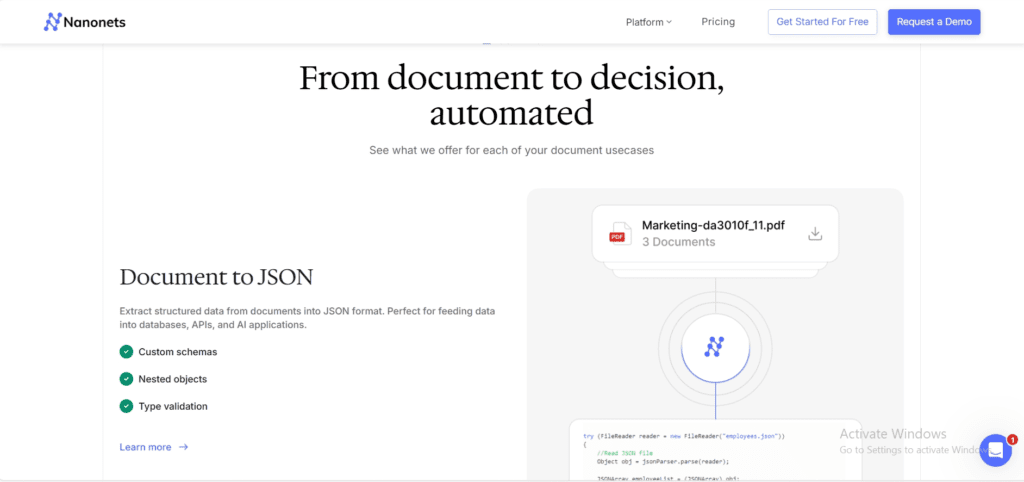
Nanonets AI is a no-code document automation platform that uses machine learning and intelligent OCR to extract, classify, and process data from unstructured documents — PDFs, scanned images, emails, forms, and digital files — with high accuracy and without requiring templates or rules-based programming. Unlike traditional OCR software that relies on fixed field positions and breaks whenever a vendor changes their invoice format, Nanonets learns patterns from examples and adapts automatically when document layouts vary.
The platform is trusted by 34% of Fortune 500 companies and has over 10 million downloads. Its primary strengths are accounts payable automation, invoice processing, KYC document verification, and any back-office workflow that currently involves humans manually reading documents and entering data into business systems. The core value proposition is reducing that manual effort by up to 90% while maintaining accuracy that meets enterprise compliance requirements.
Read Top 5 Powerful AI Tools for No Code / Low Code Click Here
How Nanonets AI Works
Nanonets operates on a workflow-builder model — you construct a document processing pipeline from individual blocks, each handling one step of the process. This architecture is what makes it flexible enough to handle diverse document types and business processes without requiring custom code. Here’s how each stage works in practice.
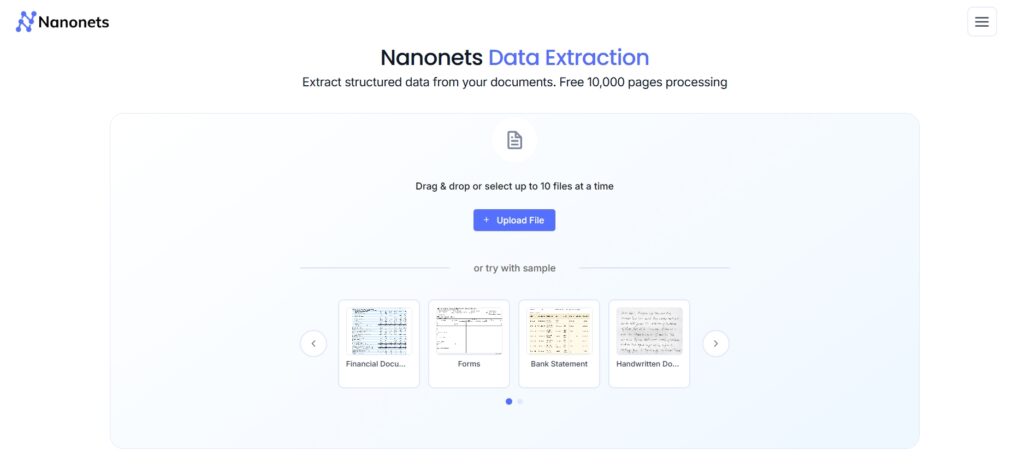
1.Upload Your Documents
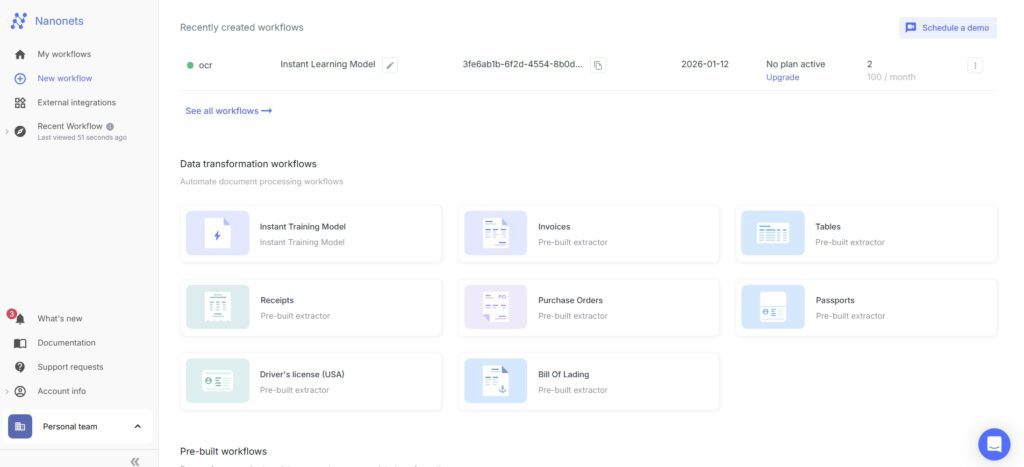
Documents enter Nanonets through multiple ingestion channels: the dashboard for manual uploads during setup and testing, a REST API for programmatic submission from your own systems, email integration for automatically processing attachments as they arrive in a shared inbox, or cloud storage connectors (Google Drive, Dropbox, SharePoint) for batch processing from existing file repositories. This flexibility in how documents enter the system matters more than it sounds — most businesses already have a defined place where documents land, and Nanonets integrates directly with that existing flow rather than requiring a new step in the process.
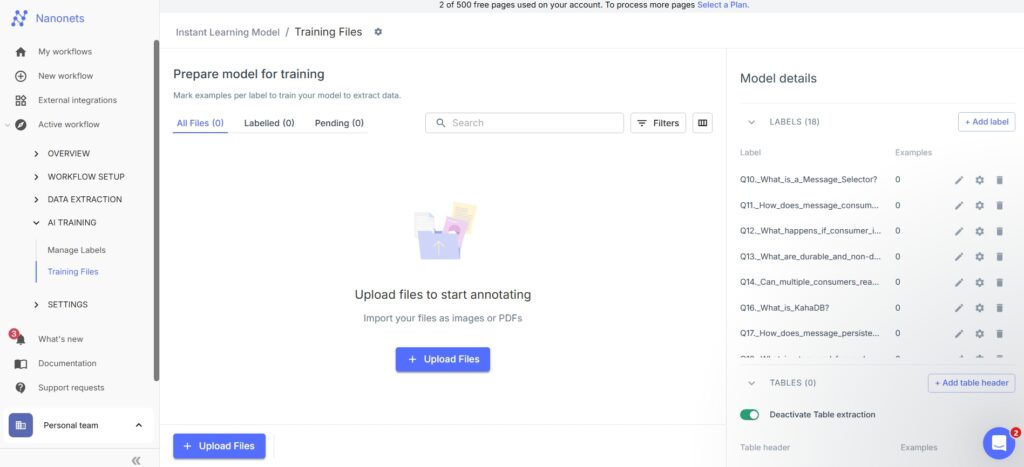
2.Train the AI Model
For standard document types — invoices, receipts, purchase orders, identity documents — Nanonets provides pre-trained models that work immediately without any labelling effort. For custom document types specific to your business (insurance claim forms, bespoke supplier purchase orders, internal approval documents), you label a small sample — typically 20–50 examples — and the model learns the field patterns from those examples. The critical difference from traditional OCR is that you’re not defining fixed pixel coordinates or rigid rules; you’re showing the AI examples and letting it learn the underlying structure. This means the model handles format variations automatically without breaking.
3.Intelligent Data Extraction
Once the model is running, it extracts the fields you’ve defined from every incoming document: invoice number, vendor name, date, line items, amounts, totals, tax, payment terms — whatever the business process requires. The extraction handles variation naturally: different fonts, different layouts, handwritten annotations, poor scan quality, multi-page documents, and documents in multiple languages. For structured data like line items tables, Nanonets extracts each row individually rather than treating the table as a single text block, which is what allows the extracted data to flow directly into accounting or ERP systems without additional parsing.
4.Workflow Automation
Extraction is only half the value — what happens next is where the real time saving comes from. Nanonets’ workflow builder lets you chain actions after extraction: validate extracted fields against business rules (is the amount within purchase order limits? does the vendor name match an approved supplier list?), route documents for human review when confidence is below a threshold, push structured data directly to your ERP or accounting system, trigger approval workflows in tools like Slack or email, store processed results in databases, and generate reports on processing volume and accuracy. The entire process from document arrival to data in your business system can run without a human touching it, except in cases where the AI flags a document for review.
Key Features of Nanonets AI
1.Advanced OCR with Machine Learning
Traditional OCR reads text from documents using rules — if a field appears at coordinates (x, y) in a specific font, extract it. This works reliably only when documents are perfectly consistent, which real-world documents rarely are. A vendor changes their invoice template, adds a new section, or scans a document slightly off-centre, and rule-based OCR breaks. Nanonets’ ML-based OCR understands document semantics rather than positions — it recognises that “Invoice #” followed by a number is always the invoice identifier, regardless of where on the page it appears or what font it uses. This is the fundamental architectural difference that makes it production-viable for businesses dealing with documents from multiple suppliers or sources.
2.No-Code AI Model Training
The training interface is genuinely usable by non-technical business users — you open a document, draw boxes around the fields you want to extract, label them, and repeat for 20–50 examples. No Python, no data science knowledge, no machine learning expertise required. In testing, a custom model for a specific supplier purchase order format was ready and accurate within about two hours of labelling, including the time to process the training examples. For teams that have been living with an IT backlog that includes “build an OCR solution,” this represents a meaningful shift in who can deploy AI document processing.
3.Pre-Built AI Models
For the most common document types, Nanonets ships pre-trained models that are ready to use immediately with no labelling required. Invoices and bills of various formats, receipts from different vendors, purchase orders, identity documents (passports, driving licences, national ID cards), and shipping documents all have pre-built models that achieve high accuracy out of the box. For a business that primarily needs to process invoices — which is the most common starting point — you can go from sign-up to processing real documents within the same day.
4.End-to-End Workflow Automation
The platform’s workflow builder handles the complete document lifecycle, not just the extraction step. You define what happens at each stage: classify the document type first, then extract the relevant fields, then validate the data against your business rules, then route to approval if needed, then push to your ERP, then archive. Each step is a configurable block in the visual workflow editor. The practical result is that documents arriving in a shared inbox at 3am are processed, validated, and entered into the accounting system before the finance team arrives in the morning — without anyone setting up a scheduled job or writing a script.
5.API & Integrations
Nanonets exposes a well-documented REST API that allows any external system to submit documents and receive structured extraction results programmatically. Native integrations cover Zapier (for connecting to hundreds of no-code tools), Salesforce, QuickBooks, SAP, Oracle, and common cloud storage platforms. The Enterprise plan adds direct connectors for major ERP systems. For organisations with custom internal systems, the API provides a clean integration point that most development teams can wire up in a day or two. The combination of native integrations and a flexible API means Nanonets fits into most existing technology stacks without requiring significant custom development.
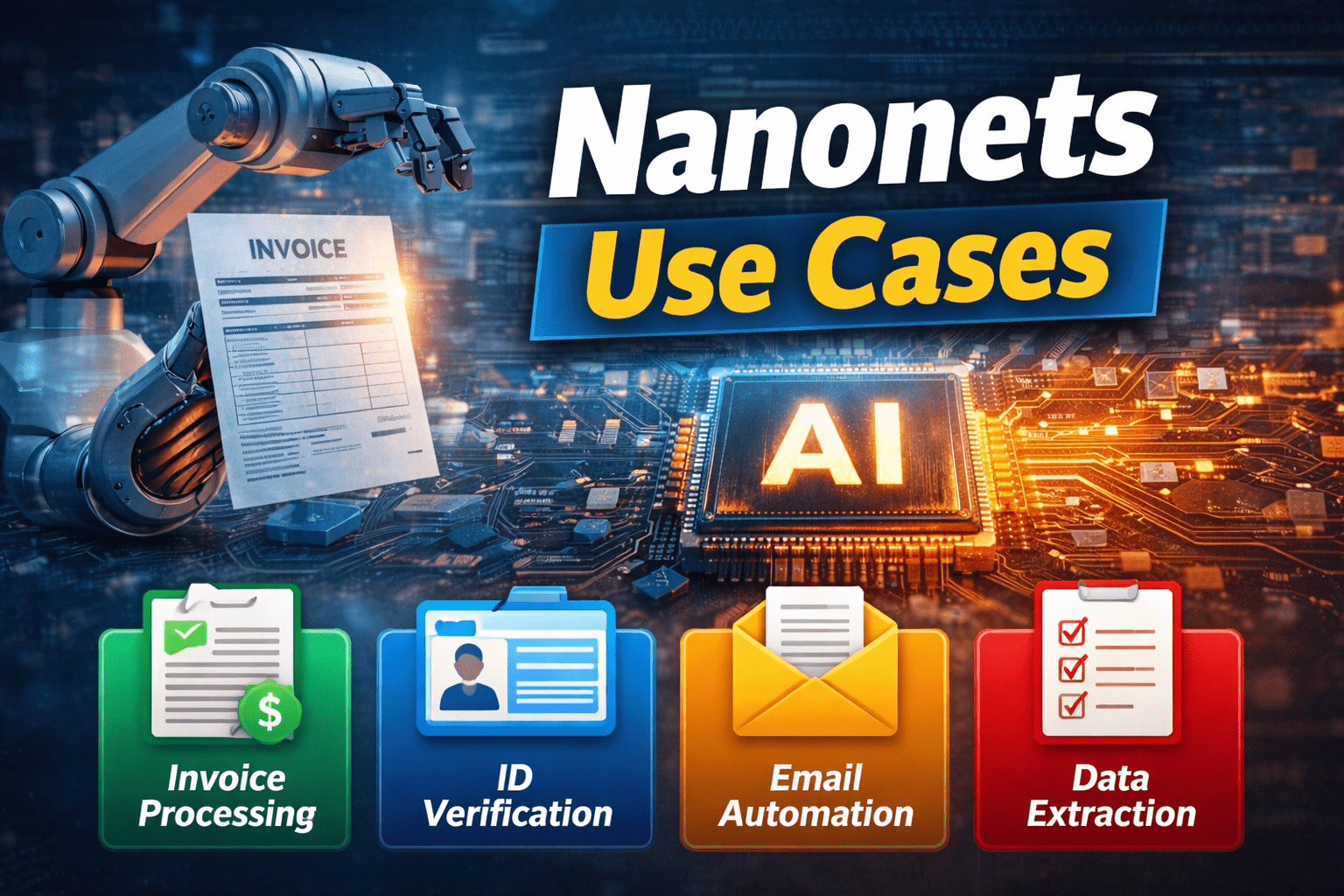
Real-World Use Cases of Nanonets AI
1.Invoice Processing Automation
This is Nanonets’ flagship use case and where it delivers the clearest, most measurable ROI. A typical mid-size finance team processes hundreds of invoices per month — each one requiring someone to open the PDF, read the vendor name, invoice number, date, line items, and total, then enter that data into the accounting system. With Nanonets, invoices arriving by email are automatically captured, all fields extracted with high accuracy, validated against the approved vendor list and purchase order amounts, and pushed to QuickBooks or Xero — the finance team only touches invoices that fail validation. Finance teams using Nanonets for invoice processing consistently report processing time reductions of 70–90%, and the accuracy improvement over manual data entry is significant because fatigue-related errors disappear entirely.
2.Accounts Payable Automation
Beyond invoice data extraction, full accounts payable automation extends to three-way matching — automatically comparing the extracted invoice against the original purchase order and the delivery receipt to confirm they align before payment is approved. When all three documents match, payment proceeds automatically. When they don’t — the invoice amount differs from the PO, or the delivery receipt shows a quantity discrepancy — the system flags the exception for human review with all three documents side by side. This eliminates the most time-consuming part of AP processing (the manual reconciliation of discrepancies) while ensuring the easy cases flow through automatically.
3.KYC & Identity Verification
For fintech platforms, banks, and any regulated business that onboards customers, Know Your Customer compliance requires extracting and verifying data from government-issued identity documents. Nanonets extracts names, dates of birth, document numbers, expiry dates, and addresses from passports, driving licences, and national ID cards across multiple countries and languages, then validates the extracted data against business rules and flags documents that don’t meet requirements. This compresses what is often a multi-day manual KYC process to minutes per applicant, with a consistent and auditable decision trail.
4.Email & PDF Data Extraction
A significant volume of business data arrives in unstructured form via email — order confirmations, shipping notifications, supplier quotes, customer requests, support tickets with attachments. Nanonets connects directly to shared inboxes and automatically processes both the email body and any attachments, extracting structured data and routing it to the appropriate system or team. For operations teams that currently have a staff member manually reading and forwarding emails, or copy-pasting data from email bodies into spreadsheets, this is where Nanonets delivers the most obvious and immediate time saving.
Nanonets AI Pricing Overview (2026)
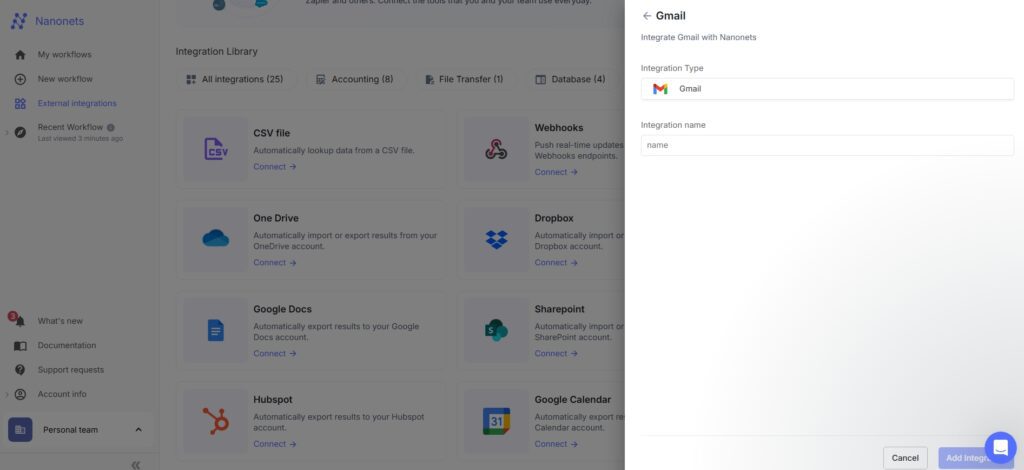
Nanonets has moved to a block-based, pay-per-use pricing model — a significant change from the legacy subscription tiers most reviews describe. There are no platform fees, no seat licences, and no monthly minimums on the Starter plan. You pay only for what you process, at a per-block-run rate that varies by complexity.
| Plan | Cost | Includes | Best For |
|---|---|---|---|
| Starter | Free ($200 in credits included) | Data extraction AI, API access, email integration, cloud storage connectors, up to 3 users, community support | Testing, small teams, low-volume processing |
| Growth | Volume pricing (contact for quote) | Everything in Starter + Classification AI, Generative AI blocks, ERP & database integrations, analytics, up to 40% volume discount, team credit sharing | Teams processing at scale, complex workflows |
| Enterprise | Custom | Everything in Growth + SOC 2, HIPAA, GDPR, private cloud/on-prem, data residency, SAML SSO, SCIM, Salesforce/SAP/Oracle connectors, whitelabel UI, dedicated SLAs | Large enterprises, regulated industries, compliance requirements |
How block pricing works in practice: Each step in a Nanonets workflow is a “block,” and each block run is charged based on complexity. Simple operations (formatting, routing, export) cost $0.02/run. Standard AI operations (classification, validation) cost $0.10/run. Complex AI operations (data extraction, generative AI) cost $0.30/run. A typical invoice processing workflow runs 4–6 blocks per document — meaning the full end-to-end cost for one invoice is under $2. Credits are prepaid, never expire, and are shared across your team. Volume purchases on Growth and Enterprise plans unlock discounts of up to 40%.
The Starter plan’s $200 in free credits is enough to process a meaningful volume of documents before spending anything — for a typical invoice workflow at $1–2 per document, that covers 100–200 invoices. This makes it genuinely practical to evaluate Nanonets on your real documents before committing to paid usage, which is one of the most honest free tiers in the document AI category.
Pros and Cons of Nanonets AI
Pros
- High extraction accuracy even with complex, multi-format, or low-quality documents
- Pre-trained models for invoices, receipts, POs, and ID documents — no setup required for common use cases
- No-code model training — business users can train custom models without data science skills
- Generous free tier — $200 in credits, no credit card required, no time limit
- Transparent block-based pricing — predictable cost per document with no hidden platform fees
- End-to-end workflow automation from ingestion to ERP export, not just extraction
- SOC 2, HIPAA, and GDPR compliant on Enterprise — meets regulated industry requirements
- Trusted by 34% of Fortune 500 companies — proven at enterprise scale
Cons
- Block pricing can be hard to estimate upfront for complex workflows — requires a test run to understand per-document cost accurately
- Custom model training requires 20–50 labelled examples and a few hours of setup — not instant for non-standard document types
- Growth and Enterprise pricing requires a sales conversation — no self-serve pricing for volume plans
- The $200 free credit covers initial testing but won’t last long in production for high-volume use cases
- Generative AI blocks (needed for complex reasoning over document content) require Growth plan or above
Nanonets AI vs Traditional OCR Tools
The comparison that matters most for anyone evaluating Nanonets is against traditional rule-based OCR and against the manual processes it replaces. Here’s how they stack up across the dimensions that drive purchasing decisions:
| Feature | Nanonets AI | Traditional OCR | Manual Processing |
|---|---|---|---|
| Adapts to format changes | Yes — learns patterns | No — breaks on layout changes | Yes — human adapts |
| Setup time (standard docs) | Same day | Days to weeks (template building) | None |
| Accuracy | High (95%+) | Medium (varies by format) | Medium (fatigue errors) |
| Workflow automation | Built-in, visual builder | Requires custom dev | Manual handoffs |
| Scales with volume | Yes — no marginal effort | Partially | No — linear headcount cost |
| Compliance certifications | SOC 2, HIPAA, GDPR | Varies by vendor | Depends on processes |
The most important row is “Scales with volume.” Manual processing scales linearly — twice the documents means twice the staff. Traditional OCR scales slightly better but requires significant maintenance as formats change. Nanonets scales with almost no marginal effort: once a workflow is built and tested, processing 100 documents a day costs the same to run as processing 10,000. That’s the core ROI argument for organisations with growing document volumes.
Is Nanonets AI Secure and Trustworthy?
Document automation deals with some of the most sensitive data a business handles — financial records, identity documents, contracts, medical records. Security posture is therefore a non-negotiable evaluation criterion, not a box-ticking exercise. Nanonets meets the standards that regulated industries require: SOC 2 Type II certification (verified independent security audit), HIPAA compliance for healthcare data, GDPR compliance for EU personal data, and ISO 27001 certification. Data is encrypted in transit (TLS) and at rest (AES-256). The Enterprise plan adds private cloud and on-premises deployment options for organisations that cannot use shared cloud infrastructure, along with data residency choices across US, EU, and APAC regions for compliance with data localisation requirements.
The platform is used by global enterprises in finance, logistics, healthcare, and insurance — industries with strict regulatory requirements around document handling and data privacy. For most organisations, the security posture is sufficient for production use. For regulated industries with specific requirements (HIPAA for healthcare, financial data handling rules), the Enterprise plan is the appropriate tier.
Who Should Use Nanonets AI?
Nanonets is the right tool for finance and accounting teams processing significant invoice or expense receipt volumes, operations teams managing order processing or logistics document workflows, fintech and banking platforms running KYC onboarding that involves identity document verification, healthcare organisations handling patient intake forms and insurance claim documents, and any back-office team where staff currently spend meaningful time manually reading documents and entering data into business systems. The common thread is high document volume, repetitive data extraction tasks, and a business impact when errors occur or processing is delayed.
Nanonets is not the right tool for very small businesses processing fewer than 50 documents per month — at that volume, the setup effort may not justify the automation benefit, and simpler tools or even well-structured manual processes may be more appropriate. It’s also not the right choice if your primary need is document generation (creating invoices or contracts) rather than document processing (extracting data from incoming documents). And for organisations that cannot use cloud-hosted infrastructure at all, the on-premises Enterprise deployment is available but requires significantly more setup and cost.
Is Nanonets AI Worth It in 2026?
For any organisation where document processing is a genuine operational bottleneck — not a theoretical problem but a daily reality that costs time, creates errors, and delays business processes — Nanonets AI delivers measurable, real ROI. The combination of high extraction accuracy, adaptability to format variation, end-to-end workflow automation, and transparent block-based pricing makes it one of the most capable and practical document AI platforms available in 2026.
The updated pricing model (block-based, pay-per-use, $200 free credits to start) removes most of the barrier to evaluation — you can test it on your real documents with your real workflows before spending anything. If those tests show that a typical document in your workflow costs $1–2 to process end-to-end and your team is currently spending 5–10 minutes per document manually, the ROI calculation is immediate and obvious. Start with the free tier, build a workflow on your most common document type, and measure the accuracy and time saving before making any commitment. The platform earns its reputation on results rather than promises.
What is Nanonets AI used for?
Nanonets AI is used to automate document processing workflows — extracting structured data from unstructured documents like invoices, receipts, purchase orders, ID documents, emails, and forms, then routing that data into business systems like accounting software, ERPs, and CRMs. Its most common use cases are accounts payable automation, invoice processing, KYC identity verification, logistics document handling, and any back-office workflow that currently involves manual data entry from documents.
Is Nanonets AI better than traditional OCR?
Yes, significantly, for most real-world document processing needs. Traditional rule-based OCR extracts text based on fixed field positions and breaks whenever a document layout changes — a vendor updates their invoice template, and the OCR stops working correctly. Nanonets uses machine learning to understand document semantics rather than positions, so it adapts automatically to format variations without requiring manual template updates. It also includes built-in workflow automation, validation, and ERP integrations that traditional OCR requires custom development to achieve.
Does Nanonets AI require coding?
No. The platform has a no-code interface for model training (you label examples visually by drawing boxes around fields), workflow building (visual block-based builder), and integration setup. Business users can deploy and manage document processing workflows without writing code. For organisations that want to integrate Nanonets programmatically into their own systems, a well-documented REST API is available. Developer expertise is optional rather than required.
Can Nanonets AI process invoices automatically?
Yes — invoice processing is Nanonets’ strongest pre-built use case. A pre-trained invoice model is available immediately with no setup required, extracting vendor name, invoice number, date, line items, amounts, tax, and totals from invoices in various formats and languages. The full workflow can be configured to receive invoices via email, extract all fields, validate against purchase orders, route exceptions for human review, and push approved invoices directly to your accounting system — all without manual intervention. Finance teams typically report 70–90% reduction in processing time after deployment.
Is Nanonets AI secure for sensitive data?
Yes. Nanonets holds SOC 2 Type II, HIPAA, and GDPR certifications, with ISO 27001 compliance. Data is encrypted in transit (TLS) and at rest (AES-256). The Enterprise plan adds private cloud and on-premises deployment options for organisations that cannot use shared infrastructure, plus data residency choices across US, EU, and APAC regions. This security posture is sufficient for regulated industries including finance, healthcare, and insurance. Always review the Data Processing Agreement before handling particularly sensitive data categories.
Does Nanonets AI offer API access?
Yes. Nanonets provides a well-documented REST API on all plans including Starter. The API allows external systems to submit documents for processing and receive structured extraction results programmatically. It’s the primary integration point for organisations that want to connect Nanonets to custom internal systems or trigger document processing from their own applications. Native integrations for Zapier, Salesforce, QuickBooks, SAP, and Oracle are also available, with additional ERP connectors on the Enterprise plan.
What industries use Nanonets AI?
Nanonets is used across finance and accounting (invoice processing, expense management, AP automation), logistics and supply chain (bill of lading, shipping document processing), fintech and banking (KYC identity verification, loan document processing), healthcare (patient intake, insurance claims, medical record extraction), SaaS and eCommerce (order processing, return management), and insurance (claims processing, underwriting document review). The platform is trusted by 34% of Fortune 500 companies, indicating particularly strong enterprise adoption in regulated industries.
Is Nanonets AI suitable for small businesses?
It depends on volume. The Starter plan’s $200 in free credits and block-based pricing make it accessible for small businesses — there are no monthly minimum fees and you only pay for what you process. For small businesses processing fewer than 50 documents per month, the setup investment may not justify the automation benefit. For small businesses processing hundreds of documents monthly — invoices from multiple suppliers, expense receipts, customer order forms — Nanonets delivers clear ROI even at small scale. The best approach is to use the free credits to test on your actual documents before deciding.





I am Ashish Yadav a software engineer and AI tools researcher with over five years of practical experience working with real-world systems and automation. I am founder of CognifyFuture, where I analyzes, tests, and breaks down AI tools with a focus on what actually works—not what’s trending.
My content is built on hands-on usage, not theory. Instead of generic advice, I focuses on real implementation—how AI tools can be used to automate tasks, improve efficiency, and solve any specific business or individual problems.
Through CognifyFuture, My aims is to eliminate confusion around AI by delivering clear, honest, and actionable insights that help users make smarter technology decisions.