
Affiliate Disclosure: This Lovable AI review may contain affiliate links. If you sign up through them, I may earn a small commission at no extra cost to you. I personally tested Lovable across multiple app-building sessions over 7 days, and everything written here reflects that hands-on experience.
Most people who want to build a web application face the same problem: they have a clear idea but no development team, no budget to hire one, and no years to spare learning React, Supabase, and authentication systems from scratch. The traditional options are “find a technical co-founder,” “hire a freelancer for $5,000+,” or “learn to code and come back in six months.” None of these are fast, affordable, or accessible.
Lovable AI is one of the most capable answers to that problem I’ve tested. Over seven days, I used it to build real applications — a SaaS attendance dashboard, an admin panel with role-based access, a client-facing project tracker — and this review covers exactly what worked, what didn’t, how the credit system actually behaves in practice, and whether the pricing makes sense for your specific situation.
What Is Lovable AI?
Lovable AI is an AI-driven full-stack application development platform that lets you create complete web applications from natural language descriptions — no frontend setup, no backend configuration, no database design required. You describe what you want to build, and Lovable generates a working application with React frontend, Supabase (PostgreSQL) backend, authentication system, and API layer — a complete, production-deployable product — typically in under five minutes.
What makes Lovable distinct from simpler tools is that it generates real, editable code rather than locked platform configurations. The output is a React application connected to Supabase, which you can export to GitHub at any time and host on Vercel, Netlify, or your own infrastructure. There’s no platform lock-in — if you outgrow Lovable or want to hand off to a traditional development team, you have clean, standard-stack code to hand over.
Read Top 5 Powerful AI Tools for No Code / Low Code Click Here
How Lovable AI Works (Prompt-Based Development)
Lovable’s workflow follows a prompt → build → iterate cycle that’s genuinely fast once you understand how to write effective prompts. The key insight that most people miss when they first use it: specificity in your prompt directly determines the quality of the first output. A generic prompt like “build a project management app” produces a generic result you’ll spend many credits improving. A detailed prompt — “build a project management app for a 5-person agency with client projects, task assignments, progress tracking, and a client-facing view that shows only completed milestones” — produces something far closer to what you actually need on the first generation.
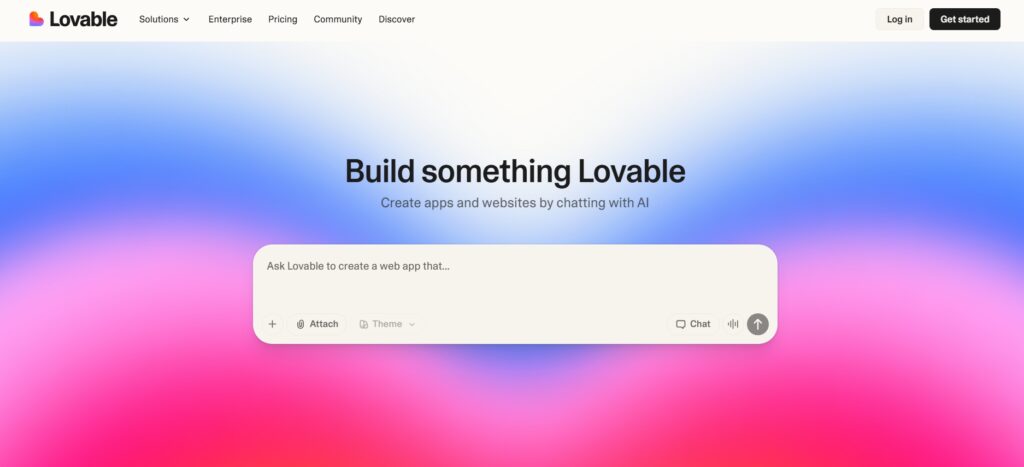
1.Describe your app idea
Write a description of what you want to build — the more specific, the better. You can include the type of users (admin vs end user), the core workflows, the data you need to track, and any specific UI preferences. Think of it as briefing a skilled developer: the clearer your requirements, the less time you spend on revisions. For my employee attendance dashboard, I specified the exact fields, the role hierarchy (admin, manager, employee), and the specific reports I needed — and the first generation was 80% of the way there.
2.AI generates the app
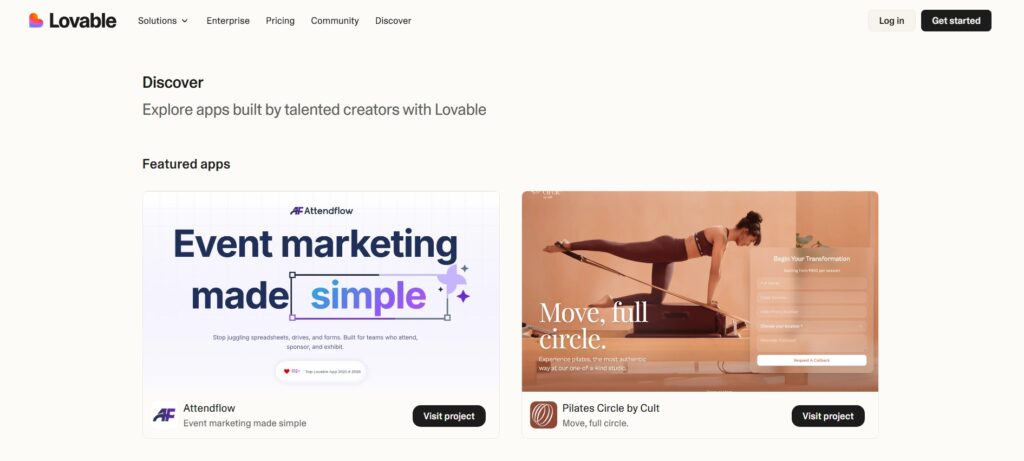
Within 2–5 minutes, Lovable generates a fully functional application — React frontend pages with navigation and component structure, a Supabase PostgreSQL database with the relevant tables and relationships, backend API logic for CRUD operations, and an authentication system with email/password login. The generated app is immediately runnable — you can click through it, test the workflows, and see exactly what works and what needs adjustment. For a complete working first draft in under five minutes, nothing I’ve tested matches it.
3.Refine using prompts
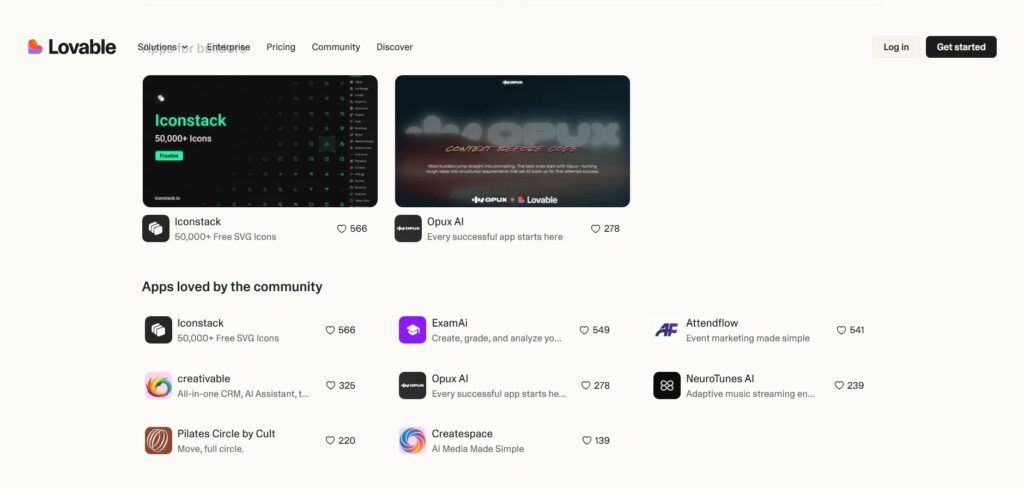
After the initial generation, you refine using follow-up prompts — and this is where the credit system matters. Each prompt costs between 0.5 credits (simple styling changes) and 1.2+ credits (adding complex features like authentication, third-party integrations, or multi-step workflows). In my testing, adding admin and user role separation cost about 1 credit. Improving the mobile UI cost 0.5 credits. Adding an Excel export cost about 1.2 credits. A complete basic MVP — initial generation plus 5–8 refinement prompts — typically runs 15–25 credits total. Effective prompting (describing what you want clearly rather than making small incremental requests) is the primary way to control credit consumption.
4.Export or deploy
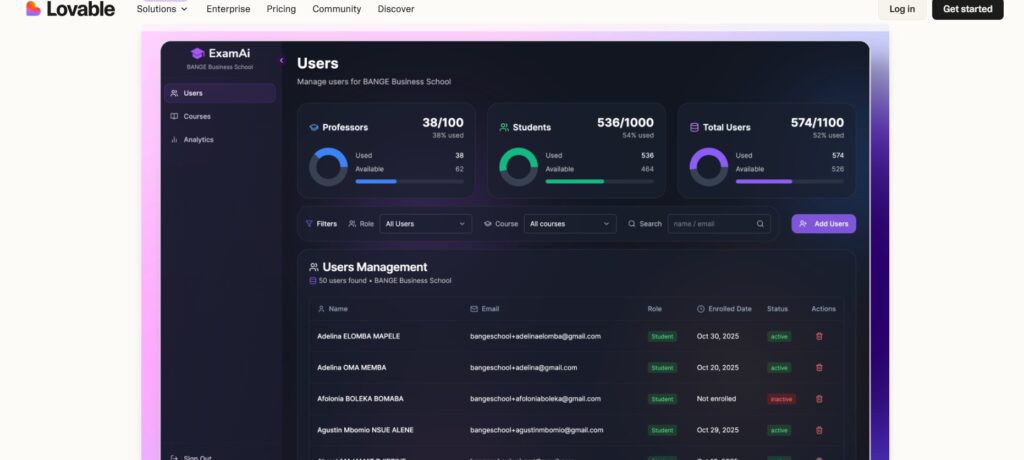
When your app is ready, you have several deployment options. Lovable’s built-in hosting deploys your app immediately to a lovable.app subdomain (free plan) or your own custom domain (Pro and above). GitHub sync lets you push the generated code to your repository at any time — from there you can deploy to Vercel, Netlify, or any hosting platform you prefer. The code export is available on all plans including free, which is one of Lovable’s most important differentiators: you never lose access to your own code regardless of which plan you’re on.
Key Features of Lovable AI
1.Full-Stack AI App Generation
Lovable generates the complete stack simultaneously — React frontend, Supabase PostgreSQL database, authentication, and API layer — rather than only creating a frontend that you then have to connect to a backend yourself. This is the fundamental distinction between Lovable and simpler “vibe coding” tools that generate impressive-looking UIs but leave you responsible for everything else. In my testing, I started with no existing project and had a fully functional multi-user SaaS dashboard — with login, user roles, real data storage, and working CRUD operations — in under ten minutes. That’s not a prototype or a mockup; it’s a working application.
2.Real, Editable Code
Unlike traditional no-code platforms where your application lives inside the platform’s proprietary system and can never leave, Lovable generates standard React and TypeScript code backed by Supabase — technologies that have massive ecosystems, are well documented, and that any developer can understand and extend. When I exported a project to GitHub, a developer colleague could open it and immediately understand the structure, make manual edits, and add features that Lovable couldn’t handle. This code ownership is what allows Lovable to function as a genuine starting point for real products rather than just a demo tool.
3.Built-In Authentication & Roles
Authentication is one of the most time-consuming and error-prone parts of building any multi-user application from scratch. Lovable handles this automatically — email/password login and signup, session management, role-based access control where admin users see different pages and have different permissions than regular users, and secure authorization logic that ensures users can only access their own data. In testing, requesting “add admin and user roles where admins can see all records and users can only see their own” produced a working role system in about 1 credit. Getting this right manually in a traditional React/Supabase project would take a developer several hours.
4.Automatic Database & API Creation
Lovable designs the database schema — tables, columns, relationships, indexes, foreign keys — based on your app description, and creates the corresponding API layer for fetching and mutating data. For the attendance dashboard, it created separate tables for employees, attendance records, departments, and leave requests, with the correct relationships between them, and generated the full set of API calls the frontend needed. The Supabase backend it creates is real — you can log into the Supabase dashboard, view the actual tables, add seed data, and query it directly. There’s no abstraction layer hiding the real database from you.
5.Continuous AI Iteration
The iteration model is where Lovable’s practical value really compounds. You don’t rebuild from scratch when you want to change something — you describe the change in a follow-up prompt and Lovable makes the modification to the existing codebase. This means that as you discover what your users actually need (which is almost always different from what you thought initially), you can adapt the application quickly and cheaply. In my seven days of testing, I significantly changed the data model of one project halfway through based on testing feedback — in a traditional development workflow, that would have been a major, expensive rework. In Lovable, it cost about 3 credits and 20 minutes.
6.No Vendor Lock-In
This is the feature that most clearly separates Lovable from platforms like Bubble or Webflow. Your application’s code belongs to you from the first generation. Export to GitHub at any time on any plan. Deploy anywhere. Hand off to a development team. Switch hosting providers. Modify the code manually. Lovable’s business model doesn’t depend on keeping your application trapped in their platform — you’re paying for the AI generation capability, not for the right to run your own application. For anyone who’s ever built something significant on a proprietary no-code platform and then felt stuck there, this distinction is significant.
Real-World Use Cases of Lovable AI
SaaS MVP Development
This is Lovable’s strongest use case. A founder with a SaaS idea — a client reporting tool, a team scheduling platform, a simple billing dashboard — can go from idea to a working, user-testable product in a day rather than weeks. The application has real authentication, real data persistence, and a deployable frontend. For the validation stage, where you need something real users can actually interact with (not a Figma mockup), Lovable compresses the timeline dramatically. Many solo founders are using Lovable to validate paid products — they build, launch, charge their first 10 customers, and only invest in proper development if the idea proves out.
Internal Business Dashboards
Every business has internal tools they wish they had but can’t justify the development cost to build. Attendance tracking systems, inventory dashboards, employee onboarding portals, sales pipeline trackers, client project status boards — all of these are achievable in Lovable in a few hours at the cost of a Pro subscription. For operations teams or founders who currently manage these workflows in spreadsheets, the improvement in clarity, auditability, and team accessibility from moving to a real application is often transformational. At $25/month for the Pro plan, the ROI calculation is usually obvious.
Startup Prototypes for Investor Demos
A Figma prototype looks like a prototype. A working web application — even a basic one — looks like a product. For founders pitching to investors, the difference between “here’s a mockup of what we’re building” and “here’s the actual product, let me show you the demo” can meaningfully change how a conversation goes. Lovable lets you produce a working demo-quality application for investor meetings in a day, which is often faster and cheaper than hiring a designer to build a polished Figma prototype.
Admin Panels & Client Portals
Agencies and service businesses frequently need custom admin panels — places where staff manage client data, track project status, or review reports — and client portals where customers can see their own data without seeing everyone else’s. Both of these patterns fit perfectly in Lovable: define the data model, set up role-based access so clients only see their own records, and create separate views for admin and client users. A setup that would take a freelance developer several weeks costs a few hours in Lovable.
Lovable AI vs Traditional Development
The comparison that matters most for most people evaluating Lovable isn’t “is it as good as a professional developer?” — it’s “is it good enough for my use case, and at what cost?” Here’s the honest breakdown:
| Factor | Lovable AI | Traditional Development |
|---|---|---|
| Time to working MVP | Hours to days | Weeks to months |
| Cost | $25–$50/month | $5,000–$50,000+ for MVP |
| Coding required | None for MVP; optional for polish | High — full-stack expertise |
| Code ownership | Full — export any time | Full |
| Scalability | Good for early-stage | Unlimited with right architecture |
| Iteration speed | Very fast (prompts) | Slower (development sprints) |
Lovable AI vs Other AI App Builders
Lovable AI vs Bolt.new
Bolt.new is Lovable’s most direct competitor in the AI app builder category, and both now cost $25/month for Pro plans. The key difference is in the credit model and team structure: Bolt uses a token-based system giving you 10 million tokens per month (better for larger individual projects), while Lovable gives you 100 credits shared across unlimited team members (better for teams building collaboratively). In practice, Bolt tends to suit solo power users who need raw generation capacity, while Lovable suits small teams building together on the same project. For code quality and full-stack completeness, both are competitive — the choice often comes down to whether you’re building alone or with collaborators.
Lovable AI vs Bubble
Bubble is a no-code application platform — powerful, proven, and capable of supporting production SaaS businesses. The fundamental difference is philosophy: Bubble builds your application inside its own proprietary visual programming system, and your app lives there permanently. Migrating away from Bubble to a traditional codebase is essentially rebuilding from scratch. Lovable generates standard code that you own outright. If you expect your product to eventually need a traditional development team, or if you want the flexibility to host wherever you choose, Lovable’s code-first approach is a significant advantage. If you want the deepest no-code visual workflow system without any coding involvement ever, Bubble has more maturity and depth.
Lovable AI vs Cursor AI
An increasingly popular workflow in 2026 is to use Lovable for the first 70–80% of a project — where its speed advantage is greatest — and then export to GitHub and finish in Cursor for the final polish, complex custom logic, or performance optimisation. These tools are genuinely complementary rather than competing for the same use case. Lovable is faster for starting; Cursor is more powerful for fine-grained control over existing code. Using both is not a failure mode — it’s a smart workflow that many experienced builders have settled on.
Lovable AI Pricing
Lovable uses a credit-based pricing model — each prompt consumes credits based on complexity, and your plan determines your monthly credit allocation. Understanding how credits actually behave is essential for budgeting accurately. Simple styling changes cost approximately 0.5 credits. Adding complex features like authentication, third-party integrations, or multi-step workflows costs approximately 1.2 credits. A complete basic MVP typically requires 15–25 credits for the initial generation and core refinements. Annual billing saves approximately 16% across all paid plans.
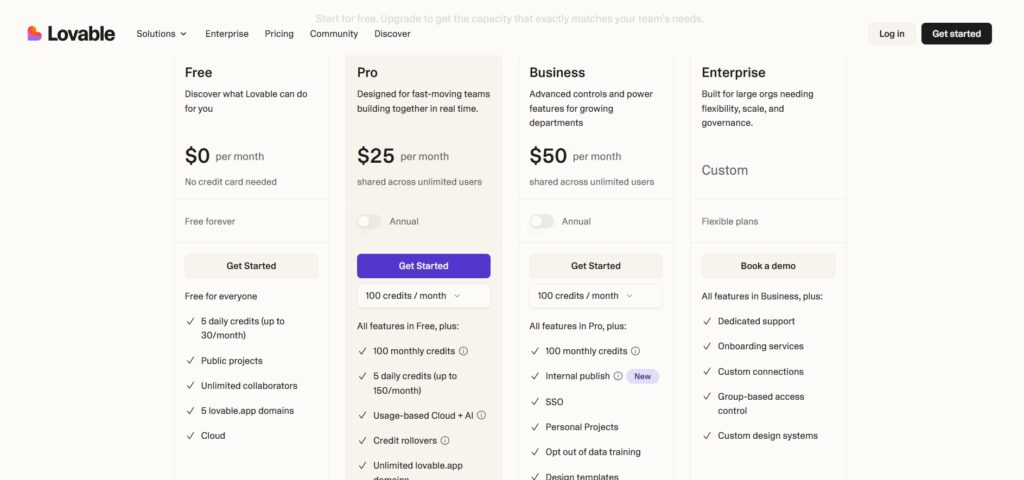
| Plan | Monthly Price | Monthly Credits | Key Features | Best For |
|---|---|---|---|---|
| Free | $0 | 5/day (up to 30/mo) | Public projects, Lovable subdomain, unlimited team members, code export | Testing, prototypes, simple proof-of-concept |
| Pro | $25/mo ($21 annual) | 100/mo + 5 daily (up to 150) | Private projects, custom domain, credit rollover, GitHub sync | Solo founders, active MVP development |
| Business | $50/mo ($42 annual) | 100/mo + 5 daily (same as Pro) | Everything in Pro + SSO, data opt-out, access controls, advanced team features | Teams needing compliance or security controls |
| Enterprise | Custom | Custom | Dedicated infrastructure, SLAs, compliance, priority support | Large organisations |
A few honest notes on Lovable’s pricing. The free plan is genuinely useful for initial exploration — 5 daily credits is enough to generate a full app skeleton and make a couple of refinements before hitting the day’s limit. For anyone actively building, Pro at $25/month covers most solo builders comfortably: 100 base credits plus 5 daily gives up to 150 credits per month, which is enough for one focused MVP per month with room for ongoing iterations. The practical strategy many builders use: pay for Pro during active development phases (typically 1–3 months), then downgrade to free once you’ve exported to GitHub and moved to standard hosting. Your code and deployed app don’t disappear when you downgrade — you just lose access to further AI-driven iterations until you re-subscribe.
One important budget caveat: Lovable generates the application code, but you’ll likely also need Supabase (free tier covers most early projects, Pro starts at $25/month for production), a custom domain ($12/year), and hosting if you move off Lovable’s platform (Vercel free tier is usually sufficient for early-stage). Budget the full stack cost, not just Lovable’s subscription price.
Pros and Cons of Lovable AI
Advantages
- Fastest path from idea to working full-stack application — hours rather than weeks
- Generates real, standard-stack code (React + Supabase) you own and can export any time
- No vendor lock-in — deploy anywhere, hand off to any developer
- Authentication, role-based access control, and database design handled automatically
- Unlimited team members on all plans — no per-seat pricing
- Code export available even on the free plan
- Ideal for validation-stage products before investing in traditional development
Limitations
- Credit-based model can be unpredictable — complex debugging sessions burn credits faster than expected
- Not suitable for very complex enterprise applications with intricate business logic — traditional development is still the right answer there
- Generated code quality requires review before production deployment, particularly for security-critical flows
- Real total cost of ownership includes Supabase, domain, and hosting costs beyond the Lovable subscription
- The 5 daily credits on the free plan run out quickly during active building sessions
My 7-Day Experience: What Actually Happened
Over seven days I built three projects: an employee attendance dashboard with manager and employee roles, a client project tracker with a client-facing portal showing only their own data, and a simple SaaS billing overview tool. The first project took the longest — not because Lovable was slow, but because I was learning how to write effective prompts. By the second project, I’d developed a prompt structure that consistently produced better first-generation outputs: state the user types first, then the core data model, then the key workflows, then the specific UI preferences. That discipline cut my credit usage per project roughly in half.
The honest surprise was how far the free plan stretched for initial validation. I built the full attendance dashboard skeleton on the free plan across 3–4 days, spending my 5 daily credits deliberately on the most impactful prompts rather than making incremental tweaks. When I was satisfied with the core structure, I upgraded to Pro to finish the refinements, add the mobile responsiveness, and connect the custom domain. The Pro plan’s 150 credits covered everything I needed with credits to spare. The honest limitation I hit: when I wanted to add a genuinely complex feature — a custom analytics chart with specific calculation logic — Lovable’s output needed meaningful manual code editing to get right. For anything beyond the standard patterns it handles confidently, having some React knowledge (or a developer on call) is helpful rather than just being a nice-to-have.
Is Lovable AI Worth Using in 2026?
For startup founders at the validation stage, non-technical entrepreneurs with a specific application idea, and small teams that need internal tools they can’t justify the development cost to build traditionally — yes, clearly. The value proposition is direct: Lovable compresses what would take a developer weeks and cost thousands of dollars into hours and $25/month. For those use cases, it’s one of the best productivity tools available in 2026.
For developers, Lovable is genuinely useful as a scaffolding and prototyping tool — generate the base structure quickly, then take the exported code into your own development workflow. Many developers report using the Lovable → GitHub → Cursor pipeline as their standard approach for new projects, getting the boilerplate and basic architecture from Lovable and doing all custom or complex work in their editor of choice.
Where it’s not the right choice: if you’re building something with genuinely complex business logic, highly custom UI requirements, performance-critical architecture, or regulatory compliance needs, Lovable’s generated code will get you partway there but will require significant developer involvement to complete properly. In those cases, it can still be useful for early prototyping, but treat the output as a starting point for real development rather than a near-final product.
Conclusion
After seven days of hands-on testing, Lovable AI earns its position as one of the most genuinely useful AI development tools available in 2026. It sits in a meaningful and previously underserved position: more capable than no-code tools (real code, real ownership, real database), more accessible than traditional development (no coding required for the core workflow), and faster than both for getting from idea to working product. The credit-based pricing is transparent enough to budget around once you understand how credits actually behave in practice, and the free plan is a genuine evaluation option rather than a crippled teaser.
Start with the free plan on a real project idea — something you’d actually want to build, not a toy example. That authentic test, with your actual requirements and your specific iteration needs, will tell you more quickly whether the Pro plan at $25/month makes sense for you than any review can.
What is Lovable AI?
Lovable AI is an AI-powered full-stack application development platform that builds complete web applications from natural language descriptions. You describe what you want to build, and Lovable generates a React frontend, Supabase (PostgreSQL) backend, authentication system, and API layer — a working, deployable application — typically in under five minutes. The generated code is real, standard-stack, and fully exportable to GitHub at any time on any plan.
Is Lovable AI beginner-friendly?
Yes, genuinely. The core workflow — describe your app, review the result, refine with prompts — requires no coding knowledge. The platform handles all the technical complexity (database design, authentication, API creation) automatically. The main skill that matters is writing clear, detailed prompts: the more specific your description, the better the first-generation output and the fewer credits you spend on refinements. A non-technical founder can produce a working MVP without writing a line of code.
Is Lovable AI better than no-code tools?
For most use cases, yes — with an important distinction. Traditional no-code tools like Bubble trap your application inside their proprietary platform; migrating away means rebuilding from scratch. Lovable generates standard React and TypeScript code backed by Supabase, which you own completely and can export, host anywhere, or hand off to any developer. The code ownership and absence of platform lock-in is Lovable’s most significant structural advantage over no-code platforms. The trade-off is that Lovable requires more prompt skill than the visual drag-and-drop interfaces of tools like Bubble.
Does Lovable AI generate real code?
Yes. Lovable generates standard React (TypeScript) frontend code and configures a real Supabase PostgreSQL backend. The code is not a proprietary abstraction — it’s the same stack a developer would use building the application manually. You can export it to GitHub on any plan (including free), open it in VS Code or Cursor, modify it, add features manually, or hand it to a development team. The generated code is the actual application, not a bridge to a platform-managed system.
Can developers use Lovable AI professionally?
Yes, and many do — primarily as a scaffolding and rapid prototyping tool. A popular workflow in 2026 is to use Lovable for the first 70–80% of a project (generating the base architecture, data model, authentication, and core UI) and then export to GitHub and finish in Cursor or a traditional IDE for custom logic, performance optimisation, and polish. This Lovable → GitHub → editor pipeline compresses the boilerplate-heavy early phase of development while preserving full control over the final product.
Is Lovable AI free?
Yes — Lovable has a permanent free plan with 5 daily credits (up to 30 per month). The free plan includes public projects, Lovable subdomain hosting, unlimited team members, and crucially, full code export to GitHub. The daily credit cap is the main limitation: on active build days, 5 credits allows a generation plus one or two refinements. For validation and initial prototyping, the free plan is a genuine option. For active development, the Pro plan at $25/month gives you 100 base credits plus 5 daily (up to 150/month), private projects, custom domains, and credit rollover.
What apps can I build with Lovable AI?
Lovable works best for SaaS MVPs, internal business tools, admin panels, client portals, booking systems, dashboards, project management tools, and any multi-user web application with standard CRUD operations, authentication, and role-based access. It’s less suitable for highly complex enterprise applications with intricate custom business logic, real-time features like live video or gaming, or performance-critical applications where architecture decisions matter significantly. For the broad category of business web applications, it handles the majority of use cases competently.
Will Lovable AI replace software developers?
No. Lovable eliminates the development bottleneck for standard patterns — CRUD operations, authentication, basic dashboards, and typical SaaS features — but human developers remain essential for complex business logic, security review of generated code, performance optimisation, custom integrations, architectural decisions, and anything that requires deep domain expertise. The more accurate framing is that Lovable changes what kind of development work requires a developer: not the foundation (which Lovable handles), but the complex, custom, and performance-critical layers on top of it.





I am Ashish Yadav a software engineer and AI tools researcher with over five years of practical experience working with real-world systems and automation. I am founder of CognifyFuture, where I analyzes, tests, and breaks down AI tools with a focus on what actually works—not what’s trending.
My content is built on hands-on usage, not theory. Instead of generic advice, I focuses on real implementation—how AI tools can be used to automate tasks, improve efficiency, and solve any specific business or individual problems.
Through CognifyFuture, My aims is to eliminate confusion around AI by delivering clear, honest, and actionable insights that help users make smarter technology decisions.







