
Affiliate Disclosure: This Leonardo AI review may contain affiliate links. If you sign up through them, I may earn a small commission at no extra cost to you. I’ve personally tested Leonardo AI across multiple creative workflows, and my honest experience shapes everything written here.
If you’ve been hunting for an AI image generator that goes beyond simple text-to-image — one that gives you real control over style, model selection, character consistency, and commercial rights — Leonardo AI is one of the platforms worth serious evaluation. I’ve used it for concept art, marketing visuals, blog images, and game asset generation, and this review covers what it actually delivers, where the token system creates friction, and the accurate 2026 pricing that most reviews still get wrong.
Leonardo AI is an advanced AI image and video generation platform that allows creators to generate high-quality visuals from text prompts, refine outputs using multiple foundational models and presets, train custom LoRA models for style consistency, and produce everything from photorealistic portraits to anime characters to game assets — all from a browser-based interface with no software installation required.
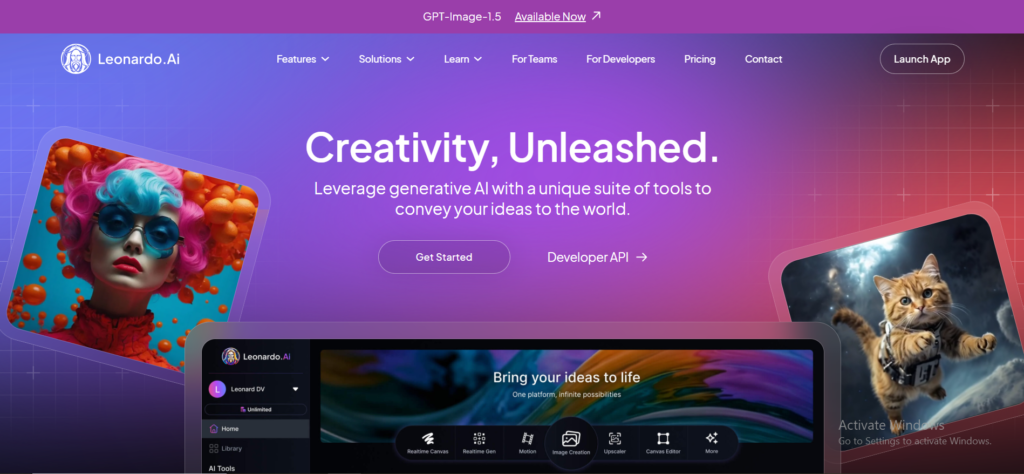
This tool is particularly well suited for designers who need concept art, illustrations, and visual assets; marketers creating ads, banners, and social media creatives; content creators and bloggers generating thumbnails and featured images; and game developers building characters, environments, and in-game assets.
Key Features of Leonardo AI
Leonardo AI stands out from many AI image generators because it focuses on quality, control, and professional-grade features. Here’s what actually matters in practice.
1. AI Image Generation from Text Prompts
Leonardo AI allows users to generate high-quality images by entering a text prompt describing characters, scenes, art styles, lighting, colours, and moods in detail. The AI converts these prompts into visually rich and accurate images across a wide range of styles. What distinguishes Leonardo from simpler generators is the choice of foundational models available — each produces different aesthetic results, and selecting the right model for your task produces significantly better output than using a generic default.

2. Custom LoRA Model Training
One of Leonardo AI’s most powerful and distinctive features is LoRA (Low-Rank Adaptation) model training — the ability to train your own custom AI models on specific visual styles, character designs, or product appearances. Once trained, a LoRA model applies your defined aesthetic consistently across every generation. For anyone who needs multiple images of the same character (game developers, brand designers, illustrators), this solves the consistency problem that makes AI generation impractical for many professional workflows. The Apprentice plan includes 1 LoRA training slot per month; Artisan unlocks 20 personal model slots; Maestro provides 50.
3. Image-to-Image Generation
Leonardo AI supports image-to-image generation — you upload an existing image and use it as a reference for the AI to modify, refine, or create variations of. This is valuable for iterating on a design direction without starting from zero every time. You can change the artistic style of an existing image, improve composition, create variations for A/B testing, or use a rough sketch as the structural basis for a fully rendered final image. The control over how strongly the AI interprets versus departs from the reference is adjustable, giving you a spectrum from tight adherence to loose inspiration.
4. Prompt Guidance & Presets
For users who aren’t yet skilled at prompt engineering, Leonardo AI offers prompt guidance and ready-made presets optimised for different styles and use cases — Cinematic, Photography, Vibrant, Dark Fantasy, Anime, and more. These presets significantly reduce the trial-and-error process that beginners go through, producing reliable and stylistically consistent results without requiring deep knowledge of how to craft detailed prompts. They’re also useful for experienced users who want to establish a visual baseline quickly and then refine from there.
5. Upscaling & Image Enhancement
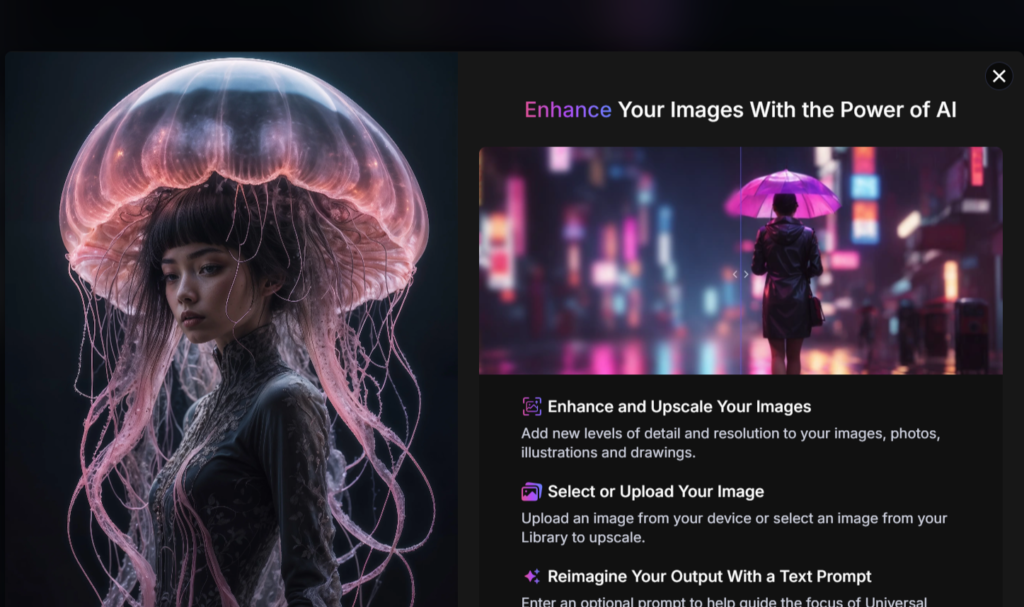
Leonardo AI includes Universal Upscaler and Alchemy Refiner tools that improve image resolution and detail clarity. Upscaling takes a standard generation and increases its resolution for high-quality prints, website use, or advertising. The Alchemy Refiner applies a second-pass enhancement that adds detail, sharpens textures, and improves overall quality — at the cost of higher token consumption (10–15 tokens vs 4–6 for a standard generation). For images that will be used professionally, this refinement step is often worth the additional token cost.
6. Background Removal & Editing Tools
The platform includes background removal, inpainting (editing specific areas of a generated image), and basic image editing tools for isolating subjects, modifying elements, and making targeted adjustments. For product images, thumbnails, social media creatives, and UI assets, the ability to remove or replace backgrounds inside Leonardo without exporting to a separate tool saves meaningful workflow time.
How Leonardo AI Works (Step-by-Step)
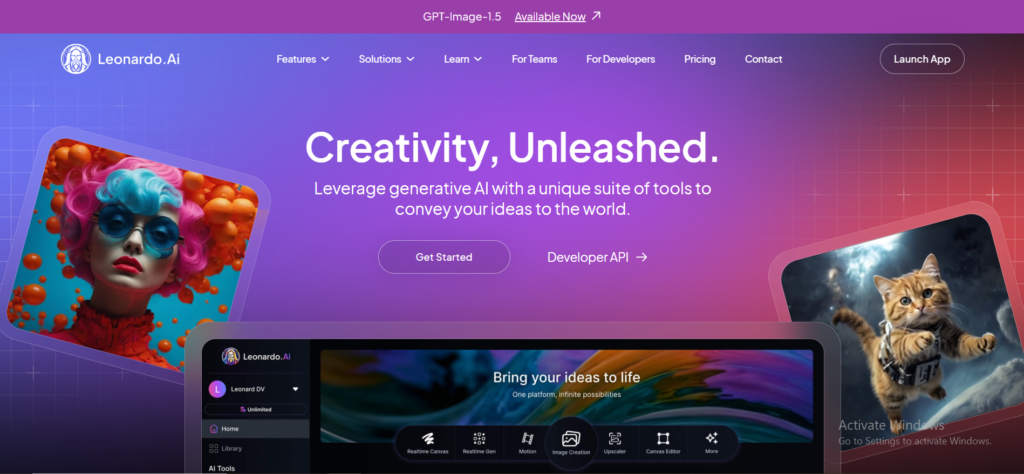
Leonardo AI is designed to be powerful yet accessible. Here’s exactly how the platform works from sign-up to final download.
Step 1 — Sign-Up
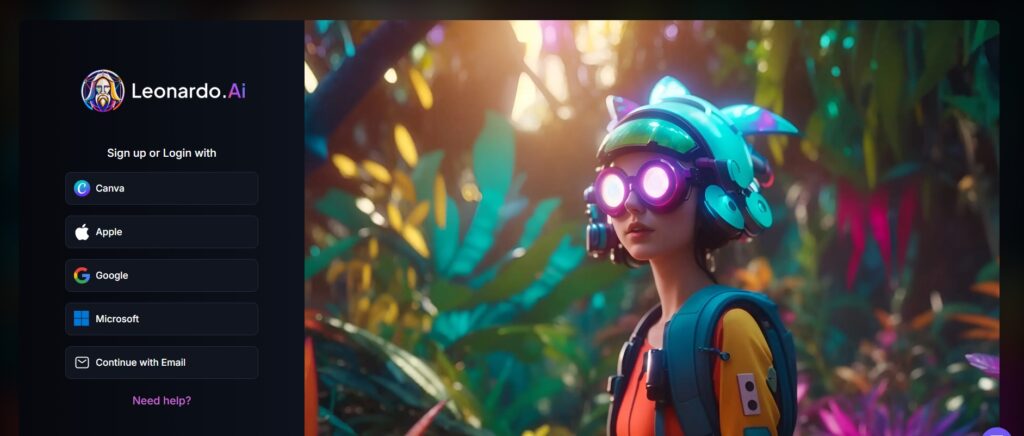
Sign up using an email address or a supported third-party login option (Google, Apple). After registration, free users receive 150 tokens per day — enough for approximately 25–37 standard image generations daily, depending on model and settings chosen. Paid plans unlock monthly token allocations, private generations, and advanced features.
Step 2 — Dashboard Overview
Once logged in, the dashboard is your control centre. From here you can start a new image generation, access your generation history, manage credits and usage, explore available AI models and presets, and train or manage custom LoRA models. The layout is clean and organised — beginners can find their way around within minutes, while the advanced options (model selector, generation settings, LoRA manager) are accessible without being overwhelming.
Step 3 — Writing a Prompt
Describe what you want to generate — subject, art style, lighting, colours, mood, camera angle. The quality of your prompt is the single biggest factor in output quality, and Leonardo’s prompt guidance tools help you structure it effectively. Negative prompts let you specify what you don’t want in the image, giving you another layer of control that’s especially useful for avoiding common AI generation artefacts.

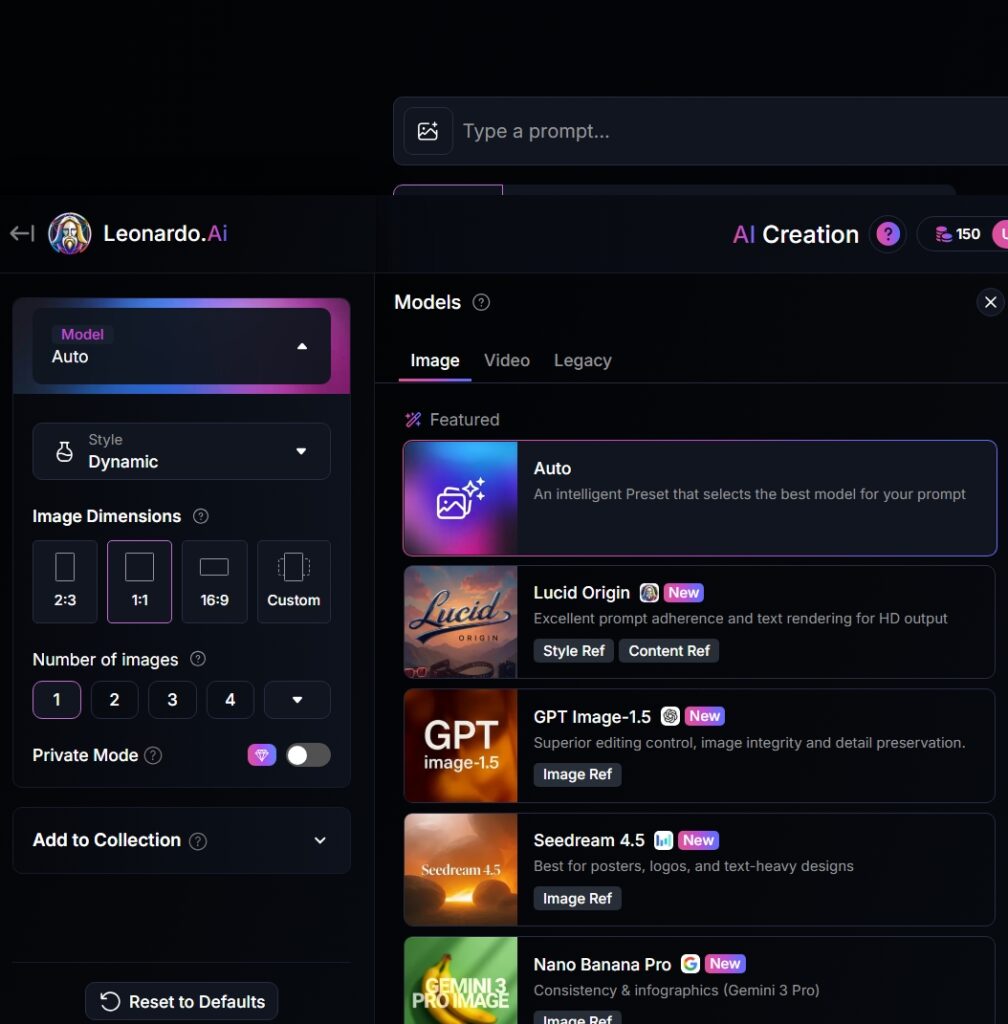
Step 4 — Selecting Styles & Models
After writing the prompt, choose from Leonardo’s foundational models — Leonardo Phoenix, Leonardo Diffusion XL, PhotoReal v2, Anime XL, and others. Each model has a distinct aesthetic and strength: Phoenix for versatile high-quality generation, PhotoReal for realistic photography-style output, Anime XL for stylised illustration. For advanced users, custom-trained LoRA models can be applied on top of any foundational model to maintain character or style consistency across a project.
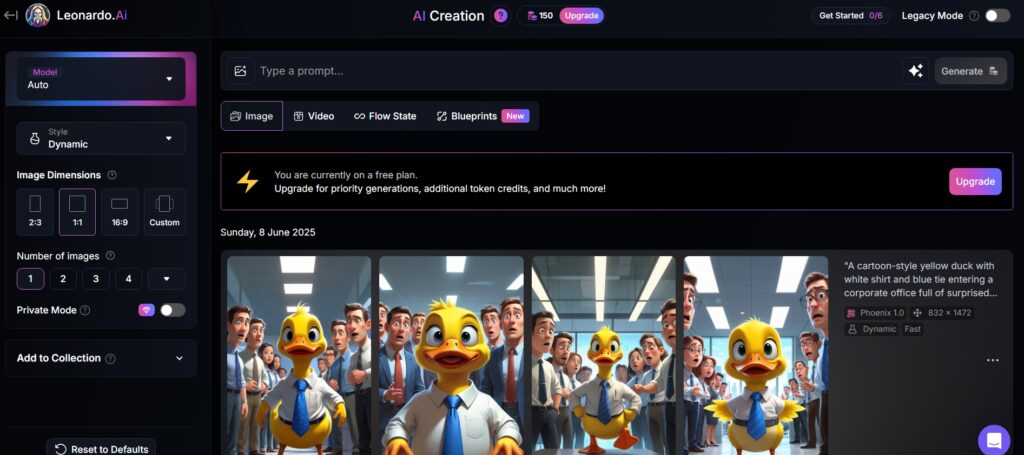
Step 5 — Generating and Downloading
Click Generate — Leonardo processes the request and produces multiple image variations (typically 2–4) within seconds. Review the results, select your preferred output, apply upscaling or refinement if needed, and download in high resolution. Paid users can download privately; free users’ generations are visible in the public community feed unless they set generations to private (which requires a paid plan).
Leonardo AI Image Quality & Styles
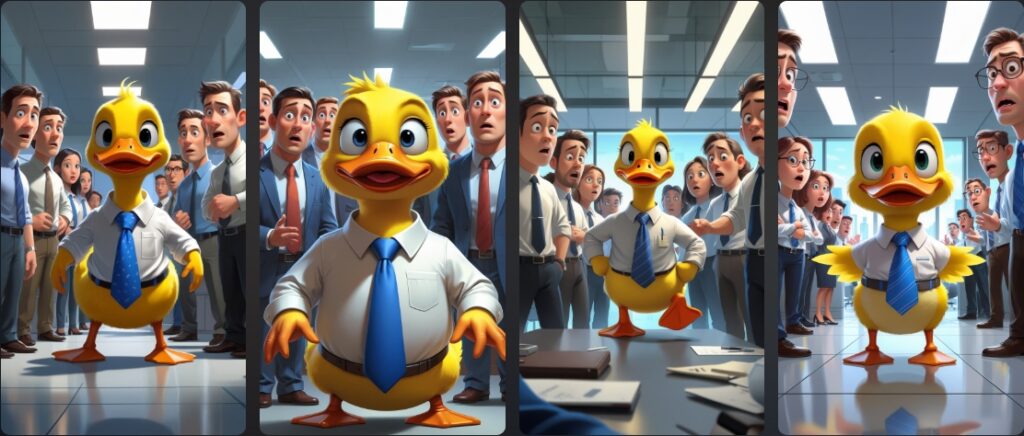
Leonardo AI’s quality and style range is one of its most significant competitive advantages. Here’s how it performs across the most common creative use cases.
Realistic Images
Leonardo’s PhotoReal v2 model excels at photo-realistic images with accurate lighting, shadows, textures, and facial details. It can generate portraits, product shots, environments, and lifestyle visuals that closely resemble professional photography — making it genuinely competitive with Midjourney for photorealism, and significantly easier to use for non-technical creators. For marketing creatives, blog visuals, and ad campaigns that need photorealistic output, this model is the starting point.

Anime & Illustration Styles
Leonardo’s Anime XL model and illustration presets produce clean line work, vibrant colours, and expressive characters with a quality level that competes with dedicated anime generation tools. Artists and content creators can generate consistent anime characters or illustration-based visuals using presets or custom LoRA models trained on their own style references. This is one of the areas where Leonardo’s custom model training delivers the most tangible value — the ability to train a model on a specific character and reuse it across dozens of images is what makes the platform production-viable for animation or webcomic work.
Concept Art & Game Assets
Leonardo AI has a particularly strong reputation in the game development community, and with good reason. It generates characters, weapons, environments, props, and textures that fit specific fantasy, sci-fi, or realistic themes with a coherence that makes assets feel like they belong together. The 3D texture generation tools are specifically useful for indie game developers who need texture maps for 3D models. The ability to maintain a consistent art style across all generated assets — through custom models — is what separates Leonardo from generalist generators for serious game development work.
Real-World Use Cases of Leonardo AI
Social Media Creatives
For social media managers and creators who publish consistently across Instagram, LinkedIn, X, and YouTube, Leonardo AI removes the bottleneck of sourcing or creating custom visuals for every piece of content. Generate a post background, story visual, or carousel illustration in seconds, with the style parameters saved from the previous generation so each new piece feels part of the same visual identity. The ability to generate multiple variations from a single prompt makes A/B testing visuals fast and affordable.
Blog & Website Images
Bloggers who publish regularly face a constant demand for custom featured images and article illustrations. Stock photos are generic and overused; custom photography is expensive and slow. Leonardo AI covers this gap — you describe the specific visual for your specific article topic and get a custom image in under a minute. For a technology blogger writing about AI infrastructure, or a fitness blogger writing about recovery techniques, the ability to generate a topic-specific image rather than choosing the least-generic stock photo available is a meaningful quality improvement.
Marketing Ads & Banners
Marketers use Leonardo AI to generate ad creatives and banners for Google Ads, Facebook Ads, and display campaigns. The platform’s ability to generate multiple variations from a single creative brief — different colour treatments, different compositional arrangements, different subject positions — supports the iterative testing process that modern performance marketing requires. Reducing the creative production bottleneck from days to minutes changes what’s commercially viable to test, which compounds positively for campaign performance.
Game Design & Character Creation
Leonardo AI’s reputation in indie game development is well-earned. Custom LoRA models let developers establish a character design, train a model on it, and generate that character in dozens of different poses, expressions, and situations without the visual drift that generic generation produces. For a small studio working with limited art budget, this capability — which previously required a dedicated character artist or very expensive commissions — makes certain types of games economically viable that weren’t before.
YouTube Thumbnails
YouTube creators who study thumbnail performance understand that the visual is often what drives click-through rate more than the title. Leonardo AI lets creators generate dramatic, eye-catching backgrounds and character compositions with the cinematic lighting and expressive energy that high-performing thumbnails typically share — and do it fast enough to test multiple thumbnail options before publishing rather than committing to the first design that looks decent.
Read the Top 10 AI Tools for Image Generation in 2026 Click Here
Leonardo AI Pricing & Plans (2026 — Accurate)
Leonardo AI uses a token-based pricing model. Tokens are consumed each time you generate an image, with cost varying based on resolution, model, and features applied. Understanding the real token consumption — not just the monthly allocation — is essential for budgeting accurately. Here are the verified 2026 prices:

| Plan | Monthly Price | Annual Price (per month) | Tokens/Month | Key Features |
|---|---|---|---|---|
| Free | $0 | $0 | 150/day (resets daily) | Public generations only, community models, no LoRA training, no private mode |
| Apprentice | $12/mo | $10/mo | 8,500/month | Private generations, Alchemy, Prompt Magic v3, 1 LoRA/month, faster speed |
| Artisan | $30/mo | $24/mo | 25,000/month | PhotoReal v2, 20 personal model slots, API access, relax mode — best value tier |
| Maestro | $60/mo | $48/mo | 60,000/month | Max priority queue, 50 model slots, highest generation speed, enterprise-scale |
Several important notes on Leonardo’s pricing that most reviews skip. First, tokens do not roll over between months on any plan — unused tokens expire at the end of each billing cycle. Second, token consumption varies significantly by feature: a standard generation costs approximately 4–6 tokens; using Alchemy Refiner costs 10–15 tokens per image (2.5x more); video generation via Veo 3 costs 2,500 tokens for a 5-second clip, meaning an Artisan plan user could exhaust their entire monthly allocation on just 10 video clips. If video generation is your primary use case, dedicated tools like Runway offer better per-video economics. Third, free users’ generations are public and Leonardo AI may use public images to improve its models — paid users retain full IP ownership of their private generations. For commercial work, the IP clarity on paid plans is important to understand before publishing AI-generated work. Annual billing saves approximately 17–20% across all paid plans.
Pros and Cons of Leonardo AI
Pros
- High-quality output across styles — photorealism, anime, concept art, and game assets all perform well
- Custom LoRA model training enables consistent character and style reproduction — a genuine professional capability
- Comprehensive feature set beyond text-to-image: upscaling, inpainting, background removal, 3D textures, video generation
- Multiple foundational models give you aesthetic variety without switching platforms
- Free plan (150 tokens/day) is more generous than most competitors — genuinely useful for casual use
- Strong and active community of shared models, prompts, and inspiration resources
- Paid users retain full IP ownership of privately generated images
Cons
- Tokens don’t roll over — unused monthly tokens expire, which creates pressure to use the platform consistently to get value from paid plans
- Alchemy Refiner and video generation are significantly more credit-intensive — can exhaust tokens much faster than expected
- Free plan generations are public — not suitable for commercial or client work where privacy matters
- Custom model training (LoRA) has a learning curve — requires proper training data preparation to produce useful results
- Output variability on complex prompts — text within images and very specific compositions often require multiple iterations
- Artisan’s API access makes it the professional tier, but the $30/mo monthly price (vs $12 Apprentice) is a significant jump
Leonardo AI vs Competitors
Leonardo AI is most commonly compared against three tools: Midjourney (best artistic quality), Stable Diffusion (open source, maximum control), and DALL·E (OpenAI’s model, integrated into ChatGPT). Here’s the honest comparison across the dimensions that actually drive decisions:
| Factor | Leonardo AI | Midjourney | Stable Diffusion | DALL·E 3 |
|---|---|---|---|---|
| Starting Price | Free / $12/mo | $10/mo (no free) | Free (local) / $9/mo hosted | Included with ChatGPT Plus ($20/mo) |
| Image Quality | High across styles | Highest — best aesthetic | High (model-dependent) | Good — best for accuracy |
| Custom Model Training | Yes — LoRA training | No | Yes — most flexible | No |
| Ease of Use | Very Good | Moderate (Discord-based) | Complex (technical) | Easiest |
| Private Generations | Paid plans only | Pro plan ($60/mo) | Always (local) | Yes |
| Commercial Rights | Paid plans — full ownership | Paid plans | Yes | Yes |
| Best For | Game assets, anime, consistency | Artistic quality, creatives | Custom workflows, offline | Accuracy, ChatGPT integration |
Read the detailed comparison: Leonardo AI vs Midjourney Click Here
Read the detailed comparison: Leonardo AI vs DALL·E Click Here
Read the detailed comparison: Leonardo AI vs Stable Diffusion Click Here
Leonardo AI for Beginners: Tips & Best Practices
1. Write Better Prompts
A good prompt is the single biggest lever for improving your output quality. Structure prompts clearly: start with the main subject, add the art style, include lighting and mood details, and mention camera angle or composition if it matters. Here’s a practical example of the difference specificity makes:
Vague: “portrait of a man”
Specific: “Ultra-realistic portrait of a young man with sharp jawline, soft studio lighting, shallow depth of field, blue background, professional photography style, 85mm lens”
The second prompt will produce a dramatically better result. Use negative prompts (what you don’t want) to eliminate common artefacts — blurry, watermark, text, deformed hands — which appear frequently in AI generation without guidance.
2. Use Presets to Find Your Direction
When starting a new project, try the same prompt across three or four different presets before committing to one direction. Presets dramatically change the aesthetic output even from identical text, and finding the right preset early saves credits spent on post-generation refinement. Once you’ve found the aesthetic that fits your project, stick to the same preset across all generations to maintain visual consistency without custom model training.
3. Manage Credits Strategically
The single most effective way to preserve tokens is to generate at lower resolution (512×512, which costs approximately 8 tokens vs 16 for 1024×1024) during the exploration and iteration phase, and only upscale the images you decide to keep. This approach can cut token consumption by 40–50% during the ideation phase. Similarly, reserve Alchemy Refiner for final images rather than applying it to every generation — the quality improvement is real but the token cost is 2–3x higher than standard generation.
Final Verdict: Is Leonardo AI Worth It in 2026?
Yes — for creators who need professional-level AI image generation with genuine control over style, consistency, and commercial rights. Leonardo AI occupies a meaningful position in the AI image generator landscape: more accessible than Stable Diffusion (no technical setup, no local hardware requirements), more feature-rich than DALL·E (custom model training, multiple foundational models, game asset tools), more affordable than Midjourney at the paid tier (free plan available, Apprentice at $12/mo), and more capable of style consistency than most competitors through LoRA training.
The honest limitations to go in with: the free plan’s public visibility makes it unsuitable for commercial or client work; the token system requires strategic use to avoid running dry mid-project, particularly if you use Alchemy Refiner heavily; and the custom model training, while powerful, requires time investment to do well. For casual experimentation and learning, the free plan is genuinely one of the most generous in the category. For professional or consistent commercial use, the Apprentice plan ($12/month) is the minimum practical tier, and Artisan ($30/month, or $24 annually) is the sweet spot for serious creators who need API access and higher token volume.
Is Leonardo AI free?
Yes — Leonardo AI offers a permanent free plan with 150 tokens per day, which translates to approximately 25–37 standard image generations daily depending on model and settings. The free plan is genuinely useful for casual use and experimentation. The main limitations are that generations are public (visible in the community feed), there’s no LoRA model training, and no private mode — making it unsuitable for commercial or client work where privacy matters. Paid plans start at $12/month (Apprentice) for private generations and advanced features.
Can I use Leonardo AI images commercially?
Yes — paid plan subscribers retain full IP ownership and copyright of their privately generated images, making them fully usable for commercial purposes including selling, publishing, ad campaigns, and client work. Free plan users retain a licence to use their creations for commercial purposes, but Leonardo AI can also use, modify, and share public free-plan images to improve its services. For professional commercial work, a paid plan is strongly recommended to ensure clear IP ownership and privacy of your generations.
Is Leonardo AI better than Midjourney?
It depends on what you need. Midjourney produces the highest artistic quality output with its single proprietary model — it has a distinctive aesthetic that many artists prefer, and its community resources are extensive. Leonardo AI has a more generous free tier, custom LoRA model training for style consistency, more foundational models to choose from, a browser-based interface (Midjourney uses Discord), lower starting price, and better commercial accessibility. For game developers, illustrators, and creators who need style consistency across multiple images, Leonardo’s LoRA training is a decisive advantage. For pure artistic quality on a single aesthetic style, Midjourney is still the benchmark.
Does Leonardo AI support anime and realistic art styles?
Yes — Leonardo AI has dedicated models and presets for both. Anime XL is optimised specifically for anime and manga-style illustrations with clean linework, vibrant colours, and expressive characters. PhotoReal v2 is optimised for photorealistic output with accurate lighting, skin textures, and environmental details. Users can switch between these and other models (Leonardo Phoenix, Diffusion XL, and more) on a per-project basis, or combine them with custom LoRA training to create a distinct personal style that applies consistently across all generations.
What are Leonardo AI tokens and how many do I need?
Leonardo AI tokens are usage credits that are consumed each time you generate an image or use a platform feature. A standard image generation costs approximately 4–6 tokens; using Alchemy Refiner costs 10–15 tokens per image; video generation (Veo 3, 5 seconds) costs 2,500 tokens. The free plan gives 150 tokens per day (~25–37 standard images). Apprentice gives 8,500 tokens/month (~1,400–2,100 standard images). Artisan gives 25,000 tokens/month. Tokens do not roll over between months on any plan. For creators who primarily generate standard images, Apprentice is sufficient for moderate use. For heavy users or those who regularly use Alchemy Refiner, Artisan’s larger allocation delivers meaningfully better economics per token.
What is LoRA training in Leonardo AI?
LoRA (Low-Rank Adaptation) is Leonardo AI’s custom model training feature that lets you train the AI on a specific visual style, character design, or product appearance. You provide reference images, train the model, and then apply it to any future generation to reproduce that specific aesthetic consistently. This is the feature that distinguishes Leonardo for professional game development and character design work — it solves the visual drift problem where each generation of ‘the same character’ looks slightly different. Apprentice plan includes 1 LoRA training slot per month; Artisan provides 20; Maestro provides 50.
How does Leonardo AI handle video generation?
Leonardo AI includes video generation through Veo 3 integration, allowing users to generate short video clips from text prompts. However, video generation is extremely token-intensive — a single 5-second clip costs 2,500 fast tokens. On the Artisan plan (25,000 tokens/month), that means approximately 10 video clips before exhausting your monthly token allocation. If video generation is a primary use case rather than an occasional feature, dedicated video AI tools like Runway ($15–$95/month) or HeyGen offer better per-clip economics and more video-specific controls.
Which Leonardo AI plan is best for most creators?
For most individual creators using Leonardo AI professionally, the Artisan plan at $24/month (annual billing) is the sweet spot. It provides 25,000 tokens/month — enough for approximately 4,000–6,000 standard images — plus PhotoReal v2, 20 personal LoRA model slots, API access, and relax mode for off-peak generations when fast tokens are exhausted. The Apprentice plan at $10/month (annual) is sufficient for moderate use, light commercial work, and creators who don’t need API access. Maestro at $48/month (annual) is designed for high-volume production teams or studios where speed and generation volume are the primary constraints.





I am Ashish Yadav a software engineer and AI tools researcher with over five years of practical experience working with real-world systems and automation. I am founder of CognifyFuture, where I analyzes, tests, and breaks down AI tools with a focus on what actually works—not what’s trending.
My content is built on hands-on usage, not theory. Instead of generic advice, I focuses on real implementation—how AI tools can be used to automate tasks, improve efficiency, and solve any specific business or individual problems.
Through CognifyFuture, My aims is to eliminate confusion around AI by delivering clear, honest, and actionable insights that help users make smarter technology decisions.







