
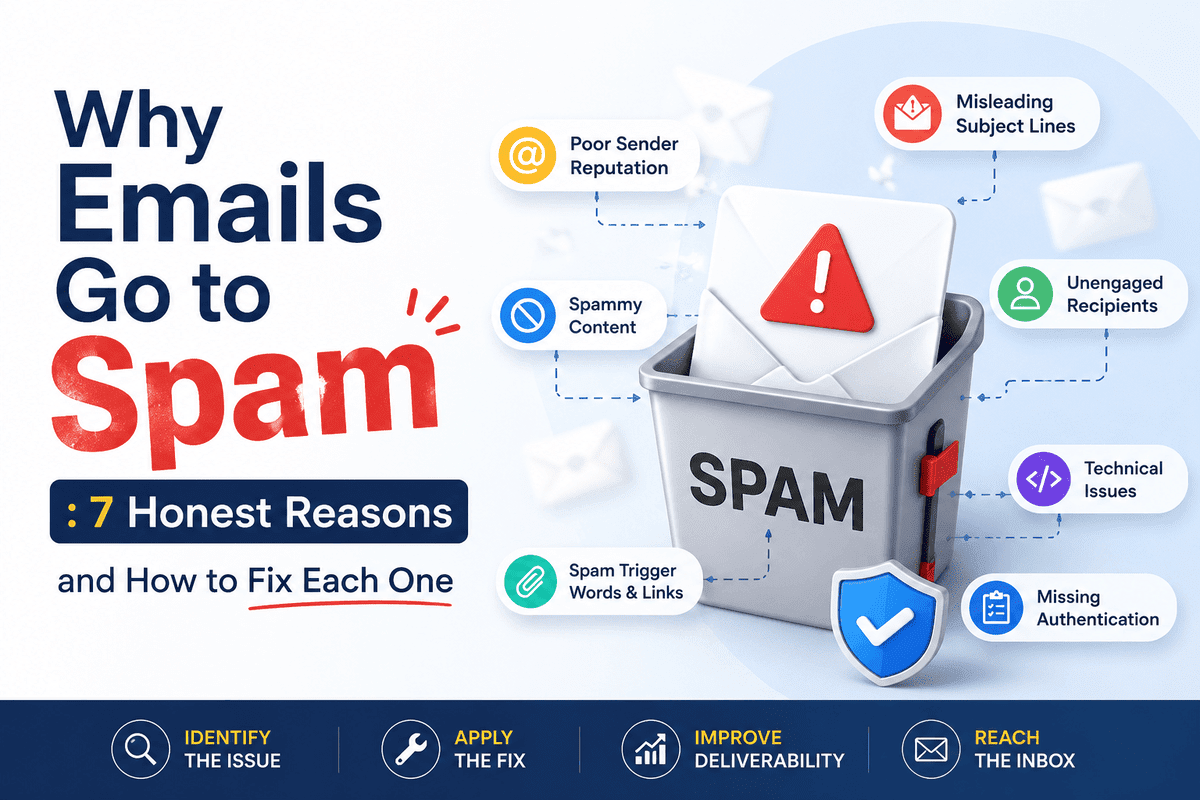
Why do some of your emails land straight in the inbox while others vanish into spam, even when you didn’t change anything about what you’re sending?
The honest answer is that “spam” isn’t one problem — it’s a handful of separate technical and behavioral signals, and Gmail, Yahoo, and Microsoft have all made their requirements significantly stricter and more enforced heading into 2026. Roughly 46-47% of all email traffic globally is spam (around 176 billion junk messages a day), and Gmail alone blocks over 15 billion of them daily. The filtering systems built to catch that volume are aggressive, and legitimate senders who skip a few technical basics get caught in the same net.
While Drafting Why Emails Go to Spam,I went through the current 2026 requirements and the practical, non-technical factors that affect deliverability to answer the questions that actually matter for a small business or blog owner sending email:
- What are SPF, DKIM, and DMARC, in plain language — and do you actually need all three?
- Does the “5,000 emails a day” bulk sender rule apply to a small business or blog?
- What causes emails to go to spam beyond technical authentication?
- How do you actually check whether your setup is correct?
Short answer: set up SPF, DKIM, and DMARC for your sending domain regardless of your volume — filtering algorithms favor authenticated mail even for senders well below the bulk threshold. Keep your spam complaint rate under 0.1% as a safety margin (0.3% is where enforcement kicks in). Use a real unsubscribe link and honor requests within two days. Beyond authentication, list hygiene, engagement rate, and avoiding sudden volume spikes matter more than most senders realize. Below, I’ll walk through each piece in plain language.
Why Emails Go to Spam: SPF, DKIM, and DMARC, Explained Without the Jargon
These three acronyms show up in every deliverability guide, and they’re genuinely not complicated once you strip away the technical terminology.
SPF (Sender Policy Framework) is a list, published in your domain’s DNS settings, of which mail servers are allowed to send email on your behalf. Think of it as a guest list at a door — if a server isn’t on the list, the receiving mailbox is more suspicious of anything claiming to come from your domain.
DKIM (DomainKeys Identified Mail) attaches a digital signature to each email that proves it actually came from your domain and wasn’t altered in transit. If SPF is the guest list at the door, DKIM is a wax seal on the envelope confirming nobody tampered with it along the way.
DMARC (Domain-based Message Authentication, Reporting, and Conformance) ties the two together and tells receiving mail servers what to do when a message fails SPF or DKIM — ignore it (policy: none), send it to spam (quarantine), or block it entirely (reject). DMARC also gives you reporting, so you can see who’s sending email claiming to be from your domain, including any spoofing attempts.
You technically only need one of SPF or DKIM to satisfy the baseline alignment requirement for DMARC to pass, but 2026 guidance from Gmail and Yahoo increasingly expects both, especially for any meaningful sending volume. Setting up just one and skipping the other is a common gap that quietly hurts inbox placement even when nothing looks obviously broken.
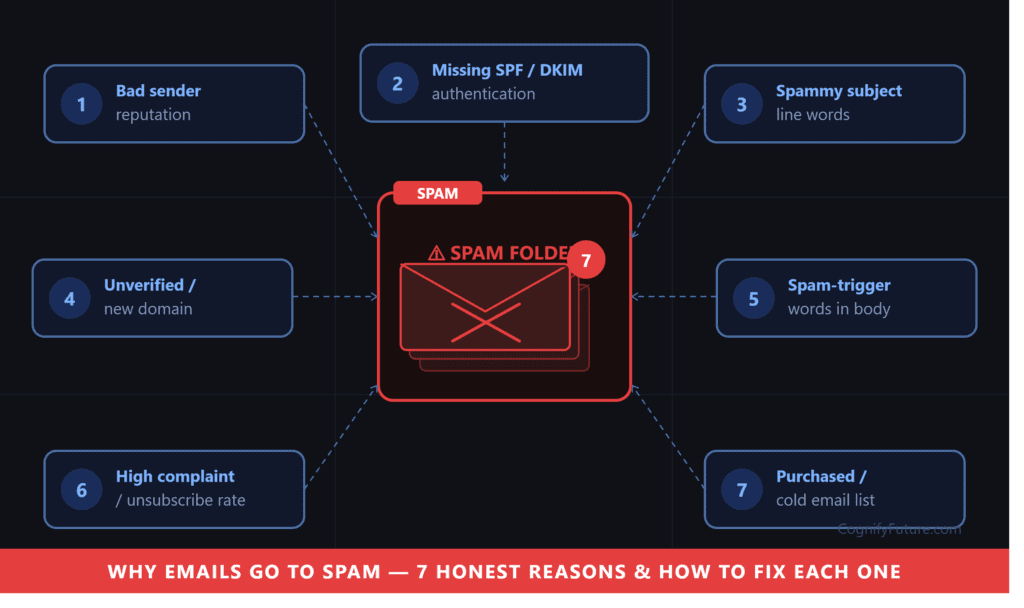
Does the 5,000-Email Bulk Sender Rule Apply to You?
Google defines a bulk sender as any domain sending 5,000 or more messages per day to personal Gmail or Yahoo addresses. Once a domain crosses that threshold even once, it’s permanently classified as a bulk sender — the classification doesn’t reset if your volume later drops.
For most small businesses and blogs sending a weekly newsletter to a few thousand subscribers, this specific threshold won’t be crossed. But here’s the part that catches people off guard: the underlying filtering algorithms that catch non-compliant bulk mail are applied broadly, not just to senders who’ve technically crossed the line. A domain without SPF or DKIM set up is viewed with more suspicion by spam filters regardless of volume, because that’s exactly the signature of a typical spam operation. In practice, this means the authentication setup described above is worth doing even if you’ll never come close to 5,000 emails a day — it’s not just a bulk-sender requirement, it’s a baseline trust signal for any sender.
The Spam Complaint Rate: Why 0.3% Is Not Your Real Target
Gmail’s hard enforcement threshold is a spam complaint rate of 0.3% — cross it, and your domain becomes ineligible for delivery support until the rate stays below that level for seven consecutive days. But Google’s own guidance recommends staying under 0.1%, treating 0.3% as the point where things have already gone wrong rather than a safe operating ceiling.
The math here matters more than it might seem: a sender delivering just 10,000 emails needs only 30 spam reports to hit the 0.3% threshold. For a small list, a handful of annoyed recipients clicking “report spam” instead of unsubscribing can meaningfully damage your sending reputation. This is exactly why a visible, working unsubscribe link matters so much — someone who can easily opt out has no reason to click “report spam” instead, but someone who can’t find an unsubscribe option, or whose unsubscribe request doesn’t actually work, is far more likely to use the spam button out of frustration.
One-click unsubscribe (via a List-Unsubscribe header, not just a link buried in the footer) and honoring unsubscribe requests within two business days are both explicit requirements for bulk senders in 2026, and good practice regardless of your volume.
Using a Third-Party Email Platform? Check This One Setting
If you send through Mailchimp, Brevo, ConvertKit, or any other dedicated email marketing platform rather than your own mail server, there’s a specific setup step that’s easy to miss: custom domain authentication.
By default, many platforms sign outgoing email with their own domain’s DKIM key rather than yours. This means your emails technically pass DKIM, but the signing domain doesn’t match your sending domain — breaking DMARC alignment even though authentication is technically “working.” The fix is enabling custom domain authentication inside your email platform’s settings (most call this exactly that, or “domain verification”), which configures DKIM to sign with your own domain instead of the platform’s. Skip this step, and your emails may appear to come from your ESP’s domain via your address, which is exactly the kind of mismatch DMARC alignment checks are designed to catch.
For platform-specific deliverability features and setup guidance, see our MailerLite Review 2026 and Brevo vs Mailchimp 2026 comparison.
The SPF 10-Lookup Limit: A Quiet Killer for Multi-Tool Senders
SPF records have a technical limit of 10 DNS lookups. Every third-party tool you authorize to send on your behalf — your email marketing platform, your CRM, your help desk software, your accounting tool sending invoice receipts — typically adds one or more lookups to your SPF record. Businesses using several tools (a CRM, a marketing platform, a transactional email service, and a support ticketing system, for example) can exceed this limit without realizing it.
When you exceed 10 lookups, SPF doesn’t partially fail — it fails completely with a permanent error (PermError), and deliverability across the board tends to drop sharply. If you’ve added several sending tools over time and haven’t audited your SPF record recently, this is one of the more common, harder-to-diagnose causes of a sudden deliverability problem with no obvious recent cause.
Beyond Authentication: What Else Triggers Spam Filtering
List Hygiene and Engagement Rate
Mailbox providers track how recipients interact with your email — opens, clicks, deletions without opening, and moves to spam. A list full of inactive addresses (people who haven’t opened anything from you in six months or more) drags down your overall engagement rate, which signals to spam filters that your mail isn’t wanted, even if the content itself is perfectly legitimate. Periodically removing or re-engaging inactive subscribers protects the deliverability of email going to your genuinely active subscribers.
Sudden Volume Spikes
If you typically send a few hundred emails a week and suddenly send fifty thousand because of a big promotion or a major list import, that spike itself can trigger spam filtering, independent of content or list quality. Sending reputation builds gradually; a sudden, large jump looks similar to what a spam operation does when it acquires a new list, and filters respond accordingly. Ramping up gradually, especially after a significant list growth event, protects your sending reputation during the transition.
Spam Trigger Words and Excessive Formatting
Classic spam trigger words (all-caps subject lines, excessive exclamation points, phrases like “act now” or “100% free”) still carry some weight in modern filtering, though their impact has diminished relative to authentication and engagement signals. More relevant today is an email’s overall format: a message that’s a single large image with almost no text, or one with a wildly disproportionate ratio of links to actual content, reads as suspicious to filters that have learned what genuine spam typically looks like structurally.
Don’t Impersonate Gmail Senders
Gmail is actively enforcing a DMARC quarantine policy specifically targeting emails that use a @gmail.com address in the From header without actually being sent through Gmail’s own infrastructure. If your setup somehow involves sending “from” a Gmail address through a third-party tool, this is increasingly likely to be filtered or rejected outright — always send from your own domain rather than a free email address.
Why Emails Go to Spam: Microsoft Joined Enforcement Too — and It Behaves Differently
Gmail and Yahoo’s approach to non-compliant mail is to filter it to spam, which at least means the email technically arrives somewhere. Microsoft, which joined bulk sender enforcement in mid-2025, takes a stricter approach: non-compliant messages are rejected outright with a bounce message, never reaching the inbox or the spam folder at all.
This distinction matters practically. If you’re only checking whether your emails are landing in Gmail’s spam folder, you might miss that a meaningful portion of your list on Outlook.com, Hotmail, or a Microsoft 365-hosted business domain is bouncing entirely without any indication in your sending platform beyond a generic delivery failure. If any meaningful portion of your subscriber list uses Microsoft-hosted email, the same SPF, DKIM, and DMARC setup described above applies, and it’s worth checking bounce logs specifically for Microsoft domains rather than assuming “no spam complaints” means “no delivery problems.”
A Quick Diagnostic: Matching Symptoms to Likely Causes
If you’re trying to figure out which of the issues above is actually affecting you, the specific symptom usually points toward a specific cause.
Emails were landing fine, then suddenly started going to spam with no obvious change on your end: check whether you recently added a new sending tool that could have pushed your SPF record over the 10-lookup limit, or whether you recently imported a large list or sent an unusually high-volume campaign.
Emails have always had spotty deliverability, particularly to Gmail addresses specifically: this points toward an authentication gap — run the “Show original” test described below and confirm all three checks pass with aligned domains.
Deliverability is fine on Gmail but you’re getting reports of emails never arriving at all for Outlook or Hotmail addresses: this is the Microsoft outright-rejection pattern described above, and the fix is the same authentication setup, just verified specifically against Microsoft’s requirements rather than Gmail’s.
You recently switched email platforms or migrated domains: DKIM failures are particularly common immediately after a platform migration or DNS change, since the new platform’s signing keys need to be correctly added to your DNS — this is the first thing to re-verify after any migration.
How to Actually Check Your Current Setup
You don’t need to guess whether your authentication is correctly configured — there are direct ways to check.
Send yourself a test email to a Gmail account and open “Show original” from the message options menu. Gmail displays the SPF, DKIM, and DMARC results directly at the top of the raw message — each should show “PASS” with aligned domains. A “FAIL” or “SOFTFAIL” result tells you exactly which piece needs attention.
Google Postmaster Tools is the most direct way to monitor your domain’s standing with Gmail specifically. Setup takes about five minutes (verify domain ownership via a DNS record), and it starts showing your spam rate, authentication status, and delivery data shortly after. Google redesigned this tool in October 2025, replacing the old High/Medium/Low reputation score with a binary Compliance Status — you either pass or fail the current requirements, which makes it much clearer exactly what needs fixing if something’s wrong.
Third-party deliverability checkers (several offer free tiers) can validate SPF, DKIM, and DMARC configuration across dozens of mailbox providers at once, which is useful if a meaningful portion of your list uses providers other than Gmail.
A Practical Checklist for Small Senders
- Set up SPF and DKIM for your sending domain, even if you’re nowhere near 5,000 emails a day
- Publish a DMARC record, starting at p=none if you’re not ready to enforce quarantine or reject yet
- If using a third-party email platform, enable custom domain authentication so DKIM signs with your domain, not theirs
- Audit your SPF record if you use several sending tools, to confirm you’re under the 10-lookup limit
- Add a visible, working one-click unsubscribe link, and process requests within two days
- Periodically clean inactive subscribers rather than letting engagement rate quietly decline
- Ramp up sending volume gradually after major list growth events rather than spiking suddenly
- Check Google Postmaster Tools periodically, even if you’ve never had an obvious deliverability problem
For a broader view of platforms with strong built-in deliverability tooling, see our GetResponse Review 2026.
Does Your Email Platform Choice Affect Deliverability?
Somewhat, but probably less than most senders assume. Established email marketing platforms generally maintain good baseline sending reputations across their shared infrastructure, and most of the deliverability factors covered in this guide — authentication setup, list hygiene, engagement, complaint rate — are within your control as the sender, not determined by which platform you happen to use.
Where platform choice does matter is in how easy the platform makes it to get these things right. Some platforms surface custom domain authentication clearly during onboarding and nudge you toward completing it; others bury the setting deeper in account settings where it’s easy to skip entirely. Similarly, platforms vary in how proactively they flag list hygiene issues (high bounce rates, inactive segments) versus leaving you to notice the problem only after deliverability has already degraded.
If deliverability tooling and ease of authentication setup are a priority in your platform decision, our Best Email Marketing and Automation Tools 2026 roundup and individual platform reviews cover this specifically, alongside pricing and automation depth.
Final Verdict
Most “why is my email going to spam” problems trace back to one of two categories: a missing or misconfigured piece of authentication (SPF, DKIM, or DMARC, or a custom domain authentication setting left disabled on a third-party platform), or a behavioral signal building up over time (low engagement, a sudden volume spike, or a creeping spam complaint rate). Neither category requires deep technical expertise to fix, but both require actually checking rather than assuming everything is fine because nothing looks obviously broken.
If you do nothing else after reading this, do two things this week: confirm SPF, DKIM, and DMARC are all correctly configured and aligned using the “Show original” test described above, and make sure your unsubscribe link actually works and is honored quickly. Those two checks alone resolve the large majority of avoidable spam-folder problems for small to mid-sized senders.
Related Reading
- Best Email Marketing and Automation Tools 2026 (full roundup)
- Email Marketing Compliance: GDPR, CAN-SPAM & CASL
- Email Marketing Metrics Explained
1. Why are my emails going to spam even though I’m a small sender?
Spam filtering algorithms favor authenticated mail (SPF, DKIM, DMARC) regardless of sending volume, not just for senders who’ve crossed the 5,000-email bulk sender threshold. A domain without proper authentication is viewed with more suspicion by filters even at low volume, since that’s a common signature of spam operations.
2. Do I need SPF, DKIM, and DMARC, or just one of them?
Technically, DMARC requires alignment with only one of SPF or DKIM to pass. However, 2026 guidance from Gmail and Yahoo increasingly expects both to be configured, especially for any meaningful sending volume. Setting up only one is a common gap that quietly hurts inbox placement.
3. What is the 5,000 email bulk sender rule, and does it apply to me?
Google classifies any domain sending 5,000 or more emails per day to personal Gmail or Yahoo addresses as a bulk sender, with additional authentication requirements. Most small businesses and blogs won’t cross this threshold, but the underlying filtering still favors properly authenticated mail at any volume.
4. What spam complaint rate should I actually aim for?
Google’s hard enforcement threshold is 0.3%, but the recommended safe target is under 0.1%. A sender delivering 10,000 emails needs only 30 spam reports to hit 0.3%, so even a small number of complaints relative to total volume can be damaging.
5. I use Mailchimp or Brevo — do I still need to worry about authentication?
Yes. Third-party platforms typically handle DKIM signing using their own domain by default unless you enable custom domain authentication in your account settings. Without this, your DKIM signing domain may not align with your actual sending domain, breaking DMARC alignment even though basic authentication appears to be working.
6. What is the SPF 10-lookup limit and why does it matter?
SPF records can only trigger 10 DNS lookups. Each third-party sending tool you authorize (email platform, CRM, help desk, accounting software) typically adds lookups. Exceeding 10 causes a permanent SPF failure (PermError) that affects all your mail, not just mail from the tool that pushed you over the limit.
7. How do I check if my email authentication is set up correctly?
Send a test email to a Gmail account, open ‘Show original’ from the message options, and check that SPF, DKIM, and DMARC all show ‘PASS’ with aligned domains. Google Postmaster Tools also provides ongoing monitoring of your domain’s spam rate and authentication status, including a redesigned binary Compliance Status as of late 2025.
8. Besides authentication, what else causes emails to land in spam?
List hygiene and engagement rate matter significantly — a list full of inactive subscribers drags down engagement signals. Sudden volume spikes (a big promotion or large list import) can also trigger filtering independent of content quality, since they resemble patterns seen in spam operations.





I am Ashish Yadav a software engineer and AI tools researcher with over five years of practical experience working with real-world systems and automation. I am founder of CognifyFuture, where I analyzes, tests, and breaks down AI tools with a focus on what actually works—not what’s trending.
My content is built on hands-on usage, not theory. Instead of generic advice, I focuses on real implementation—how AI tools can be used to automate tasks, improve efficiency, and solve any specific business or individual problems.
Through CognifyFuture, My aims is to eliminate confusion around AI by delivering clear, honest, and actionable insights that help users make smarter technology decisions.







