
Affiliate Disclosure: This Zoho CRM review may contain affiliate links. If you sign up through them, I may earn a small commission at no extra cost to you. I only recommend tools I have personally evaluated, and this never affects my honest opinion.
Managing customer relationships isn’t optional anymore — it’s the engine that drives revenue, retention, and growth. Whether you’re a startup founder trying to stop leads from falling through the cracks, a sales manager needing visibility across a growing team, or a mid-sized business looking to replace spreadsheets with a proper system, the right CRM changes everything. And one name keeps coming up across all of those conversations: Zoho CRM.
Over 250,000 businesses worldwide use Zoho CRM. But is it actually the right tool for your business — or does it just look good on paper? In this detailed Zoho CRM review, I’ll break down the features that matter, the real 2026 pricing (with actual numbers, not just plan names), how it compares to Salesforce and HubSpot, honest pros and cons, and practical use cases that show what the platform looks like in real business workflows.
What Is Zoho CRM?
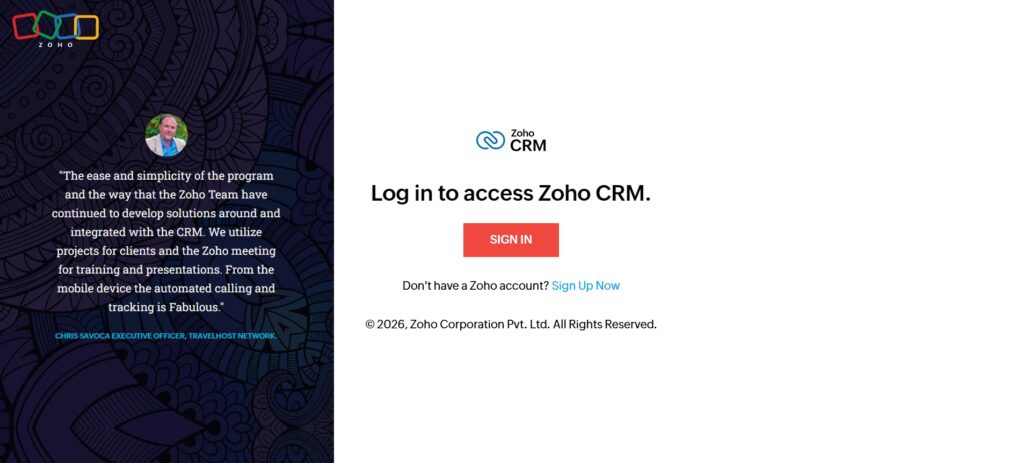
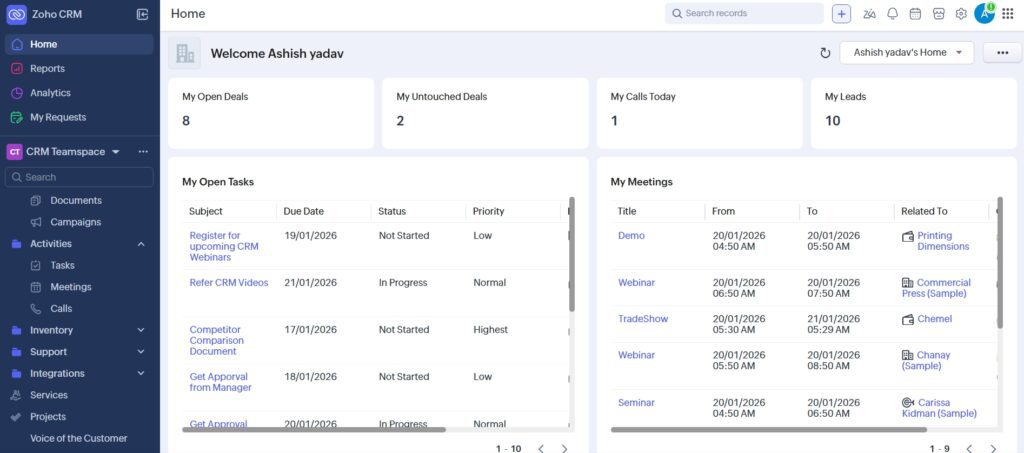
Zoho CRM is a cloud-based customer relationship management platform designed to help businesses manage leads, track sales, automate workflows, and improve customer engagement — all from a single dashboard. Built by Zoho Corporation, it sits at the centre of a larger ecosystem of 50+ business applications covering finance, HR, marketing, support, and operations. That integration breadth is one of Zoho’s most significant advantages over standalone CRM tools.
Unlike Salesforce, which often requires expensive consultants and lengthy implementation, or HubSpot, which becomes costly as you scale, Zoho CRM is designed to be deployed by small to mid-sized teams without dedicated IT resources. The platform has five plan tiers — including a genuinely usable free plan — giving businesses room to start lean and expand as their needs grow.
Who Is Zoho CRM Best For?
Zoho CRM works best for small and medium businesses, startups and solopreneurs who need a scalable foundation, sales-driven teams that need pipeline visibility and automation, enterprises looking for CRM capability at a fraction of Salesforce pricing, and businesses already using Zoho’s suite of apps (where the native integrations are a significant advantage). It’s less ideal for large enterprise organisations with complex, highly customised sales operations that need Salesforce-grade ecosystem depth.
Key Features of Zoho CRM (Detailed Breakdown)
Lead & Contact Management
Zoho CRM’s lead management system lets you capture, track, and nurture leads from multiple sources — website forms, email campaigns, social media, live chat, and third-party integrations — all feeding into a unified contact database. What makes this genuinely useful is the depth of each lead profile: complete interaction history, communication logs, deal associations, and custom fields that let you track whatever data actually matters to your sales process.
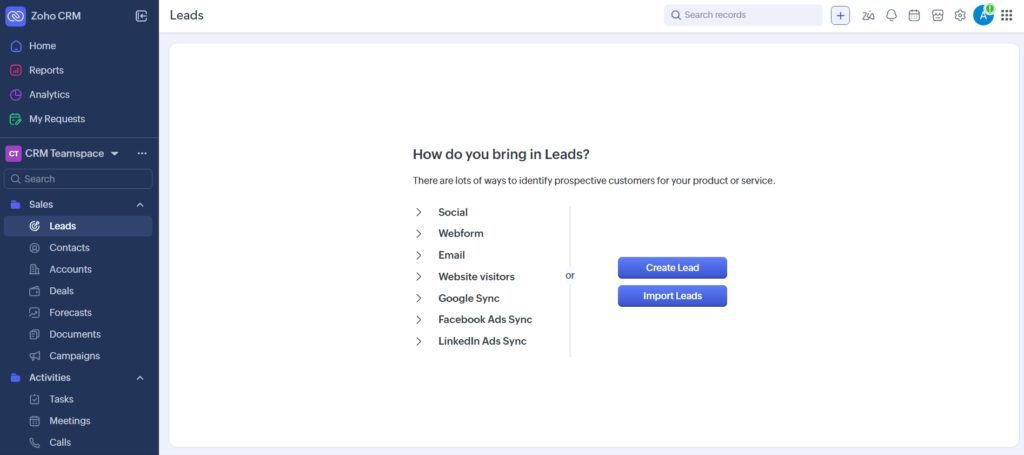
Sales reps don’t have to dig through emails or guess what was last discussed — every touchpoint is in the record. That context allows for more personalised conversations and faster deal progression, particularly in B2B environments where relationships take time to build. The web-to-lead forms are easy to set up, and the scoring system (available from Standard tier) helps teams prioritise the leads most likely to convert.
Sales Pipeline & Deal Management
Zoho CRM’s visual pipeline is one of its strongest features for sales teams. You can track deal stages in real time, forecast revenue at the pipeline level, spot bottlenecks before they cost you deals, and automate follow-up tasks based on stage changes. The pipeline is fully customisable — you define the stages, the probabilities, and the automation rules that trigger at each step.
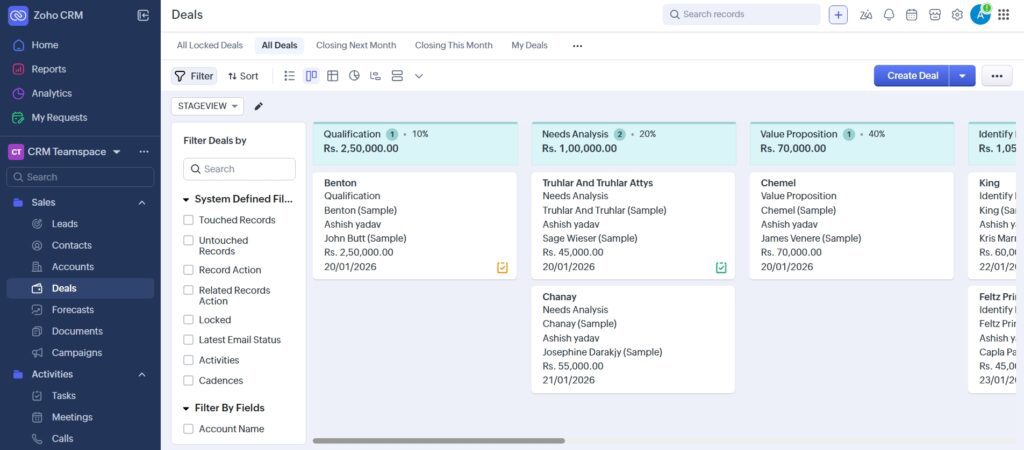
For complex B2B sales cycles with multiple stakeholders and long timelines, the ability to run multiple pipelines simultaneously (available from Enterprise tier) is particularly valuable — you can have different pipeline structures for new business, upsells, and partner deals without them bleeding into each other. The Kanban-style drag-and-drop interface makes it easy to move deals without friction.
Workflow Automation
Automation is one of the areas where Zoho CRM punches above its price point. Even on the Standard plan, you get workflow rules that can trigger automatic lead assignments, email responses, task creation, status updates, and approval workflows based on conditions you define. The Professional plan adds Blueprint — a structured process automation tool that guides your team through defined sales stages with mandatory steps, eliminating the “forgot to follow up” problem that kills deals.
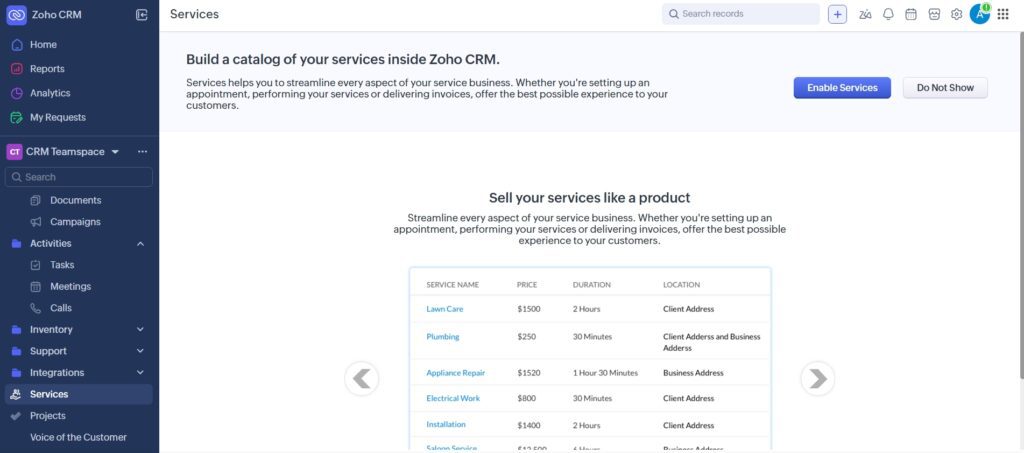
For a sales team of any size, this is where Zoho CRM’s value becomes most tangible. When a new lead comes in from your website form, the system can automatically assign it to the right rep based on territory or round-robin rules, send an immediate response email, create a follow-up task for 24 hours later, and notify the manager — all without anyone lifting a finger. That level of consistency at the top of the funnel compounds significantly over time.
AI Assistant – Zia
Zoho CRM includes Zia, an AI-powered assistant that adds a layer of intelligence on top of your sales data. Zia predicts deal closure probabilities, suggests the best times to contact each lead based on past engagement patterns, detects anomalies in your sales data (sudden drops in activity, deals stuck in a stage too long), and analyses customer sentiment from emails and calls.
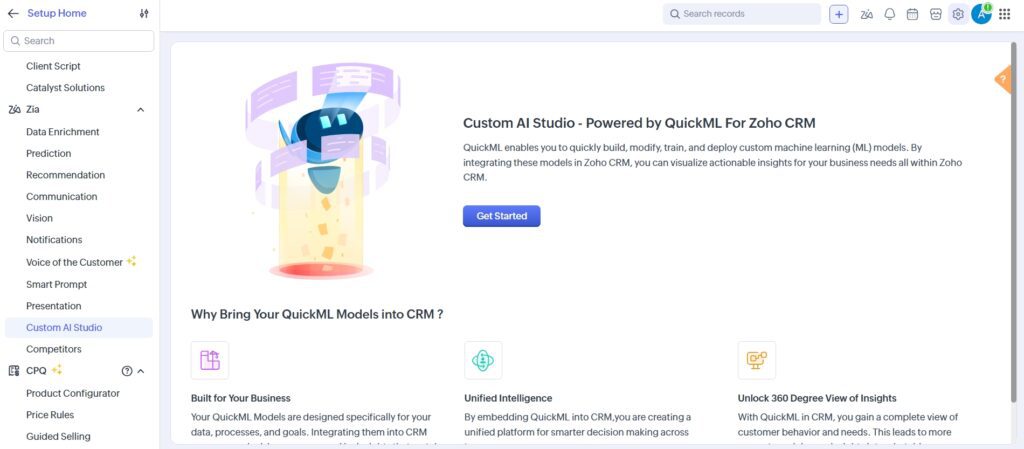
Zia is available from the Enterprise plan onwards. In practice, the deal predictions and anomaly detection are the most immediately useful features — they surface risks that would otherwise only become visible in a weekly pipeline review, allowing managers to intervene earlier. The sentiment analysis on email communications is a useful signal for prioritising follow-ups on hot deals. Compared to Salesforce’s Einstein AI (which requires premium add-on licensing at significant cost), Zia offers competitive intelligence at a fraction of the price.
Omnichannel Communication
Zoho CRM consolidates customer communication across email, phone, live chat, and social media — including Facebook, Twitter/X, and LinkedIn — into a single view. Every interaction is logged automatically against the relevant contact record, meaning no rep has to manually update the CRM after a call or email. This automatic logging is something many CRM users don’t realise they’re missing until they have it — the difference between a CRM that reflects reality and one that’s always slightly out of date.
The SalesSignals feature (Enterprise plan) takes this further by giving reps real-time notifications when a lead opens an email, visits a pricing page, or engages with your content — so they can follow up at the moment of peak interest rather than hours or days later. For B2B sales where timing matters, this feature alone can meaningfully improve conversion rates.
Customization & Scalability
Zoho CRM’s customisation depth is one of its defining advantages over similarly priced CRMs. You can create custom modules for any object that doesn’t exist by default (equipment, projects, territories, locations), add custom fields to every module, design custom page layouts for different user roles, and build custom automation rules without touching code. From the Enterprise plan onwards, Canvas Builder lets you redesign the entire CRM interface visually — useful for deploying Zoho to teams that aren’t natural CRM users and need a simplified view of only the data relevant to their role.
This customisation capability is what makes Zoho CRM suitable for industries with non-standard sales processes — real estate, healthcare, financial services, logistics — where a generic out-of-the-box CRM layout doesn’t match how the business actually works. As your business grows, Zoho CRM scales without forcing expensive platform migrations.
Zoho CRM Pricing (2026 Updated)
Zoho CRM’s pricing in 2026 is structured around five tiers — a free plan plus four paid plans — all billed per user per month. Annual billing saves approximately 20–30% compared to monthly rates. Here are the verified per-user monthly prices on annual billing:
| Plan | Annual Price (per user/mo) | Best For | Key Features Unlocked |
|---|---|---|---|
| Free | $0 (up to 3 users) | Testing the platform or micro-teams | Leads, contacts, basic workflows, 10MB storage |
| Standard | $14/user/mo | Small teams starting with CRM | Lead scoring, custom fields, email templates, 5 workflow rules |
| Professional | $23/user/mo | Growing teams needing automation | Blueprint, CPQ, inventory, Google Ads integration, cadences |
| Enterprise | $40/user/mo | Mid-sized teams, most popular tier | Zia AI, Canvas Builder, territory management, multi-user portals, sandbox |
| Ultimate | $52/user/mo | Large teams with complex reporting | Advanced BI (Zoho Analytics included), highest automation limits, priority support |
To put this in perspective: Zoho CRM Enterprise at $40/user/month includes AI (Zia), advanced automation, and territory management — features that require Salesforce Enterprise at $175/user/month or HubSpot Sales Hub Professional at $90/user/month. The Professional plan at $23/user/month includes Blueprint workflow management, a feature that costs $80/user/month on Salesforce. The price advantage is real and significant for SMBs evaluating their options.
One practical note: while the free plan is genuinely functional for up to three users, the triggers for moving to Standard are fairly quick — you’ll hit the workflow rule limit and the storage ceiling as soon as you start building any real automation. Most growing businesses land on Professional or Enterprise as their working plan.
Read Top 4 CRM Tool in 2026: Salesforce, HubSpot, Zoho & Pipedrive Compared Click Here
Zoho CRM Pros and Cons
Pros
- Exceptional price-to-feature ratio — Enterprise-level capabilities at SMB pricing
- Free plan is genuinely usable (not crippled), with up to 3 users
- Powerful workflow automation available from Standard tier
- Zia AI provides deal predictions and anomaly detection (Enterprise+)
- Deep customisation — custom modules, layouts, and Canvas Builder
- Seamless integration with 50+ Zoho apps (finance, HR, support, marketing)
- Strong mobile apps for Android and iOS with offline access
- Privately owned — no ad revenue dependency, stronger data privacy posture
Cons
- Interface has a learning curve — more complex than HubSpot’s cleaner UI
- Advanced features like Zia AI require Enterprise plan ($40/user/month minimum)
- Implementation for complex setups often needs a Zoho partner or consultant
- Third-party integration depth doesn’t match Salesforce’s AppExchange ecosystem
- Customer support quality varies — premium support requires paid add-on
Zoho CRM vs Competitors
The comparison that matters most is how Zoho CRM holds up against the two platforms it’s most frequently evaluated against: Salesforce and HubSpot. Here’s an honest breakdown across the dimensions that actually drive the decision.
| Feature | Zoho CRM | Salesforce | HubSpot CRM |
|---|---|---|---|
| Starting Price | Free / $14/user/mo | $25/user/mo (Starter) | Free / $15/user/mo |
| Enterprise Price | $40/user/mo | $175/user/mo | $90/user/mo (Sales Hub Pro) |
| AI Features | Zia (Enterprise+) | Einstein (add-on cost) | Limited on lower tiers |
| Workflow Automation | Strong from Standard | Advanced (higher cost) | Good on paid tiers |
| Ease of Use | Moderate | Complex | Best-in-class UI |
| Customisation | Very deep | Deepest | Moderate |
| Ecosystem | 50+ Zoho apps | Largest (AppExchange) | Strong HubSpot suite |
| Best For | SMBs, cost-conscious teams | Enterprise, complex ops | Marketing-led growth |
Zoho CRM vs Salesforce
Zoho CRM is dramatically more affordable — Enterprise tier at $40/user/month versus Salesforce Enterprise at $175/user/month, a 77% cost saving. Salesforce wins on raw ecosystem depth (AppExchange has thousands of integrations), enterprise-grade compliance features for regulated industries, and the ability to customise almost anything with Apex code. But for most SMBs and mid-market businesses, Zoho CRM covers 80–90% of the same functionality at 20–25% of the cost. The tradeoffs are: less implementation flexibility, a smaller partner ecosystem, and fewer native integrations with enterprise tools like SAP or Oracle.
Zoho CRM vs HubSpot
HubSpot has the best CRM interface in the market — genuinely easier to use than Zoho, with a cleaner UI and gentler onboarding. Its free CRM tier is generous, and it integrates naturally with marketing teams that are already using HubSpot’s marketing hub. The problem is the pricing cliff: HubSpot’s paid Sales Hub plans become expensive quickly as you add contacts and seats, often reaching $100–200/user/month for teams that need full automation and reporting. Zoho CRM’s Professional plan at $23/user/month includes Blueprint workflow management that costs $90/user/month on HubSpot’s equivalent tier. For teams that want automation depth without HubSpot’s premium pricing, Zoho CRM delivers stronger value — at the cost of a somewhat steeper learning curve.
Real-World Use Cases of Zoho CRM
Small Business Growth
For small teams of 2–10 people, Zoho CRM’s free or Standard plan provides enough infrastructure to stop managing sales in spreadsheets and email threads. A typical small business setup involves connecting the website contact form to Zoho CRM to auto-create leads, setting up a simple pipeline with five or six stages, and creating a workflow that assigns each new lead to a rep and creates a follow-up task for the next business day. Within a week, the team has visibility into every active deal, every pending follow-up, and a basic revenue forecast — capabilities that used to require much more expensive software.
B2B Sales Teams
For B2B sales teams with longer sales cycles — 30, 60, or 90+ day deals involving multiple stakeholders — Zoho CRM’s Enterprise plan is where the platform earns its keep. Territory management lets you organise your sales team by geography, industry, or account size without creating chaotic lead overlap. Multi-pipeline support lets managers track new business separately from renewals and upsells. Zia’s deal predictions flag at-risk opportunities before the monthly pipeline review, giving the team time to intervene. Blueprint ensures that every deal follows the right process steps — demo booked, proposal sent, legal review completed — before advancing to the next stage. For B2B teams where process discipline correlates directly with win rates, this structure has measurable revenue impact.
Customer Support Integration
With the Zoho Desk integration, sales and support teams share a unified view of every customer — a sales rep can see open support tickets before a renewal call, and a support agent can see the deal history and tier of the customer they’re helping. This closes the handoff gap that frustrates customers who have to repeat their story to every department they interact with. For businesses that care about customer experience as a growth lever rather than just a cost centre, this integration between CRM and support is genuinely valuable and much easier to achieve when both tools are in the same ecosystem.
Is Zoho CRM Secure & Reliable? (Trust Factor)
Zoho CRM meets the security and compliance standards that most businesses require. It is GDPR compliant, uses AES-256 data encryption at rest and TLS 1.2 in transit, supports role-based access control so users only see the data relevant to their role, and undergoes regular independent security audits. Two-factor authentication is available across all plans, and the Enterprise and Ultimate tiers add IP restriction, field-level access permissions, and audit logs.
One trust factor that’s often overlooked in CRM evaluations: Zoho Corporation is privately owned and has never taken external funding or gone public. This means the company has no obligation to monetise user data for advertising purposes, and no pressure from institutional investors to cut corners on product investment or support. For businesses cautious about their customer data sitting in a platform whose business model depends on data monetisation, Zoho’s ownership structure is a genuine differentiator.
Final Verdict – Is Zoho CRM Worth It in 2026?
Yes — particularly for SMBs, growing sales teams, and any business that wants enterprise-grade CRM capability without enterprise-grade pricing. Zoho CRM delivers powerful workflow automation, AI-driven insights through Zia, deep customisation, and seamless integration with a wide ecosystem of business tools, all at price points that are 50–75% cheaper than comparable tiers from Salesforce or HubSpot.
The honest caveats: the interface takes time to learn and it rewards teams that invest in proper setup, ideally with guidance from a Zoho partner for more complex configurations. The AI features require the Enterprise plan at $40/user/month, which is a meaningful jump from Professional. And if your primary CRM need is marketing automation integration rather than sales pipeline management, HubSpot’s ecosystem may still be the better fit.
But if your goal is a capable, affordable, future-ready CRM that can grow from a 3-person startup to a 200-person sales organisation without forcing a platform migration — Zoho CRM is one of the strongest options available in 2026. Start with the free plan or a Standard trial and upgrade based on what you actually need, rather than the most expensive tier from day one.
Is Zoho CRM free to use?
Yes. Zoho CRM’s free plan supports up to 3 users permanently, with lead and contact management, basic workflow automation, customisable dashboards, email integration, and mobile access. The main limitations are 10MB storage, a 5-workflow-rule cap, and no custom fields — which means most growing teams outgrow it quickly, but it’s a genuine starting point rather than a crippled trial.
Is Zoho CRM good for small businesses?
Yes — it’s one of the best CRM tools for small and growing businesses specifically. The free and Standard ($14/user/month) plans cover the core needs of teams transitioning from spreadsheets: lead capture, pipeline visibility, workflow automation, and email integration. As the business grows, upgrading to Professional or Enterprise adds automation depth and AI without requiring a platform change.
Does Zoho CRM support automation?
Yes, and it’s one of Zoho CRM’s strongest areas. Basic workflow automation (lead assignment, email triggers, task creation) is available from the Standard plan. The Professional plan adds Blueprint — a structured process automation tool that enforces multi-step sales processes — and cadences for automated lead nurturing sequences. Enterprise adds custom functions and Kiosk Studio for no-code automation building.
How does Zoho CRM compare to Salesforce?
Zoho CRM is far more affordable — Enterprise tier at $40/user/month vs Salesforce Enterprise at $175/user/month, a 77% saving. Salesforce has a deeper integration ecosystem (AppExchange), more enterprise-grade compliance tools, and greater flexibility for complex custom development. For most SMBs and mid-market businesses, Zoho CRM covers 80–90% of the same functionality at 20–25% of the cost. Choose Salesforce when your organisation has genuinely complex enterprise requirements or relies on a large number of Salesforce-native integrations.
Can Zoho CRM integrate with other tools?
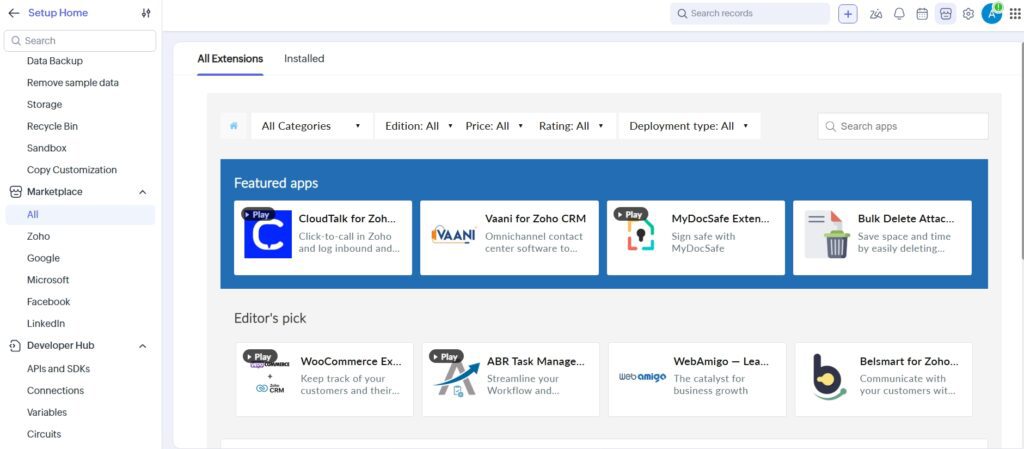
Yes, extensively. Zoho CRM integrates natively with the full Zoho suite (Zoho Desk, Zoho Campaigns, Zoho Books, Zoho Analytics, and 40+ others), Google Workspace, Microsoft 365, Slack, Zapier, Mailchimp, Shopify, QuickBooks, and hundreds of other third-party tools. The Zoho Marketplace lists 1,000+ extensions for additional integrations across most common business categories.
Is Zoho CRM cloud-based?
Yes, Zoho CRM is a fully cloud-based SaaS platform accessible from any browser, with dedicated mobile apps for Android and iOS. There is no on-premise deployment option for the standard CRM product. Data is stored in Zoho’s own data centres, with regional data residency options available for compliance-sensitive businesses in the EU and other regulated markets.
Does Zoho CRM have mobile apps?
Yes. Zoho CRM offers feature-rich Android and iOS mobile apps that include access to leads, contacts, deals, activities, and reports. The apps support offline access — you can view and edit records without a connection, and changes sync automatically when you reconnect. This is particularly useful for field sales teams who need CRM access during customer visits without relying on network connectivity.
Is Zoho CRM secure?
Yes. Zoho CRM is GDPR compliant, uses AES-256 encryption at rest and TLS 1.2 in transit, supports two-factor authentication on all plans, and provides role-based access control. Enterprise and Ultimate plans add IP restriction, field-level access permissions, and audit logs. Zoho is privately owned with no external investors or ad-based revenue model, which provides a stronger data privacy posture than platforms whose business model involves data monetisation.





I am Ashish Yadav a software engineer and AI tools researcher with over five years of practical experience working with real-world systems and automation. I am founder of CognifyFuture, where I analyzes, tests, and breaks down AI tools with a focus on what actually works—not what’s trending.
My content is built on hands-on usage, not theory. Instead of generic advice, I focuses on real implementation—how AI tools can be used to automate tasks, improve efficiency, and solve any specific business or individual problems.
Through CognifyFuture, My aims is to eliminate confusion around AI by delivering clear, honest, and actionable insights that help users make smarter technology decisions.







