
I almost didn’t write this review. There are already a hundred “ConvertKit Review 2026” posts out there, and most of them read like someone copied the pricing page and added “I” in front of a few sentences. I wanted to actually use the thing — set up a real automation, sell a real product, send real emails to real people — before deciding whether it deserves a spot on a creator’s stack in 2026.
Here’s the situation if you’re reading this: you’re trying to grow an email list, maybe sell a digital product or a course, and you don’t want to spend your evenings fighting with software instead of writing to your audience. Pick the wrong platform and you’ll either outgrow it in six months or pay for features you’ll never touch. I’ve used Mailchimp, ActiveCampaign, GetResponse, and AWeber on different projects over the years, so I had a baseline before I went deep on ConvertKit (which now goes by Kit, though almost everyone still calls it ConvertKit).
Short version: it’s built for one type of person — someone trying to turn an audience into income — and it does that job better than most general-purpose email tools. Whether that’s worth the price tag depends entirely on what you’re using it for, which is what the rest of this is about.
I’m going to walk through what it actually does, where it shines, where it annoyed me, what it costs, and how it stacks up against the tools you’re probably also considering.
What ConvertKit Actually Is
ConvertKit isn’t trying to be everything to everyone. It’s aimed squarely at bloggers, YouTubers, coaches, affiliate marketers, course creators, and people running paid newsletters — basically anyone whose business is “I have an audience and I want to talk to them and eventually sell them something.”
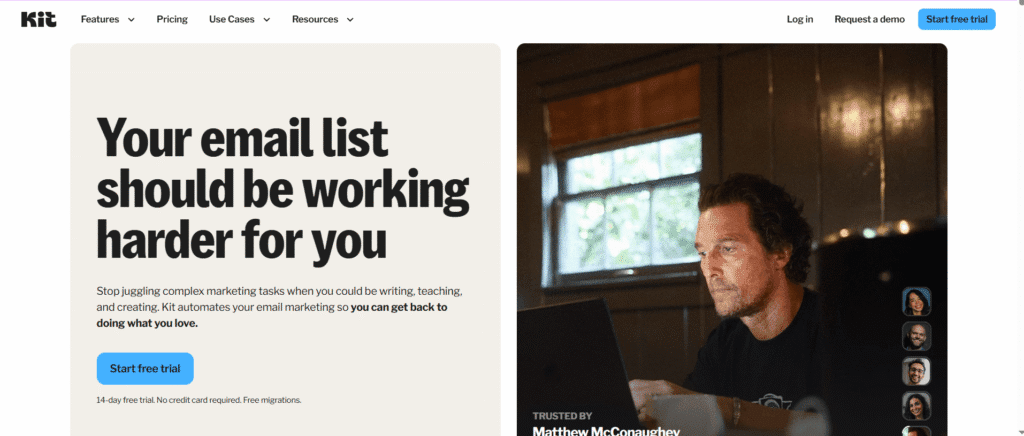
This is what greets you after signup — no clutter, no fifteen tabs competing for attention. That matters more than it sounds like it should. The first time I open a new tool and the dashboard looks like a cockpit, I lose motivation to actually use it. ConvertKit doesn’t do that.
Underneath that simple front door, you get email broadcasts, automation, subscriber tagging, landing pages, signup forms, paid newsletters, digital product sales, and audience segmentation. It’s a lot of functionality, but it’s organized so you’re not hunting for things.
ConvertKit Review: Why People Actually Switch to It
Most automation tools get worse the more powerful they get — you start with something simple and end up with a tangle of conditions you can’t follow six months later. ConvertKit’s visual automation builder is the one place where I didn’t feel that tradeoff.
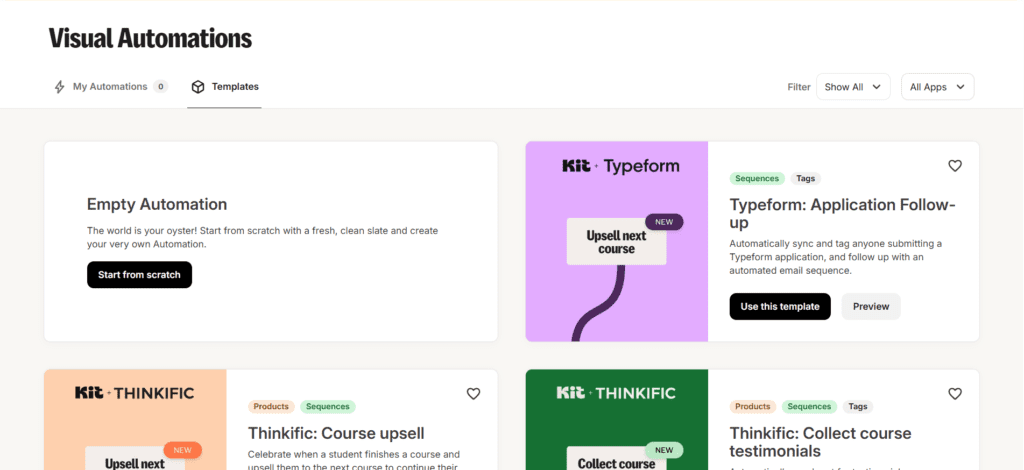
Here’s a real example of what you can wire up without writing a line of code: someone downloads a lead magnet, gets tagged based on what they downloaded, drops into a welcome sequence, clicks an affiliate link inside one of those emails, and gets moved into a different segment because now you know they’re interested in buying. All of that happens automatically, and you can see the whole path laid out visually instead of guessing what’s connected to what.
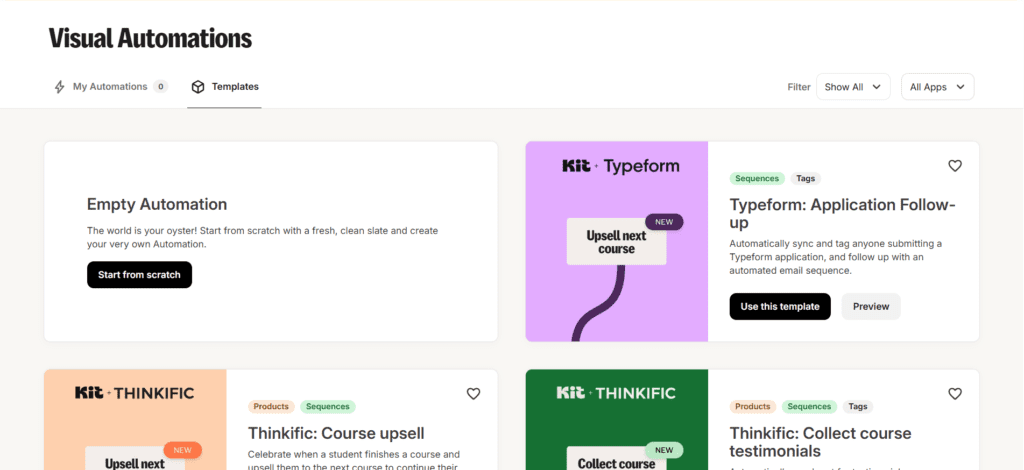
That’s the builder mid-setup, with the actual logic branches visible. That one workflow used to take me a Saturday afternoon and three different tools to build on other platforms. Here it’s an hour, maybe less once you’ve done it once.
Sending Actual Emails: Broadcasts
Broadcasts are the one-off emails you send to your whole list — a weekly newsletter, a product launch, an affiliate promo, a “hey I wrote a new post” note. You’ll find this under the Send section.
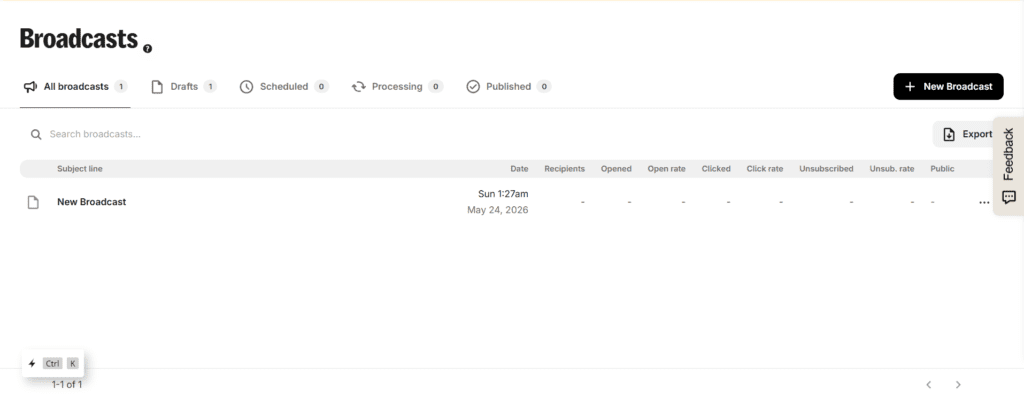
The editor doesn’t try to be a drag-and-drop design tool, and that’s deliberate. ConvertKit leans into plain, text-first emails — the kind that look like they came from a person, not a marketing department. I was skeptical of this at first because I’m used to platforms where more design options always feels like a win. But after sending a few campaigns, the simpler emails genuinely got better engagement. People open emails that look like a friend wrote them.
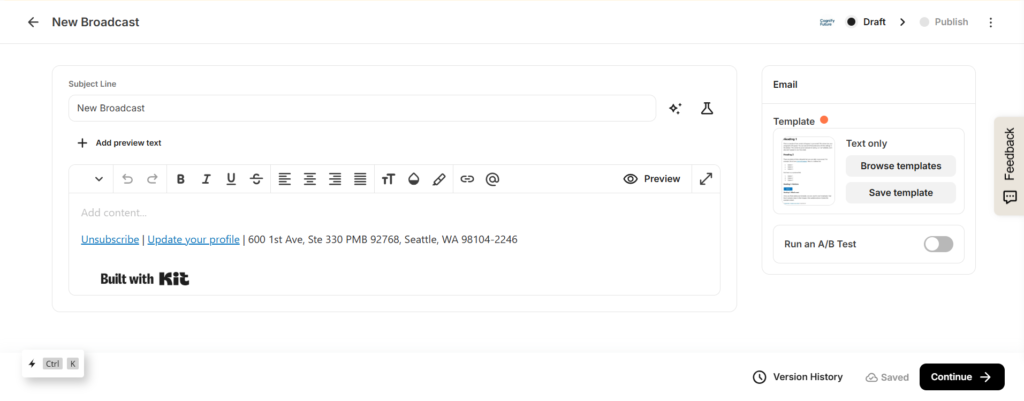
If you run a niche blog, an affiliate site, a coaching business, or basically anything where the relationship matters more than the polish, this minimalist style works in your favor. If you’re sending product photos and need a magazine-style layout, you’ll feel the limits pretty fast.
Subscriber Tagging Instead of Endless Lists
This is the feature I undersold when I first started using ConvertKit, and it ended up being one of the most useful things about the whole platform. Instead of maintaining five separate lists (and getting charged for the same person sitting on three of them), everyone lives in one subscriber database, organized with tags and segments.
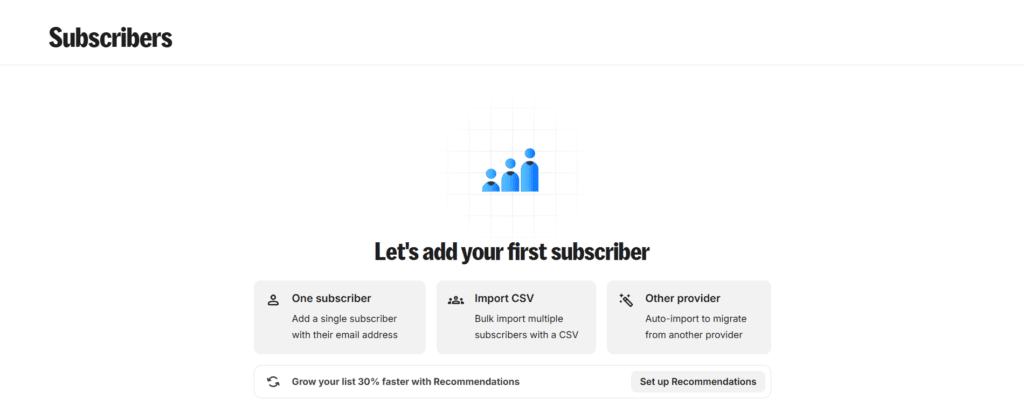
I came from a tool that charged me per-list for overlapping subscribers, and it was a quiet money leak I didn’t notice until I switched. ConvertKit just doesn’t have that problem — one subscriber, however many tags you stick on them.
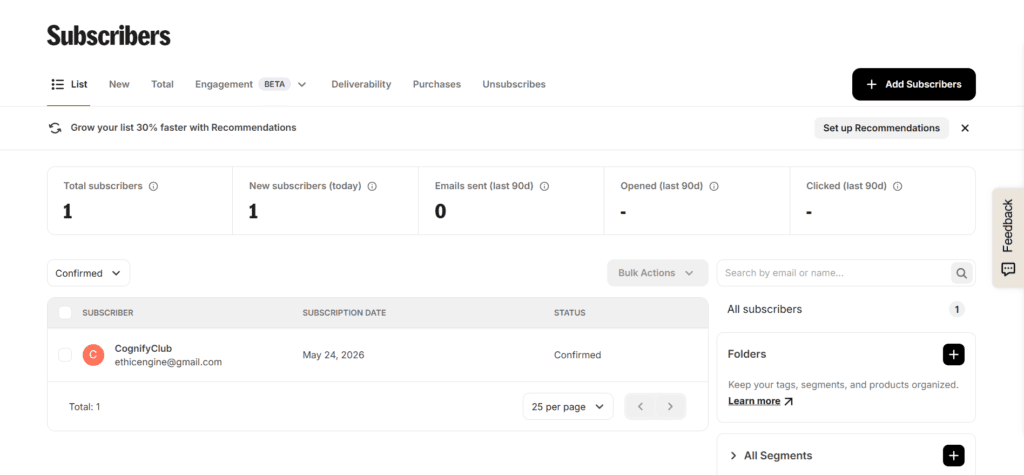
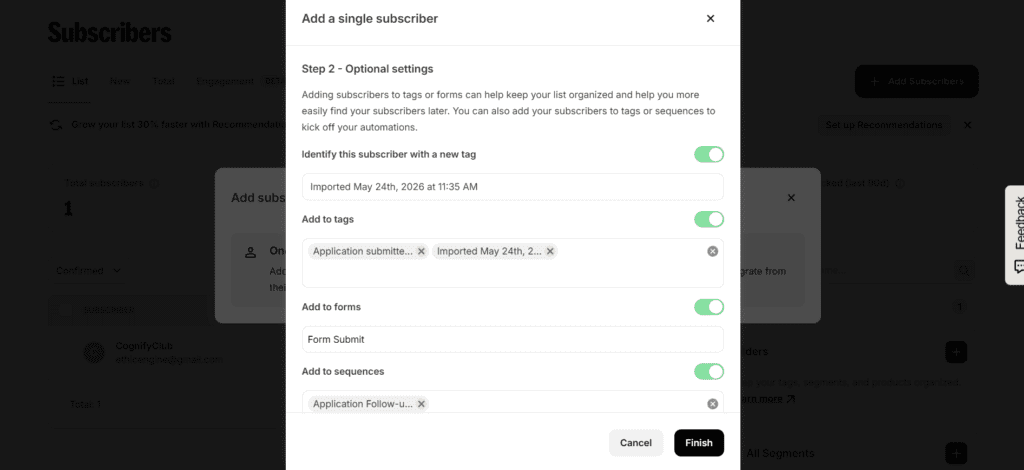
You can sort people by interest, purchase history, which lead magnet pulled them in, how engaged they actually are, where they’re located, and what stage of your funnel they’re sitting in. Once you start segmenting this way, “send everyone the same email” starts to feel like a waste — you’re sitting on data you’re not using.
Landing Pages and Forms — Good Enough, Not a Page Builder
You get landing pages and opt-in forms built right in, which means you can launch a lead magnet without spinning up a separate tool.
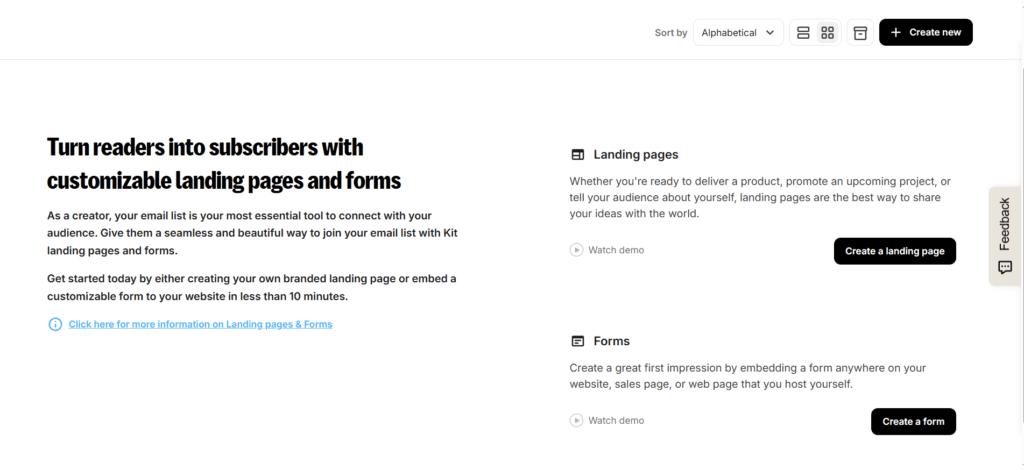
These work for ebook giveaways, webinar signups, newsletter opt-ins, lead magnets, free course funnels — the usual list-building moves. Let’s say you want a landing page offering a free ebook. You’d typically pair it with an automated welcome sequence and a few affiliate recommendations woven into those emails. The whole funnel lives in one place, which is the point.
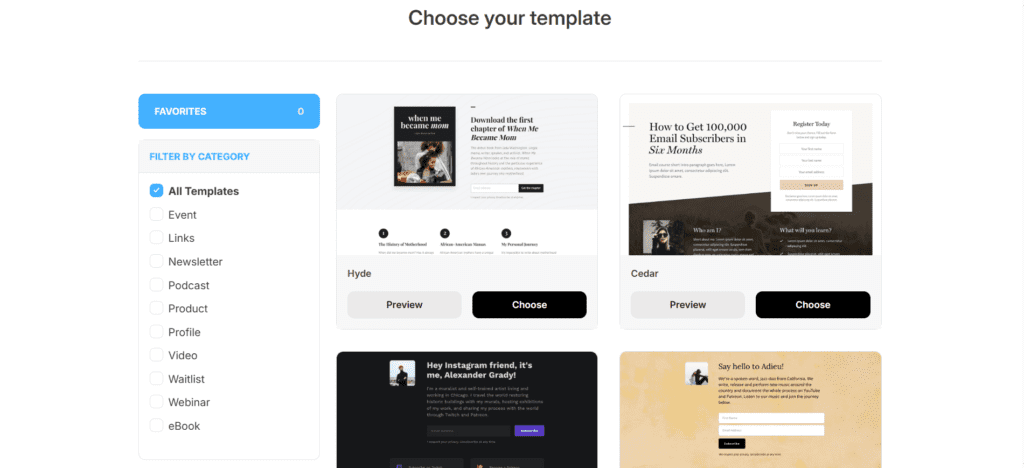
You can customize headlines, colors, images, the call-to-action button, and the success message people see after they sign up.
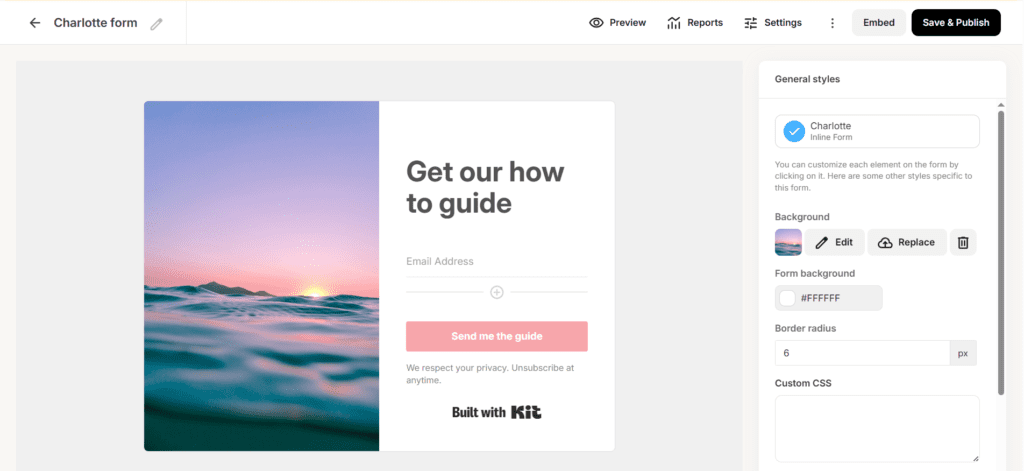
I’ll be honest about the ceiling here: if you’re used to Elementor or Leadpages, this will feel restrictive. You’re not pixel-pushing your way to a custom design. But for most creators who just need a clean page that converts, it’s genuinely enough, and you save the cost and hassle of a separate landing page tool.
Selling Without Bolting On Five Other Tools
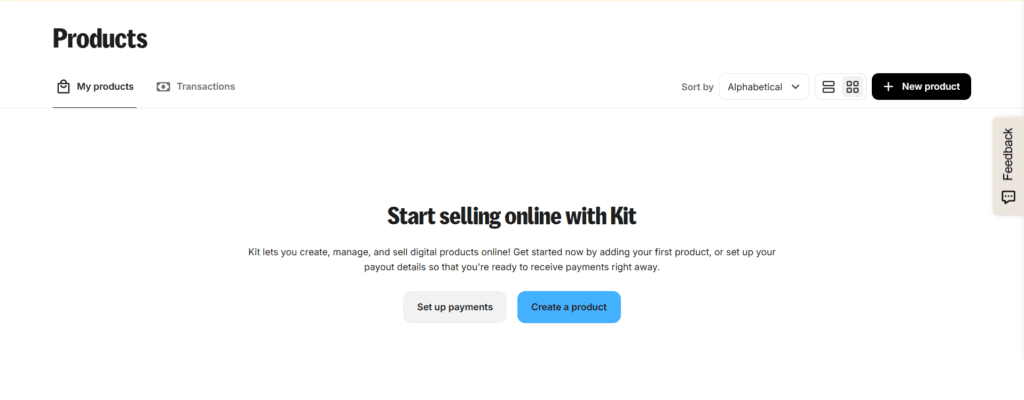
This is where ConvertKit quietly turned from “email tool” into something closer to a small business operating system. You can sell ebooks, courses, templates, paid newsletters, and membership content directly, without wiring up Gumroad or a separate checkout. I actually listed a product to test this end-to-end.
Setting it up means filling in the product details —
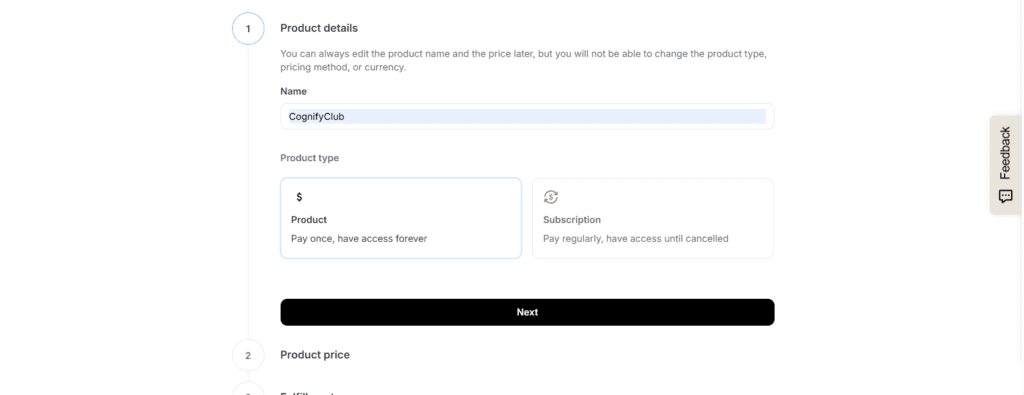
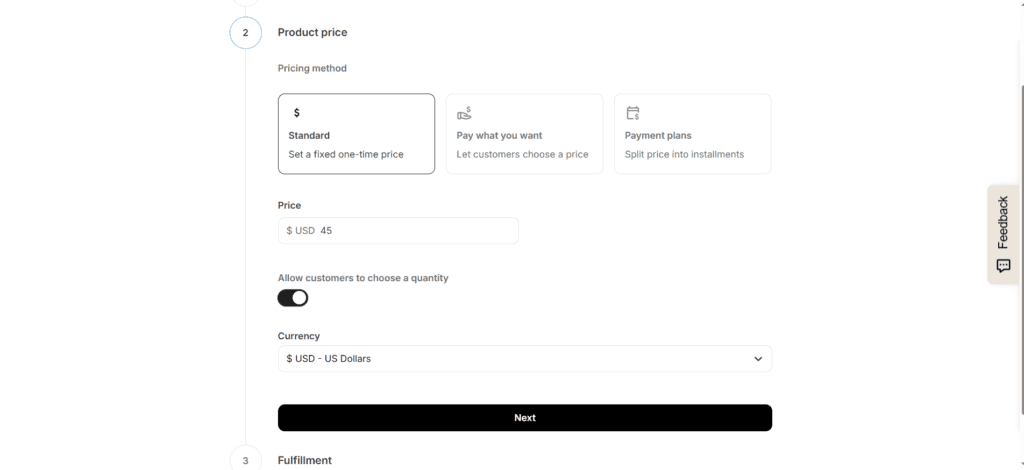
— configuring how the product actually gets delivered to a buyer —
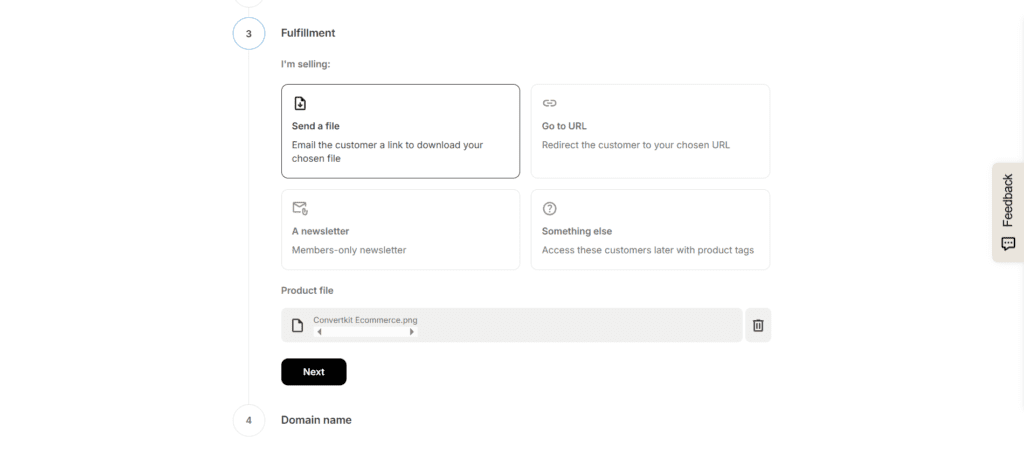
— and pointing it at a domain.
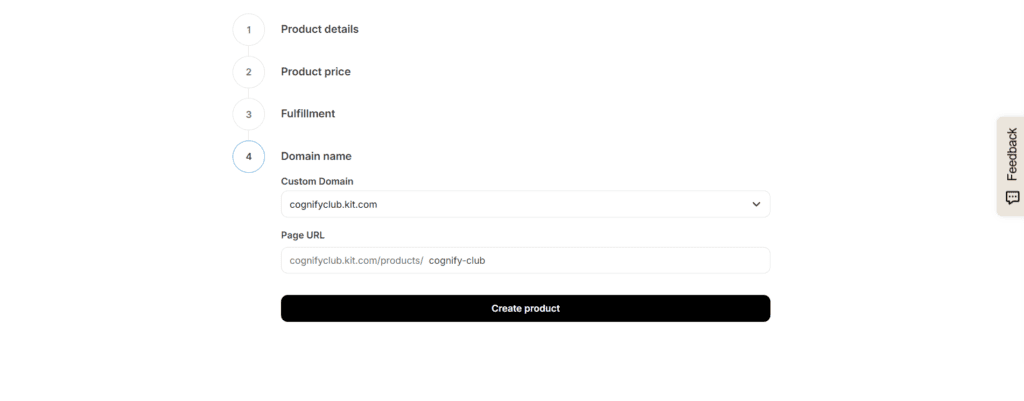
None of it required integrating a third-party payment processor or fulfillment service. For creators who’d rather spend their time creating than stitching software together, this is the actual selling point of ConvertKit over a plain email tool — fewer logins, fewer subscriptions, fewer things that can break between “someone clicks buy” and “someone gets the product.”
If You’re a Blogger
Bloggers live and die by traffic they don’t control. An algorithm update, a dip in social reach, a visitor who closes the tab and never comes back — all of that is out of your hands. The one thing that isn’t out of your hands is an email list, which is exactly why this matters more for bloggers than almost anyone else.
A practical version of this: a finance blogger offers a free budgeting template, captures the email, sends a short automated sequence of financial tips, and naturally works in a couple of affiliate tool recommendations along the way. Tag the subscribers who clicked through on “investing” content separately from the ones who clicked “budgeting,” and you can keep sending each group what they actually care about instead of one generic blast to everyone. That’s the difference between a 2% click rate and something meaningfully higher.
If You Do Affiliate Marketing
Affiliate emails have a bad reputation for a reason — most of them are blasted to an unsegmented list with terrible timing, and they read like spam because, functionally, they are. ConvertKit doesn’t fix bad strategy, but it removes the excuses for it: automated funnels, interest-based segmentation, evergreen sequences, and behavior triggers all live here.
If you run something like an AI tools newsletter, you can segment subscribers by which categories they actually engage with, then route relevant SaaS recommendations to each group instead of pushing the same five tools at everyone. It reads less like an ad and more like a recommendation from someone paying attention — because, if you’ve set it up right, you are. Deliverability tends to hold up well here too, partly because the plain-text style doesn’t trip spam filters the way heavily designed promotional emails sometimes do.
Deliverability: Does It Actually Reach the Inbox?
None of the automation or segmentation matters if your emails land in spam. This is the part of any email platform that’s hardest to fake and easiest to get wrong, so I paid close attention to it.
ConvertKit’s inbox placement has been solid in my experience, and I think the plain-email style genuinely helps — emails that look like a personal note tend not to trip the filters that catch heavily templated marketing blasts. That said, deliverability is never just about the platform. You still need the basics: don’t buy lists, warm up a new sending domain gradually, send consistently rather than in bursts, use double opt-in, and prune subscribers who’ve stopped opening anything. Skip those and even the best platform will eventually land you in spam.
What It Actually Costs
This is the section people skip to, so let’s get into it. ConvertKit runs three tiers — Free, Creator, and Creator Pro — and price scales with how many subscribers you have, not how many emails you send.
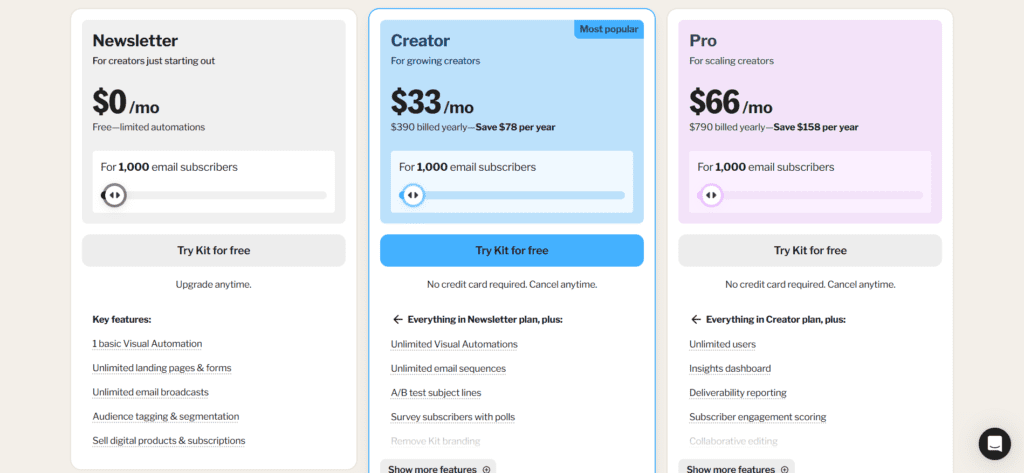
Note: pricing changes — check the current numbers directly on Kit’s pricing page before you commit, since plans get adjusted more often than reviews get updated.
The Free plan is genuinely useful, not just a watered-down trial. You get basic forms, landing pages, email broadcasts, and room to manage a small audience — enough to actually test whether email marketing fits how you work before you pay anything.
The Creator plan is where most people who outgrow free actually land. It unlocks automation, sequences, integrations, and more advanced workflow options — basically everything covered above that turns a list into a system instead of a megaphone.
Creator Pro adds advanced reporting, subscriber scoring, Facebook custom audiences, and team features. Unless you’re running this with a team or leaning hard on paid ad retargeting, you probably don’t need it on day one.
Is it expensive? Compared to the cheapest options on the market, yes. But the question that actually matters is whether it pays for itself — if your list drives affiliate income, product sales, or a paid newsletter, the automation alone tends to earn back the subscription pretty quickly. If you’re just sending an occasional newsletter with no monetization plan, you’re paying for tools you won’t use, and a cheaper platform makes more sense.
What I Liked
The interface doesn’t punish you for being new. I had automations running on day one without reading a manual, which is rarer than it should be in this category. The visual builder makes genuinely powerful workflows feel approachable instead of intimidating.
It’s also built around the actual problems creators have — growing a list, segmenting it sensibly, and turning it into income — rather than being a generic email tool with “creator” stapled onto the marketing copy. Deliverability held up well throughout testing, and being able to sell directly without duct-taping together three separate tools saved real time, not just money.
The subscriber-tagging model instead of duplicate paid lists is a genuinely smart design decision that I didn’t appreciate until I compared notes with a platform that does it the old way.
What Bugged Me
Email design options are thin if you need anything visually heavy — this isn’t the tool for product-photo-driven ecommerce campaigns. Pricing climbs steadily as your list grows, so budget for that instead of being surprised by it later. If you need a real CRM with deep sales pipeline tracking, ActiveCampaign or HubSpot will serve you better. And landing page customization, while functional, won’t satisfy anyone who’s used to full design freedom.
ConvertKit vs Mailchimp
Pick ConvertKit if you want stronger automation, easier segmentation, and tools clearly built around creators and affiliate workflows. Pick Mailchimp if your priority is visually heavy ecommerce campaigns or you’re running something closer to traditional corporate marketing. For bloggers and creators specifically, ConvertKit tends to feel less like fighting the software and more like it’s actually on your side.
ConvertKit vs ActiveCampaign
ActiveCampaign is the more technically capable platform, full stop. But “more capable” and “more useful to you” aren’t the same thing if you never touch the advanced features. ConvertKit wins on ease of use, faster setup, and a much gentler learning curve. If you genuinely need a sales CRM, deep automation logic, or enterprise-grade workflows, ActiveCampaign earns its complexity. Most creators don’t need that — they need to send good emails to the right people without a learning curve eating their week.
What It Connects To
WordPress, Shopify, Teachable, Stripe, Zapier, ThriveCart, WooCommerce, Canva, and most major webinar platforms all plug in without much fuss. That’s enough to build a complete funnel — content, capture, sale, delivery — without ConvertKit needing to do everything itself.
A Few Real Setups
A travel blogger offering free itineraries, segmenting subscribers by destination interest, and sending location-specific content alongside relevant travel affiliate links. A YouTuber capturing subscribers through a landing page, sending video update emails, and selling a digital product directly to that list. A coach running webinar funnels with automated reminders, delivering a lead magnet, and upselling premium coaching to whoever showed real interest. A newsletter writer covering AI tools, sending weekly roundups, recommending relevant SaaS products, and converting a portion of readers into paid subscribers.
None of these are hypothetical — they’re the kinds of setups the platform is actually built to support, and the ones I tested pieces of myself.
Is It Good If You’ve Never Done This Before?
Yes, with a real caveat. If you’re starting a blog, a newsletter, a YouTube channel, or an affiliate site from zero, ConvertKit is one of the easier platforms to actually learn — the interface doesn’t overwhelm you on day one, but it doesn’t cap out either once you’re ready for more.
The caveat: it assumes you’re eventually going to automate something or sell something. If you genuinely just want the simplest possible “type an email, hit send” experience with zero ambition beyond that, you might find even this too much tool for the job — something like MailerLite’s free tier could feel more immediately obvious.
Who Shouldn’t Bother
If you need advanced ecommerce automation, a full enterprise CRM, heavily visual promotional campaigns, or a serious sales pipeline, ConvertKit isn’t built for that job and will frustrate you. Klaviyo, HubSpot, or ActiveCampaign are better fits for those specific needs. There’s no shame in that — it just means your problem is a different shape than the one this tool was designed to solve.
My Honest Take After Actually Using It
The thing I keep coming back to is that ConvertKit removes friction rather than adding features for the sake of a longer feature list. Instead of burning hours learning a complicated system, you spend that time on the things that actually grow a business — writing, building relationships with your list, creating things worth selling.
It’s not the cheapest tool in this category, and it’s not the most advanced one either. But for the specific person it’s built for — a creator trying to turn an audience into income without becoming a software engineer in the process — it solves the actual problems they run into day to day: low engagement from unsegmented blasts, manual work that should be automated, and audience monetization that usually requires stitching together three other tools.
Should You Use It?
If your goal is building an engaged list, automating the parts of audience communication that don’t need a human touch, selling digital products, and creating something closer to recurring income — yes, it’s worth setting up and testing on the free plan before you commit to anything paid.
It’s not a perfect platform. No email tool is. But it solves the problems that bloggers, affiliate marketers, coaches, and newsletter writers actually run into, rather than the problems a generic marketing department has. If audience ownership and long-term growth are the goal, it’s worth the time it takes to try it properly — not just skim the pricing page and move on.
Frequently Asked Questions About ConvertKit
1.Is ConvertKit the same thing as Kit?
Yes. ConvertKit rebranded to Kit, but the product underneath the name didn’t change. If you signed up years ago and you’re seeing “Kit” in your dashboard now, you’re not missing a migration step — it’s the same account, same data, just a new coat of paint and a shorter name.
2.Is ConvertKit actually free, or is “free” just a trial?
It’s genuinely free, not a 14-day trial dressed up as a free plan. You get unlimited landing pages, forms, and broadcasts, plus the ability to sell products, with no credit card required. The real limitation is automation — you only get one basic workflow and one sequence until you upgrade. For testing whether this whole approach fits how you work, it’s enough.
3.How much does ConvertKit cost once you outgrow the free plan?
Pricing scales with your subscriber count rather than how many emails you send, and it climbs steadily as your list grows — the exact numbers shift often enough that I won’t quote a figure here that’ll be stale in a few months. Check the live pricing page before you commit to a plan, and budget for the fact that your bill will grow as your list does.
4.Can I actually sell products without connecting Stripe or Gumroad separately?
Yes — that’s one of the genuine differentiators. I walked through setting up a digital product end to end (you can see the actual screens above) and never had to leave ConvertKit to wire up payment processing or fulfillment. It handles the sales page, the checkout, and the delivery in one flow.
5.Is ConvertKit good for ecommerce brands, not just creators?
Not really, and I wouldn’t try to force it. The email editor is built around plain, text-first messages, not the image-heavy, product-grid layouts ecommerce brands usually need. If your business runs on visual product emails, you’ll fight the platform more than it helps you. Tools like Klaviyo are built for that job specifically.
6.How long does it take to set up a basic automation?
For me, a five-step welcome sequence with a couple of conditional branches took about an hour once I understood the builder — and closer to twenty-five minutes on the second attempt. The interface doesn’t require a manual to get started, which isn’t true of every platform in this category.
7.Does ConvertKit hurt or help email deliverability?
In my testing, inbox placement was solid, and the plain-text email style seemed to help rather than hurt — emails that read like a personal note tend to dodge spam filters better than heavily designed promotional ones. That said, deliverability is never just about the platform. Skipping the basics (double opt-in, list hygiene, consistent sending) will tank your deliverability on any tool, ConvertKit included.
8.What’s the biggest reason someone should NOT pick ConvertKit?
If you only need to send an occasional plain newsletter with no automation, no segmentation, and nothing to sell, you’re paying for a lot of tool you won’t touch. A simpler, cheaper platform will do that one job just as well for less money. ConvertKit earns its price when you’re actually using the automation and commerce side of it — not before.





I am Ashish Yadav a software engineer and AI tools researcher with over five years of practical experience working with real-world systems and automation. I am founder of CognifyFuture, where I analyzes, tests, and breaks down AI tools with a focus on what actually works—not what’s trending.
My content is built on hands-on usage, not theory. Instead of generic advice, I focuses on real implementation—how AI tools can be used to automate tasks, improve efficiency, and solve any specific business or individual problems.
Through CognifyFuture, My aims is to eliminate confusion around AI by delivering clear, honest, and actionable insights that help users make smarter technology decisions.







