
Disclosure: This comparison contains affiliate links. If you sign up through them, I may earn a small commission at no extra cost to you. All tools were personally tested before writing this.
Sora vs Synthesia vs Runway is one of the most searched AI video comparisons of 2026 — and not because one tool is better than the others, but because each one solves a completely different problem. Choosing the wrong tool wastes months of investment in a workflow built for the wrong use case.
Before diving into the comparison, there is one critical 2026 update that changes how this comparison works: OpenAI discontinued the Sora consumer app on April 26, 2026. Sora is now API-only, and the API itself is scheduled to sunset on September 24, 2026. This doesn’t mean Sora-style world simulation video is gone — it means the landscape has changed, and the comparison needs to reflect that honestly.
This guide breaks down all three tools across core technology, video quality, control, pricing (with verified 2026 numbers), real-world use cases tested personally, and an honest final verdict on who should use what.
Understanding the Core Philosophy of Each Tool
Before comparing features, the most important thing to understand is what each platform was actually built for — because they target fundamentally different creative problems.
Sora: AI as a Video World Simulator
Sora is not just a video generator — it’s a world simulation model. Instead of stitching clips together, Sora tries to understand how the real world works and generate video accordingly. It interprets physics, motion, camera movement, object interaction, and lighting behaviour at a scene level, producing output that feels filmed rather than generated. This makes Sora fundamentally different from template-based or avatar-based video tools — it’s a generative model for visual worlds, not a presentation builder.
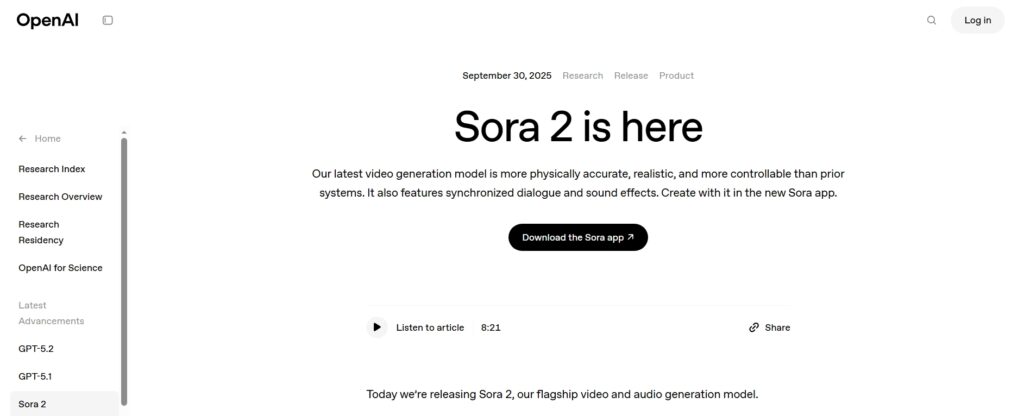
Important 2026 update: OpenAI discontinued the Sora consumer app (web and iOS) on April 26, 2026. As of this writing, Sora is accessible only via the OpenAI API, and the API is scheduled to sunset on September 24, 2026. For current world-simulation-quality video generation, Google’s Veo (actively developed) has become the recommended alternative for this use case.
Synthesia: AI as a Virtual Presenter
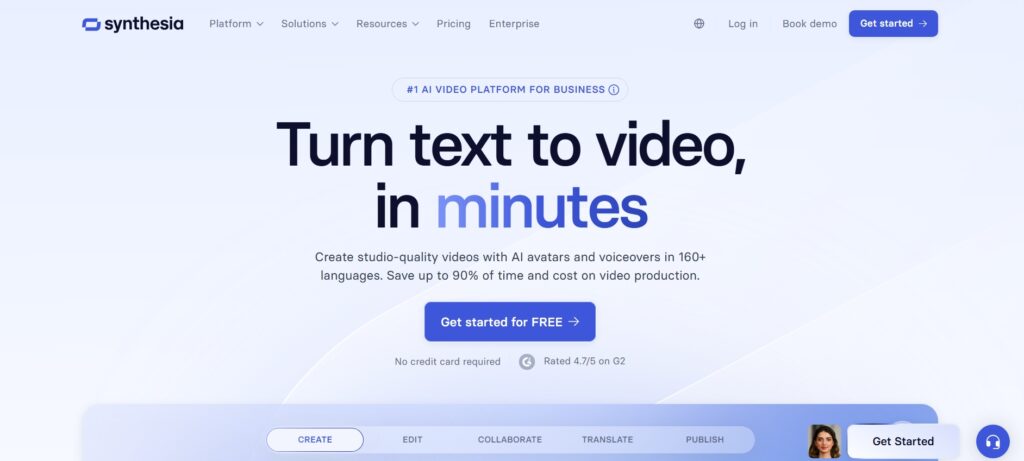
Synthesia is built around a single idea: turn scripts into professional presenter-led videos as fast as possible. It replaces on-camera presenters, recording studios, and retake-heavy production workflows with AI avatars that lip-sync accurately to your script in 140+ languages. The focus is entirely on clarity, consistency, and professional communication quality — not cinematic creativity. Synthesia is trusted by 50,000+ teams including a significant share of Fortune 100 companies for corporate training, product explainers, and internal communications.
Runway: AI as a Creative Toolkit
Runway treats AI as a creative assistant, not a replacement. It allows creators to generate clips from text prompts, edit videos using AI, apply effects and transformations, remove backgrounds, extend frames, and control outputs frame by frame — all within a single browser-based creative studio. Runway is the platform that bridges AI generation and traditional video editing most effectively, making it particularly valuable for content creators who need both generation capability and post-production control.
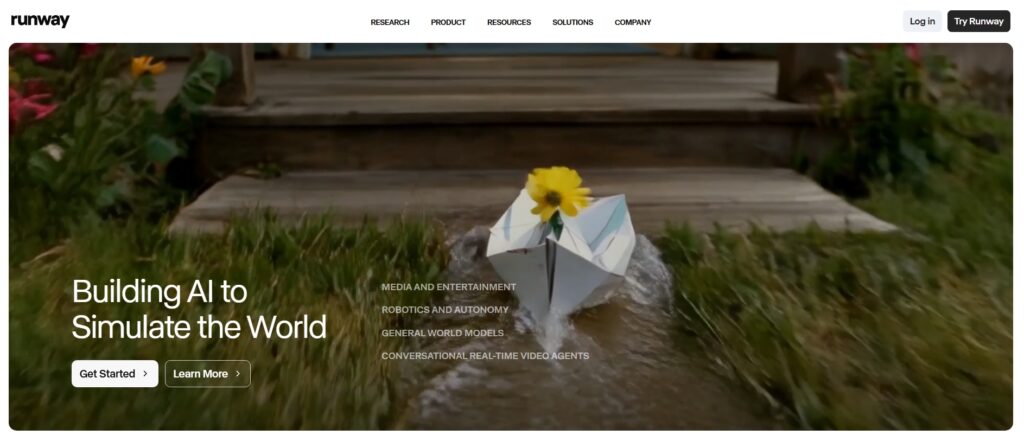
The one-line summary: Sora generates worlds, Synthesia generates presentations, Runway empowers creative workflows.
Real-World Testing: What I Actually Created
Sora Test: Cinematic Drone Shot
Goal: Create a 5-second cinematic drone shot of a futuristic city — the kind of B-roll shot that would cost thousands to produce practically.
Sora Workflow
Write a detailed prompt with camera movement description, submit, and wait for processing. The key to quality Sora output is prompt specificity — generic prompts produce generic results; detailed scene descriptions produce footage that feels intentional.
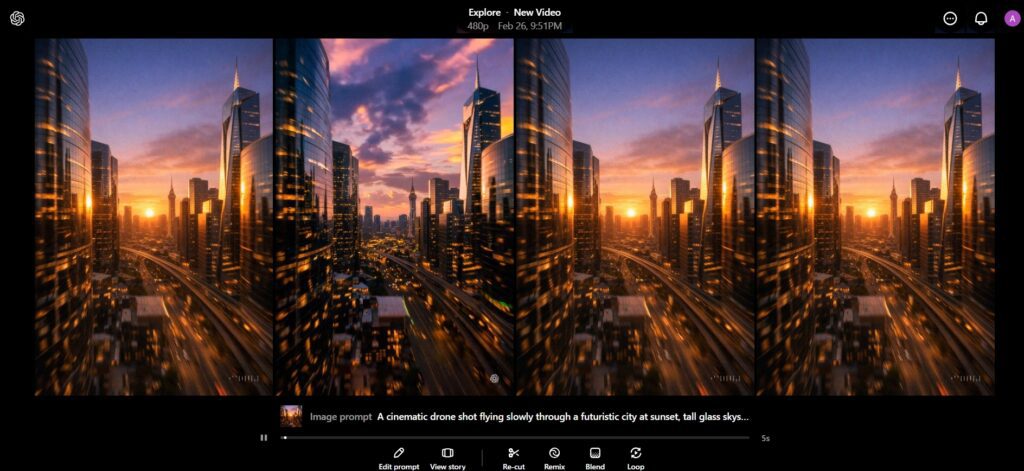
“A cinematic drone shot flying slowly through a futuristic city at sunset, tall glass skyscrapers reflecting orange and purple light, realistic shadows, natural motion blur, ultra-realistic lighting, shallow depth of field, smooth camera movement, 4K cinematic quality.”
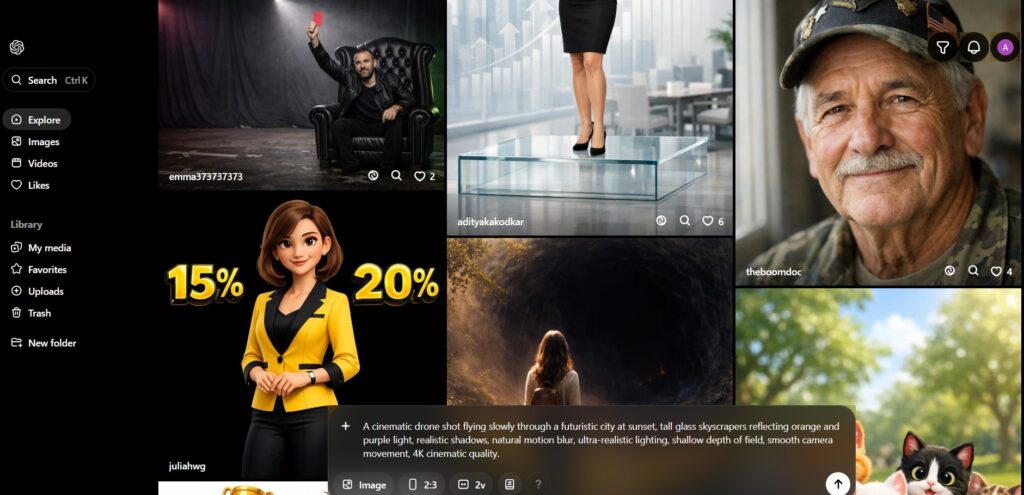
The output looks shockingly realistic. Camera motion feels natural. Lighting behaves like real-world physics. Reflections and shadows make the scene feel filmed, not generated. The result was immediately usable as premium B-roll or a cinematic intro — the kind of visual that would previously require either a film crew or extensive 3D rendering work.
Reality Check — Sora
Sora is excellent for cinematic storytelling, short films, high-quality B-roll, and visual concept work. The practical limitations I noticed: no timeline editing tools, no ability to easily trim or rearrange scenes, and slower generation than avatar-based tools. It is purely a generation engine, not an editor. And critically — the consumer app was discontinued in April 2026. For teams that were building workflows on Sora access, this requires pivoting to the API or to alternatives like Google Veo.
Synthesia Test: Employee Onboarding Video
Goal: Create a 30-second professional training video without a camera, microphone, or actor — the exact use case Synthesia was designed for.
Synthesia Workflow
Choose an avatar from 180+ options, paste your script, select language (140+ available), choose a background template, and export. The entire process takes 5–10 minutes from blank canvas to downloadable video. There are no recording sessions, no retakes, no microphone setup. Language changes are instant — the same video can be exported in Spanish, German, or Japanese with one click, with accurate lip-sync for each language.
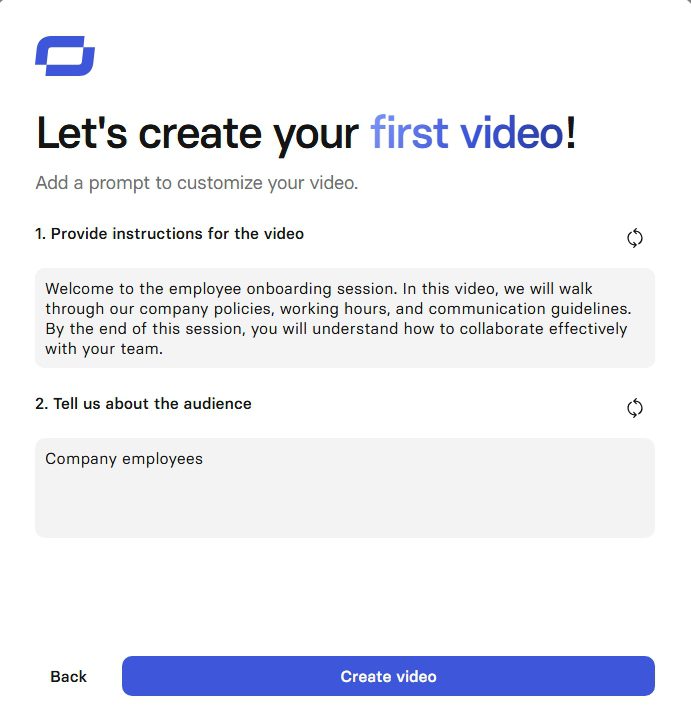
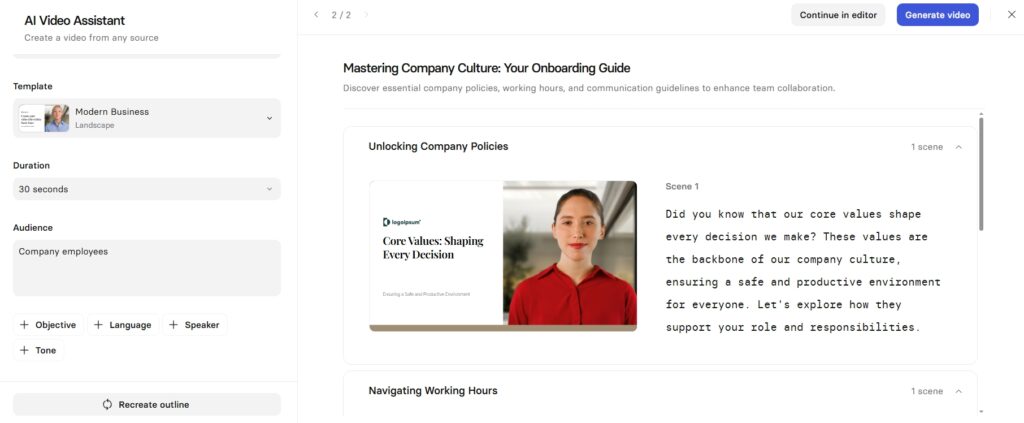
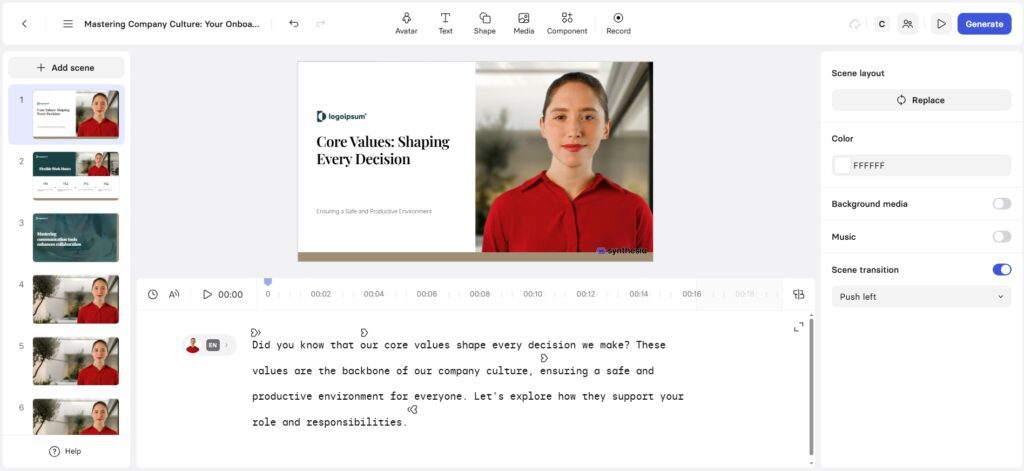
“Welcome to the employee onboarding session. In this video, we will walk through our company policies, working hours, and communication guidelines. By the end of this session, you will understand how to collaborate effectively with your team.”
Video generation was fast, avatar lip-sync was accurate, and the output looked professional out of the box. No camera, mic, or lighting required. The honest limitations: backgrounds are static, there’s no cinematic movement, and creativity is bounded by the presentation format. These aren’t bugs — they’re by design. Synthesia’s strength is reliability and consistency, not creative dynamism.
Reality Check — Synthesia
Synthesia dominates for corporate training, educational content, LinkedIn business videos, and client presentations. It is not built for cinematic storytelling, creative YouTube content, or artistic filmmaking. If your use case involves structured, repeatable professional communication — especially in multiple languages — nothing in the market competes with Synthesia’s speed and consistency at this price point.
Runway Test: YouTube B-Roll Generation
Goal: Generate 10 seconds of motivational B-roll for YouTube — cinematic, usable, and produced in minutes rather than days.
Runway Workflow: Enter text prompt, select model (Gen-4 Turbo for this test), generate clip, use the built-in editor to trim and adjust, export. The built-in editing toolkit distinguishes Runway from pure generators — you can immediately edit the clip, remove backgrounds, extend frames, or combine multiple AI clips within the platform itself.
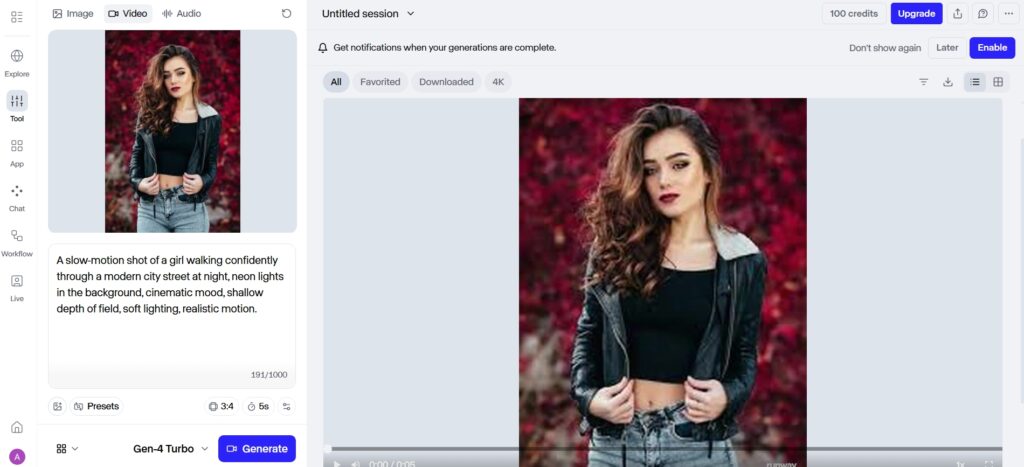
“A slow-motion shot of a girl walking confidently through a modern city street at night, neon lights in the background, cinematic mood, shallow depth of field, soft lighting, realistic motion.”
Quality was strong and immediately usable. Generation was faster than Sora, and the Gen-4 Turbo model produced the cinematic mood requested. The video quality was slightly less photorealistic than Sora’s output, but the iteration speed was significantly faster and the built-in editing tools meant the clip was production-ready within the platform without exporting to another tool.
Reality Check — Runway
Runway is ideal for YouTube creators, Instagram Reels, TikTok content, creative experimentation, and video editors who want AI tools alongside traditional editing capabilities. The combination of generation and editing in one platform is its defining advantage — and at $28/month (Pro plan, annual billing), it’s the most complete package for active content creators.
Technology Comparison
AI Model Approach
Sora uses a large-scale generative video model with scene-level understanding — it reasons about how physical reality works and simulates it. The output has long video continuity and natural physics, but the model provides limited direct control over specific elements. Synthesia uses speech synthesis combined with avatar animation — facial movement mapping driven by script input, optimised for consistent, clear presenter-style output. Runway uses multiple specialised AI models for different tasks: text-to-video generation, video-to-video transformation, background removal, frame extension, and AI-assisted editing — a modular approach that gives creators more tools to work with across different stages of production.
Video Quality and Visual Realism
Sora
Sora produces smooth camera motion, natural human and object movement, realistic lighting and shadows, and continuous multi-second scenes with physical coherence. This makes it ideal for concept films, visual storytelling, and high-end AI demonstrations. The trade-off is less direct control — you describe the world, and Sora interprets it. For the highest-realism cinematic output, Sora (or its functional successor Google Veo) remains the benchmark.
Synthesia
Synthesia videos are stable, predictable, and presenter-focused — designed for clarity and information delivery rather than cinematic immersion. The avatars are realistic but intentionally restrained: no dramatic camera angles, fast cuts, or dynamic environmental action. This consistency is exactly what businesses need for content that will be viewed repeatedly as training material or reference documentation. The quality ceiling for Synthesia is professional corporate communication, and it hits that ceiling reliably.
Runway
Runway offers stylised AI-generated clips with video enhancement capabilities and effects-driven visuals. Its Gen-4 and Gen-4.5 models produce cinematic-quality output that approaches Sora’s realism for many use cases, while giving creators more iteration speed and editing control. The combination of generation quality and post-generation editing makes Runway’s effective output quality higher than either of the other two tools when the full workflow — not just the raw generation — is considered.
Control and Customisation
Sora
Prompt-based control only — no timeline editing, no element selection, no fine-tuning of specific scene elements. You write a description and Sora generates its interpretation. Best for vision-driven creators who trust AI interpretation and are optimising for realism over specific compositional control.
Synthesia
Script editing, avatar selection (180+ options), language selection (140+), background and template customisation, slide layout, brand colours, and voice settings. The control model is structured around the presentation format — highly controllable within that frame, limited outside of it. Best for structured communication with repeatable formats.
Runway
Timeline editing, layer-based effects, prompt-based generation combined with manual adjustments, background removal, frame extension, and style transfer. Runway offers the broadest control range of the three — you can generate with AI and then edit with traditional tools in the same environment. Best for creators who want both AI generation capability and hands-on control over the final output.
Ease of Use and Learning Curve
| Tool | Learning Curve | Best For | Access Status (2026) |
|---|---|---|---|
| Sora | High | Advanced users, developers | API only (consumer app discontinued Apr 2026) |
| Synthesia | Very Low | Beginners, business teams | Fully active, all plans available |
| Runway | Medium | Content creators, editors | Fully active, all plans available |
Use Case Analysis by Industry
Content Creation
For regular content production — YouTube, TikTok, Instagram Reels, podcast clips — Runway is the strongest tool. Its generation speed, editing tools, and credit system allow for the kind of iterative, volume-based content production that social creators need. Sora was stronger for premium experimental visuals where realism mattered above iteration speed. Synthesia is not suitable for creative content production — it’s designed for structured communication, not entertainment or creative media.
Training and Education
Synthesia dominates the training and education use case decisively. The ability to update content without re-recording, deliver consistent presenter-led explanations across multiple languages, and export in LMS-compatible formats (SCORM on Enterprise) makes it the standard choice for L&D teams globally. The consistent avatar presentation also builds familiarity for learners — repeated exposure to the same avatar builds trust in a way that varied AI-generated scenes do not.
Marketing and Promotion
Marketing use cases split across all three tools. Synthesia works for explainer videos, product demos, and spokesperson-style brand content. Runway is the tool of choice for ad creatives, social campaigns, and video content requiring cinematic quality with fast iteration. Sora (before discontinuation) was used for concept visuals and premium brand campaigns where photorealistic AI video was a differentiator. For current marketing production in 2026, Runway covers the broadest range of marketing video needs at the most accessible price.
Film and Creative Direction
For filmmakers and directors using AI as a creative tool, the workflow now typically uses Runway for both generation and editing, supplemented by Google Veo for scenes requiring the highest physical realism. Sora, while it was accessible, set the standard for world-simulation-quality generation and demonstrated what AI video could become. Runway is the practical production tool for indie filmmakers and content studios combining AI generation with traditional editing workflows.
Pricing — Verified 2026 Numbers
Sora Pricing (Historical — Consumer App Discontinued)
When the Sora consumer app was active, access was included with ChatGPT Plus ($20/month, 1,000 monthly credits, 720p, up to 20-second videos) and ChatGPT Pro ($200/month, 10,000 monthly credits, 1080p, up to 90-second videos, no watermarks, unlimited relaxed mode). Free users lost access to Sora on January 10, 2026. The consumer app was then discontinued entirely on April 26, 2026. The Sora 2 API remains available at $0.10/second (Standard 720p) through September 24, 2026, after which the API is scheduled to sunset. For comparable world-simulation video, Google Veo is the currently recommended alternative.
Synthesia Pricing (2026 — Accurate)
Synthesia recently reduced its pricing, making it significantly more accessible. All prices below are verified as of mid-2026 — the Starter plan dropped from $29/month to $18/month annual, and Creator dropped from $89 to $64/month annual.
| Plan | Monthly Price | Annual Price | Video Minutes/Month | Key Features |
|---|---|---|---|---|
| Free (Basic) | $0 | $0 | 3 min (watermarked) | 9 avatars, 60+ templates, 160+ languages, no AI script assistant |
| Starter | $29/mo | $18/mo | 10 min | 125+ avatars, AI script assistant, remove logo/branding, download MP4 |
| Creator | $89/mo | $64/mo | 30 min | 180+ avatars, 5 personal avatars, API access, branded pages, custom fonts |
| Enterprise | Custom | Custom | Unlimited | SSO, SCORM export, bulk personalisation, 1-click 80+ language translation, brand governance |
Important caveats: additional team members require a separate full subscription at the plan rate (no discounted seats). Custom avatar creation (digital version of a real person) costs $1,000/year per avatar as an add-on. Video minute overages on Starter and Creator cost $2–$5 per additional minute.
Runway Pricing (2026 — Accurate)
Runway uses a credit-based system — credits are consumed based on which model you use and how many seconds of video you generate. Gen-4.5 (flagship model) costs 25 credits/second; Gen-4 Turbo costs 6 credits/second. Understanding credit consumption is essential for budgeting accurately. Annual billing saves 20% on all paid plans.
| Plan | Monthly Price | Annual Price | Credits/Month | Gen-4.5 Output | Best For |
|---|---|---|---|---|---|
| Free | $0 | $0 | 125 (one-time) | 5 sec total | Testing only |
| Standard | $15/mo | $12/mo | 625 | ~25 sec/mo | Light creators, Gen-4 Turbo users |
| Pro | $35/mo | $28/mo | 2,250 | ~90 sec/mo | Active content creators — best value |
| Unlimited | $95/mo | $76/mo | 2,250 + Explore Mode | ~90 sec fast + unlimited slow | Heavy iteration workflows |
| Enterprise | Custom (~$800+/mo for team) | Custom | Custom | Custom | Commercial productions, API integration |
The practical note on Gen-4.5 output: on the Standard plan ($12/month), 25 credits/second means you get approximately 25 seconds of Gen-4.5 video per month — enough for 2–3 short clips. For active creators generating video daily, Pro at $28/month is the realistic starting point. The old “Unlimited” plan (which offered the same credits as Pro at 3x the price) has been retired and replaced with the current five-tier structure.
Pricing vs Capabilities — Quick Reference
| Feature | Sora (was) | Synthesia | Runway |
|---|---|---|---|
| Active consumer product (2026) | ❌ Discontinued | ✅ Active | ✅ Active |
| Free Plan | ❌ | ✅ Limited (3 min, watermarked) | ✅ Limited (125 credits one-time) |
| Cinematic Realism | ⭐⭐⭐⭐⭐ | ⭐⭐ | ⭐⭐⭐⭐ |
| AI Avatar | ❌ | ✅ 180+ avatars | ❌ |
| Editing Tools | ❌ | Basic (script/template) | Advanced (timeline, layers, effects) |
| Entry Paid Price | $20/mo (ChatGPT Plus) | $18/mo (annual) | $12/mo (annual) |
| Best For | Filmmakers (via API) | Business communication | Content creators |
Pros and Cons
Sora
Pros
- Best-in-class physical realism and world simulation quality
- Long-form scene generation with natural physics and camera motion
- Established the standard for what AI cinematic video can achieve
Cons
- Consumer app discontinued April 26, 2026 — now API-only
- API scheduled to sunset September 24, 2026
- No editing tools — generation only
- Limited direct creative control
Synthesia
Pros
- Professional presenter-led output in minutes from a script
- 140+ languages with accurate lip-sync — unmatched for multilingual content
- Extremely easy to use — no creative learning curve
- Reliable and consistent output at scale
- Starter plan dropped to $18/month annual — significantly more accessible
Cons
- No cinematic features — not suitable for creative video content
- Additional team members require full separate subscriptions — costs escalate quickly for teams
- Custom avatar creation costs $1,000/year per avatar
- Video minute limits on Starter (10/month) and Creator (30/month) can constrain high-volume producers
Runway
Pros
- Creative generation + editing in one platform — the most complete workflow
- Gen-4 and Gen-4.5 models produce genuinely cinematic quality
- Accessible pricing — Standard from $12/month, Pro from $28/month (annual)
- Background removal, frame extension, and style transfer built in
- Active development — new models and features added regularly
Cons
- Gen-4.5 is credit-intensive — Standard plan’s 625 credits gives only ~25 seconds of Gen-4.5 video per month
- No AI avatar or presenter tools — not a Synthesia replacement
- Credit system requires planning — easy to exhaust credits before month-end on lighter plans
Final Verdict: Which AI Video Tool Is Right for You?
If you need Sora-style world simulation video in 2026
With Sora’s consumer app discontinued, the practical path to world-simulation quality video in 2026 is Google Veo (actively developed, available through Vertex AI and Google’s consumer products) or Runway’s Gen-4.5 model for a fully accessible alternative. If you are a developer or enterprise team with API access, the Sora 2 API remains available until September 24, 2026. For individuals and non-developers, Runway Gen-4.5 and Google Veo are the recommended current paths to cinematic AI video generation.
Choose Synthesia if
You create structured professional videos — corporate training, onboarding, product education, client communication, or any content that benefits from a consistent human presenter without the cost and logistics of real recording. The Starter plan at $18/month is the right entry point for individual creators or small teams with light video needs. Creator at $64/month makes sense for teams producing regular business video content. If you need multilingual video at scale, nothing in the market matches Synthesia’s 140-language coverage with accurate lip-sync.
Choose Runway if
You create videos regularly for content marketing, social media, YouTube, or creative projects and need both AI generation capability and editing tools in a single platform. The Pro plan at $28/month (annual) is the realistic starting point for active creators — it gives 2,250 credits per month (approximately 90 seconds of Gen-4.5 or significantly more of Gen-4 Turbo), custom voice creation, 500GB storage, and the full suite of editing tools. Runway is the safest starting point for anyone new to AI video creation, because it’s the most complete product with the most active development roadmap.
There is no single winner — only the right choice for your workflow. But in 2026, if you’re choosing just one: Runway is the most practically complete option for most creators, Synthesia is the right choice for business communication and training, and Sora’s legacy lives on in the world-simulation standard it set for the industry.
Conclusion
The Sora vs Synthesia vs Runway comparison in 2026 is fundamentally different from any earlier version, because the landscape has shifted significantly. Sora has exited the consumer market. Synthesia has made its pricing more accessible. Runway has strengthened its model lineup with Gen-4.5. The practical guidance for 2026 is clearer than ever: Runway for creative content production, Synthesia for professional business communication, and Google Veo or Runway Gen-4.5 for the world-simulation-quality video that Sora pioneered. Let AI work with your specific workflow — and choose the tool built for the specific problem you’re trying to solve.
What makes Sora different from other AI video tools?
Sora is a world simulation model — rather than stitching clips or animating templates, it reasons about how physical reality works and generates video that reflects those physics. Camera motion, lighting behaviour, object interaction, and depth all emerge from the model’s understanding of the real world, not from scripted animation. This produces output that feels filmed rather than generated. The challenge: Sora’s consumer app was discontinued on April 26, 2026, and the API sunsets September 24, 2026. Google Veo is the recommended alternative for world-simulation-quality video from 2026 onwards.
Is Synthesia suitable for creative storytelling?
No — Synthesia is specifically designed for structured, presenter-led professional communication, not creative storytelling. Its avatars deliver scripts clearly and consistently in 140+ languages, but they don’t perform dramatically, move through environments, or support cinematic visual narratives. If your use case is corporate training, product explainers, educational content, or client-facing video communication where clarity and consistency matter more than cinematic creativity, Synthesia is the right choice. If you need creative storytelling, Runway is the appropriate tool.
Can Runway replace traditional video editing?
For many content creation workflows, yes — Runway combines AI generation, background removal, frame extension, style transfer, and timeline editing in a single platform that handles what would previously require multiple tools and significant manual effort. For professional broadcast, film post-production, or highly colour-graded premium content requiring frame-level precision, traditional editing tools (DaVinci Resolve, Adobe Premiere) remain stronger. Runway’s practical value is compressing the workflow for digital content creators, not replacing broadcast-grade editing pipelines.
Which tool is best for beginners?
Synthesia is the easiest to start with — the workflow is as simple as choosing an avatar, pasting a script, and clicking export. There is no creative skill required and no learning curve for the interface. Runway requires more experimentation to get consistently good results, but the free tier (125 one-time credits) is sufficient to evaluate it meaningfully. Sora is no longer accessible to new consumer users as of April 2026. For a beginner who wants to explore AI video broadly, Runway’s free tier and Synthesia’s free Basic plan (3 minutes/month, watermarked) are both useful starting points.
Does Sora offer editing features?
No — Sora was purely a generation engine with no timeline editing, no element selection, and no post-generation modification tools within the platform. You described a scene and Sora generated its interpretation; if the output wasn’t right, you refined the prompt and regenerated. This generation-only model is one of the key reasons Runway serves a broader audience — for creators who need to iterate and refine, the absence of editing tools in Sora was a practical limitation.
Can these tools be used together?
Yes — and combining them produces better results than any single tool alone. A common workflow for corporate content: generate a cinematic background scene with Runway, combine it with a Synthesia avatar presenter for the foreground, and edit the composite in a standard video editor. For creative content: generate raw clips with Runway’s Gen-4.5, edit and combine them in Runway’s timeline editor, and export for social distribution. The tools’ distinct strengths (Runway for creative generation and editing, Synthesia for avatar presenter production) are genuinely complementary rather than competing.
Which tool offers the best long-term value?
Runway offers the best long-term value for individual creators and most content teams — it has the most active development roadmap (new models added regularly), the broadest feature set for creative workflows (generation + editing + effects in one platform), and competitive pricing at $28/month annually for Pro. Synthesia offers the best value for business and enterprise video communication at scale. Sora is no longer a viable long-term investment for consumer users given the April 2026 consumer app discontinuation and September 2026 API sunset.
Are AI video tools reliable for professional use?
Yes — when matched to the right use case. Synthesia is used by 50,000+ teams including Fortune 100 companies for corporate training and professional communication; its reliability and consistency are enterprise-grade. Runway is trusted by professional content creators, studios, and marketing teams for creative video production; its Gen-4 and Gen-4.5 models produce quality that is commercially deployable. The practical advice: evaluate each tool on a real project from your specific workflow before committing to a subscription, using the free tiers available on both Synthesia (Basic plan) and Runway (125 one-time credits).





I am Ashish Yadav a software engineer and AI tools researcher with over five years of practical experience working with real-world systems and automation. I am founder of CognifyFuture, where I analyzes, tests, and breaks down AI tools with a focus on what actually works—not what’s trending.
My content is built on hands-on usage, not theory. Instead of generic advice, I focuses on real implementation—how AI tools can be used to automate tasks, improve efficiency, and solve any specific business or individual problems.
Through CognifyFuture, My aims is to eliminate confusion around AI by delivering clear, honest, and actionable insights that help users make smarter technology decisions.