

Affiliate Disclosure: This Mailchimp review may contain affiliate links. If you sign up through them, I may earn a small commission at no extra cost to you. I only recommend tools I have personally evaluated, and this never influences my honest opinion.
Email marketing in 2026 is no longer about sending newsletters. It is about systems — systems that capture attention, follow up intelligently, and build long-term relationships without constant manual effort. Yet most businesses still struggle with the same questions: why don’t leads convert after signing up? Why do customers buy once and disappear? Why does marketing feel chaotic instead of predictable?
Mailchimp is often the first tool businesses reach for. But before you sign up — or before you decide whether to stay — there are significant changes in 2026 you need to know about. The free plan has been halved twice. Automation has been stripped from lower tiers. Legacy users took an 11–13% price increase in April 2026. This review covers what Mailchimp actually does well, what has changed, the accurate 2026 pricing, and when it makes sense versus when a cheaper alternative serves you better.
The Core Problem in 2026: Attention Is Expensive, Retention Is Everything
By 2026, digital marketing has become more competitive and more fragmented. Paid ads are more expensive. Organic social reach is controlled by algorithms that change without warning. Influencer costs have risen. The businesses that survive are not the ones that get the most clicks — they are the ones that retain users and build direct relationships.
Email remains one of the few channels where you own the audience, you control communication, and you are not dependent on a platform’s algorithm deciding who sees your message. The average email marketing ROI sits at $36–$40 for every $1 spent — significantly ahead of most paid channels. Mailchimp exists to help businesses build and manage that owned channel. The question in 2026 is whether it still does so at a price point and feature set that justifies choosing it over newer, often cheaper alternatives.
What Is Mailchimp?
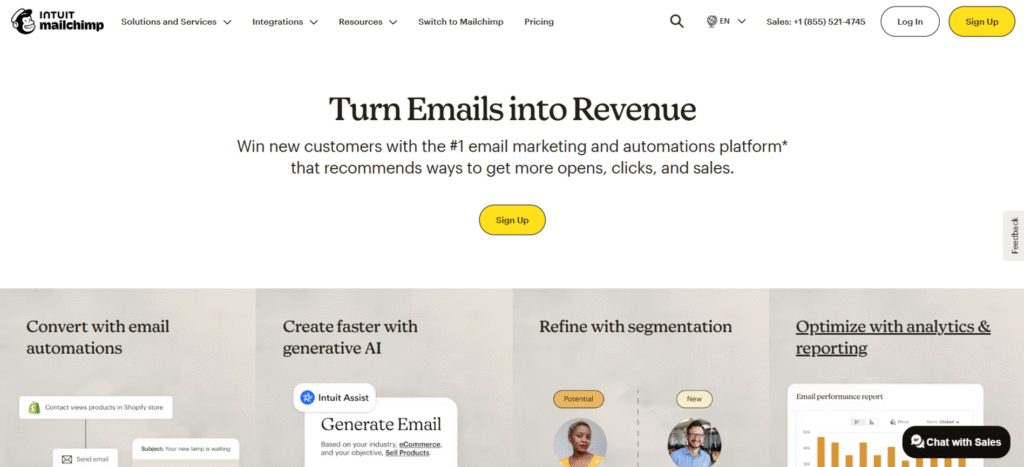
Mailchimp is a customer communication and marketing platform built around email, founded in 2001 and acquired by Intuit for $12 billion in 2021. At its core, it helps businesses collect contact information, understand audience behaviour, send relevant messages at the right time, automate repetitive communication, and measure what works. It is not a full CRM. It is not an enterprise marketing engine. It is designed to solve everyday growth problems for small and mid-sized businesses — though its pricing trajectory since the Intuit acquisition has made it progressively less accessible for the smallest users.
Who Mailchimp Is Built For in 2026
Who It Works Best For
Mailchimp works best for small to mid-size businesses and startups that are growing and need a recognisable, reliable email platform with strong integrations; ecommerce brands using Shopify or WooCommerce who want tight native integration for abandoned cart and post-purchase flows; content creators and bloggers who need a polished newsletter tool with decent analytics; and service businesses managing inbound leads who benefit from Mailchimp’s established deliverability reputation. If your business values clarity, consistency, and a familiar interface with strong third-party app support, Mailchimp fits well at the Standard tier and above.
Who Should Look Elsewhere
Mailchimp is not the right choice if you have a large list and are price-sensitive — its contact-based pricing scales aggressively, and tools like MailerLite, Brevo, or Moosend offer significantly more per dollar at higher contact volumes. It’s also not suitable if you need complex multi-step automation without upgrading to Standard (automation was removed from Essentials entirely in 2025). Businesses needing transactional email (order confirmations, password resets) need to know that this requires a separate Mandrill add-on at $29.95/month — it’s not included in any Mailchimp plan. And if you’re a very small business testing email marketing for the first time, the free plan’s new 250-contact, 500-email/month limits make it barely functional for real use.
Real Business Problems Mailchimp Solves
Rather than a generic features list, here are the specific operational problems Mailchimp addresses — and how it addresses them in practice.
Problem 1: Leads Sign Up — Then Nothing Happens
Most businesses collect leads through forms, content upgrades, or ad campaigns — and then fail to follow up consistently. The lead gets a single welcome email, if that, and then falls into silence while the team is occupied elsewhere. Research consistently shows that leads contacted within the first hour of signing up are seven times more likely to convert than those contacted after 24 hours. Mailchimp solves this with automated welcome email sequences — a series of timed, personalised messages that trigger immediately when someone joins your list, delivering value, building trust, and nudging toward a conversion action, without anyone on your team having to do anything manually. For any business currently relying on manual follow-up, this alone justifies the Standard plan upgrade.
Problem 2: Customers Buy Once and Disappear
Customer acquisition costs have risen substantially across every paid channel. The economics of ecommerce increasingly depend on second and third purchases — the first sale often doesn’t recoup the acquisition cost, and profitability comes from retention. Mailchimp’s post-purchase automation addresses this directly: a purchase triggers a sequence that sends product usage tips or educational content in the days after purchase, a review request at the appropriate interval, a reorder or related product recommendation when timing data suggests the customer is likely to need it again, and a re-engagement campaign if they’ve gone quiet. Each of these is configurable to your specific products and customer behaviour patterns, and once set up, runs continuously without manual oversight.
Problem 3: Marketing Feels Manual and Exhausting
Small teams spending hours each week manually sending emails are not only inefficient — they’re inconsistent. A team member is sick, a busy week happens, and the email doesn’t go out. Mailchimp’s automation converts this from a recurring task into a background system. Once the automation journeys are configured, scheduled campaigns and reusable templates handle the execution. The marketing team’s role shifts from “doing the sending” to “reviewing performance and improving the content” — a considerably more strategic use of time that compounds positively over months.
Problem 4: Messages Feel Generic and Ignored
Average email open rates across industries run at 20–25%. The gap between average and good performers — businesses achieving 35–45% open rates — is almost always explained by relevance. Generic “blast to everyone” emails perform poorly because they’re not relevant to the majority of recipients. Mailchimp’s segmentation tools let you divide your audience by purchase behaviour, email engagement level, geographic location, lifecycle stage, or any custom data you collect — and send different messages to each group. The Standard plan adds behavioural targeting (emails triggered by specific actions or inactions) and dynamic content blocks (different content shown to different segments within the same email), which together allow a degree of personalisation that feels individual even at scale.
Problem 5: No Visibility Into What’s Working
Many businesses send emails consistently but improve them rarely, because they don’t have clear data on performance. Mailchimp’s reporting dashboard provides open rate, click rate, bounce rate, unsubscribe rate, and revenue attribution (for ecommerce integrations) at both campaign and aggregate levels. Comparative reports let you see performance trends over time rather than evaluating each email in isolation. A/B testing (Standard plan and above) allows systematic testing of subject lines, send times, and content variations with statistically meaningful results, creating a feedback loop that compounds into meaningfully better performance over months.
Professional Use Cases
Ecommerce Brand Scaling Sustainably
An ecommerce brand with Shopify integration uses Mailchimp’s abandoned cart recovery, post-purchase sequences, product recommendation emails, and win-back campaigns for lapsed customers to increase revenue per customer without increasing ad spend. The native Shopify integration syncs purchase data automatically, allowing segmentation by total spend, product category purchased, and purchase recency — the building blocks of sophisticated ecommerce email strategy. Brands that run these flows consistently report 15–25% increases in repeat purchase rate within the first six months.
Creator or Professional Building an Audience
A content creator, consultant, or professional building an owned audience uses Mailchimp to deliver consistent newsletters, distribute lead magnets with automated delivery sequences, and reduce dependence on social platforms where algorithm changes can eliminate reach overnight. The subscriber-owned nature of an email list means the creator retains direct access to their audience regardless of what happens on Instagram, LinkedIn, or YouTube. For this use case, Mailchimp’s template quality, ease of use, and strong deliverability make it a solid choice — though ConvertKit (now Kit) and MailerLite are worth comparing at equivalent price points.
Service Business Converting Leads to Clients
A service business — agency, law firm, consulting practice, financial advisor — uses Mailchimp to automate the gap between “someone submitted a contact form” and “someone became a paying client.” That gap, which for most service businesses involves multiple touchpoints over days or weeks, is where most leads die. An automated nurture sequence that delivers relevant content (case studies, testimonials, educational material about the service) at regular intervals keeps the business top-of-mind during the client’s decision process and significantly improves conversion rates compared to a single follow-up email or a sales call alone.
Startup Validating Product-Market Fit
An early-stage startup uses Mailchimp to learn from user behaviour during the validation phase. Sending different educational sequences to different user segments and tracking engagement rates reveals which value propositions resonate. Feedback campaigns directly ask users what problems they’re trying to solve. Engagement tracking identifies the most active users — the ones most likely to give useful feedback and become early advocates. This behavioural intelligence is available from Mailchimp’s free plan at 250 contacts — though the lack of automation on the free plan means follow-up sequences require the Standard tier.
Mailchimp Pricing in 2026 (Accurate — Including Recent Changes)
Mailchimp’s pricing has changed significantly in the past 12 months, and most reviews haven’t caught up. Here’s the accurate picture as of June 2026, with the critical changes highlighted.
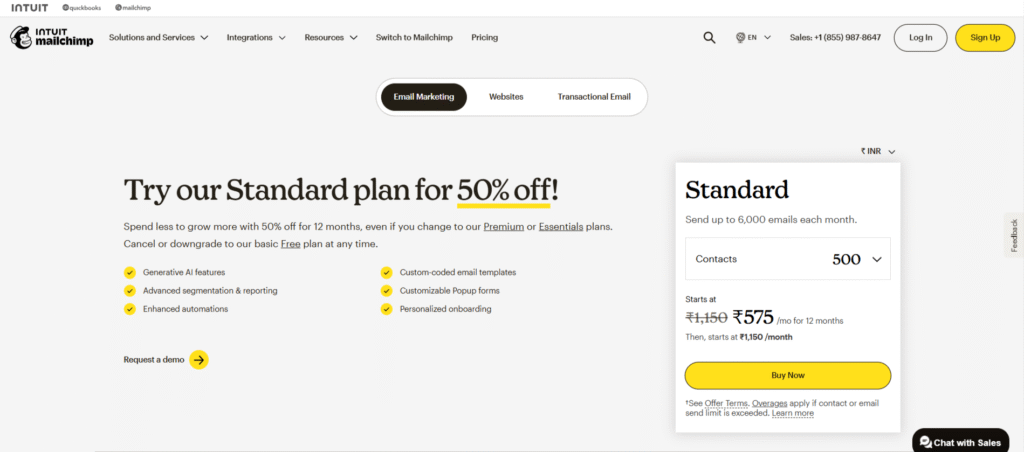
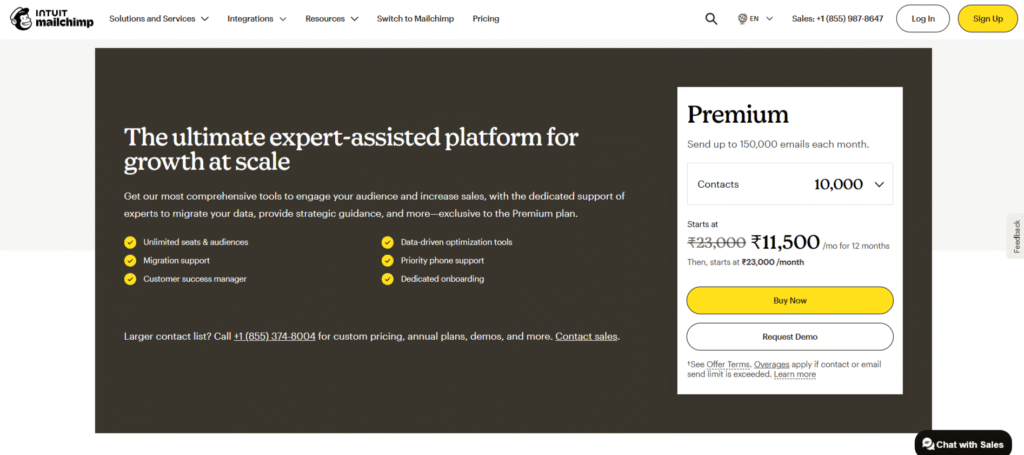
| Plan | Monthly Price | Annual Price | Contacts (entry) | Email Sends/Month | Key Features |
|---|---|---|---|---|---|
| Free | $0 | $0 | 250 | 500 (daily cap: 250) | Basic templates, NO automation, NO scheduling, Mailchimp branding, 30-day support |
| Essentials | $13/mo | $9.75/mo | 500 | 10x contact count | Email scheduling, A/B testing, all templates, basic support — NO multi-step automation |
| Standard | $20/mo | $15/mo | 500 | 12x contact count | Multi-step automation, send-time optimisation, behavioural targeting, AI creative assistant, 5 users, predictive segmentation, dynamic content |
| Premium | $350/mo | $262.50/mo | 10,000 | 15x contact count | Advanced segmentation, multivariate testing, unlimited audiences, priority support, phone support |
Critical 2026 pricing changes you need to know:
The free plan was halved in January 2026 — reduced from 500 contacts and 1,000 sends/month to 250 contacts and 500 sends/month. All automation was removed from the free plan in mid-2025. The Classic Automation Builder was deprecated in June 2025, removing multi-step automation from the Essentials tier entirely — previously Essentials included basic automation sequences. Multi-step automation now requires the Standard plan ($20/month) at minimum. Legacy account holders who joined before May 2019 received an 11–13% price increase in April 2026. Transactional email (receipts, confirmations, password resets) requires the Mandrill add-on at $29.95/month, available only on Standard and Premium — it is not included in any Mailchimp plan. SMS marketing is a separate purchase and not included in any tier.
Mailchimp’s pricing also scales by contact count — at 5,000 contacts, Essentials costs $75/month and Standard costs $100/month. The entry prices ($13 and $20) apply only to lists of 500 or fewer contacts. If your list is larger, run the numbers at your actual contact count before comparing to alternatives. And critically: Mailchimp charges for all stored contacts, including unsubscribed ones, until you manually archive them — a trap that inflates bills for businesses that don’t actively maintain list hygiene.
Mailchimp Key Features
1. Email Campaign Builder
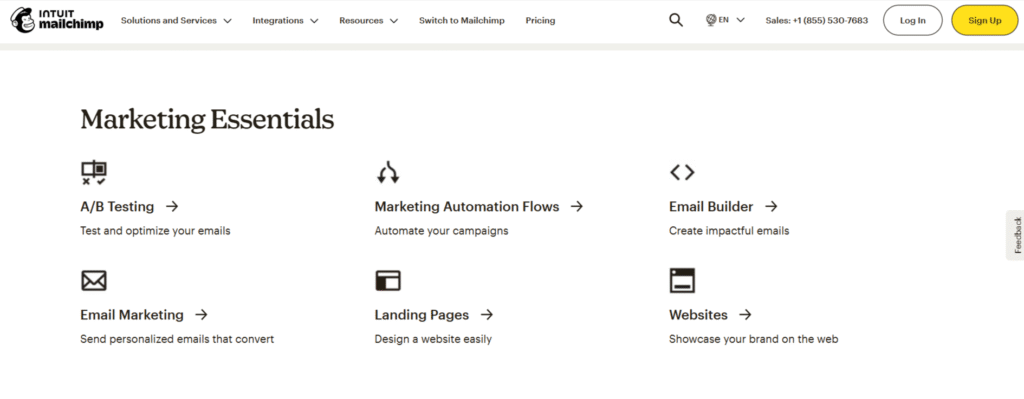
Mailchimp’s drag-and-drop email builder is one of the most polished and beginner-accessible in the email marketing category. Pre-designed templates cover the main use cases — newsletters, product promotions, event announcements, re-engagement campaigns — and they’re mobile-responsive by default, which matters given that 60%+ of emails are opened on mobile devices. The personalisation options allow you to insert contact data (first name, last order date, product recommendations) into email content dynamically, which improves engagement rates significantly compared to static content. For designers who want full control, custom HTML templates are available on paid plans.
2. Automation Workflows (Standard Plan Required)
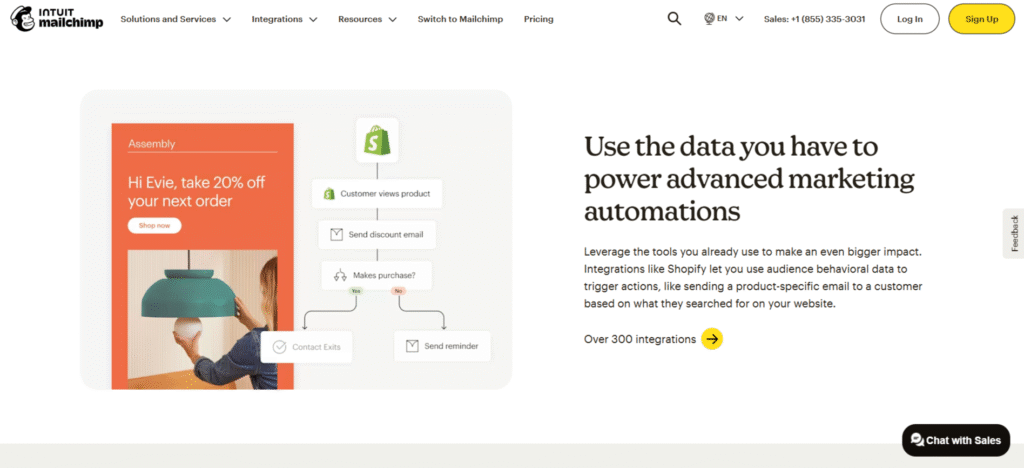
This is where a critical 2026 update matters most: multi-step automation now requires the Standard plan ($20/month). The Classic Automation Builder was deprecated in June 2025, removing even basic automation sequences from the Essentials tier. On Standard, automation covers welcome series, cart abandonment flows, post-purchase sequences, re-engagement campaigns, date-based automations, and custom journey builders with branching logic (up to 200 journey points). The automation builder is visual and accessible for non-technical users — drag, configure triggers and conditions, set delays, define actions. For most small and mid-sized businesses, the Standard automation capability covers everything they’ll need for at least the first two years of building an email system.
3. Audience Segmentation and CRM
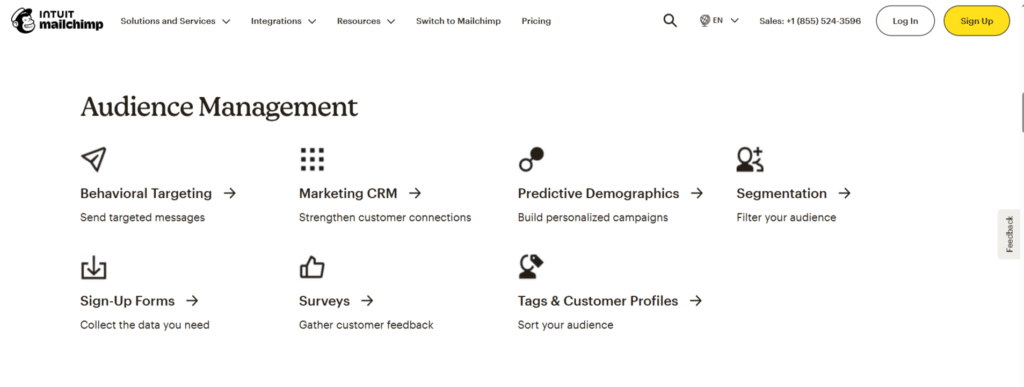
Mailchimp’s segmentation capabilities allow you to divide your audience by virtually any combination of stored attributes and behaviour data: email engagement level (opens, clicks), purchase history, geographic location, lifecycle stage, custom tags, survey responses, and more. Pre-built segments save time for common use cases — new subscribers, frequent buyers, lapsed contacts. The Standard plan adds predictive segmentation, which uses machine learning to identify contacts most likely to purchase, disengage, or churn — allowing proactive targeting before those events happen. The built-in CRM layer tracks individual contact timelines, noting every email sent, opened, and clicked alongside any purchase history from connected ecommerce platforms.
4. Reporting and Analytics
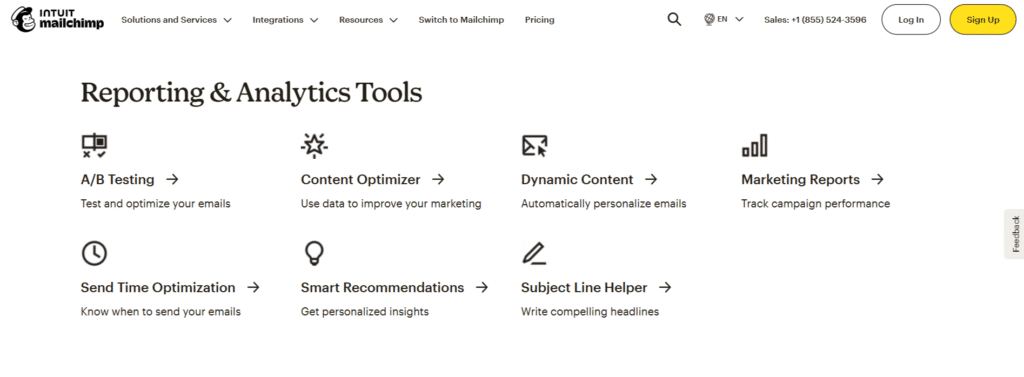
Mailchimp’s reporting dashboard tracks the standard email performance metrics — open rate, click rate, bounce rate, unsubscribe rate — with the additional context of industry benchmarks so you know whether your numbers are above or below average for your sector. Comparative reports let you track performance trends over time across multiple campaigns, which is more useful for decision-making than evaluating each campaign in isolation. For ecommerce integrations, revenue attribution shows how much revenue each email campaign generated, giving a clear ROI calculation. A/B testing is available on Standard and above — you test a variable (subject line, send time, content) against a percentage of your list, and Mailchimp automatically sends the winner to the remainder.
5. AI and Predictive Tools
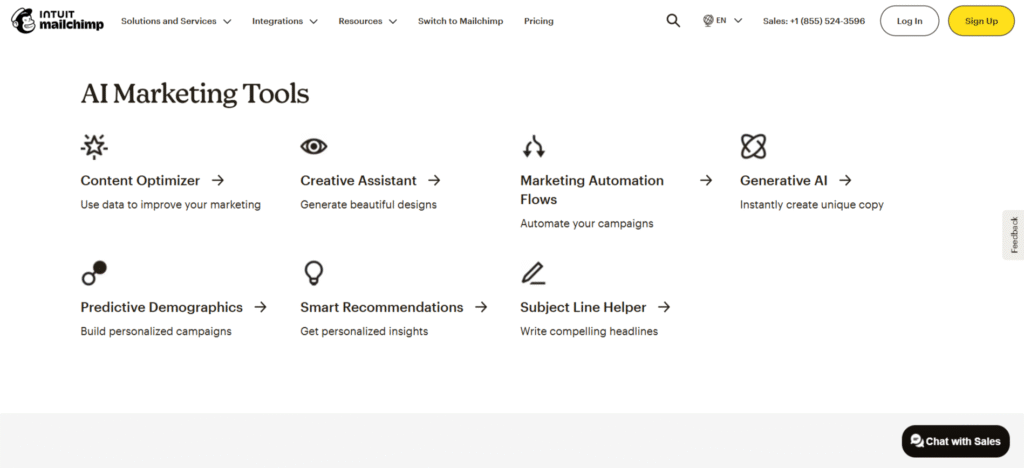
Mailchimp’s AI capabilities in 2026 are powered by Intuit Assist (in beta on Standard and above). The AI creative assistant suggests email subject lines, generates email copy based on your campaign objective, recommends images from the stock library, and proposes send time optimisation based on when your specific audience is most likely to open. Predictive segmentation identifies contacts with high purchase intent or high churn risk. Customer lifetime value prediction scores contacts based on their likely future value, allowing you to prioritise your most valuable relationships. These tools are genuinely useful as starting points, though the creative output still benefits from human editing to maintain brand voice.
6. Integrations and Ecommerce
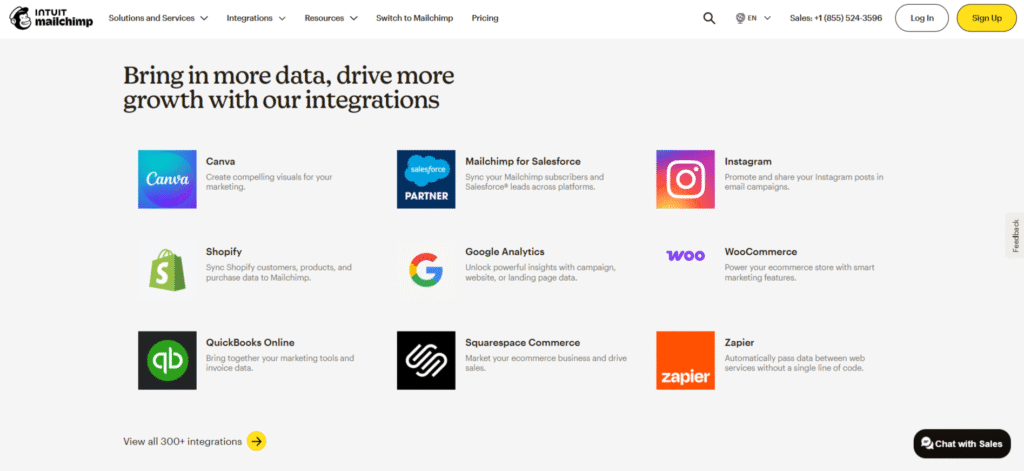
Mailchimp integrates with over 300 apps, with particularly strong native integrations for Shopify, WooCommerce, Magento, BigCommerce, Squarespace, and WordPress. The ecommerce integrations are among the most mature in the email marketing category — syncing product catalogues, purchase history, and customer lifetime value data bidirectionally, enabling abandoned cart emails, product recommendation emails, and purchase-segmented campaigns without manual data management. For non-ecommerce businesses, integrations with Salesforce, HubSpot, Zapier, Eventbrite, Canva, and major social platforms cover most workflow needs.
Mailchimp Templates and Newsletter Design
Mailchimp offers one of the most extensive template libraries in the email marketing category, covering the full range of content types businesses commonly need. Basic layouts provide clean, mobile-responsive blocks ideal for text-heavy newsletters or simple promotional emails. Pre-designed themes offer professionally styled templates with visual elements — appropriate for product launches, seasonal campaigns, and event announcements. Saved templates let you create and store your own branded designs for reuse across recurring campaigns, which is valuable for businesses with consistent newsletter formats. Custom HTML templates give developers full design control. AI-generated templates (Standard plan and above) suggest designs based on your brand colours, logo, and campaign content. The template quality is consistently high and significantly reduces the design work required for non-designers to produce professional-looking campaigns.
Mailchimp API
The Mailchimp Marketing API allows developers to integrate Mailchimp’s email marketing functionality directly into websites, applications, ecommerce platforms, and backend systems. This is relevant for businesses that want to trigger emails programmatically — adding subscribers when users sign up on a custom platform, triggering automation from in-app events, syncing customer data from a bespoke CRM, or building custom reporting dashboards. The API is RESTful, well-documented, and covers the full scope of Mailchimp’s functionality.
| Functionality | API Endpoint | Use Case |
|---|---|---|
| Manage Audiences | /lists | Add, update, or delete subscribers |
| Create & send campaigns | /campaigns | Automate email sending from your app |
| Access campaign reports | /reports | Pull performance data into custom dashboards |
| Automate workflows | /automations | Trigger emails based on user behaviour |
| Segment or tag subscribers | /segments, /tags | Personalise content delivery |
| Manage templates | /templates | Pull, create, or edit email templates |
| Ecommerce integration | /ecommerce | Sync store data for abandoned cart emails |
| Webhooks | /webhooks | Receive real-time updates on signups, opens |
| A/B Testing | /campaigns/{id}/actions/test | Run split tests via API |
Mailchimp vs Top Alternatives in 2026
Read the 10 Best Email Marketing and Automation Tools for 2026 Click Here
Given the pricing changes in 2026, the honest comparison now favours several alternatives more than it did in previous years — particularly for budget-conscious users and businesses with larger contact lists.
Mailchimp vs Top Alternatives in 2026
| Feature | Mailchimp | MailerLite | Brevo | GetResponse | Moosend |
|---|---|---|---|---|---|
| Free Plan | 250 contacts, 500 sends — no automation | 1,000 subscribers, 12,000 sends | Unlimited contacts, 300 sends/day | 500 contacts, basic features | No free plan |
| Starting Price | $13/mo (Essentials) | $10/mo | $9/mo (Starter) | $19/mo | $9/mo |
| Automation | Standard ($20/mo) required | All paid plans | All paid plans | Strong visual builder | All paid plans |
| Transactional Email | Mandrill add-on ($29.95/mo) | Not available | Built-in (all plans) | Available | Available |
| Ecommerce | Strong — Shopify, WooCommerce, native | Shopify | Shopify, Magento | Shopify, WooCommerce | Shopify, WooCommerce |
| AI Features | Predictive segmentation, Intuit Assist | Basic | Limited | AI recommendations | Basic |
| Best For | Ecommerce, established SMBs | Budget users, creators | Transactional + marketing | All-in-one marketing | Affordable automation |
The honest competitive picture: MailerLite at $10/month gives a more generous free tier (1,000 contacts vs 250) and includes automation on paid plans. Brevo’s free plan allows unlimited contacts with 300 sends per day and includes transactional email built-in — a significantly more useful free tier than Mailchimp’s. Moosend and GetResponse both offer automation at lower price points than Mailchimp’s Standard tier. Where Mailchimp retains a genuine edge is in ecommerce integration depth, brand recognition (which affects deliverability expectations from recipients), template quality, and the breadth of its third-party integration ecosystem.
Mailchimp Pros and Cons
| Pros | Cons |
|---|---|
| Best-in-class ecommerce integrations — Shopify, WooCommerce native | Free plan halved in 2026 — only 250 contacts, 500 sends, no automation |
| Polished email builder with extensive template library | Multi-step automation requires Standard ($20/mo) — removed from Essentials in 2025 |
| Strong deliverability reputation and infrastructure | Pricing scales aggressively — 5,000 contacts costs $75–$100/month |
| AI predictive segmentation and send-time optimisation on Standard+ | Transactional email requires Mandrill add-on ($29.95/mo) |
| 300+ app integrations including Salesforce, Shopify, WordPress | Charges for unsubscribed contacts — list hygiene essential to control costs |
| Advanced segmentation and multivariate testing on Premium | Legacy users faced 11–13% price increase April 2026 |
| Established platform with 20+ years of deliverability history | Cheaper alternatives offer comparable features at lower price points |
Common Mistakes Businesses Make With Mailchimp
Mistake 1: Using It Only for Newsletters
The most common underuse of Mailchimp is treating it as a broadcast newsletter tool — writing and sending an email when you have something to say, rather than building automated follow-up systems that run continuously. The highest-value Mailchimp use cases are the automations: welcome sequences that convert new subscribers into customers, post-purchase flows that increase repeat purchase rate, and re-engagement campaigns that recover lapsing contacts. Businesses that set up these flows once and let them run see compounding returns; businesses that only use the campaign broadcast feature are getting a fraction of the available value.
Mistake 2: Over-complicating Automation Too Early
The opposite problem: building a 15-step automation journey with complex branching logic before you have the audience data to know whether that complexity is warranted. Complex automations require ongoing maintenance, and errors in the logic can send wrong messages to wrong segments at scale. The practical approach for most businesses starting with automation is to build one or two high-value flows first — a welcome sequence and an abandoned cart sequence — run them for 60–90 days, review performance, and then expand. Complexity should be earned by demonstrating that simpler flows are working and identifying specific gaps they don’t address.
Mistake 3: Ignoring List Hygiene
Mailchimp charges for all stored contacts including unsubscribed ones — so a list that has grown to 8,000 contacts over three years, with 2,000 who have unsubscribed and 1,500 who haven’t opened an email in 12 months, is being billed at 8,000 contacts rather than the 4,500 who are genuinely engaged. Regular list hygiene — archiving unsubscribed contacts, suppressing chronically unengaged contacts after a win-back campaign, removing invalid email addresses — directly reduces the monthly bill and improves deliverability metrics simultaneously. For most businesses, quarterly list hygiene is sufficient to prevent costs from inflating significantly.
Is Mailchimp Reliable for Long-Term Use?
Mailchimp’s core infrastructure is stable, established, and well-resourced. Its deliverability reputation is strong — built over 20+ years of operation — and major internet service providers and email clients recognise and generally trust Mailchimp’s sending infrastructure. Security standards are appropriate for most businesses. The platform is not experimental. The honest concern for long-term use is the pricing trajectory: since the Intuit acquisition in 2021, Mailchimp has raised prices or reduced free-tier limits in nearly every calendar year. The 2025–2026 period saw the free plan halved, automation removed from Essentials, and a legacy user price increase. There’s no structural reason to expect this trajectory to reverse. Businesses building a long-term email strategy on Mailchimp should model their costs at 2x and 5x their current list size to understand whether the platform remains cost-competitive as they grow.
Mailchimp vs Doing Nothing
Most businesses don’t fail at email marketing because they chose the wrong tool. They fail because they have no system at all — leads fall through the cracks, customers receive no post-purchase communication, and marketing depends entirely on whoever has time to write something. Mailchimp — or any structured email platform — provides the system that eliminates this inconsistency. A business with a properly configured Mailchimp Standard setup running welcome sequences, post-purchase flows, and quarterly newsletters will outperform a business using a “better” platform inconsistently. Tool choice matters less than execution quality and consistency.
Final Verdict: Is Mailchimp Worth It in 2026?
Yes — with important caveats that didn’t apply two years ago. Mailchimp remains a strong choice for ecommerce businesses (particularly Shopify and WooCommerce users) where its native integration depth is genuinely superior, for established SMBs that already have Mailchimp embedded in their workflows and integrations, and for businesses that need the Standard plan’s full automation and AI feature set and are comfortable with the $20/month starting price.
The value proposition has weakened for very small businesses and cost-sensitive users. The free plan at 250 contacts and 500 sends/month with no automation is not practically useful for any real marketing operation — MailerLite’s free plan (1,000 contacts, 12,000 sends) or Brevo’s free plan (unlimited contacts, 300 sends/day) deliver significantly more at $0. If you’re starting from scratch in 2026 with under 1,000 contacts and a tight budget, Mailchimp’s free plan is no longer the first recommendation. If you’re an established business on Mailchimp’s Standard or Premium plan getting genuine value from the automation and ecommerce integration, the platform earns its cost. Evaluate your actual usage, model your cost at 2x list growth, and compare it directly against MailerLite or Brevo at your specific contact count before deciding.
Related Reading
- Best Email Marketing and Automation Tools 2026 (full roundup)
- Best Mailchimp Alternatives 2026
- Brevo vs Mailchimp
- What Is Email Marketing? Beginner Guide
How do I use Mailchimp for e-commerce?
Connect your online store to Mailchimp — Shopify, WooCommerce, and BigCommerce all have native integrations that sync product catalogue, purchase history, and customer data automatically. Once connected, the most valuable ecommerce automations to set up are: abandoned cart recovery (emails sent to shoppers who added items but didn’t purchase), post-purchase follow-ups (review requests, product tips, cross-sell recommendations), and win-back campaigns for lapsed customers. Revenue attribution reporting in Mailchimp then shows exactly how much revenue each email campaign generates, giving a clear ROI picture. These flows require the Standard plan — multi-step automation is not available on Essentials or Free as of 2026.
Does Mailchimp integrate with Salesforce?
Yes. Mailchimp integrates with Salesforce through both a native app in the Mailchimp App Marketplace and third-party connectors via Zapier or Make. The native Salesforce integration syncs contacts bidirectionally, adds email engagement data (opens, clicks, unsubscribes) to Salesforce contact records, and allows you to trigger Mailchimp campaigns based on Salesforce CRM activity. The quality of the integration depends on which plan you’re using and how the connector is configured — the native app requires a Standard or Premium plan for full functionality.
Can I use Mailchimp as a CRM?
Yes, with limitations. Mailchimp includes a basic CRM layer — contact profiles, interaction timelines, tagging, segmentation, and basic lifecycle tracking. For a small business that primarily does email marketing and doesn’t need a dedicated sales pipeline, it functions adequately as a lightweight CRM. It is not a replacement for dedicated CRM platforms like Zoho CRM, Pipedrive, or HubSpot for businesses with active sales processes requiring deal management, pipeline tracking, and sales workflow automation. The best approach for growing businesses is often to use Mailchimp for email marketing alongside a dedicated CRM that integrates with it.
Is Mailchimp good for startups?
Yes, with the important caveat that the free plan is significantly less useful in 2026 than it was previously. The free plan now caps at 250 contacts and 500 emails/month with no automation — not practically sufficient for most startups doing real marketing. The Standard plan at $20/month is the minimum tier that gives startups access to automation (welcome sequences, lead nurture flows) and the analytics needed to learn from user behaviour. For very early-stage startups with under 500 contacts and budget constraints, MailerLite or Brevo offer more generous free tiers. Mailchimp becomes compelling for startups once they’re growing beyond 1,000 contacts and need the ecommerce integrations or the predictive AI features.
Does Mailchimp have free e-commerce templates?
Yes. Mailchimp includes free e-commerce templates in the drag-and-drop builder under the ‘E-commerce’ or ‘Sell Products’ categories — available on all plans including Free. These cover product promotion, sale announcements, new arrivals, and abandoned cart email formats. The templates are mobile-responsive and customisable to match your brand colours, logo, and product imagery. AI-generated template suggestions based on your brand and campaign content are available on Standard plan and above.
Is Mailchimp free or paid?
Mailchimp offers both free and paid plans. The free plan allows up to 250 contacts and 500 emails per month as of January 2026 — reduced from 500 contacts and 1,000 sends. Importantly, all automation has been removed from the free plan. It’s useful for testing the interface but not for real marketing operations. Paid plans start at $13/month (Essentials, 500 contacts) and $20/month (Standard, 500 contacts — required for multi-step automation). Annual billing saves approximately 25%: Essentials at $9.75/month and Standard at $15/month. Prices scale with contact count as your list grows.
Which Mailchimp template works best for product launches?
For product launches, the ‘New Arrivals Spotlight’ or ‘Product Feature’ templates produce the strongest results — they’re designed with large hero images, concise product descriptions, and prominent call-to-action buttons that drive click-through rates. For a launch sequence, the most effective approach is a multi-email series rather than a single announcement: a teaser email 3–5 days before launch (build anticipation), the launch email on day one (full details, offer, CTA), and a follow-up email 3–5 days later for non-purchasers (social proof, FAQ, last chance framing). This sequence requires the Standard plan’s automation capabilities.
What changed in Mailchimp in 2026?
Several significant changes happened to Mailchimp in 2025–2026. In mid-2025, the Classic Automation Builder was deprecated, removing multi-step automation from the Essentials tier entirely — automation now requires the Standard plan ($20/month minimum). In January 2026, the free plan was halved: contacts reduced from 500 to 250, and monthly sends reduced from 1,000 to 500. All automation was removed from the free plan at the same time. In April 2026, legacy account holders (accounts created before May 2019 that had not migrated to current pricing) received an 11–13% price increase. Taken together, these changes make Mailchimp significantly more expensive for small businesses and less competitive with alternatives at entry-level price points.





I am Ashish Yadav a software engineer and AI tools researcher with over five years of practical experience working with real-world systems and automation. I am founder of CognifyFuture, where I analyzes, tests, and breaks down AI tools with a focus on what actually works—not what’s trending.
My content is built on hands-on usage, not theory. Instead of generic advice, I focuses on real implementation—how AI tools can be used to automate tasks, improve efficiency, and solve any specific business or individual problems.
Through CognifyFuture, My aims is to eliminate confusion around AI by delivering clear, honest, and actionable insights that help users make smarter technology decisions.