
Most people searching for AI scheduling tools find two names: Motion and Reclaim. But there’s a Motion vs Reclaim AI vs Clockwise third tool that deserves to be in this conversation — Clockwise — and comparing all three together reveals something the individual comparisons miss.
Each of these tools is excellent at something different. None of them is the right tool for every situation. Understanding which problem each one actually solves is the comparison that saves you from months of using the wrong tool.
Motion vs Reclaim vs Clockwise: What Each Tool Actually Does
Before the comparison table: a clear-eyed summary of each tool’s core function.
Motion is an all-in-one AI productivity app. It manages your tasks, your projects, AND your calendar — scheduling everything automatically and reshuffling when priorities change. It wants to be your primary workspace.
Reclaim AI is an intelligent scheduling layer on top of your existing calendar. It auto-schedules tasks from your PM tools, protects habits and focus blocks, and integrates with Slack — without requiring you to change any of the tools you already use.
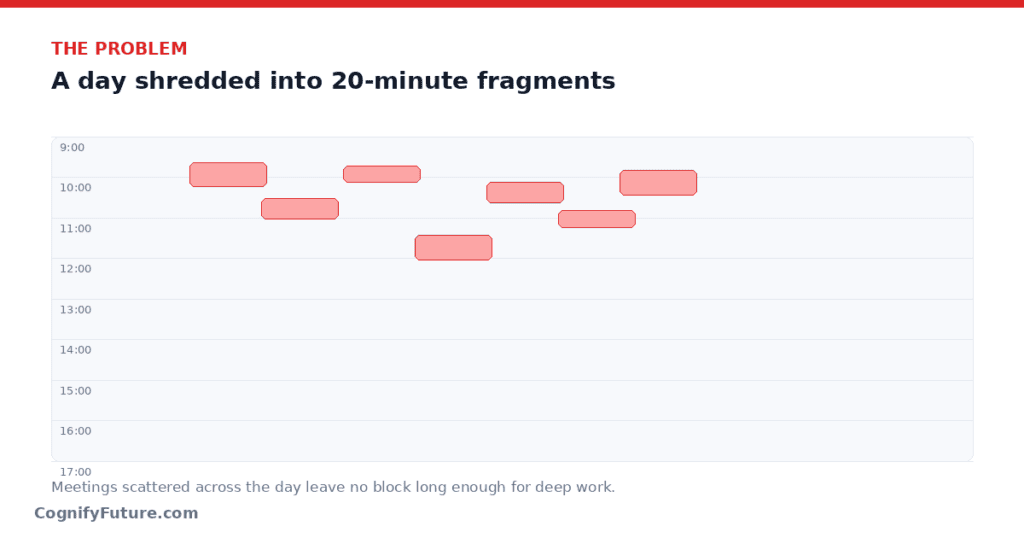
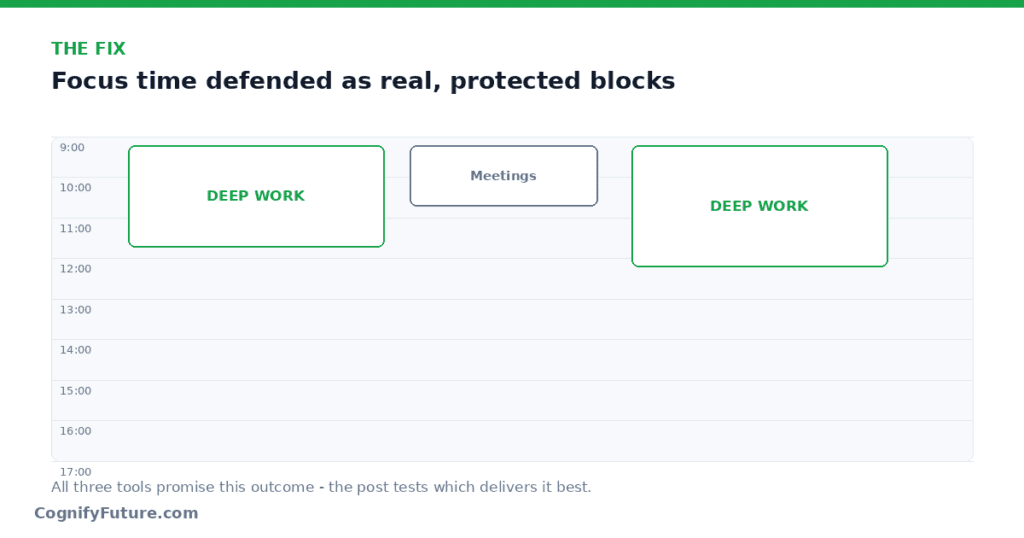
Clockwise is a meeting optimisation tool. It reorganises when your meetings happen to create the maximum possible uninterrupted focus time — especially powerful when done across an entire team simultaneously.
Read Our Review 27 Best AI Tools for Productivity in 2026: Tested, Ranked & Brutally Honest
Motion vs Reclaim AI vs Clockwise: How Each Tool’s Underlying Model Actually Differs
The three tools aren’t just different feature sets bolted onto similar engines — they’re built on genuinely different assumptions about where your work lives. Motion assumes your work lives inside Motion: tasks, projects, and calendar all exist in one closed system, which is what lets its AI make aggressive, hands-off scheduling decisions — it has total visibility into everything you’re supposed to do. The cost of that visibility is lock-in — Motion doesn’t sync bidirectionally with Asana, Jira, or ClickUp, so adopting it usually means migrating your task management into Motion rather than layering it on top of what you have.
Reclaim assumes the opposite: your work already lives somewhere else (Asana, Jira, Todoist, ClickUp, Linear), and Reclaim’s job is to read that data and translate it into calendar time without asking you to change tools. This makes Reclaim easier to adopt incrementally, but its scheduling intelligence is only as good as the data it can pull from your connected tools — if a task’s priority or due date isn’t set correctly at the source, Reclaim can’t compensate for that.
Clockwise doesn’t touch tasks at all — its model is purely about meeting placement across a graph of calendars. This narrow scope is exactly why it can go deeper than either Motion or Reclaim on team-wide meeting coordination — it isn’t trying to also be a task manager, so all of its intelligence is focused on one problem: minimising meeting fragmentation across everyone it has visibility into.
Motion vs Reclaim vs Clockwise: Side-by-Side Comparison
AI Task Scheduling
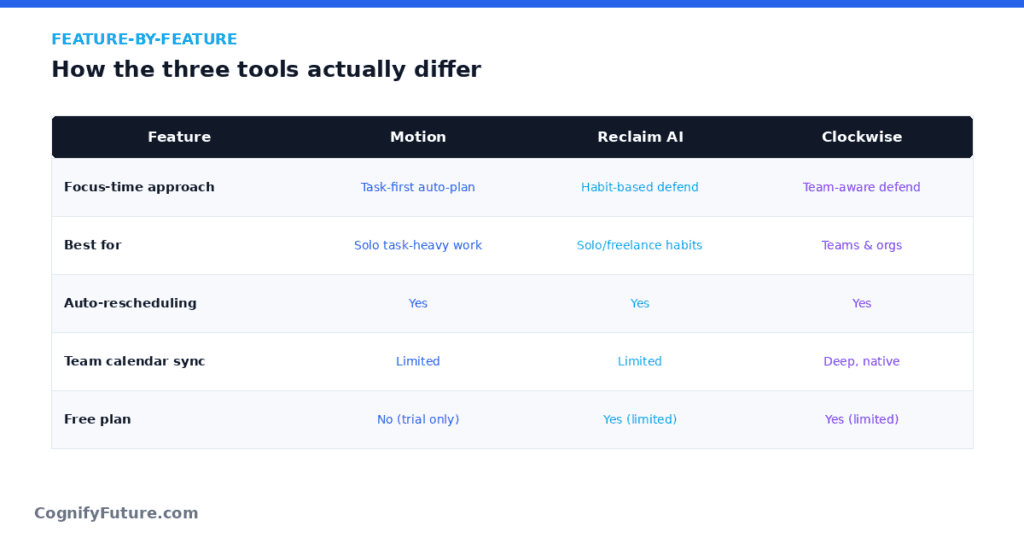
- Motion: ✅ Full automatic AI task scheduling — aggressive and hands-off
- Reclaim: ✅ Full automatic AI task scheduling — flexible and habit-aware
- Clockwise: ❌ Does not schedule tasks at all
External Task Tool Integrations
- Motion: ❌ Tasks must live inside Motion — no Asana, Jira, Todoist, ClickUp sync
- Reclaim: ✅ Native sync with Asana, Jira, Todoist, ClickUp, Linear, HubSpot, Google Tasks
- Clockwise: ❌ No task integrations
Habit and Personal Routine Protection
- Motion: ❌ No dedicated habit protection
- Reclaim: ✅ Flagship feature — habits move around meetings, never just get lost
- Clockwise: ❌ No habit features
Project Management
- Motion: ✅ Kanban, timelines, team workload — built in
- Reclaim: ❌ Not a PM tool — schedules tasks from your PM tools
- Clockwise: ❌ Not a PM tool
Team-Wide Calendar Optimisation
- Motion: Partial — team workload visibility, but not meeting reorganization
- Reclaim: Partial — team scheduling analytics and Smart 1:1s
- Clockwise: ✅ Core feature — reorganises meetings across entire teams to maximise focus blocks
Slack Integration
- Motion: Basic notifications
- Reclaim: ✅ Real-time bidirectional Slack status sync — auto-updates availability based on calendar
- Clockwise: Basic integration available
Mobile App
- Motion: ✅ iOS and Android (but weak — 3.2 stars on App Store)
- Reclaim: ❌ Web-only — no mobile app
- Clockwise: ✅ iOS and Android
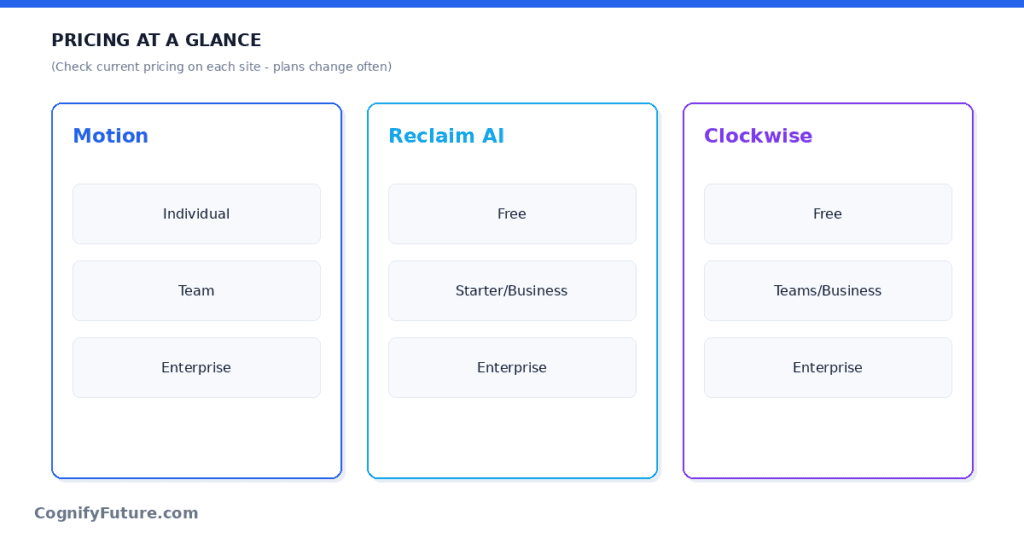
Motion vs Reclaim vs Clockwise : Pricing
Free Plan
Motion: ❌ No free plan (7-day trial only)
Reclaim: ✅ Free forever Lite plan
Clockwise: ✅ Free plan for individuals
Pricing (Paid Plans)
Motion: $19–$29/user/month (annual)
Reclaim: $8–$18/user/month (annual)
Clockwise: $6.75–$11.50/user/month (annual)
Motion vs Reclaim AI vs Clockwise: On boarding Time and Effort
Motion demands the most upfront commitment of the three. Because it wants to be your single source of truth for tasks and calendar, real onboarding means importing or recreating your existing task lists inside Motion, which for a team with an established Asana or Jira setup can take a full day of migration work rather than the few minutes it takes to connect a calendar. Motion’s AI also needs a week or two of real usage to start making scheduling decisions that feel accurate, since it’s learning your work patterns from scratch rather than reading structured priority data from another tool.
Reclaim’s onboarding is lighter because it doesn’t ask you to move anything — connecting your existing PM tool and calendar takes about fifteen minutes, and the AI starts working immediately using whatever priority and due-date data already exists in your connected tools. The quality of Reclaim’s first week of scheduling depends heavily on how well-maintained that source data already is.
Clockwise has the lightest individual onboarding of all three (about five minutes) but the least individual payoff — its value only becomes visible once enough of your team has joined and given it visibility into their calendars too.
Real-World Scenario: A Solo Founder Wearing Every Hat
Consider a solo founder handling sales calls, product decisions, and execution work with no team and no existing PM tool. For this person, Motion’s all-in-one model is genuinely appealing — there’s no existing task system to migrate away from, so Motion’s walled-garden design isn’t a limitation, it’s just where the work lives from day one. The founder gets task management, project tracking, and calendar scheduling in one place without juggling multiple subscriptions.
Reclaim would technically work too, but without an existing PM tool to sync from, its main advantage (reading tasks from Asana or Jira) goes unused, leaving mostly its habit-protection features as the differentiator. Clockwise offers the least value here since there’s no team calendar to optimise around. For this specific persona, Motion’s higher price is offset by not needing a separate task manager at all.
Real-World Scenario: An Agency With an Established Asana Workflow
Now consider a 12-person agency that has run its entire client workflow through Asana for three years, with custom fields, templates, and integrations the team relies on daily. Migrating that workflow into Motion would mean rebuilding years of process for uncertain benefit. Reclaim is the obvious fit here: it reads directly from the existing Asana setup and turns it into calendar time without touching the underlying system the team already trusts.
If this same agency also struggles with scattered client calls fragmenting the week, layering Clockwise on top of Reclaim addresses that second problem without requiring yet another migration. Motion, in this scenario, would actually be a step backward — it would ask the team to abandon a working system to gain scheduling intelligence Reclaim already provides without the switching cost.
Real-World Scenario: A Growing Engineering Org Choosing Its First Scheduling Tool
Finally, consider a 20-person engineering org that has never used any AI scheduling tool and is evaluating all three for the first time. Their core complaint isn’t task management — engineers already track work in Jira just fine — it’s that the week is full of scattered 30-minute meetings and nobody gets real focus time. This is Clockwise’s exact use case: team-wide meeting optimisation solves the stated problem directly, without asking anyone to change how they track tasks.
If, after adopting Clockwise, individual engineers still want their Jira tasks auto-scheduled into whatever focus blocks Clockwise creates, adding Reclaim on top is a reasonable second step. Motion would be the wrong starting point here, since the org’s actual bottleneck (meeting fragmentation) isn’t something Motion is built to solve as directly as Clockwise is.
Common Mistakes When Choosing Between the Three
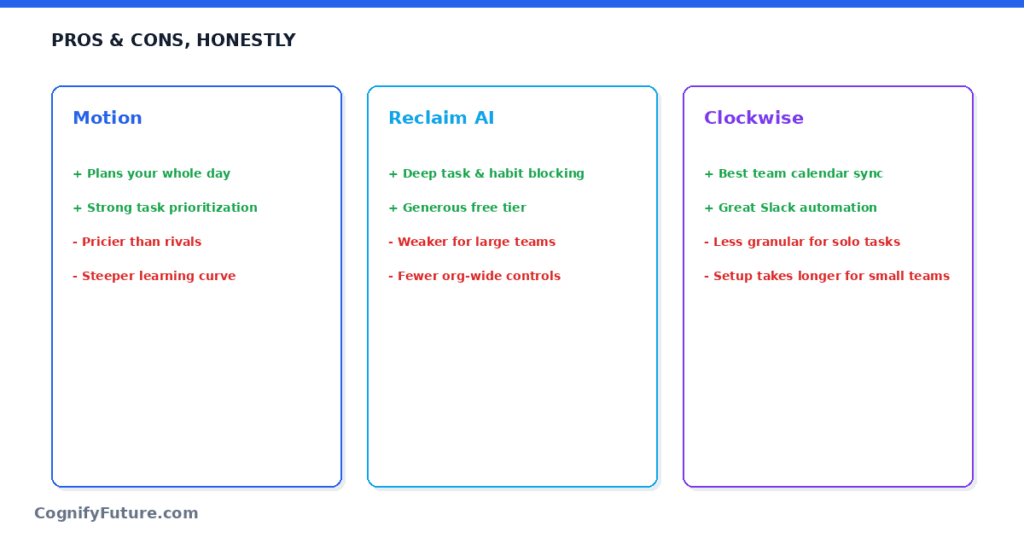
The most common mistake is defaulting to Motion because it markets itself as the most complete solution. “Does everything” sounds appealing, but for any team with an existing PM tool it likes, “does everything” really means “make you rebuild everything inside a new system.” Evaluate Motion only if you’re starting from zero or you’re already unhappy with your current task manager for reasons unrelated to scheduling.
The second common mistake is picking Reclaim or Clockwise based on price alone without checking whether the tool actually addresses your primary bottleneck. Reclaim’s task scheduling is worthless to a team whose problem is meeting fragmentation, and Clockwise’s meeting optimisation is worthless to a solo user with no team calendars to coordinate. Identify the bottleneck first, then match the tool to it, not the reverse.
Support Quality and Reliability
Support experience differs meaningfully between the three, which matters more than most comparisons acknowledge once you’re relying on a tool for daily scheduling. Motion’s support has historically been the most criticised of the three — a large share of its mobile app’s low App Store rating traces back to sync bugs and support response times rather than core scheduling logic, worth factoring in if your team is mobile-heavy. Reclaim’s support is generally responsive for a tool at its price point, and its status page and changelog are actively maintained, which matters for teams who want visibility into whether an issue is on their end or the vendor’s. Clockwise, backed by a larger enterprise customer base, tends to offer the most predictable support experience of the three, particularly on paid team plans with dedicated onboarding.
Data Privacy Considerations Across the Three
All three tools require calendar access to function, which means evaluating their data handling is worth doing before a company-wide rollout rather than after. Motion’s all-in-one model means it holds the most concentrated dataset — tasks, projects, and calendar all in one vendor — which is convenient functionally but worth weighing against having a single vendor hold that much operational detail about your business. Reclaim’s scope is narrower since it primarily reads and writes calendar events plus whatever task metadata your connected PM tools expose, rather than becoming the system of record itself. Clockwise’s data footprint is the narrowest of the three, limited mostly to calendar event timing and attendee data, since it never touches task content at all. None of the three publish dramatically different security postures at the enterprise tier (SSO, SOC 2 compliance are available across all three for paid plans), but the amount of data each tool needs access to in the first place does differ by design.
Switching Costs If You Choose Wrong
It’s worth being honest about how expensive it is to reverse each choice. Un-adopting Motion is the costliest reversal, since your tasks and projects likely live nowhere else by the time you decide to leave, meaning a switch away means exporting and rebuilding your task system in a new tool from scratch. Un-adopting Reclaim is comparatively cheap, since your task data was never moved out of its original PM tool — disconnecting Reclaim just stops the calendar auto-scheduling and leaves everything else untouched. Un-adopting Clockwise is the cheapest of all — disconnecting it simply stops the automatic meeting reorganisation, with zero data migration required in either direction. This asymmetry is a good reason to treat Motion as the higher-commitment decision of the three and pilot it more cautiously than the other two.
Total Cost at Scale: A 25-Person Team Example
Price-per-seat numbers are easy to compare but harder to reason about until you attach them to a real headcount. For a 25-person team on annual billing, Motion’s Team plan lands around $19 to $29 per user, putting the total between roughly $475 and $725 per month, with zero free seats available since Motion has no free tier. Reclaim’s Business plan at $12/user/month brings the same team to $300 per month, with the option to keep lower-usage team members on the free Lite plan to reduce that further. Clockwise’s Business plan at $11.50/user/month comes to just under $290 per month for the same 25 people, also with a usable free tier for anyone who only needs basic optimisation.
Running Reclaim and Clockwise together for the same 25-person team — the combination this article recommends for teams with both a task-scheduling and a meeting-fragmentation problem — would land around $590 per month combined, still noticeably below Motion’s upper pricing band while covering more ground functionally. This is the clearest financial argument for the two-tool approach over Motion for any team past roughly 15 to 20 people, where seat costs start to compound quickly.
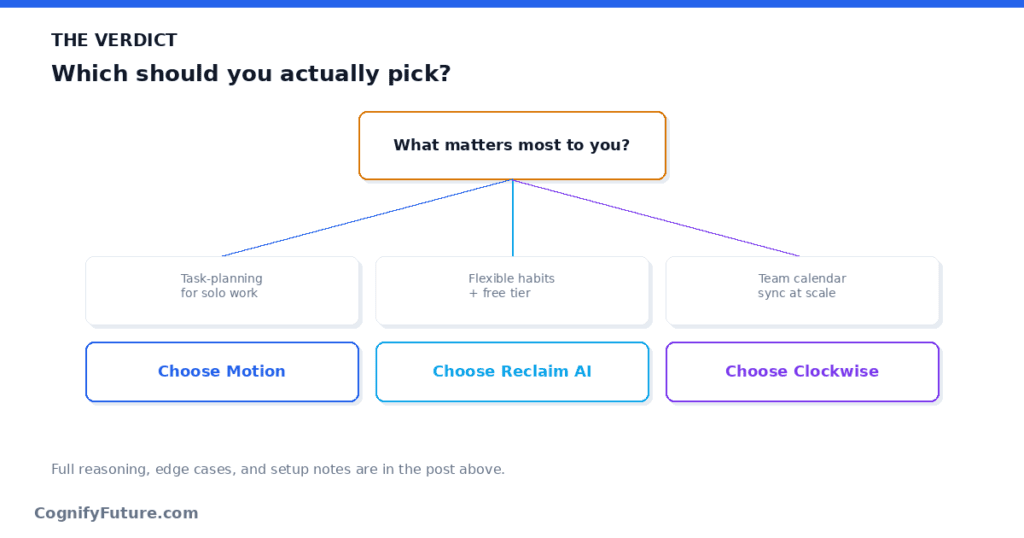
Motion vs Reclaim vs Clockwise: Decision Guide
Use this to decide quickly:
- I want full AI autopilot and don’t use external PM tools → Motion
- I want AI scheduling on top of tools I already use → Reclaim
- I want to protect personal habits like lunch and exercise → Reclaim
- My team’s meetings are scattered and nobody gets a 2-hour stretch → Clockwise
- I want PM + scheduling in one app → Motion
- I want the lowest price with a free tier → Reclaim or Clockwise
- I need Asana/Jira/ClickUp tasks auto-scheduled → Reclaim
- I want team-wide No Meeting Days → Clockwise
Can You Use All Three Together?
Some teams use Reclaim + Clockwise together effectively: Clockwise optimises when team meetings happen, and Reclaim fills the resulting focus blocks with individual tasks and habits. This combination provides the deepest scheduling coverage available without Motion’s walled-garden limitations.
Adding Motion to an existing Reclaim or Clockwise setup is generally not recommended — they overlap significantly on calendar management and create conflicts.
The bottom line: Start with Reclaim’s free plan. If you discover your primary problem is team meeting fragmentation rather than individual task scheduling, add Clockwise. Only switch to Motion if you want all-in-one and are happy to migrate your tasks into its ecosystem.
Final Take
If you only remember one thing from this comparison, make it this: these three tools were never really competing head-to-head, despite how the marketing pages present them. Motion competes with your project management tool. Reclaim competes with doing manual calendar blocking on top of your existing task list. Clockwise competes with the standing meeting-scheduling norms your team has never bothered to fix. Match the tool to the specific friction you’re actually feeling this month, not to whichever one shows up first in search results, and the choice tends to become obvious.
1.Is there a meaningful difference in AI quality between the three tools?
The underlying scheduling algorithms are broadly comparable in sophistication — none of the three has a dramatic technical edge over the others at placing events into open calendar slots. The real differentiator is scope and data access — what each tool can see and act on — rather than which one has a smarter model. This is why matching the tool to your actual bottleneck matters more than searching for the “smartest” one.
2.What happens to my scheduled tasks if I cancel Reclaim or Clockwise?
Cancelling either tool simply stops future auto-scheduling — it doesn’t delete your underlying task data in Asana, Jira, or wherever it originally lived, and it doesn’t remove calendar events that were already created. You may want to manually review any Focus Time or task blocks that were placed on your calendar, since they’ll remain as static events rather than being cleaned up automatically after cancellation.
3.How long should I trial each tool before deciding?
Give each tool at least two full weeks of real usage before judging it — the first few days mostly reflect the tool learning your patterns rather than its steady-state behavior. For Clockwise specifically, results depend on team adoption, so a solo trial will understate what it looks like once colleagues join.
4.Do any of these tools work well for a solo freelancer with no team?
Motion and Reclaim both deliver value to a solo user, since neither requires teammates on the platform to function. Clockwise delivers the least value to a solo freelancer, since its core strength is optimising meetings across multiple calendars, something a single-person calendar doesn’t really have.
5.Can I switch from Motion to Reclaim later without losing data?
Since Motion holds your task data natively rather than syncing from an external source, switching away means manually exporting or recreating your task list in whatever tool you move to next, including Reclaim’s connected PM tools. This is the main reason to pilot Motion carefully before a full rollout — reversing the decision is more work than reversing a Reclaim or Clockwise trial.
6.Does Motion work well for a team that already uses Jira or Asana?
Not particularly well as a first choice. Motion doesn’t sync bidirectionally with Jira or Asana, so a team with an established workflow in either tool would need to move task management into Motion to get its scheduling benefits. Reclaim is generally the better fit for teams that want to keep their existing PM tool.
7.Which AI scheduling tool works best for remote teams?
Reclaim AI is generally best for remote teams — the real-time Slack status sync (automatically showing teammates when you’re in focus mode, in a meeting, or available) is uniquely valuable for async and remote work culture. Clockwise is also useful for remote teams to coordinate No Meeting Days and focus blocks across time zones.
8.What is the cheapest AI scheduling tool?
Clockwise is the cheapest at $6.75/user/month (annual) for the Teams plan. Reclaim starts at $8/user/month. Both have free plans. Motion is the most expensive at $19/user/month with no free option.
9.Is Reclaim AI better than Clockwise?
For individual scheduling, task management from external tools, and habit protection — yes, Reclaim is significantly better than Clockwise. For team-wide meeting optimization and creating coordinated focus time across an entire team — Clockwise is better. They’re complementary rather than competing directly.
10.Which is better: Motion, Reclaim AI, or Clockwise?
They solve different problems: Motion is best for all-in-one AI scheduling + project management without external PM tools. Reclaim is best for intelligent scheduling on top of existing tools (Asana, Jira, Todoist, ClickUp) with habit protection. Clockwise is best for team-wide meeting reorganization to create longer focus blocks. Most individuals should start with Reclaim. Teams with meeting fragmentation problems should add Clockwise.





I am Ashish Yadav a software engineer and AI tools researcher with over five years of practical experience working with real-world systems and automation. I am founder of CognifyFuture, where I analyzes, tests, and breaks down AI tools with a focus on what actually works—not what’s trending.
My content is built on hands-on usage, not theory. Instead of generic advice, I focuses on real implementation—how AI tools can be used to automate tasks, improve efficiency, and solve any specific business or individual problems.
Through CognifyFuture, My aims is to eliminate confusion around AI by delivering clear, honest, and actionable insights that help users make smarter technology decisions.







