
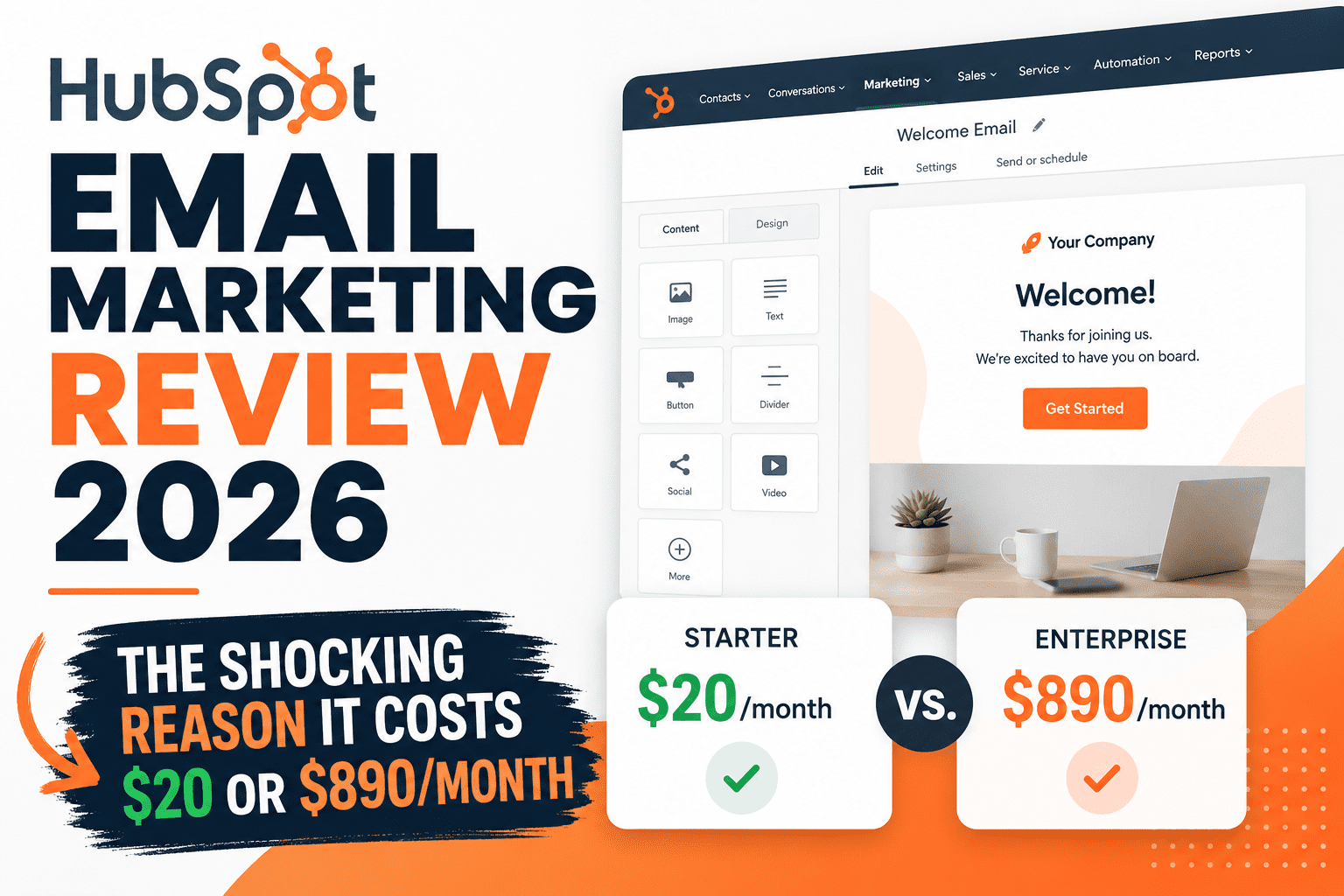
This HubSpot Email Marketing Review breaks down exactly why, if you’ve spent any time comparing email marketing tools, you’ve probably hit this exact moment of confusion:
“HubSpot’s pricing page says $20/month… so why does everyone online say it costs hundreds or even thousands?”
You’re not imagining it, and you’re not bad at reading pricing pages. HubSpot’s email marketing tools are genuinely good — but the platform is structured in a way that makes the “real” cost very different depending on whether you’re using its free tools, the Starter plan, or anything beyond it.
I went through HubSpot’s email marketing tools specifically from the perspective of someone deciding whether to use HubSpot for email, or whether a dedicated email tool would serve them better — looking at what’s actually included at each price point, where the jumps happen, and why so many small businesses end up frustrated after their first year.
This review covers:
- What HubSpot’s free email tools actually let you do (and where they stop)
- Why there’s a 44x price jump between Starter and Professional
- What email marketing automation really requires you to pay for
- Whether HubSpot is worth it if email is your main focus
- Who should use HubSpot for email — and who should run, not walk, toward a dedicated tool
Short answer: HubSpot’s email marketing tools are excellent if you’re already using (or planning to use) HubSpot as your CRM. If email is your only need, HubSpot’s pricing structure makes it one of the most expensive options on the market — not because the $20/month plan is expensive, but because of what you don’t get until you pay dramatically more.
Let’s break down exactly why.
HubSpot Email Marketing Review: What Is It?
HubSpot’s email marketing tools live inside Marketing Hub, which itself lives inside the larger HubSpot ecosystem alongside Sales Hub, Service Hub, and the free CRM that ties everything together.
This is the single most important thing to understand before anything else: you’re not buying an email tool — you’re buying a CRM with email marketing built on top of it.
That framing explains almost everything else in this review, including the pricing, the feature gates, and who HubSpot actually makes sense for.
Read Best Email Marketing and Automation Tools for 2026 – Top 10 Tested Platforms Click Here
What HubSpot’s Email Tools Actually Do
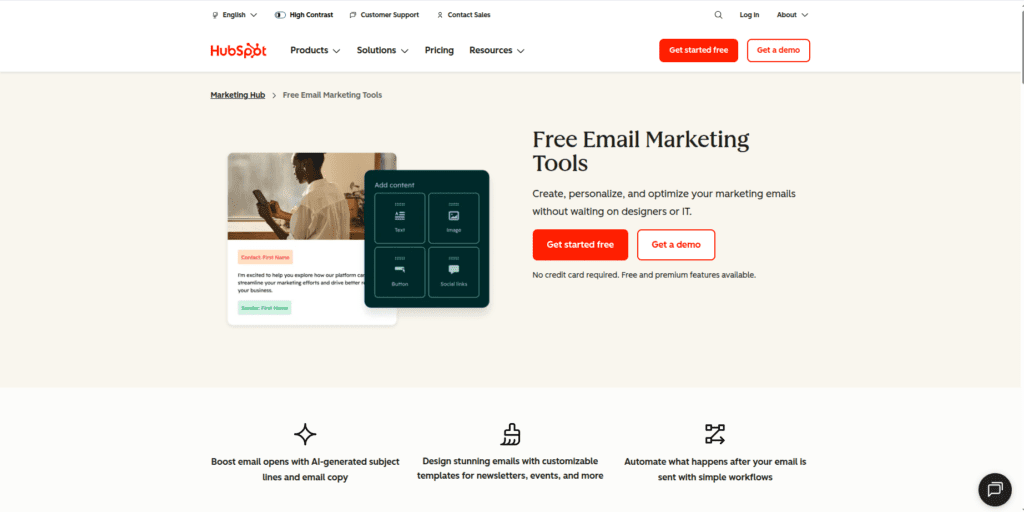
At a feature level, HubSpot’s email marketing covers the basics you’d expect, plus some genuinely strong extras because of the CRM connection:
- Drag-and-drop email builder with pre-designed templates
- Personalization tokens pulled directly from CRM contact records
- A/B testing (on Professional and above)
- Performance analytics tied to deals and revenue, not just opens/clicks
- Marketing automation workflows (Professional and above)
The CRM connection is what makes HubSpot’s email tools different from a standalone ESP. Because every contact in your email list is also a full CRM record, your emails can be personalized and triggered based on deal stage, support ticket status, website behavior, and sales activity — not just “opened previous email” or “clicked this link.”
For a sales-driven business, that’s powerful. For someone who just wants to send a weekly newsletter to blog subscribers, it’s a lot of machinery you’ll never touch.
HubSpot Email Marketing Pricing in 2026: The Real Numbers
This is where most reviews either oversimplify (“it’s free!”) or overwhelm you with every possible add-on. Here’s the breakdown that actually matters for this HubSpot Email Marketing Review and your decision.
Free Plan
HubSpot’s free tools include:
- Up to 2,000 marketing emails sent per month
- Free CRM with unlimited users and up to 1 million contact records
- Basic email templates (limited selection)
- Forms, live chat, and basic landing pages
The catch: every email sent on the free plan carries HubSpot branding, and there’s no automation beyond very basic email sequences. For a brand-new business testing the waters, it’s a genuinely usable starting point — especially because the underlying CRM (unlimited users, up to 1M contacts) is rare among free tiers.
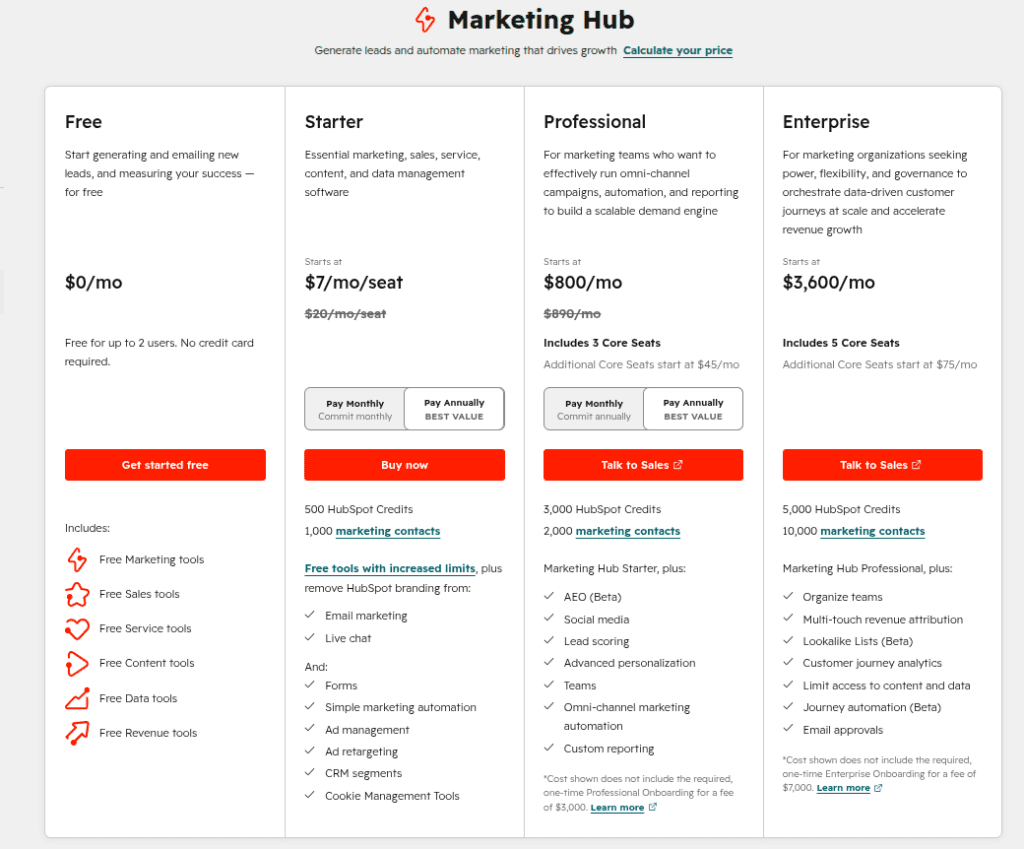
Starter Plan: ~$20/seat/month (annual billing)
Starter removes HubSpot branding and includes:
- 1,000 marketing contacts included
- Higher email send limits (roughly 20x your marketing contact tier)
- Simple email automation (basic triggered sequences — not full workflows)
- Email and in-app chat support
This is the plan most small businesses land on, and for clean, branded campaigns with simple automation, it’s reasonable value at roughly $20/month. The important thing to understand is what Starter doesn’t include: A/B testing, multi-step branching automation, and the deeper workflow builder are all locked behind the next tier.
Professional Plan: ~$890/month (annual) + $3,000 Onboarding Fee
This is the tier where HubSpot’s real marketing automation lives — and where the pricing conversation gets serious.
Professional includes:
- 2,000 marketing contacts included (3 seats)
- Full marketing automation workflows (multi-step, branching logic) — up to 300 workflows
- A/B testing for emails and landing pages
- Custom reporting and dashboards
- Multi-currency support
Here’s the number that surprises almost everyone: going from Starter to Professional is roughly a 44x price increase — from about $20/month to about $890/month, plus a mandatory $3,000 onboarding fee billed in year one.
To put that in perspective: a dedicated email platform like ActiveCampaign offers comparable automation depth for around $49/month, with no onboarding fee. The $890/month isn’t paying for “better email automation” — it’s paying for email automation plus the rest of the Marketing Hub Professional feature set (ads management, social tools, SEO recommendations, and deeper CRM reporting).
Enterprise Plan: ~$3,600/month (annual) + $6,000-$7,000 Onboarding
Enterprise includes 10,000 marketing contacts (5 seats), 1,000 workflows, customer journey analytics, multi-touch revenue attribution, and adaptive AI-based testing. This tier is built for large marketing teams running complex, multi-channel campaigns — not something a small business needs to evaluate for email alone.
The Contact-Pricing Trap
One more thing that catches people off guard: HubSpot’s pricing is based on “marketing contacts,” and exceeding your tier’s limit doesn’t just add a small fee — it can bump you into the next contact tier entirely. For example, a Professional plan with 2,001 contacts (just one over the 2,000 limit) can jump to the 5,000-contact tier, adding roughly $250/month.
This means your bill doesn’t grow smoothly with your list — it grows in steps, and crossing a threshold by even one contact can trigger a meaningfully larger charge.
HubSpot Practical Use Case: Two Different Businesses
The “should I use HubSpot for email” question has two very different answers depending on what kind of business is asking. Let’s look at both.
Scenario 1: A Content Blog Building an Email List
Imagine a blog with 3,000 subscribers, sending one weekly newsletter with affiliate links and occasional digital product promotions. No sales team, no deal pipeline, no support tickets to track.
On HubSpot:
- Free plan caps out at 2,000 emails/month — a 3,000-subscriber weekly newsletter exceeds this almost immediately
- Starter plan (~$20/month) covers 1,000 marketing contacts — this blog would need to pay for the 3,000-5,000 contact tier, pushing costs higher
- To get real automation (welcome sequences with branching logic, behavior-based triggers), this blog would need Professional at ~$890/month — a price point that makes no sense for a newsletter-only operation
For this business, a dedicated platform like MailerLite or ConvertKit at $10-30/month for 3,000 subscribers, with full automation included, is dramatically more cost-effective — and that’s before counting the $3,000 onboarding fee HubSpot Professional requires.
Scenario 2: A B2B Service Business With a Sales Team
Now imagine a B2B consulting firm with a 4-person sales team, using a CRM to track deals, and wanting email nurture sequences tied to where a lead sits in the sales pipeline.
On HubSpot:
- The free CRM already gives them unlimited users and contact storage — a major head start
- Marketing Hub Professional’s automation can trigger emails based on deal stage changes, meeting bookings, or sales rep activity — something a standalone ESP simply cannot do without complex integrations
- The $890/month + $3,000 onboarding is a real cost, but it replaces what would otherwise be a separate CRM ($50-150/month), a separate email tool ($50-100/month), and the integration work (and ongoing maintenance) to connect them
For this business, the math is closer — and the unified data (one source of truth for sales and marketing) often justifies the premium, especially as the team grows.
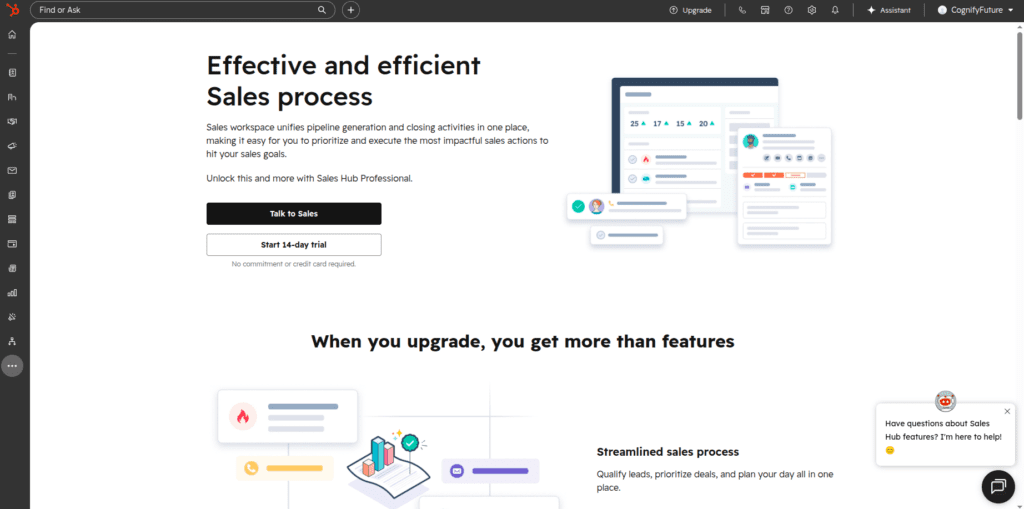
The takeaway: HubSpot’s email pricing only makes sense in the context of the CRM it’s attached to. Evaluating it purely as “an email tool that costs $890/month” misses what you’re actually buying.
HubSpot Email Features Breakdown
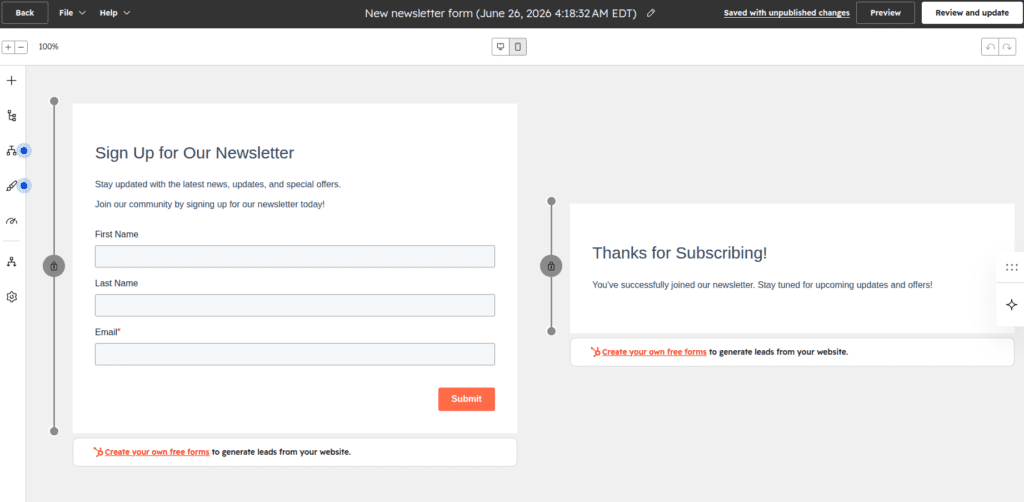
1) Drag-and-Drop Email Builder
The email editor is clean and modern, with a reasonable library of templates. It won’t blow you away compared to design-focused tools, but it covers newsletters, promotional emails, and automated sequences without friction.
2) CRM-Powered Personalization
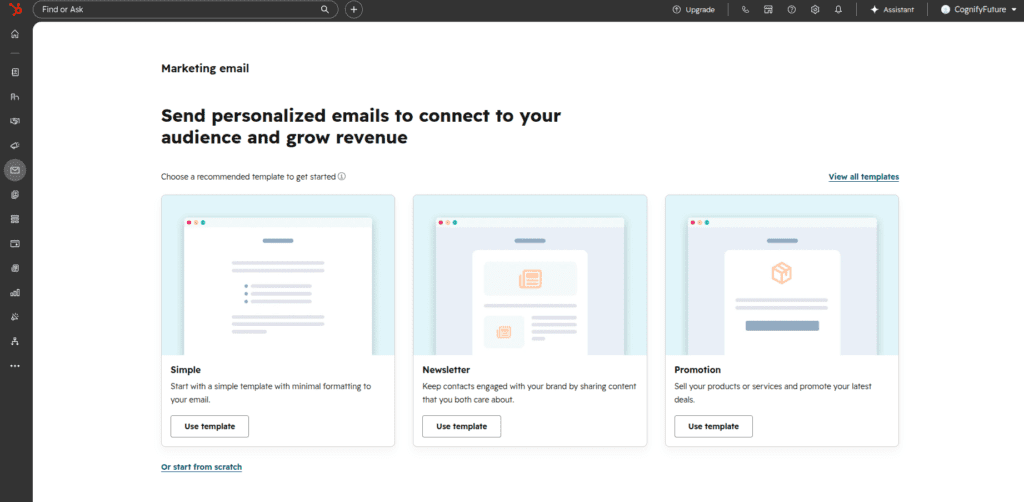
Because every email contact is also a CRM record, you can personalize emails using any CRM property — not just first name, but deal value, last contacted date, lifecycle stage, or custom fields your team has set up. This is genuinely a step beyond what most standalone ESPs offer out of the box.
3) Marketing Automation Workflows (Professional+)
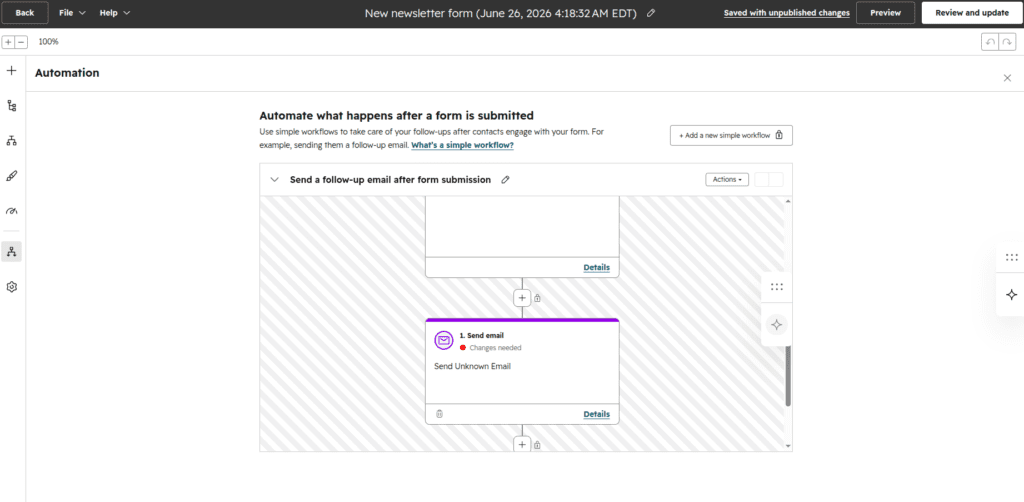
This is the headline feature, and it’s powerful: multi-step workflows with branching logic that can trigger on email behavior, form submissions, deal stage changes, website visits, and more — up to 300 workflows on Professional, 1,000 on Enterprise.
The honest caveat: this is the exact feature that’s gated behind the 44x price jump. If automation is your primary reason for considering HubSpot, you need to budget for Professional, not Starter.
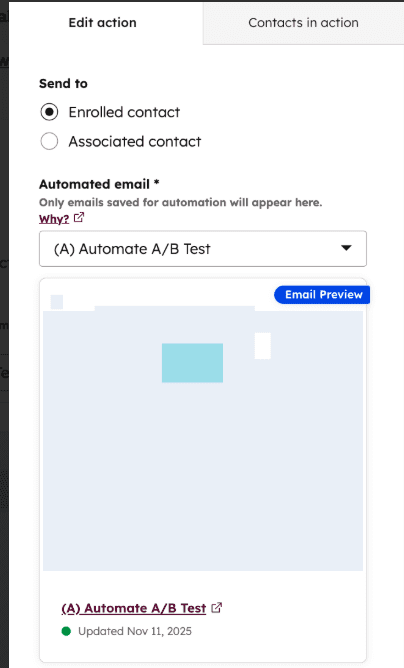
4) A/B Testing (Professional+)
Subject line and content A/B testing is available starting at Professional, with adaptive (AI-driven) testing reserved for Enterprise. Starter and Free plans don’t include A/B testing at all — a notable gap compared to competitors like Mailchimp and MailerLite, which offer basic A/B testing on lower-cost plans.
5) Reporting Tied to Revenue
Because of the CRM connection, HubSpot can show you not just open and click rates, but which emails led to deals being created, moved, or closed — and at Enterprise, multi-touch attribution across the entire customer journey. For sales-driven teams, this closes the loop between marketing activity and revenue in a way few standalone ESPs can match.
Deliverability and Sending Limits
One area that’s easy to overlook when comparing pricing tiers is how many emails you’re actually allowed to send — and how that scales with your contact count.
HubSpot ties your monthly send limit to your marketing contact tier, generally allowing roughly 20x your contact limit in email sends per month. So on Starter with 1,000 contacts, you’d have roughly 20,000 sends per month — plenty for a weekly newsletter, but worth checking if you send daily emails to a larger list.
On deliverability itself, HubSpot doesn’t publish independent inbox-placement benchmarks the way some dedicated ESPs do (MailerLite, for example, publishes third-party deliverability test results). HubSpot does support standard authentication — SPF, DKIM, and DMARC — and as a large, established sender, its infrastructure reputation is generally solid. But if deliverability data is something you want to verify before committing, dedicated email platforms tend to be more transparent about it, simply because it’s their core product.
My recommendation either way: regardless of which platform you choose, set up domain authentication (SPF/DKIM/DMARC) from day one and use double opt-in for new subscribers. These two steps matter more for inbox placement than which platform you’re on.
Who Should Use HubSpot for Email Marketing?
Businesses Already Using (or Planning to Use) HubSpot CRM
If your sales team already lives in HubSpot, adding email marketing on top means one unified contact database — no syncing, no integration maintenance, no data living in two places.
B2B Companies With Sales Pipelines
If your email strategy needs to respond to deal stages, sales activity, or pipeline movement, HubSpot’s automation can do things a standalone ESP genuinely cannot — at least not without significant integration work.
Companies That Can Absorb the Professional Price Jump
If $890/month plus a $3,000 onboarding fee is a rounding error in your marketing budget, and you need the automation depth, HubSpot Professional is a legitimate, well-built platform.
Who Should NOT Use HubSpot for Email Marketing?
1) Bloggers, Newsletter Creators, and Content Sites
If your “marketing” is a weekly newsletter and occasional promotions, you don’t need a CRM attached to your email tool. MailerLite, ConvertKit, or Brevo will give you better automation per dollar at every realistic list size.
2) Ecommerce Stores
HubSpot’s email tools aren’t built around shopping behavior, cart abandonment, or product catalogs the way ecommerce-focused platforms are. Drip, Klaviyo, or Omnisend will integrate more deeply with Shopify or WooCommerce for less money.
3) Small Businesses Needing Automation on a Tight Budget
If real marketing automation (welcome sequences, behavior-based triggers, branching logic) is a must-have, but a $890/month + $3,000 onboarding jump isn’t realistic, HubSpot’s Starter plan won’t get you there. ActiveCampaign or GetResponse offer comparable automation depth starting around $30-50/month.
HubSpot vs ActiveCampaign
Choose HubSpot if: you need a unified CRM and marketing platform, your sales team is the primary driver of your email strategy, and you can absorb the Professional-tier pricing.
Choose ActiveCampaign if: you want deep email automation and a built-in CRM at a fraction of HubSpot Professional’s cost — ActiveCampaign’s automation depth rivals HubSpot’s at roughly $49/month versus $890/month.
HubSpot vs Mailchimp
Choose HubSpot if: email is one piece of a broader sales and marketing operation, and CRM-driven personalization matters more than email-specific design tools.
I Tested MailChimp for 7 Days with Real Workflows. Read Detailed Review. Click Here
Choose Mailchimp if: you want a lower entry cost, a larger template library, and A/B testing available without needing to jump to an enterprise-tier price point.
HubSpot Email Marketing Pros and Cons
Pros
- Free CRM with unlimited users and up to 1M contacts — rare among free tiers
- Email personalization using any CRM field, not just basic merge tags
- Marketing automation can trigger on sales activity (deal stage, meeting booked, etc.) — something standalone ESPs can’t easily replicate
- Reporting connects email activity directly to revenue and pipeline movement
- Genuinely useful free plan for early-stage testing
Cons
- 44x price jump from Starter (~$20/month) to Professional (~$890/month) to unlock real automation
- Mandatory $3,000-$7,000 onboarding fee on Professional and Enterprise
- No A/B testing below Professional
- Contact-tier pricing can jump a full tier from a single extra contact
- Free and Starter plans cap email sends well below what an active newsletter list needs
- Email features aren’t best-in-class on their own — dedicated ESPs often beat HubSpot in automation flexibility, deliverability tools, or ecommerce integration for the same money
Final Verdict
After going through HubSpot’s email marketing tools across every pricing tier, here’s where this HubSpot Email Marketing Review lands: HubSpot’s email features are good — sometimes very good, when CRM data is involved — but the platform is not designed to be evaluated as “an email marketing tool” in isolation.
If you’re already running your sales process through HubSpot’s CRM, the email tools are a natural, well-integrated extension, and the Professional-tier investment buys you a genuinely unified system. But if you’re coming to HubSpot purely to send newsletters or run email automation, the 44x jump from Starter to Professional — plus the $3,000 onboarding fee — means you’ll likely pay 10-20x more than a dedicated email platform for comparable (or sometimes lesser) email-specific functionality.
My honest recommendation: start with HubSpot’s free CRM and free email tools if you’re testing the waters and might need a CRM eventually. But if email marketing automation is your core need and a sales pipeline isn’t part of the picture, look at ActiveCampaign, GetResponse, or MailerLite first — you’ll likely get more automation for dramatically less money.
If HubSpot’s CRM-driven approach does fit your business, you can start with the free plan here and get a feel for the platform before evaluating whether the Professional jump makes sense for your team.
Related Reading
- Best Email Marketing and Automation Tools 2026 (full roundup)
- ActiveCampaign Review 2026
- Best Mailchimp Alternatives 2026
1. Is HubSpot good for email marketing?
Yes, if email is part of a broader CRM-driven sales and marketing strategy. HubSpot’s email tools allow personalization using any CRM field and can trigger automation based on sales activity like deal stage changes — something standalone email tools struggle to replicate. If you only need email marketing with no CRM component, dedicated platforms are usually more cost-effective.
2. How much does HubSpot email marketing cost in 2026?
HubSpot’s free plan includes up to 2,000 marketing emails per month with HubSpot branding. The Starter plan costs roughly $20/seat/month (annual billing) for 1,000 marketing contacts and removes branding. Professional costs roughly $890/month (annual) for 2,000 contacts plus a mandatory $3,000 onboarding fee, and unlocks full marketing automation and A/B testing. Enterprise starts around $3,600/month plus $6,000-$7,000 onboarding.
3. Does HubSpot’s Starter plan include email automation?
Starter includes simple, basic email automation — limited triggered sequences — but not the full multi-step, branching workflow builder. Full marketing automation with branching logic, behavior triggers, and up to 300 workflows is only available starting at the Professional tier.
4. Why is there such a big price jump between HubSpot Starter and Professional?
The jump from roughly $20/month (Starter) to roughly $890/month (Professional) — about 44x — reflects that Professional unlocks HubSpot’s full marketing automation workflows, A/B testing, custom reporting, and multi-currency support, plus the broader Marketing Hub feature set (ads, social, SEO tools). It’s not priced as ‘better email automation’ alone; it’s priced as the full Marketing Hub Professional package.
5. Is HubSpot’s free email plan worth using?
For early-stage businesses, yes — it includes a genuinely useful free CRM (unlimited users, up to 1M contacts) plus 2,000 marketing emails per month. The limitations are HubSpot branding on emails, a limited template selection, and minimal automation. It’s a reasonable starting point if you might need a CRM later, but a dedicated ESP’s free plan may offer more email-specific features.
6. Does HubSpot charge based on number of contacts?
Yes. HubSpot’s pricing is based on ‘marketing contacts’ in tiers — Starter includes 1,000, Professional includes 2,000, Enterprise includes 10,000. Exceeding your tier’s limit, even by one contact, can bump your entire plan to the next contact tier, which can add a significant jump to your monthly bill rather than a small incremental fee.
7. Is HubSpot good for ecommerce email marketing?
Not particularly. HubSpot’s email tools aren’t built around shopping behavior, abandoned carts, or product catalog syncing the way ecommerce-focused platforms like Drip, Klaviyo, or Omnisend are. For an online store, those platforms typically offer deeper Shopify/WooCommerce integration for significantly less than HubSpot Professional.
8. What are the best alternatives to HubSpot for email marketing?
For automation-focused small businesses without a CRM need, ActiveCampaign and GetResponse offer comparable automation depth starting around $30-50/month. For bloggers and creators, MailerLite and ConvertKit are more cost-effective. For ecommerce, Drip, Klaviyo, and Omnisend integrate more deeply with online stores at a lower cost than HubSpot Professional.

About the Author
Ashish Yadav — Founder & Engineer, CognifyFuture
I’m a software engineer and AI tools researcher with 5 years of hands-on experience testing automation and AI platforms. Every review on this site is based on real, hands-on use — not repackaged spec sheets.
Reviewed and fact-checked for accuracy as of July 2026.




I am Ashish Yadav a software engineer and AI tools researcher with over five years of practical experience working with real-world systems and automation. I am founder of CognifyFuture, where I analyzes, tests, and breaks down AI tools with a focus on what actually works—not what’s trending.
My content is built on hands-on usage, not theory. Instead of generic advice, I focuses on real implementation—how AI tools can be used to automate tasks, improve efficiency, and solve any specific business or individual problems.
Through CognifyFuture, My aims is to eliminate confusion around AI by delivering clear, honest, and actionable insights that help users make smarter technology decisions.