
If your store is finally making consistent sales, but your email marketing still feels like an afterthought, you’ve probably typed some version of this into Google:
“Is Drip actually worth $39/month, or should I just stick with Mailchimp until I outgrow it?”
That question matters more than most reviews admit. Drip isn’t a tool you “try” casually — it’s priced and built for stores that already know email drives revenue and want to prove it, down to the dollar.
I spent time inside Drip, specifically from the angle of an ecommerce seller: connecting a store, building automation, checking what the dashboard actually shows once orders start flowing through it, and — just as importantly — figuring out where the pricing page doesn’t tell the whole story.
This review answers the questions that matter before you commit:
- What does Drip actually do differently from Mailchimp or Klaviyo?
- Is the $39/month starting price justified for a small store?
- How good is the Shopify and WooCommerce integration in practice?
- What’s the deal with Drip’s SMS feature — is it actually available?
- Who should avoid Drip entirely?
Short answer: Drip is one of the strongest ecommerce-focused email marketing tools in 2026 — but only if email is already (or about to become) a real revenue channel for your store. If you’re still sending occasional newsletters, it’s overbuilt and overpriced for what you need.
Let’s get into Drip Review 2026 and explore why.
What Is Drip?
Drip is an email and SMS marketing automation platform built specifically for ecommerce brands — founded in Minneapolis back in 2013, and now firmly positioned as a “direct-to-consumer” marketing tool rather than a general-purpose email sender.
That word “specifically” is doing a lot of work in that sentence, and it’s the single most important thing to understand about Drip before anything else.
Unlike Mailchimp or MailerLite, which try to serve bloggers, agencies, coaches, and stores all at once, Drip made a deliberate bet: it would rather be excellent for online retailers than decent for everyone.
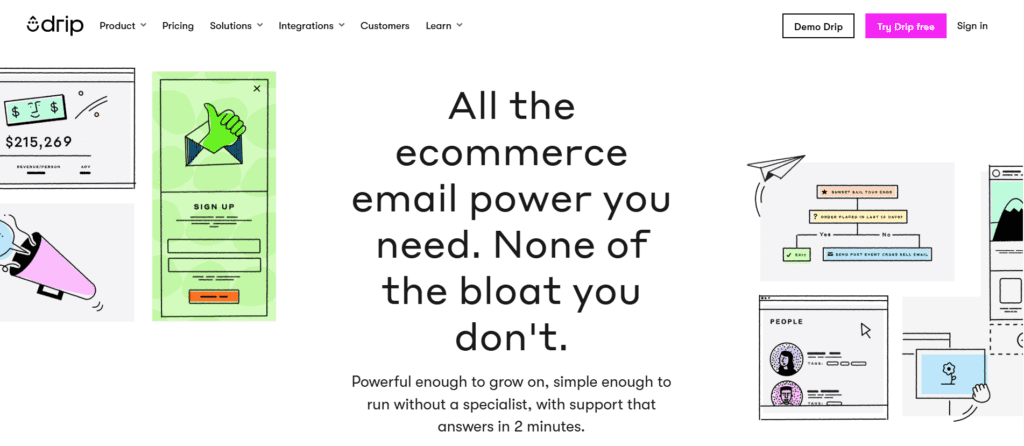
In practice, this means Drip is built around three pillars:
1. Behavioral Data From Your Store
Drip syncs directly with Shopify, WooCommerce, BigCommerce, and Magento — pulling in product views, cart additions, purchases, and even browsing behavior, automatically and continuously.
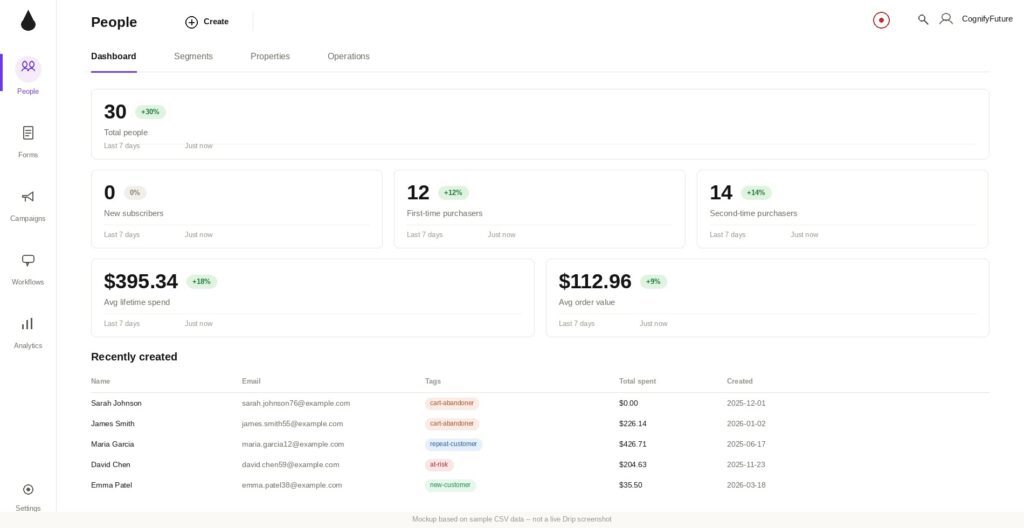
2. Visual Workflow Automation
A drag-and-drop automation builder with 50+ prebuilt “playbooks” — ready-made workflows for cart abandonment, post-purchase follow-up, win-back campaigns, and more.
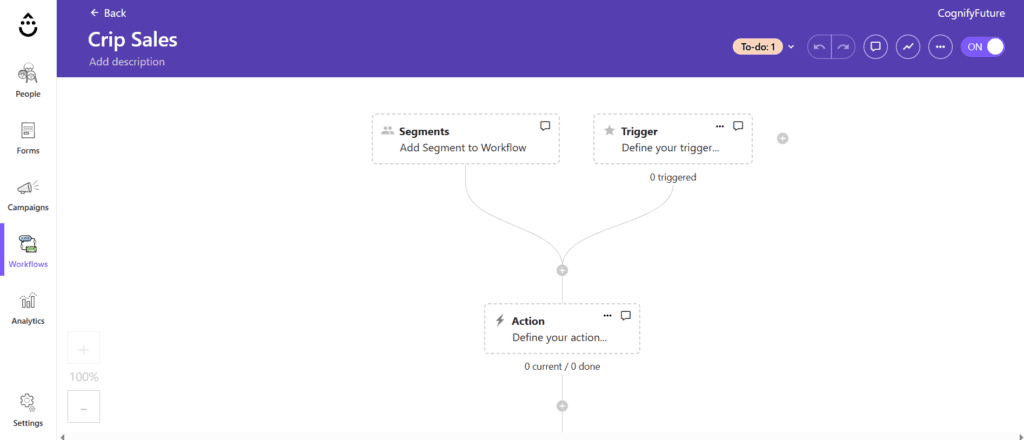
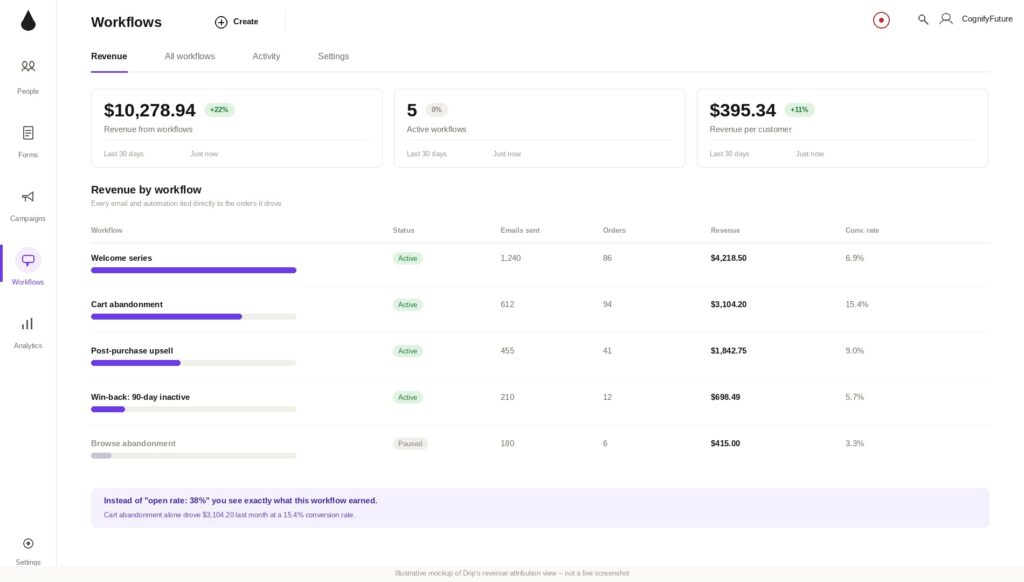
3. Revenue Attribution
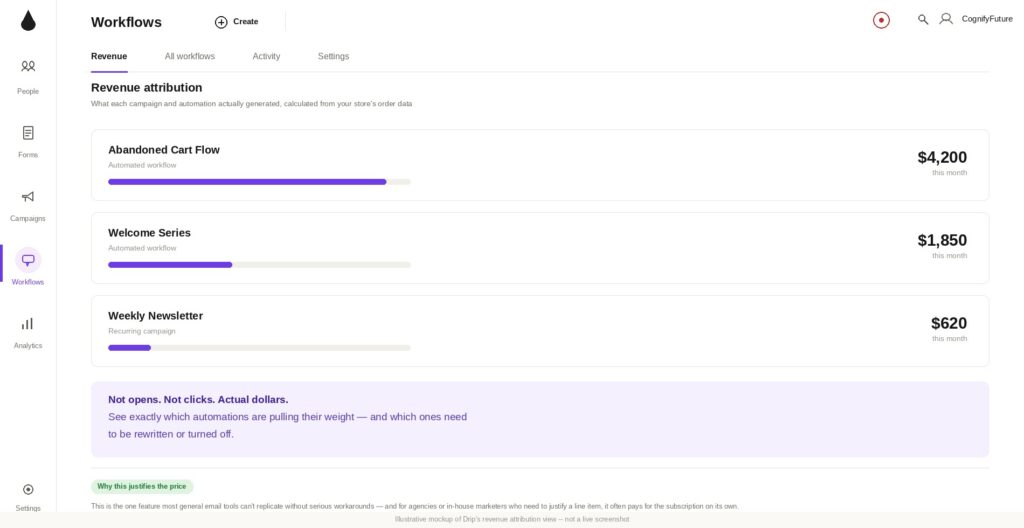
Every email and automation gets tied directly to actual sales — so instead of “open rate: 38%”, you see “this workflow generated $4,200 last month.”
That third point is the entire reason Drip exists, and it’s the thing most general email tools simply can’t replicate without serious workarounds.
Who Is Drip Actually Built For?
Based on how the platform is structured, Drip makes the most sense for:
- Shopify and WooCommerce store owners
- DTC (direct-to-consumer) brands scaling past their first $10k–$50k/month in revenue
- Stores that have outgrown Mailchimp’s basic automation
- Marketers who want to prove email’s ROI to a boss, investor, or themselves
Read Best Email Marketing and Automation Tools for 2026 – Top 10 Tested Platforms Click Here
If none of those describe your business yet, keep reading — because the “who should NOT use Drip” section later in this review is just as important as the features.
How Drip Works in Practice
Setup and Store Connection
The first thing that happens when you sign up for Drip is connecting your store. This isn’t an optional integration — it’s the foundation the entire platform is built on.
Once you connect Shopify or WooCommerce, Drip immediately starts pulling in:
- your full product catalog (with images and pricing)
- customer order history
- cart activity, including abandoned carts
- browsing behavior on product pages
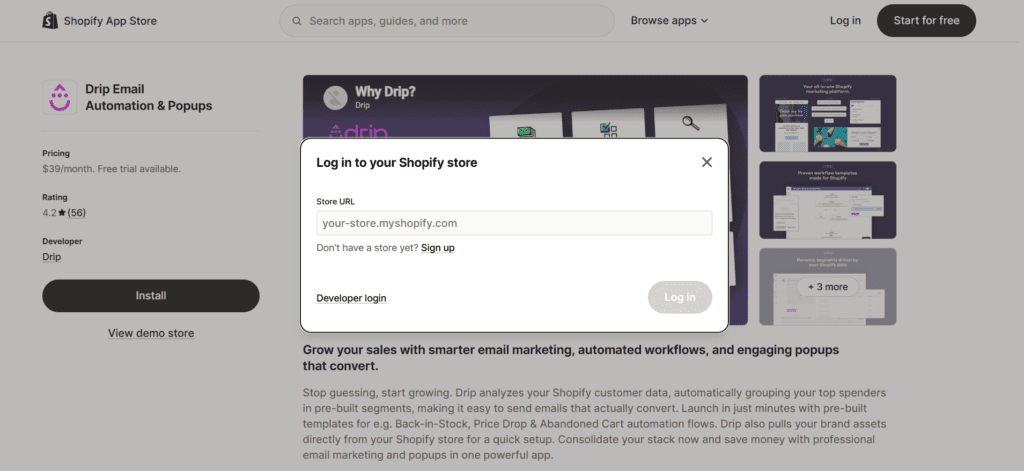
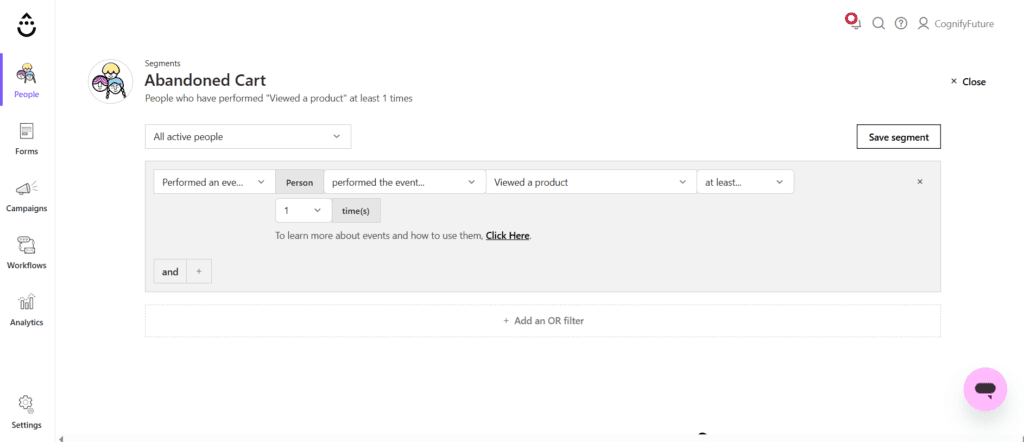
This is where Drip immediately feels different from a generic ESP. Within minutes of connecting a test store, Drip already had enough data to suggest segments like “customers who bought in the last 30 days” and “people who viewed a product but didn’t buy” — without me building anything manually.
The trade-off is that Drip’s onboarding assumes you already have a store with some traffic and order history. If you’re starting from zero — no website, no sales yet — there’s not much for Drip to work with on day one, and the platform’s strengths simply won’t show up until your store has activity to sync.
The Visual Workflow Builder
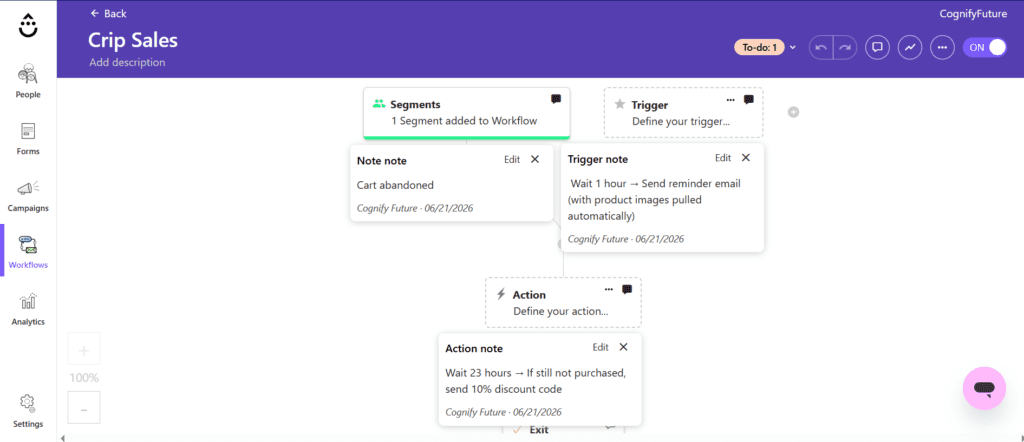
This is Drip’s centerpiece, and it’s genuinely well designed. The canvas works on a “trigger → action → condition” logic that’s visual and easy to follow, even for multi-step sequences.
A typical abandoned cart workflow looks something like this:
Abandoned Cart Recovery Flow
Trigger: Cart abandoned → Wait 1 hour → Send reminder email (with product images pulled automatically) → Wait 23 hours → If still not purchased, send 10% discount code → Wait 48 hours → Final “last chance” email
What stood out to me is that the product images, prices, and “buy now” links in that workflow are dynamic — Drip pulls them straight from your store’s data, so you’re not manually inserting product details into every email.
For a store doing even $5,000/month in revenue, a well-tuned abandoned cart sequence like this typically recovers somewhere between 5-15% of abandoned carts — which on its own can justify the monthly cost.
Prebuilt Playbooks
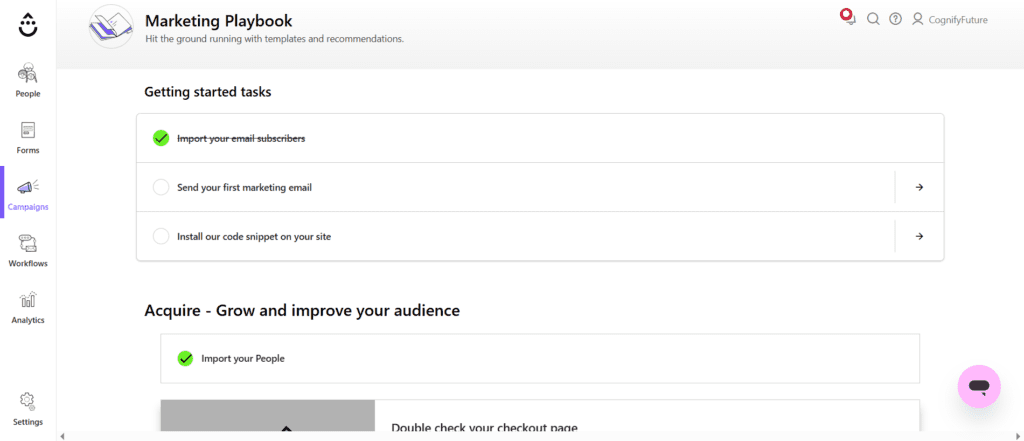
Drip ships with over 50 prebuilt automation templates (“playbooks”) covering the workflows almost every ecommerce store needs:
- Welcome series for new subscribers
- Browse abandonment (someone viewed a product but didn’t add to cart)
- Cart abandonment
- Post-purchase follow-up and review requests
- Win-back campaigns for lapsed customers
- VIP/repeat customer rewards
The practical value here is speed. Instead of designing a win-back sequence from scratch, you pick the playbook, customize the copy and discount logic, and turn it on. For someone managing email marketing alongside a dozen other store responsibilities, this matters more than it sounds.
Revenue Attribution: The Feature That Justifies the Price
Here’s the feature that, more than anything else, explains why Drip costs more than Mailchimp at the same contact count.
Every campaign and automation in Drip shows a revenue figure — not opens, not clicks, but actual dollars generated by that specific email or workflow, calculated from your store’s order data.
In practice, this means you can look at your dashboard and see something like:
- Abandoned Cart Flow: $4,200 this month
- Welcome Series: $1,850 this month
- Weekly Newsletter: $620 this month
That kind of clarity changes how you make decisions. Instead of guessing whether email “is working,” you can see exactly which automations are pulling their weight — and which ones need to be rewritten or turned off.
For agencies or in-house marketers who need to justify their budget, this single feature often pays for the subscription on its own.
Drip Review 2026: Pricing The Real Numbers
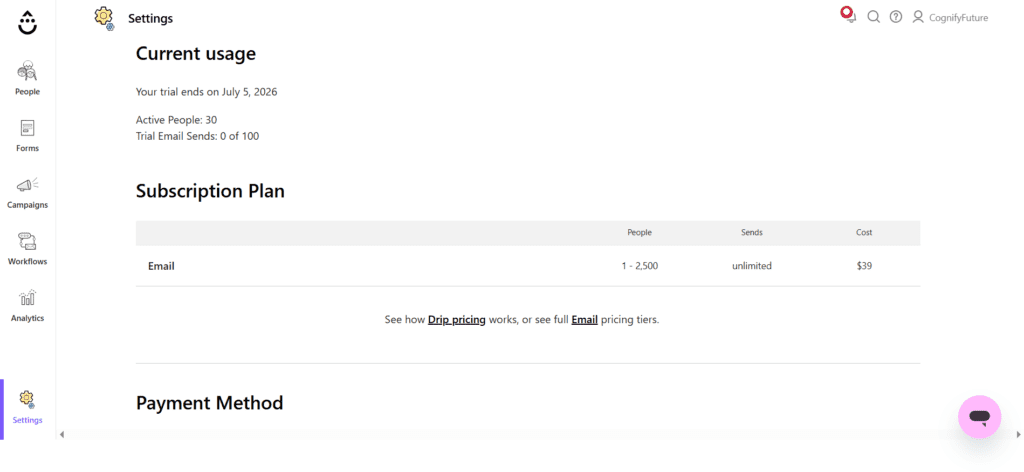
This is where a lot of Drip reviews get vague, so let’s be precise. Drip uses a single-tier pricing model based on your number of active contacts — there’s no “Basic vs Pro vs Enterprise” split. Every plan includes the full feature set: visual automation, revenue attribution, unlimited email sends, and all integrations.
Here’s how the pricing scales as of 2026:
- Up to 2,500 contacts: $39/month
- Up to 5,000 contacts: $89/month
- Up to 10,000 contacts: $154/month
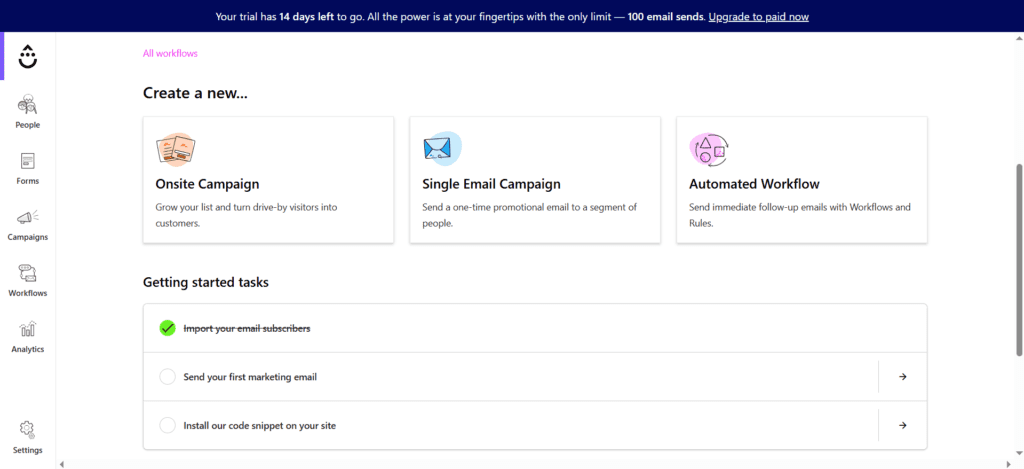
A 14-day free trial is available, and no credit card is required to start testing.
Three Pricing Details
I want to flag three things about Drip’s pricing that aren’t obvious from the pricing page alone — because they can change your actual monthly cost.
1. Billing Is Based on “Active People,” Not Total Subscribers
Drip counts “active people” toward your bill — but the platform’s public documentation doesn’t clearly define what separates an “active” contact from an “inactive” one. If you’re running aggressive list-building campaigns, or you have a lot of churn (unsubscribes, bounces), it’s worth contacting Drip support directly to understand exactly how this affects your bill before you commit to a plan based on your current list size.
2. Billing Is Based on Peak Contact Count
Your bill is calculated from the highest contact count reached during the billing period — not your contact count at the end of it. If you run a big list-growth campaign mid-month and then clean out unengaged subscribers afterward, you’ll still be billed based on that peak number for that period.
3. SMS Availability Has Been Inconsistent
Drip has marketed SMS as part of its platform, and some reviews list “SMS marketing” as a core feature. However, Drip’s own release notes around early 2026 referenced an “upcoming SMS product” — which suggests the rollout has been gradual rather than universally available from day one. If SMS is a deciding factor for you, don’t assume it’s automatically included; verify current SMS availability and pricing directly with Drip support before signing up, since SMS credits (when available) are purchased separately from your base subscription.
None of these three points are dealbreakers — but they’re exactly the kind of details that turn a “$39/month” expectation into a higher real-world bill.
Is There a Free Plan?
No. Drip does not offer a free tier — the 14-day free trial is the only way to use it without paying. If a permanently free plan is a requirement for your business right now, Drip isn’t going to be the right fit yet.
Drip Practical Use Case: What Switching From Mailchimp Actually Looks Like
Let’s walk through a realistic scenario, because this is the question most people searching for “Drip review” actually want answered: is it worth switching?
Imagine a Shopify store doing $15,000/month in revenue, with 4,000 email contacts, currently on Mailchimp’s Standard plan.
Current setup (Mailchimp):
- Basic welcome email
- Generic abandoned cart email (one message, no follow-up sequence)
- Weekly newsletter
- No clear data on what email revenue actually looks like
After switching to Drip (at the 5,000-contact tier, $89/month):
- 3-email abandoned cart sequence with dynamic product images and a tiered discount
- Browse abandonment flow for people who viewed products but didn’t add to cart
- Post-purchase flow asking for reviews and suggesting complementary products
- A win-back sequence for customers who haven’t purchased in 60+ days
Let’s run rough numbers. If this store has roughly 600 abandoned carts per month with an average order value of $60, and the new 3-email sequence recovers just 8% of those carts (a conservative, realistic number for a well-built flow):
600 abandoned carts × 8% recovery = 48 recovered orders
48 × $60 = $2,880/month in recovered revenue
Against an $89/month Drip subscription (vs. roughly $50-60/month for Mailchimp at the same contact count), the extra ~$30-40/month cost is recovered many times over by abandoned cart revenue alone — before even counting browse abandonment or win-back flows.
This is the core argument for Drip: the price difference versus a generic ESP is small compared to what well-built, store-aware automation can recover. The catch is that this only holds true if you actually build out the automations — paying for Drip and using it like Mailchimp (one newsletter, one generic abandoned cart email) wastes the price difference entirely.
Drip Review 2026: Features Breakdown
1) Dynamic Segmentation
Drip’s segmentation goes beyond “people who opened email X.” You can build segments based on actual purchase behavior:
- Customers who bought Product A but not Product B
- Customers with an average order value above $100
- People who visited your store in the last 7 days but haven’t purchased
- Customers in a specific country who bought during a specific sale
These segments update automatically as customer behavior changes — so a customer who makes a second purchase is instantly moved from “one-time buyer” to “repeat customer” segments without any manual work.
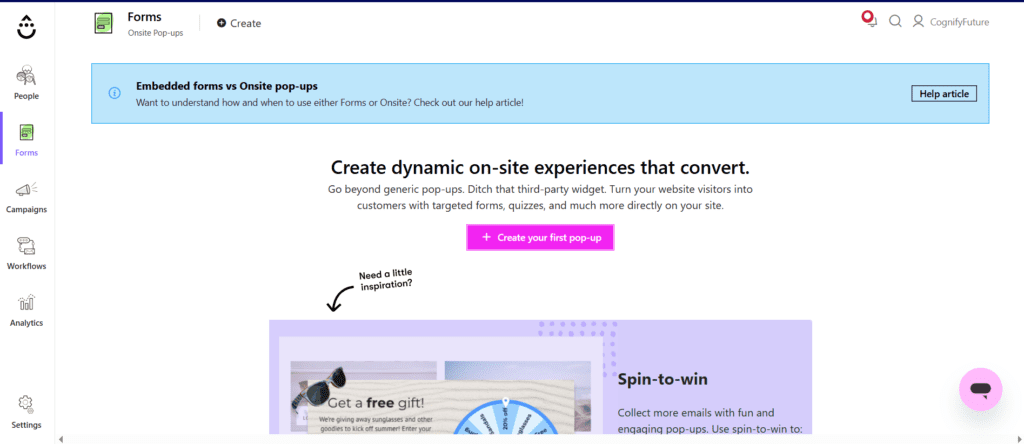
2) Onsite Messaging
Drip includes onsite popups and forms that can be triggered based on behavior — not just “time on page,” but things like “this is a returning customer” or “this person has an item in their cart.”
Example use case: show a different popup to first-time visitors (“Get 10% off your first order”) versus returning customers (“Welcome back — here’s what’s new”).
3) Email Builder and Templates
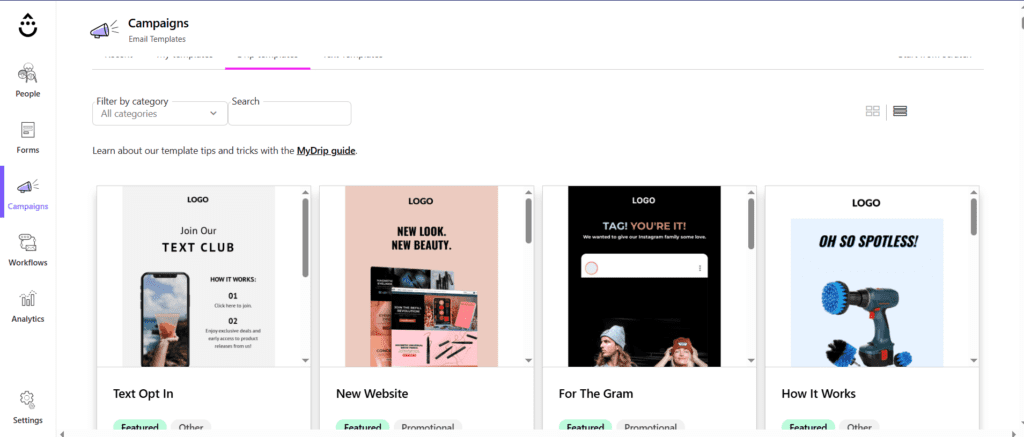
The drag-and-drop email editor is functional and clean, though it’s worth being upfront: Drip’s template library is noticeably smaller than Mailchimp’s. If you’re someone who relies heavily on pre-designed templates to move quickly, you may need to invest more time customizing layouts compared to more design-focused platforms.
What the editor does well is pulling live product data — images, prices, “buy now” buttons — directly into emails without manual updates each time your inventory or pricing changes.
4) Open REST API
For brands with non-standard tech stacks — a custom-built storefront, a subscription app, or a loyalty program that isn’t Shopify or WooCommerce — Drip provides an open REST API for custom event tracking and contact management.
This means even if your store doesn’t fit neatly into one of Drip’s native integrations, a developer can push custom events (like “redeemed loyalty points” or “started a subscription”) into Drip and trigger automations from them.
Drip Review 2026 : Who Should Use Drip?
Shopify and WooCommerce Stores Past the Early Stage
If you’re generating consistent orders and want email to become a measurable revenue channel — not just a newsletter — Drip’s native integrations and behavioral triggers are built exactly for this.
DTC Brands Focused on Customer Lifecycle Marketing
Brands that think in terms of “first purchase → repeat purchase → loyal customer” will get the most value from Drip’s segmentation and lifecycle-based playbooks.
Marketers Who Need to Prove Email ROI
If you report to a founder, investor, or boss who asks “what is email actually doing for us,” Drip’s revenue attribution gives you a direct, defensible answer.
Who Should NOT Use Drip?
An honest review has to be just as clear about who should walk away — and for Drip, there are three groups where I’d actively recommend looking elsewhere.
1) Bloggers, Coaches, and Non-Ecommerce Creators
If you’re not selling physical or digital products through an ecommerce platform, most of Drip’s core value — product sync, cart triggers, revenue attribution — simply doesn’t apply to you. You’d be paying ecommerce-tier pricing for what amounts to a fairly standard email tool. ConvertKit or MailerLite will serve creators better at a lower cost.
2) Brand New Stores With No Sales History
Drip’s segmentation and revenue attribution are powerful because they’re built on data — your store’s order history, browsing patterns, and customer behavior. If you’ve just launched and have zero or near-zero orders, there’s nothing for Drip to work with yet. Start with a simpler, cheaper tool and migrate to Drip once you have real customer data flowing.
3) Anyone on a Tight Budget Who Needs a Free Plan
With no free tier and a $39/month minimum, Drip simply isn’t an option if your budget for email marketing is currently $0. Mailchimp or MailerLite‘s free plans will let you build your list and basic automations until you’re ready to invest in something more ecommerce-specific.
Drip vs Klaviyo: The Real Comparison
If you’re researching Drip, you’ve almost certainly come across Klaviyo too — it’s the most direct competitor, and the comparison is genuinely close.
Choose Drip if:
- You want a simpler, more straightforward automation builder
- You’re at a smaller list size (under 5,000 contacts), where Drip is roughly 35% cheaper
- You don’t need built-in predictive analytics or deep SMS bundling right now
Choose Klaviyo if:
- You want predictive analytics (customer lifetime value, churn risk scoring)
- SMS is a core part of your strategy from day one, with credits bundled into plans
- You’re already past 10,000 contacts, where pricing between the two converges anyway
Neither platform is objectively “better” — the right choice depends on your list size, budget, and whether SMS and predictive analytics are must-haves right now or features you’ll grow into later.
Drip vs Mailchimp
Choose Drip if: you’re running an ecommerce store and want behavior-based automation, revenue attribution, and deep Shopify/WooCommerce sync.
I Tested MailChimp for 7 Days with Real Workflows. Read Detailed Review. Click Here
Choose Mailchimp if: you need a lower entry cost, a broader template library, or you’re not exclusively focused on ecommerce — Mailchimp’s general-purpose design serves a wider range of use cases at a lower starting price.
Drip Review 2026 : Drip Pros and Cons
Pros
- Revenue attribution shows exactly which emails and automations drive sales
- Deep, automatic Shopify, WooCommerce, BigCommerce, and Magento integrations
- 50+ prebuilt automation playbooks for common ecommerce workflows
- Behavior-based segmentation that updates automatically
- Single-tier pricing — every plan includes the full feature set, no feature gating
- Open REST API for custom integrations
- 14-day free trial, no credit card required
Cons
- No free plan — $39/month minimum
- Pricing scales steeply past 5,000 contacts
- Smaller email template library than general-purpose competitors
- SMS availability and “active contact” billing definitions aren’t clearly documented — worth confirming with support
- Live chat support requires a $99+/month plan; standard support is email-only, weekdays
- Overbuilt and not cost-effective for non-ecommerce use cases
Final Verdict
After going through Drip’s automation builder, pricing structure, integrations, and the less-publicized details around billing and SMS, here’s where I land: Drip earns its higher price tag, but only for the audience it was built for.
If you’re running a Shopify or WooCommerce store with real order volume, and you’re still treating email as an occasional newsletter rather than a revenue channel, Drip’s automation playbooks and revenue attribution can realistically pay for themselves within the first month through recovered cart and browse abandonment alone.
But if you’re not yet running an ecommerce store, or you’re looking for a free tier to get started, this isn’t the right tool yet — and that’s fine. Build your list with something like MailerLite first, and come back to Drip once your store has the order history to make its segmentation and attribution actually useful.
The best way to know for sure is to use the 14-day free trial with your actual store data connected — that’s the only way to see what Drip’s revenue attribution looks like for your specific products and customers. You can start your free trial here and connect your store to see the numbers for yourself.
Related Reading
- Best Email Marketing and Automation Tools 2026 (full roundup)
- Omnisend Review 2026
- Best Email Marketing Tools for Shopify
- Abandoned Cart Email Flow Guide
1. Is Drip good for small ecommerce businesses?
Yes, with a caveat. Drip is built specifically for ecommerce stores and works best once you have some order history for its segmentation and automation to use. For brand-new stores with no sales yet, it may feel like overkill — but for small stores with consistent orders, it’s one of the most automation-rich options at its price point.
2. How much does Drip cost in 2026?
Drip starts at $39/month for up to 2,500 contacts, $89/month for up to 5,000 contacts, and $154/month for up to 10,000 contacts. All plans include the full feature set — there’s no feature-gating between tiers, only contact-count scaling. A 14-day free trial is available with no credit card required.
3. Does Drip integrate with Shopify?
Yes. Drip has a native Shopify integration that automatically syncs your product catalog, order history, customer data, and cart activity — including abandoned carts and browsing behavior — without manual setup. It also integrates natively with WooCommerce, BigCommerce, and Magento.
4. Does Drip have a free plan?
No. Drip does not offer a permanently free plan. It offers a 14-day free trial with full feature access and no credit card required, but after the trial ends you’ll need a paid plan starting at $39/month to continue using it.
5. Can I use Drip for SMS marketing?
Drip has marketed SMS as part of its roadmap, but availability has been inconsistent — release notes around early 2026 referenced SMS as an ‘upcoming product’ rather than something universally live. If SMS is important to your strategy, confirm current availability and pricing directly with Drip support before subscribing, since SMS credits are purchased separately from your base plan.
6. How is Drip’s pricing calculated — by total subscribers or active contacts?
Drip bills based on ‘active people’ in your account, and billing reflects the peak contact count reached during a billing period, not your contact count at the end of it. The platform’s documentation doesn’t fully define what separates an active from an inactive contact, so if you have significant list churn, it’s worth checking with Drip support to understand how it affects your bill.
7. Drip vs Klaviyo — which is better for ecommerce email?
Drip is roughly 35% cheaper than Klaviyo at smaller list sizes (around 2,500 contacts) and has a simpler automation builder. Klaviyo offers predictive analytics like customer lifetime value and churn risk, plus more tightly bundled SMS. Pricing between the two converges at around 10,000+ contacts, where the choice comes down to which workflow experience and feature set fits your team better.
8. What are the best alternatives to Drip?
The main Drip alternatives in 2026 are Klaviyo (ecommerce email and SMS with predictive analytics), ActiveCampaign (automation-first platform with built-in CRM), ConvertKit/Kit (best for individual creators rather than ecommerce), and Mailchimp (broader general-purpose platform with a lower entry cost and free tier).





I am Ashish Yadav a software engineer and AI tools researcher with over five years of practical experience working with real-world systems and automation. I am founder of CognifyFuture, where I analyzes, tests, and breaks down AI tools with a focus on what actually works—not what’s trending.
My content is built on hands-on usage, not theory. Instead of generic advice, I focuses on real implementation—how AI tools can be used to automate tasks, improve efficiency, and solve any specific business or individual problems.
Through CognifyFuture, My aims is to eliminate confusion around AI by delivering clear, honest, and actionable insights that help users make smarter technology decisions.