

If you are building a blog, creator brand, small business, or digital product business, then one question always comes up:
Which email marketing tool should I actually use?
There are dozens of options on the market: some are too expensive, some are too complicated, and some look great until the pricing climbs steeply as your list grows.
That’s exactly why MailerLite continues to remain one of the most talked-about email marketing tools in 2026.
But instead of giving you another surface-level feature list, I wanted to approach this honest MailerLite review from a practical perspective.
I looked at MailerLite as a real business owner would.
Questions like:
- Can it help grow subscribers?
- Can it convert blog traffic into leads?
- Is automation strong enough?
- Can it help sell digital products?
- Does it stay affordable as you scale?
After analyzing its features, pricing, workflows, deliverability, and use cases, I can confidently say:
MailerLite is one of the best beginner-to-growth-stage email marketing tools in 2026 — and one of the best email marketing tools for bloggers and creators specifically, thanks to its low price, clean interface, and category-leading deliverability.
Especially for:
- bloggers
- creators
- solopreneurs
- coaches
- affiliate marketers
- small businesses
What Is MailerLite?
MailerLite is an all-in-one email marketing and audience growth platform. Founded in 2010, it now serves well over a million businesses worldwide and is consistently rated one of the easiest email tools to learn — you can try every paid feature with a 14-day free trial.
It helps businesses do four important things:
Read Best Email Marketing and Automation Tools for 2026 – Top 10 Tested Platforms Click Here
1. Build subscribers
Using:
- popups
- signup forms
- embedded forms
- landing pages
2. Nurture leads
Using:
- welcome sequences
- drip campaigns
- automated workflows
3. Increase revenue
Using:
- digital product selling
- paid newsletters
- appointment booking
- eCommerce integration
4. Build authority
Using:
- newsletters
- blog builder
- website builder
The official platform currently supports all these features, including digital product selling and recurring subscriptions. It also integrates with Shopify, WooCommerce, WordPress, Stripe, and Facebook, so your email marketing connects directly to the rest of your stack.
This makes it more than just an email tool.
It becomes a growth system.
How MailerLite Works in Practice
Setup and Onboarding
Onboarding is the first thing worth evaluating, since most beginners abandon a tool during setup rather than after it. MailerLite does well here — the dashboard is clean and easy to navigate, and reviewers regularly say a complete beginner can be trained on it in about 30 minutes.
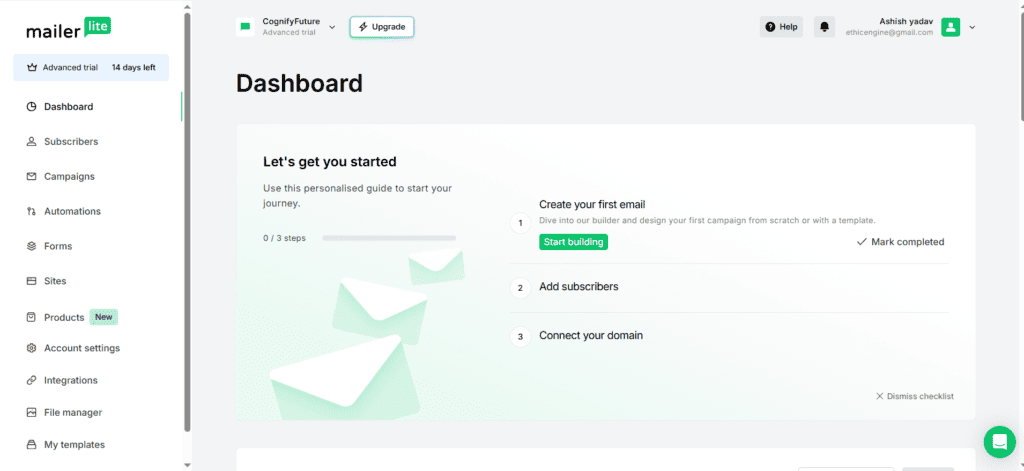
There’s no clutter or overwhelming menus, and within the first hour a beginner can realistically set up:
- first newsletter
- email list
- popup form
- landing page
- welcome automation
This simplicity is a major advantage.
Compared to competitors like Mailchimp, MailerLite has a much lower learning curve. One small catch worth knowing: new accounts go through a manual approval review before you can send, which protects deliverability but can take a little time.
Creating Email Campaigns
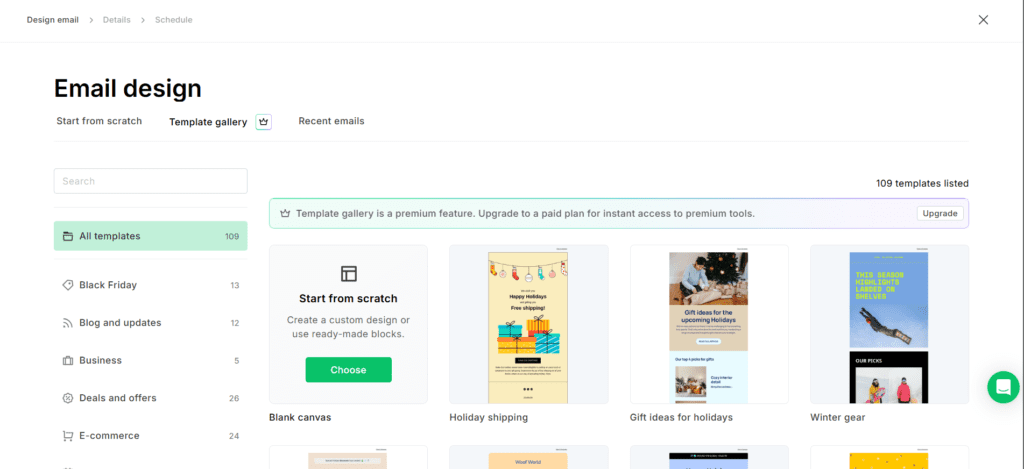
The drag-and-drop email builder is one of its strongest features.
You can create:
- newsletters
- promotions
- launch campaigns
- lead nurturing emails
- product announcements
The editor is smooth and intuitive, and a built-in AI writing assistant can draft subject lines and copy for you.
For bloggers, this is extremely useful.
For example, if you run weekly content like:
“Top AI Tools This Week”
You can quickly design newsletter blocks with:
- featured tool
- CTA buttons
- product images
- affiliate links
This directly supports blog monetization.
Automation Workflows
This is the most important part, because businesses rarely make money from one-off emails — they make it from automation, and MailerLite includes automation even on its lower plans.
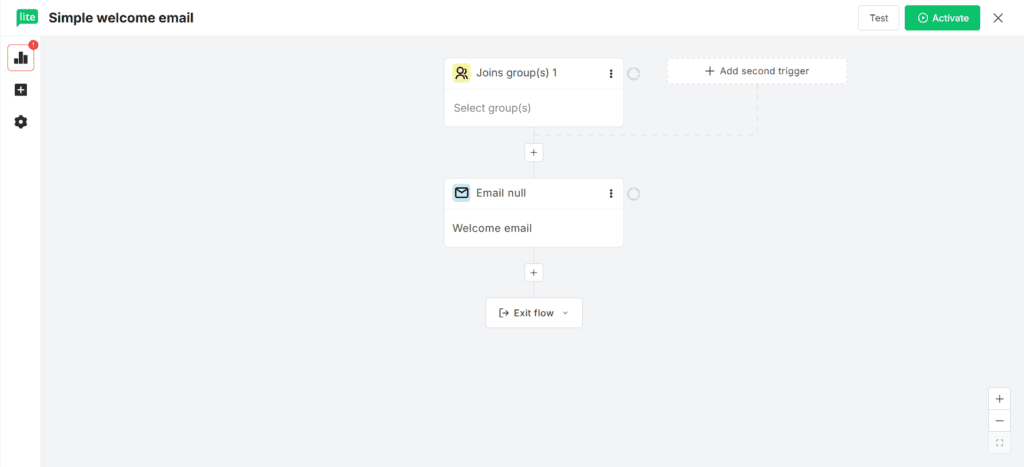
A typical welcome workflow looks like this:
Welcome Funnel
Day 1 → Welcome email
Day 2 → Lead magnet delivery
Day 4 → educational email
Day 6 → case study email
Day 8 → offer email
Day 10 → follow-up CTA
This workflow is enough to convert cold traffic into buyers.
For your blog, this could become:
Traffic → free guide → nurture → course sale
That is exactly how content businesses scale. Multi-trigger automations and “Deliver by Timezone” sending (so each subscriber gets the email at the best local time) make these flows even more effective.
MailerLite Practical Use Case
Here’s a realistic scenario. Suppose your blog gets 5,000 visitors a month. Without email capture, most of them leave and never return — but a simple MailerLite funnel changes that:
Traffic → popup → free ebook → welcome automation → digital product pitch
Let’s calculate.
5,000 visitors
2% opt-in = 100 subscribers
After 12 months:
1,200 subscribers
Now assume 3% conversion on a $49 product
36 sales × $49 = $1,764 revenue
This is why email marketing is not optional.
It directly multiplies blog income.
MailerLite Features Breakdown
One of the biggest reasons MailerLite continues to perform well in 2026 is that it combines simplicity with features that most small businesses actually need.
Instead of overwhelming users with enterprise-level complexity, it focuses on practical growth tools. Newer additions in 2026 include Bookings (paid appointment scheduling), Custom Reports, and A/B and multivariate testing on both emails and landing pages.
1) Landing Page Builder
For bloggers, affiliate marketers, and creators, landing pages are one of the most important conversion tools.
MailerLite allows you to build:
- lead magnet pages
- webinar registration pages
- ebook download pages
- sales pages
- waitlist pages
- newsletter sign-up pages
The biggest advantage here is speed.
You do not need WordPress plugins, page builders, or external software.
A complete lead capture page can be created in less than 20 minutes.
This is especially useful for content-driven blogs like yours.
For example:
AI tools blog use case:
Blog article → CTA button → landing page → free PDF guide → email capture
That one system can significantly increase subscriber growth. MailerLite supports landing pages, websites, forms, and pop-ups directly inside the platform.
2) Signup Forms & Popups
This is where real list growth happens.
Without proper lead capture, even high blog traffic doesn’t generate revenue.
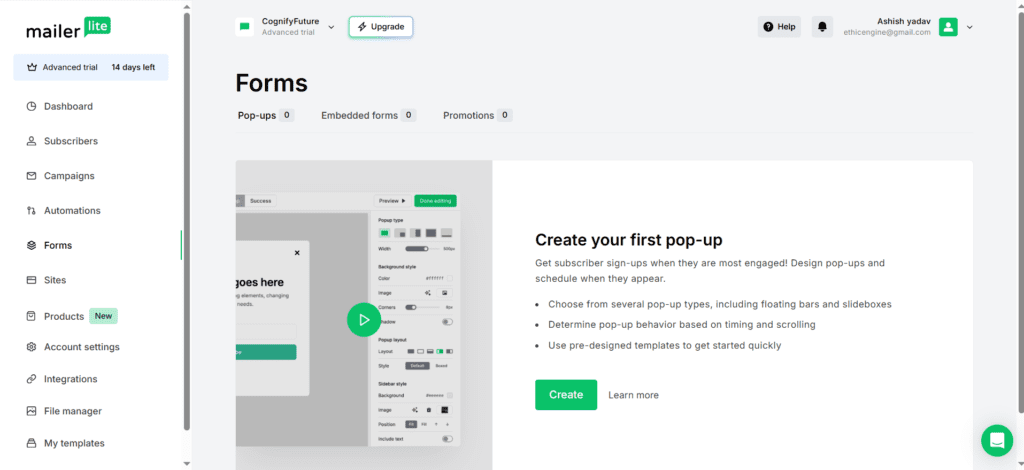
MailerLite offers:
- exit-intent popups
- embedded forms
- slide-in popups
- sticky bars
- full-screen forms
For example, on your blog post:
“Best Email Marketing Tools 2026”
You can add:
Download Free Email Funnel Template
This single popup can convert 2–5% of readers into subscribers.
Even the free plan includes forms and pop-ups.
3) Email Automation Engine
This is where MailerLite becomes powerful.
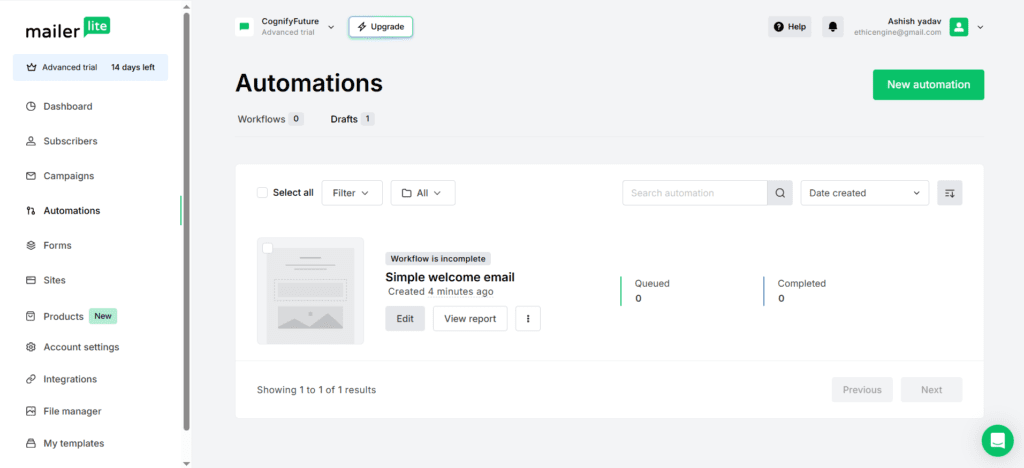
The automation builder allows:
- welcome sequences
- lead nurturing
- abandoned cart follow-up
- product upsells
- onboarding workflows
- re-engagement emails
For bloggers selling courses, this is extremely valuable.
Example:
New subscriber → free checklist → 5-value emails → product pitch → testimonial email → urgency email
Once it’s set up, the whole sequence runs automatically in the background — which is where the real value of email marketing comes from.
MailerLite Pricing 2026
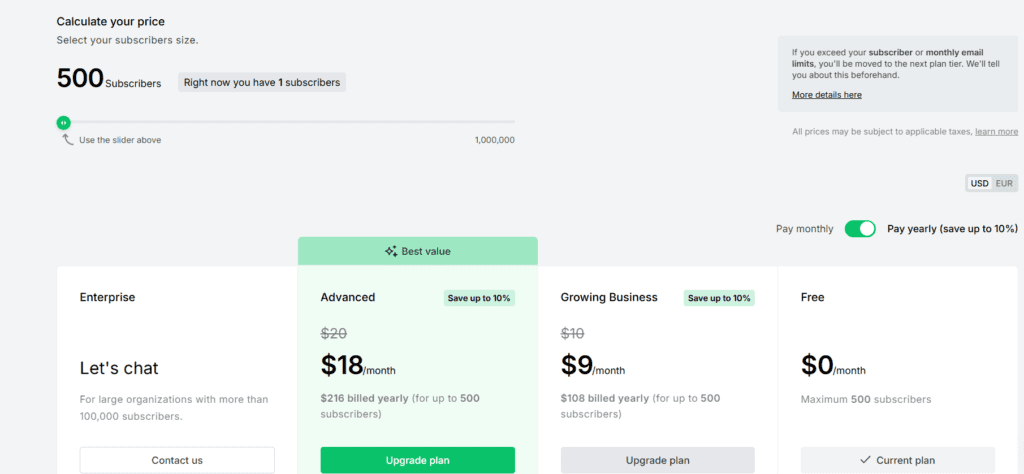
MailerLite pricing is based on your number of subscribers, and every paid plan includes unlimited monthly emails. You can try any paid plan free for 14 days. Here is how the plans break down.
Free Plan
Best for:
- beginners
- side hustlers
- new blogs
Includes:
- up to 500 subscribers (cut from 1,000 in September 2025)
- 12,000 monthly emails
- automation
- signup forms
- 10 landing pages
It’s still one of the more generous free tiers, but a few things to know: every email carries MailerLite branding, you don’t get newsletter or landing-page templates or the custom HTML editor on free, and the 500-subscriber cap fills up faster than the old 1,000 limit did.
Growing Business Plan
Starts at $10/month for 500 subscribers (about 10% less on annual billing)
Best for:
- growing blogs
- affiliate sites
- digital product funnels
Includes:
- unlimited email sends
- dynamic emails
- auto resend
- unlimited landing pages
- digital product selling
This is the plan most serious creators should choose.
Advanced Plan
Starts at $20/month for 500 subscribers
Best for:
- teams
- agencies
- scaling brands
Includes:
- unlimited users
- more automation triggers and custom HTML editor
- Facebook custom audiences and promotion pop-ups
- AI writing assistant and live chat support
Two things worth knowing about pricing: all paid plans include unlimited emails, but MailerLite’s marketing plans do not include transactional email — that runs through a separate product, MailerSend (from about $7/month). Costs also rise with your subscriber count, so check the cost at your list size before committing. Pricing last verified June 2026 — check mailerlite.com/pricing for current rates.
Can You Sell Digital Products?
Yes — and this is where MailerLite becomes extremely powerful.
The platform now supports:
- ebooks
- templates
- PDFs
- downloadable resources
- paid newsletters
- appointment bookings
Payments are handled through a built-in Stripe integration, so you can sell without a separate checkout tool. This is highly relevant for your monetization strategy.
Example products for your blog:
- email marketing course
- automation templates
- AI tools guide
- SaaS comparison ebook
Who Should Use MailerLite?
MailerLite is ideal for:
Bloggers
Perfect for converting traffic into leads.
Coaches & Consultants
Best for:
- webinar funnels
- appointment bookings
- lead nurturing
MailerLite now supports appointment booking and paid sessions as well through its Bookings feature, with Google/Outlook calendar syncing.
Digital Product Sellers
Excellent for selling:
- ebooks
- templates
- guides
- paid newsletters
- courses
Direct digital product selling is now built in.
Affiliate Marketers
Great for:
- lead magnets
- comparison newsletters
- product recommendation sequences
Who Should NOT Use MailerLite?
While MailerLite is excellent for beginners and growth-stage creators, it is not the perfect platform for every business.
I always believe an honest review should clearly explain who should avoid the tool.
That helps readers trust the recommendation more.
1) Large Enterprise Businesses
If you are managing:
- multiple departments
- complex CRM workflows
- sales pipelines
- advanced behavioral segmentation
- multi-channel campaigns
Then MailerLite may feel limited.
Enterprise brands often need deeper workflow logic, CRM syncing, and sales automation.
In that case, tools like HubSpot or ActiveCampaign may be a better fit.
2) Businesses That Need SMS + Omnichannel Marketing
MailerLite is primarily strong in email marketing.
If your business needs:
- SMS campaigns
- WhatsApp flows
- push notifications
- CRM sales journeys
then alternatives like Brevo (for SMS) or Omnisend (for ecommerce omnichannel) may work better.
This honest limitation improves trust and shows balanced analysis.
My Honest Recommendation Based on Business Type
Instead of saying “MailerLite is good for everyone,” here is my honest recommendation based on real use cases.
Best for Bloggers
If your main goal is:
- collecting emails from blog traffic
- sending weekly newsletters
- selling ebooks
- promoting affiliate offers
MailerLite is one of the best choices.
For your blog model, this is exactly where it shines.
Best for Creators & Coaches
If you sell:
- mini courses
- templates
- paid consultations
- community access
- paid newsletters
MailerLite is extremely practical because it now supports digital products, paid subscriptions, and appointment booking.
This directly supports creator monetization.
Best for Small Businesses
For local businesses and service providers, it works well for:
- lead capture
- appointment reminders
- offer campaigns
- customer nurturing
Customer Support Experience & Reliability
Honestly, support matters a lot when your email campaigns affect revenue.
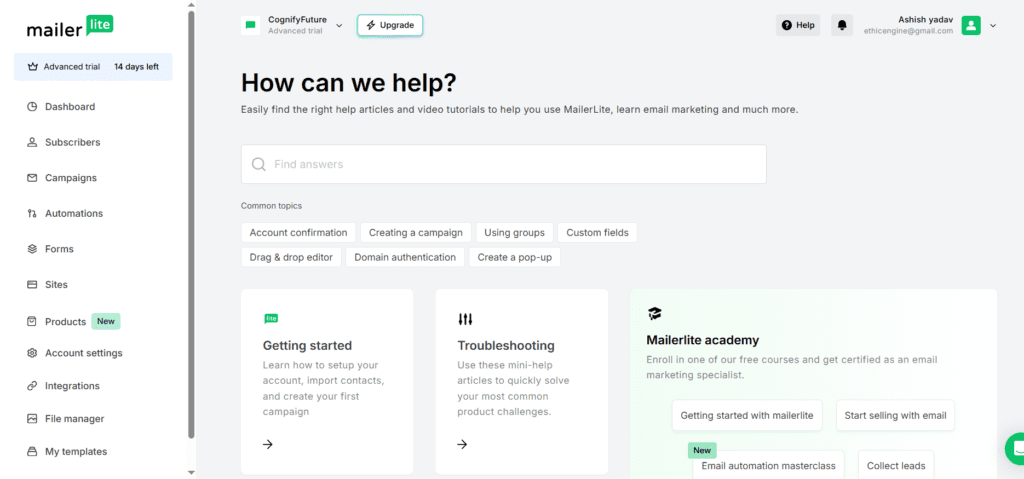
MailerLite offers:
- email support (24/7)
- live chat on higher plans
- knowledge base
- academy tutorials
- webinars
- templates
- best-practice resources
For beginners, this reduces the learning curve.
However, some users on the free and lower plans have reported slower support response times.
I personally recommend this tool more for users who are comfortable learning basic automation independently.
Deliverability Matters More Than Features
Even the best email builder is useless if emails do not reach inboxes. This is where MailerLite genuinely stands out: in EmailToolTester’s independent deliverability testing, MailerLite has ranked at the top with an average inbox placement rate around 95.2% — one of the best results among all major email platforms.
Deliverability depends on:
- domain authentication
- list quality
- engagement rates
- spam complaints
- email frequency
MailerLite supports:
- custom domain verification
- SPF / DKIM / DMARC setup
- email verification tools
- list cleaning resources
My recommendation:
Always use:
- double opt-in
- domain authentication
- inactive subscriber cleanup every 90 days
This helps maintain inbox reputation.
MailerLite vs ConvertKit vs Mailchimp
MailerLite vs ConvertKit
Note: ConvertKit rebranded to Kit in 2024, but most people still search for it as ConvertKit.
Choose MailerLite if you want:
- better pricing
- landing pages
- stronger free plan
- product selling tools
Choose ConvertKit / Kit if you want:
- creator-first workflows
- advanced tagging
- visual automation for info products
MailerLite vs Mailchimp
Choose MailerLite if you want:
- lower pricing
- easier dashboard
- beginner-friendly setup
- faster learning curve
Choose Mailchimp if you need:
I Tested MailChimp for 7 Days with Real Workflows Read Detailed Review. ClickHere
- enterprise integrations
- advanced audience segmentation
- large team collaboration
MailerLite Pros and Cons
Pros
- affordable pricing
- clean, beginner-friendly interface
- excellent for bloggers and creators
- strong landing pages
- automation included on every plan
- digital product selling built in
- category-leading deliverability (≈95% inbox placement)
Cons
- not ideal for enterprise or complex CRM workflows
- analytics less deep than premium tools
- no SMS or omnichannel marketing
- no templates or custom HTML on the free plan, plus a manual account approval step
- some support complaints on lower tiers
Final Verdict
After a detailed look at its features, pricing, deliverability, and real-world use cases, I believe MailerLite remains one of the best email marketing platforms in 2026.
The biggest reasons are:
- affordable pricing
- simple UI
- excellent automation
- strong lead generation tools
- digital product selling
- creator-friendly workflows
For beginners and growth-stage blogs, it offers one of the best ROI opportunities in email marketing.
If your goal is to turn traffic into subscribers and subscribers into buyers, MailerLite is absolutely worth considering in 2026. You can start free with up to 500 subscribers and upgrade only when your list and revenue grow.
Related Reading
- Best Email Marketing and Automation Tools 2026 (full roundup)
- MailerLite vs GetResponse
- ConvertKit vs MailerLite
- What Is Email Marketing? Beginner Guide
1. Is MailerLite good for bloggers?
Yes. It’s one of the strongest options for bloggers because it turns traffic into subscribers with built-in popups, embedded forms, and landing pages, then lets you nurture those readers with automated sequences. The generous free plan (up to 500 subscribers since the September 2025 change) means you can start building a list without paying anything upfront.
2. Does MailerLite include email automation?
Yes — and automation is available even on its lower-tier plans, which isn’t always the case with competitors. You can build welcome sequences, lead-nurturing drips, re-engagement flows, and product or course funnels using a visual workflow builder.
3. Can you sell digital products with MailerLite?
Yes. MailerLite now supports selling digital products directly — ebooks, templates, PDFs, paid newsletters, and even appointment bookings — with payments handled via a built-in Stripe integration, so creators can capture leads and sell without a separate checkout tool.
4. Is MailerLite cheaper than Mailchimp?
Generally, yes. MailerLite’s paid plans typically start lower than Mailchimp’s (from about $10/month), and its free tier tends to include more usable automation and landing-page features at the entry level. Pricing changes over time, so it’s worth checking both providers’ current plans before committing.
5. Does MailerLite have a free plan?
Yes. The free plan supports up to 500 subscribers and 12,000 emails per month, and unusually it still includes automation, signup forms, and up to 10 landing pages. Note that free-plan emails carry MailerLite branding and you don’t get templates or the custom HTML editor.
6. How much does MailerLite cost in 2026?
MailerLite’s Growing Business plan starts at about $10/month and the Advanced plan at about $20/month, both for 500 subscribers with unlimited emails. Pricing scales with your subscriber count, and there is a free plan plus a 14-day trial of paid features. Transactional email is billed separately through MailerSend.
7. Is MailerLite’s deliverability good?
Yes — it’s one of MailerLite’s biggest strengths. In EmailToolTester’s independent testing, MailerLite ranked at the top with an average inbox placement rate around 95.2%. Setting up SPF, DKIM, and DMARC and using double opt-in keeps your results high.
8. MailerLite vs ConvertKit (Kit) — which is better?
Choose MailerLite for lower pricing, landing pages, a stronger free plan, and built-in product selling. Choose ConvertKit (now called Kit) if you want creator-first workflows, advanced tagging, and visual automation built specifically for selling info products.
9. What are the best MailerLite alternatives?
The top MailerLite alternatives in 2026 are ConvertKit/Kit (creators), Brevo (SMS and send-volume pricing), Omnisend (ecommerce omnichannel), ActiveCampaign (advanced automation and CRM), and Mailchimp (enterprise integrations).





I am Ashish Yadav a software engineer and AI tools researcher with over five years of practical experience working with real-world systems and automation. I am founder of CognifyFuture, where I analyzes, tests, and breaks down AI tools with a focus on what actually works—not what’s trending.
My content is built on hands-on usage, not theory. Instead of generic advice, I focuses on real implementation—how AI tools can be used to automate tasks, improve efficiency, and solve any specific business or individual problems.
Through CognifyFuture, My aims is to eliminate confusion around AI by delivering clear, honest, and actionable insights that help users make smarter technology decisions.







